ENEnglish
 LTLietuviškai
 DEDeutsch
 FRFrançais
 RUРусский
 ESEspañol
 PLPolski
 ITItaliano
 UKУкраїнська
 CSČeština
 PTPortuguês
 JA日本語
 LVLatviešu valoda
 ETEesti
 HUMagyar
 IDBahasa Indonesia
 TRTürkçe
 HIहिन्दी
 ELΕλληνικά
 ARالعربية
 THไทย
 VITiếng Việt
 RORomână
 MSBahasa Melayu
 BNবাংলা
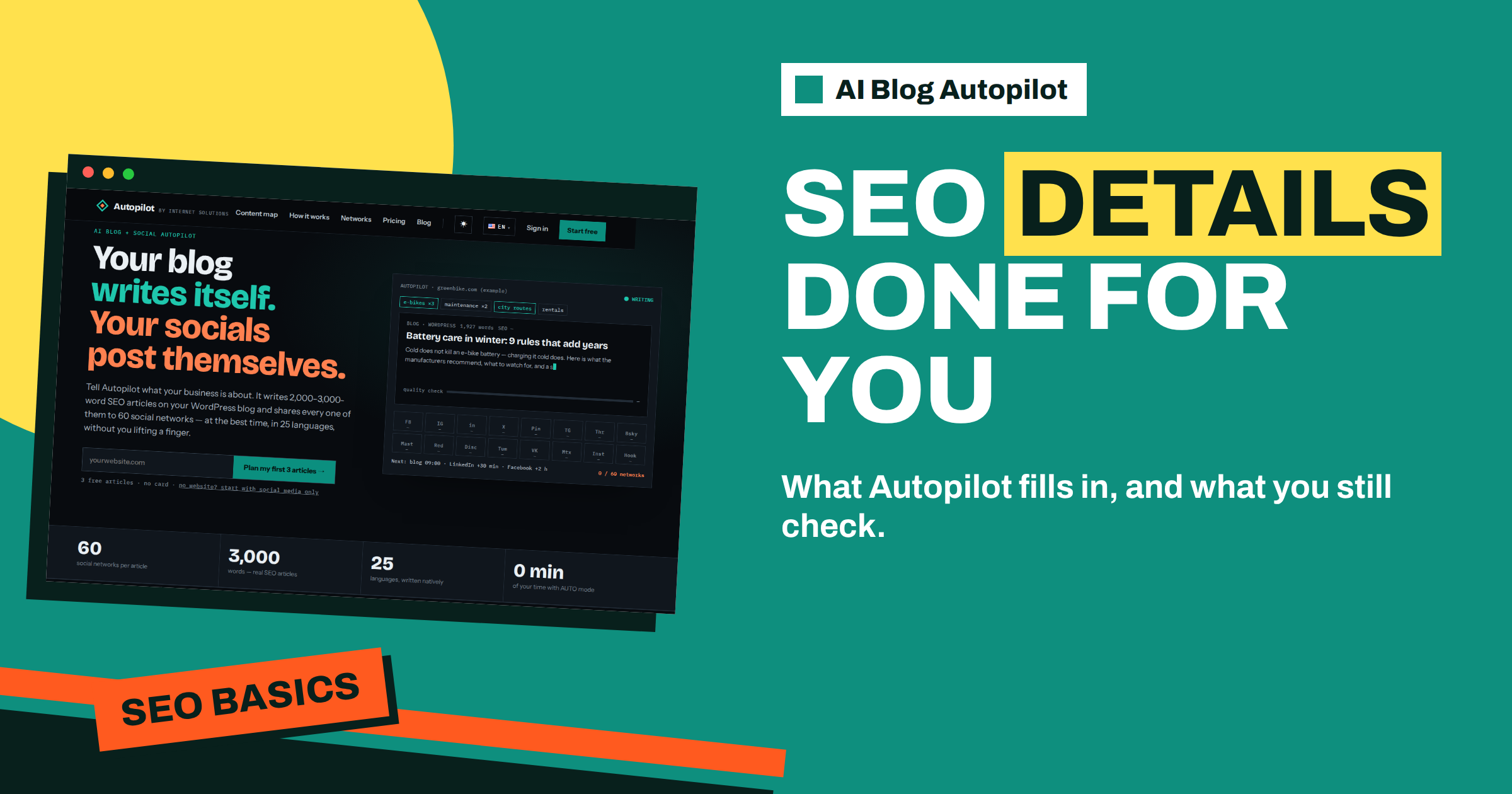
Short answer: The AI Blog Autopilot home page says every article comes with titles, descriptions, tags and an FAQ done for you, plus an automatic quality check of length, structure, keyword and meta. That covers the routine SEO details. You still review facts, local details, internal links to your own pages and whether the title matches what your customers search for.
When people first hear that a tool writes full SEO articles, they ask what exactly is included. Is it only the text, or also the small details that search engines and readers see first? Those details, such as the title, the description under it, the tags and the question-and-answer section, are easy to forget when writing by hand, and they affect how an article appears in results.
This guide explains what Autopilot fills in, why each element matters and what a careful owner still checks. The product facts come from the home page. It does not describe every technical field, so where this article discusses SEO in general, treat it as background knowledge and check the details in your own account and on your own site.
What the home page lists
Under the step called AI writes, the home page says: full articles with FAQ, tags and SEO meta, with an automatic quality check before anything goes live. In the list for people with a website, it says titles, descriptions, tags and FAQ are done for you, and that every article is shared to your social networks automatically.
The page also describes each article as planned around a real search query, between 2,000 and 3,000 words, and costing one credit. It says the writer is instructed never to make up statistics, quotes or sources, and that articles are written directly in your language.
So the package has several layers: the main text, the title, the description, the tags, the FAQ, the quality check and the social posts. Each does a different job, and it helps to understand them one at a time.
The title and the description
The title is the first thing a searcher sees, and the main signal of what the page is about. A good title is clear, specific, and contains the words people use, without being stuffed with keywords. It should fit within a length that search results usually show, so that the end is not cut off.
The description is the short text under the title in search results and often in social previews. It does not directly decide rankings, but it affects whether people click. A good one says what the reader will learn in one or two sentences, and sounds like a promise you can keep.
Autopilot fills these in for each article. Your job is to read them as a customer would. Does the title say what the article is? Does the description make you want to read? Does either contain a claim you cannot support, such as the best or the cheapest? If you want a different style, say so in the brief, since the brief shapes every article.
Tags and categories
Tags group articles by subject and help readers move from one article to related ones. They also help you see what your blog covers. Good tags are few, consistent and meaningful, for example a handful of subjects rather than a new tag for each article.
The home page says tags are done for you. Check them in the first articles. Do they use words your customers would use? Are they consistent from one article to the next, or does a single subject appear under three slightly different names? If tags drift, tighten the brief with a list of preferred subject names.
Think about whether tag pages should appear in search. Many blogs let them be indexed if they carry a useful description, and keep thin ones out. That is a site decision that depends on your WordPress and SEO setup. The article on internal linking on Autopilot shows how tags and links work together.
The FAQ at the end
Each article includes an FAQ section with short questions and answers. This does three things. It answers the leftover questions a reader may have, it gives you extra words that match how people phrase questions and it can make the page clearer to people who skim.
Read the FAQ with extra care. It is where specific facts, such as prices, limits, times and policies, tend to appear. The home page says the writer is told not to invent facts, but an answer that mentions your price or your delivery area must match what is true for you. If it does not, fix the brief and the fact sheet.
Avoid repeating business-wide answers in every article. If your delivery policy is long, link to a single page instead. That keeps answers consistent when policies change. The article on fact-checking AI content offers a method for checking details.
The quality check
The home page describes a quality gate: length, structure, keyword and meta are checked automatically, and weak articles wait for you instead of going live. This is the part that protects your blog from poor output at volume.
Length means the article reaches the expected size, with enough depth to be useful. Structure means a clear order, with headings that divide the subject. Keyword means the topic’s main phrase appears where it should. Meta means the title and description exist and fit. When an article fails, it waits, and you decide what to do.
The check measures form, not truth. It cannot know whether your opening hours changed last week. So treat it as a first filter. The article on the Autopilot quality gate explains what it covers and how to handle a held article.
What you should still review
Even with all the details done, a careful owner checks a few things. First, facts about your business: names, services, prices policy, locations and contact details. Second, tone: does it sound like you? Third, relevance: does the article answer something your customers ask? Fourth, links: do they go to the right pages on your site?
Also check how the article looks on your website. The theme decides the font, spacing and layout, and sometimes a long article needs adjustments, such as a clearer table of contents or better spacing for lists. Look at it on a phone, where most readers will see it.
The home page says approval can be switched on at any time. Use it for the first weeks, so that you see each title, description, tag and FAQ before it goes live. When you trust the pattern, AUTO, the default, saves the daily effort.
Consider a short story. A local solicitor’s office starts with approval on. In the first three articles, she notices that the descriptions are accurate but a little plain, and that the tags use two names for the same subject. She adds a line to the brief about tone for descriptions, and lists five preferred tag names. The next articles arrive with consistent tags and warmer descriptions. In the FAQ of one article she spots a statement about fees that does not match her policy, and adds the correct wording to her fact sheet. By the second month, her review is a five-minute look at titles, descriptions and FAQs.
The lesson is that automatic details still benefit from a brief. A few lines of guidance fix patterns that would otherwise repeat across many articles.
Common problems and how to fix them
A few patterns appear often in the first articles. Titles may be a little long or too general. Descriptions may repeat the title instead of adding something. Tags may overlap, using two names for one subject. The FAQ may repeat points already made in the article. Each of these can be improved through the brief, not by rewriting every article.
For titles, state in the brief the style you prefer, such as plain and specific with the main phrase near the start. For descriptions, say that they should add a reason to read, not repeat the headline. For tags, list the subjects you want to use and ask for consistency. For the FAQ, say that questions should be ones customers really ask.
After changing the brief, look at the next two or three articles to see whether the pattern has changed. If it has not, make the instruction more specific. A short example of a title and description you like is often more effective than a long description of the style.
How the details help readers and search engines
These small elements work for two audiences. For readers, a clear title and description set expectations, tags offer a path to related reading and the FAQ answers the last questions. For search engines, the same elements describe what the page is about and how it relates to others on your site.
None of them guarantees rankings. Search results depend on many factors, including competition, the quality of the full article and how people react to it. What the details do is remove avoidable weaknesses: a missing description, a muddled title or an article with no structure. Fixing those is cheap, and Autopilot does it for you.
Over time, check how your articles appear in search. Look at which titles get clicks and which are ignored, and adjust the brief. A site that reviews these signals every quarter improves steadily, without rewriting old articles.
How AI Blog Autopilot helps
The product fills in titles, descriptions, tags and FAQ for each article, runs a quality check and holds weak articles for you, so the routine SEO details are handled and your review can focus on facts and tone. Try it with the three free articles on AI Blog Autopilot, no card needed, and see the plans on the pricing page.
Related reading
- The Autopilot Quality Gate: What Gets Checked
- Internal Linking on Autopilot
- Fact-Checking AI Content: A Practical Routine
The bottom line
Autopilot fills in titles, descriptions, tags and FAQ and checks length, structure, keyword and meta. You still check facts, tone, tags that match your customers’ words and how the article looks on your site, preferably with approval on at first.
FAQ
What SEO details does Autopilot add to each article?
The home page lists titles, descriptions, tags and an FAQ, plus an automatic check of length, structure, keyword and meta.
Can I change the style of the titles?
Describe the style you want in the brief, since it shapes every article.
What happens to an article that fails the quality check?
The home page says weak articles wait for you instead of going live.
Do I still need to review the FAQ?
Yes. Specific facts, such as prices and policies, appear there, and only you know whether they are right.
Can I review the details before publishing?
Yes. Approval can be switched on at any time.