ENEnglish
 LTLietuviškai
 DEDeutsch
 FRFrançais
 RUРусский
 ESEspañol
 PLPolski
 ITItaliano
 UKУкраїнська
 CSČeština
 PTPortuguês
 JA日本語
JA日本語 LVLatviešu valoda
 ETEesti
 HUMagyar
 IDBahasa Indonesia
 TRTürkçe
 HIहिन्दी
 ELΕλληνικά
 ARالعربية
 THไทย
THไทย VITiếng Việt
 RORomână
 MSBahasa Melayu
 BNবাংলা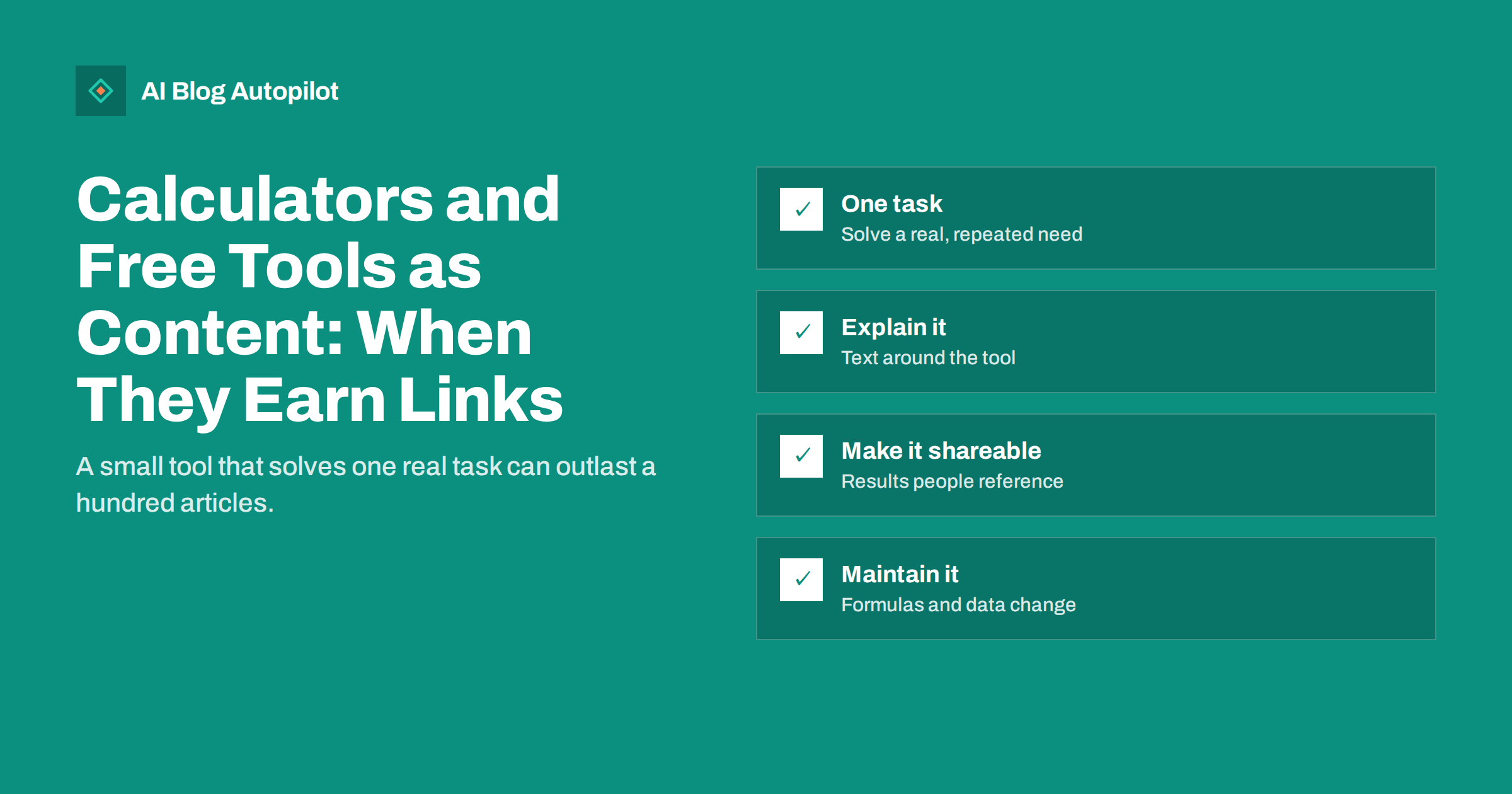
Short answer: free tools such as calculators, checkers, generators and templates can earn links and steady traffic when they solve a specific task people search for and repeat often, such as estimating a cost, converting a value or checking a setting. Build one simple, accurate tool that fits your business, put it on its own page with a clear explanation of how it works and what the results mean, and make sure it works without logins or heavy scripts. Promote it to people who would reference it, and keep its formulas and data up to date.
Most blog content competes on words: another guide, another list, another explanation. A good free tool competes on usefulness. People bookmark it, come back to it, recommend it in forums and link to it from their own articles because it saves them time. For a small business, a single well-chosen tool can become one of the most linked pages on the site. It can also be a waste of development time if nobody needs it. This guide helps you tell the difference.
Why tools attract links and visits
Writers and site owners link to things that help their own readers. An article about saving energy links to an energy cost calculator; a guide to freelancing links to a rate calculator; a post about email marketing links to a subject line checker. The tool does something their article cannot, so linking to it adds value.
Tools also bring repeat visits. Someone who uses a calculator once is likely to use it again next month, and may remember the business behind it. That repeated, useful contact is what most marketing tries to create.
There are search benefits too. Many tasks are searched with words such as “calculator”, “checker”, “generator”, “converter” or “template”, and searchers clearly want to do something rather than read about it. A page with a working tool matches that intent better than an article.
Tools also show expertise in a way articles cannot. Anyone can write that choosing the right size matters; a calculator that asks the right questions and gives a sensible answer proves that the business understands the problem in detail. That impression carries over to the rest of the site.
Types of tools that work for small sites
A tool does not need to be complex. Many successful ones are a few form fields and a formula:
- Calculators: costs, savings, time, quantities, sizes, rates, return on investment.
- Converters: units, formats, sizes between standards.
- Checkers: whether a setting, text or file meets a rule, such as length limits, formats or basic validity.
- Generators: names, templates, simple code snippets, configuration lines.
- Templates and checklists: downloadable or interactive documents for repeated tasks.
- Interactive guides: “answer five questions and get a recommendation” flows, which work when the logic is honest and transparent.
The best tools sit close to what your business does. A bike shop’s frame size calculator, an accountant’s tax deadline calculator or a web agency’s page weight checker each attract people who might later become customers.
Choosing the right tool to build
Before building anything, check that people need it and that you can do it well:
- Look at searches. Do people search for this task with tool-like words? Check search suggestions, related searches and your own Search Console queries.
- Check existing tools. If good free tools already exist, can you make one that is clearly better, simpler, more accurate or more specific to an audience?
- Listen to customers. Questions that start with “how much”, “how many” or “which size” often hint at a calculator.
- Check that you have the expertise. A calculator gives answers people act on. Make sure your formulas and assumptions are correct and defensible.
- Estimate maintenance. Tools that depend on rates, prices, laws or external data need regular updates. Simple formula tools need almost none.
Start with one tool. A single excellent calculator is worth more than ten half-finished ones.
Be realistic about the effort. A simple calculator might take a developer a day or two, including testing; a checker that fetches external data or a generator with many options takes much longer and needs more care. If you have no developer, spreadsheet-based tools shared as downloadable templates or simple form plugins can be a reasonable first version, as long as the page explaining them is good.
Building it so search engines and people can use it
A tool page should work well for both humans and crawlers:
- Give the tool its own URL with a clear title and description, such as “Freelance Day Rate Calculator”.
- Make it work without login or sign-up. Asking for an email before showing a result frustrates users and stops others from linking. Offer an optional “email me the results” instead.
- Keep it fast and light. Simple tools can run with a small amount of JavaScript. Avoid heavy frameworks for a three-field calculator.
- Make it work on phones. Many people use tools on mobile; test inputs and results on a small screen.
- Use accessible form fields with labels, sensible input types and clear error messages.
- Show results clearly, with units and, where useful, a breakdown of how the result was calculated.
The tool’s interface usually contains little text, so the content around it matters for search. Search engines need to understand what the page does, and they can do that best from normal text on the page.
The text around the tool
A tool on its own is a widget. A tool with good surrounding content is a page that can rank, earn links and build trust. Include:
- A short introduction saying what the tool does and who it is for.
- How to use it, briefly, including what each input means.
- Nasıl çalışır: the formula, assumptions and data sources. Transparency is what makes other writers comfortable linking to it.
- How to read the results, including what they do not tell you.
- Examples with typical inputs and outputs.
- A short FAQ answering common questions about the task.
- Links to related articles on your blog for people who want to learn more.
Place the tool near the top, so people who came to use it can do so immediately, and put the explanation below it. Readers who want detail will scroll; those who just want the answer get it at once.
Promoting a tool
Tools earn links more easily than articles, but they still need to be found. Promotion that tends to work:
- Link from your own articles. Every post that discusses the task should link to the tool.
- Tell people who write about the topic. Bloggers, journalists and newsletter writers in your field may want to reference it. A short, personal message explaining what it does is enough.
- Share it where questions are asked. In forums and communities, a tool that answers someone’s question is welcome when it is relevant and you disclose that it is yours.
- Share it on your social networks with an example result, and re-share it when it is seasonally relevant.
- Offer an embed for other sites, if it fits, with a credit link. Make sure the embed is genuinely useful and not a disguised link scheme.
Turning tool users into leads, gently
Tools are excellent at attracting people, but the conversion should feel like a natural next step, not a toll:
- After the result, suggest one relevant next step: a guide, a consultation, a product page or a newsletter.
- Offer to email a copy of the results or a more detailed report, with clear consent.
- Explain how your service can help with what the result shows, in one or two honest sentences.
Avoid gating the result behind a form. Gated tools collect a few emails and lose most of their links and repeat visits.
Watch how people use the result. If many visitors leave straight after seeing it, the next step you offer may not fit. If they often return to the tool, a “save” or “compare” option might be worth adding later. Let real usage, not guesses, decide what to build next.
Keeping a tool accurate
A tool that gives wrong answers damages trust far more than a slightly outdated article. Plan for maintenance from the start:
- Document the formula and data sources, with dates.
- Review tools that depend on rates, prices, tax rules or standards at least once a year, or when the underlying rules change.
- Show a “last updated” date on the page.
- Test the tool after site updates, theme changes or plugin updates, which can break scripts.
- Read user feedback and fix reported errors quickly.
If you can no longer maintain a tool, remove it or redirect the page to a related resource rather than leaving it to give wrong results.
How AI Blog Autopilot fits in
AI Blog Autopilot writes and publishes SEO articles with FAQ, tags and meta around the topics and keywords you choose. It can keep a steady flow of articles on the subjects around your tool, while you put your own time into building and maintaining the tool and linking to it from the most relevant posts. Plans are on the pricing page.
Related reading
- Earning Backlinks Honestly: What Works for a Small Site
- Templates, Checklists and Other Reasons to Subscribe
- Digital PR on a Small Budget
- Landing Page or Blog Post: Which Does a Query Need?
The bottom line
A free tool earns links and visits when it solves one real, repeated task close to your business, better or more simply than what already exists. Give it its own fast, mobile-friendly page with no forced sign-up, surround it with clear text on how it works and what results mean, link to it from your articles and tell the people who write about the topic. Keep its formulas and data current, and offer a gentle next step after the result instead of gating it.
SSS
Do free tools help SEO?
They can. Useful tools attract links from people who reference them, bring repeat visits and match searches where people want to do a task. They work best when the page also explains clearly what the tool does and how.
What kind of free tool should a small business build?
A simple tool close to what the business does, such as a calculator, converter, checker or template for a task customers face often. Check that people search for it and that you can make it accurate.
Should I ask for an email before showing the tool’s results?
Usually not. Gating results frustrates users and reduces links and repeat visits. Show the result freely and offer an optional email copy or a relevant next step instead.
Does a tool page need text?
Yes. The tool interface has little text, so explain what it does, how to use it, how it calculates results and how to read them. That content helps search engines and builds trust.
How often should I update a free tool?
Tools that depend on rates, prices, laws or standards should be reviewed at least yearly or whenever the rules change. Simple formula tools need less, but test them after site updates.