ENEnglish
 LTLietuviškai
 DEDeutsch
 FRFrançais
 RUРусский
 ESEspañol
 PLPolski
 ITItaliano
 UKУкраїнська
 CSČeština
 PTPortuguês
 JA日本語
JA日本語 LVLatviešu valoda
 ETEesti
 HUMagyar
 IDBahasa Indonesia
 TRTürkçe
 HIहिन्दी
 ELΕλληνικά
 ARالعربية
 THไทย
THไทย VITiếng Việt
 RORomână
 MSBahasa Melayu
 BNবাংলা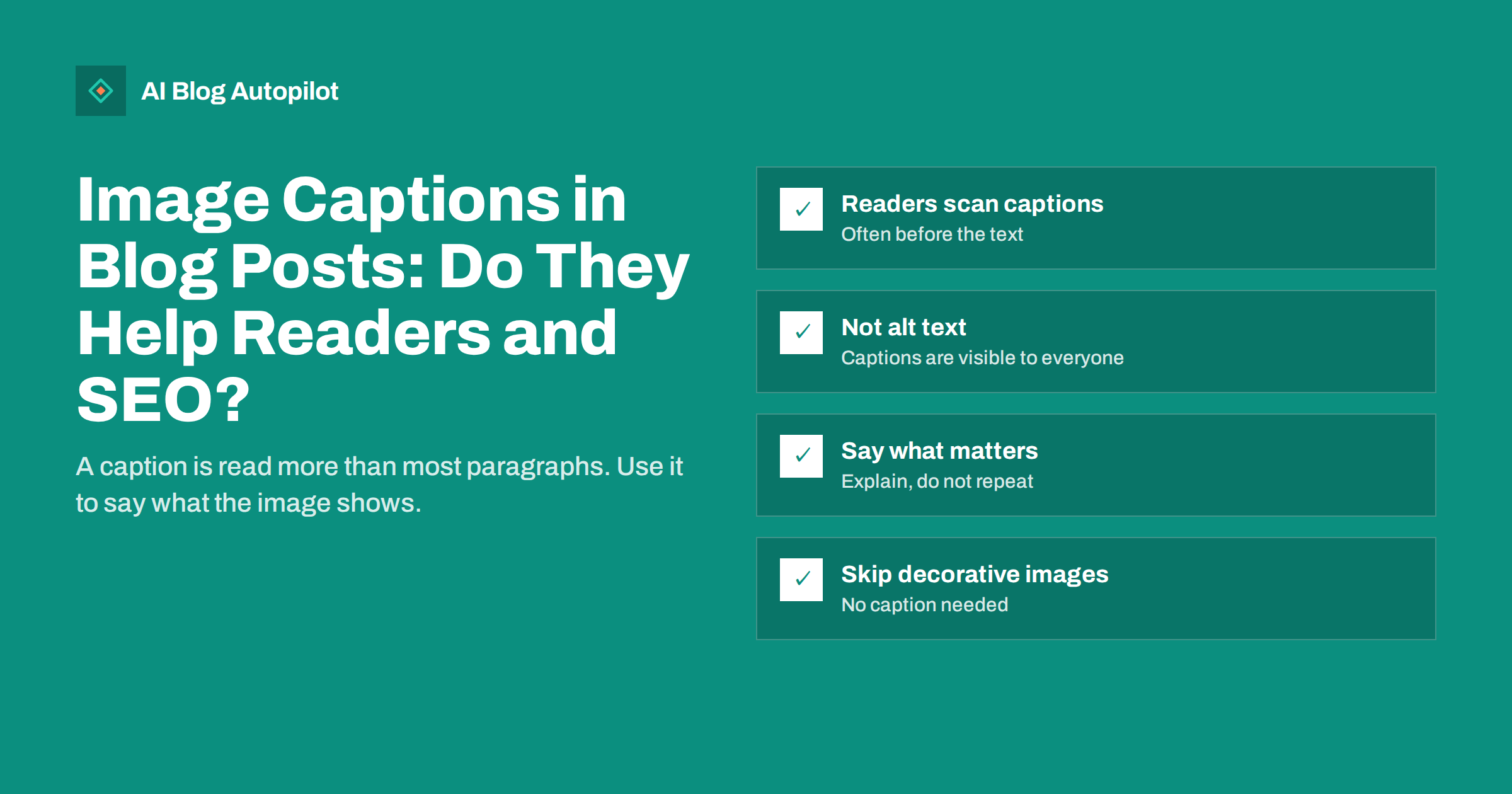
Short answer: image captions help a blog post when the image carries information, such as a screenshot, chart, diagram or product photo, because readers who scan a page often read captions before the surrounding text. A good caption says what the image shows and why it matters, in one or two sentences. Captions are visible text, unlike alt text, which describes the image for people who cannot see it. Search engines can use captions as context for understanding images, but the main reason to write them is clarity for readers. Decorative images do not need captions.
Many blog posts include images with no captions at all, while others caption every image with a vague phrase or a repeat of the file name. Neither helps much. Captions are small, but they sit where the reader’s eyes go, and they can turn a confusing screenshot into a clear explanation. This guide covers when captions are worth adding, how to write them, how they relate to alt text and SEO, and how to handle them in WordPress.
What a caption is, and what it is not
A caption is visible text placed directly below or beside an image, usually in a smaller or different style from the body text. In HTML, a well-structured caption sits in a figcaption element inside a figure element together with the image, which tells browsers, assistive technology and search engines that the text belongs to that image.
Captions are often confused with three other things:
- Alt text: a text alternative read by screen readers and shown when the image does not load. It is not normally visible on the page.
- Title attribute: a tooltip that appears on hover in some browsers. It is rarely useful and not a substitute for a caption.
- Surrounding text: the paragraphs before and after the image. They give context, but a caption is tied directly to the image.
Each has its own job. Alt text replaces the image for people who cannot see it; a caption adds information for everyone who can.
Why captions get read
Readers rarely read a blog post from top to bottom. They scan headings, look at images and read what sits next to them. Captions are one of the most visible pieces of text on a page because they are attached to the images that catch the eye.
That makes a caption a good place for a key point. If a screenshot shows the setting that fixes a problem, the caption can say so directly: “The Indexing setting should be turned off for staging sites.” A reader who only looks at the image and its caption still gets the message.
Captions also help readers understand what they are looking at. A chart without a caption forces the reader to work out what it shows. A caption such as “Monthly visits from search, January to June: the drop in April followed the site migration” explains it in one line.
When to add a caption
Captions are worth adding when the image carries information:
- Screenshots: say what the screenshot shows and what the reader should notice or do.
- Charts and graphs: say what is measured, over what period and what the main takeaway is.
- Diagrams: summarise the process or structure in one sentence.
- Product photos: identify the product, model or variant, especially in comparisons.
- Before-and-after images: say which is which and what changed.
- Photos with credit requirements: stock or licensed images that require attribution, which often fits naturally in the caption.
Captions are usually unnecessary for decorative images, such as a general mood photo at the top of a post or an illustration that repeats the heading. Adding captions to those images adds clutter without information. The featured image at the top of an article usually does not need a caption either, unless it shows something specific.
How to write a good caption
A useful caption usually does one or more of these things:
- Identifies what is shown: “The Search Console Pages report for a small blog.”
- Points to what matters: “Most excluded pages are tag archives, which is expected.”
- Adds context the image cannot show: “Taken after the plugin update in March.”
- Credits the source where needed: “Photo: the author” or the licence holder’s required wording.
Keep captions short, often one sentence and rarely more than two. Write them as full, plain sentences rather than fragments of keywords. Avoid starting with “Image of” or “Picture showing”; readers can see that it is an image.
Captions and alt text together
When an image has both, they should complement each other rather than repeat. The alt text describes what the image shows for someone who cannot see it. The caption adds what a sighted reader needs to know. If the caption already describes the image fully, the alt text can be short, because screen readers usually read both. If the alt text and caption are identical, screen reader users hear the same sentence twice.
A practical example for a chart: alt text “Line chart of monthly search visits, rising from January to March, dropping sharply in April and recovering by June”; caption “The April drop followed the site migration and recovered once redirects were fixed.”
Do captions help SEO?
Search engines use several signals to understand an image: the file name, alt text, the text around the image, structured data and the page’s overall topic. Captions are part of the surrounding text, and search engines have said that text near an image helps them understand it. Clear captions can therefore help images appear for relevant image searches.
The effect on the ranking of the article itself is small. A caption is a few words in a long page. Do not stuff keywords into captions in the hope of ranking; it makes them worse for readers and adds nothing a search engine values.
There is a second, more practical benefit. A caption that summarises a chart or a screenshot puts the key information into text. Search engines and AI answer engines read text far more reliably than they interpret images, so a caption that states the takeaway makes that information usable by them as well.
Captions in WordPress
WordPress makes captions easy:
- In the block editor, the Image block has a caption field directly below the image. Text added there is output in a figcaption element.
- In the media library, each image has a caption field, but it is used as a default when the image is inserted; changing it later in the library does not always update images already placed in posts.
- Themes style captions differently. Check that your theme shows them in a readable size and colour, not in pale, tiny text.
Make sure the alt text field is filled in separately. The caption does not replace it.
Captions on mobile
On phones, images and captions often fill the full width of the screen. Long captions push the article text far down and become tiring to read. Keep captions short enough to read in one glance, and check a post on a phone before publishing, especially if it has several captioned screenshots in a row.
Common mistakes with captions
- Repeating the file name or the image title, such as “screenshot-2026-03-14.png”.
- Vague phrases such as “Our results” or “An example”, which add nothing.
- Duplicating alt text word for word, which screen reader users then hear twice.
- Keyword stuffing, such as “SEO tips SEO checklist SEO guide image”.
- Captioning decorative images that carry no information.
- Burying important instructions only in the caption, when the main text should also state them for readers who skip images.
- Missing credits on images whose licence requires attribution.
A quick caption checklist
Before publishing, go through each image in the post:
- Does this image carry information? If not, skip the caption and keep alt text short or empty for decorative use.
- Does the caption say what the image shows and why it matters?
- Is it one or two plain sentences?
- Does the alt text describe the image without repeating the caption word for word?
- Is any required credit included?
- Does the caption read well on a phone?
This check takes a minute per image and catches most problems. If several people publish on the blog, add it to your pre-publication checklist so captions are handled the same way in every article, whoever writes it.
For a blog with many older posts, you do not need to go back and caption everything at once. Start with your most visited articles that contain screenshots or charts, add captions where the image carries information, and include the check in your routine when you refresh other posts. Over time the whole archive improves without a separate project.
How AI Blog Autopilot helps
AI Blog Autopilot publishes full articles on your WordPress blog with a featured image, FAQ, tags and SEO meta. If you add your own screenshots or charts to an article, the captions and alt text you set in WordPress stay under your control. You can switch on approval to review drafts before they go live. See the pricing page for plans.
Related reading
- Alt Text: How to Write It and Why It Matters
- Image SEO for Blog Posts: File Names, Size and Formats
- Screenshots, Diagrams and Charts in Blog Articles
- Accessibility for a Blog: The Fixes That Matter Most
The bottom line
Captions help when an image carries information: screenshots, charts, diagrams, product photos and before-and-after comparisons. Write one or two plain sentences that say what the image shows and why it matters, keep them different from the alt text and skip captions on decorative images. Search engines can use captions as context, but their main value is making the post clearer for readers who scan.
FAQ
Do image captions help SEO?
Somewhat. Search engines use text near an image, including captions, to understand it, which can help in image search. The effect on the article’s own ranking is small, so write captions for readers, not for keywords.
What is the difference between a caption and alt text?
A caption is visible text under an image for all readers. Alt text is a hidden text alternative read by screen readers and shown when the image does not load. They should complement each other, not repeat.
Should every image in a blog post have a caption?
No. Captions are useful for images that carry information, such as screenshots, charts and diagrams. Decorative images and most featured images do not need them.
How long should an image caption be?
Usually one sentence, rarely more than two. Long captions are hard to read, especially on phones, and push the main text down.
How do I add captions in WordPress?
In the block editor, type into the caption field below the Image block. WordPress outputs it as a figcaption. Fill in the alt text field separately.