ENEnglish
 LTLietuviškai
 DEDeutsch
 FRFrançais
 RUРусский
 ESEspañol
 PLPolski
 ITItaliano
 UKУкраїнська
 CSČeština
 PTPortuguês
 JA日本語
JA日本語 LVLatviešu valoda
 ETEesti
 HUMagyar
 IDBahasa Indonesia
 TRTürkçe
 HIहिन्दी
 ELΕλληνικά
 ARالعربية
 THไทย
THไทย VITiếng Việt
 RORomână
 MSBahasa Melayu
 BNবাংলা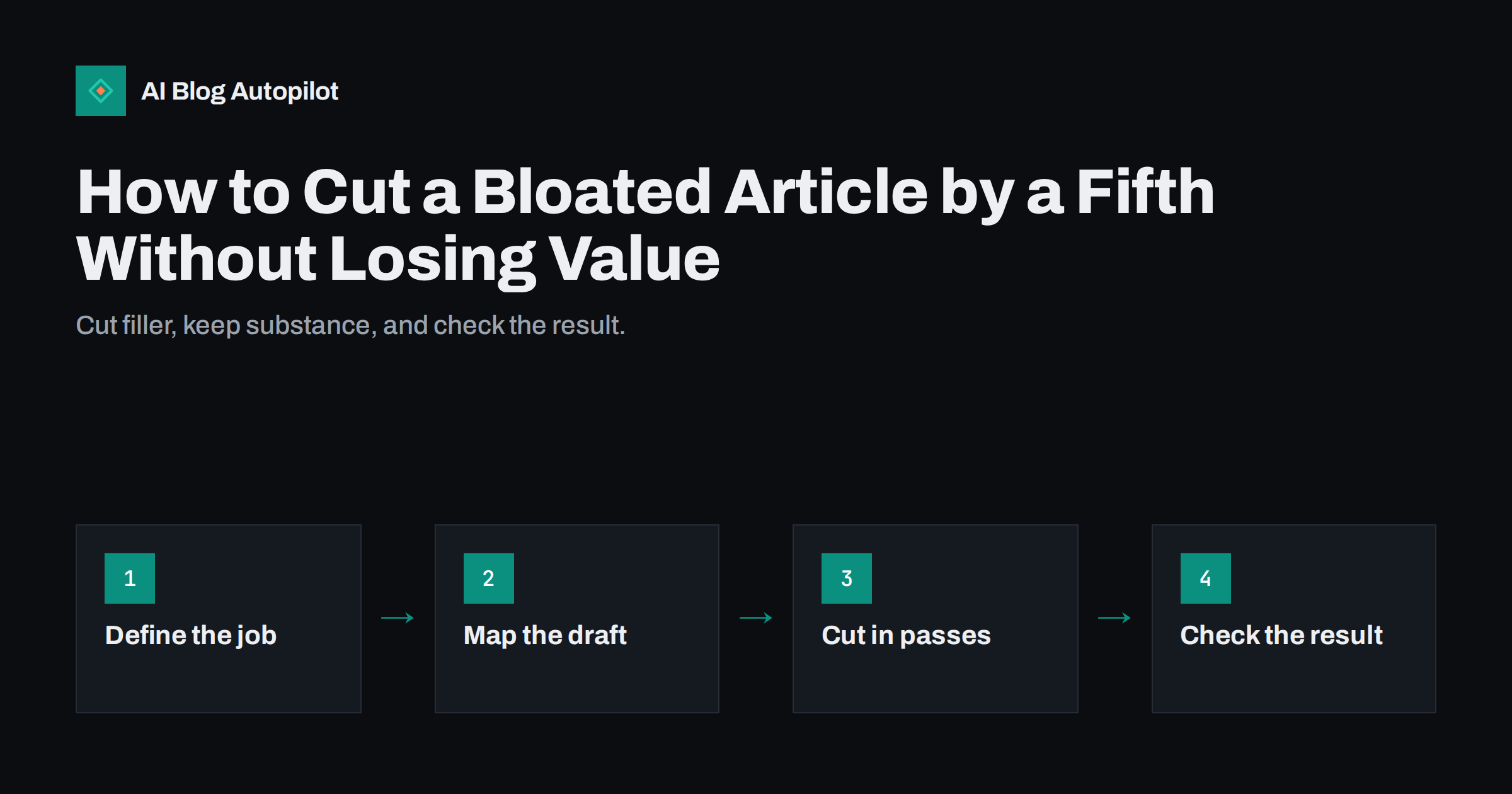
Short answer: to trim a bloated article, first define what the reader came for, then map the draft section by section and mark repetition, tangents and filler. Cut in passes: whole blocks first, then paragraphs, then sentences and words. Keep every fact, example, step and internal link that serves the purpose. Aim for about a fifth shorter as a rough guide, not as a rule, and finish by checking that the headings, the answer near the top and the main search phrase still do their jobs.
Long articles are not bad. Readers and search engines handle thorough guides well when each part earns its place. The trouble starts when length comes from restating the same point, warming up before the first useful sentence or adding sections that were not asked for. Drafts written by people or by software often have this fault, because it is easier to add than to decide. This guide gives a practical editing routine you can apply to any article, including ones produced automatically.
Decide what the article is for
You cannot judge what to cut until you know what the article must do. Write two sentences before you start: who the reader is and what they should be able to do or understand when they finish. For example: “A small shop owner who wants to fix duplicate pages. After reading, they can find the duplicates and choose between a redirect and a canonical tag.” Everything in the article either supports that purpose or does not.
Also note the main search phrase and the three or four questions the article should answer. These are your protected items. Material that serves them stays unless it is repeated, and material that does not serve them is a candidate for removal or for a separate article.
Map the draft before touching it
Print the article or paste it into a sheet with one row per section. For each section, write one line describing its job: “defines the term”, “gives the steps”, “warns about a mistake”, “gives an example”, “repeats the earlier point”. This map makes problems visible in a way that reading from top to bottom does not.
- Two sections with the same job are candidates for merging.
- A section with no clear job is a candidate for deletion.
- A section whose job is a different topic belongs in another article, with a link.
- A missing job, such as an example or a warning, shows where you may need to add something short.
Be careful with the introduction and the conclusion. Introductions often take too long to get to the point, and conclusions often repeat everything. Both can usually be halved.
First pass: cut blocks
Work from the largest units down. Removing a whole paragraph or section takes seconds and saves more than any amount of word-level polish. Look for the following patterns.
- Repeated explanations. The same idea appears in the introduction, the main body and the summary. Keep the clearest version in the place where the reader needs it.
- General background everyone knows. A paragraph on why search matters, in an article for people who already run a blog, adds nothing.
- Tangents. Interesting but off-topic points. Move them to a note for a future article.
- Lists that are padding. Ten tips where only four are useful. Keep the strongest, and make them more specific.
- Self-referential text, such as “In this article we will look at…” followed by a list of the headings, which duplicates the table of contents.
Do not cut a block because it is long. Cut it because it does no work. A long worked example that carries the explanation is worth more than three short generic paragraphs.
Second pass: tighten paragraphs
With the structure settled, read each paragraph and ask what its single point is. If it has two, split it. If its point has already been made, delete it. If it makes the point with a long run-up, move the point to the first sentence.
- Put the main claim first, then the support, then the example.
- Replace several weak examples with one strong one.
- Remove transitions that only announce what comes next, such as “Now let us turn to”.
- Check that each paragraph is short enough for a phone screen, ideally three to five lines.
This pass often reveals gaps. If a paragraph depends on a term that was cut earlier, add back a short definition. The goal is a text that is shorter and still complete.
Third pass: sentences and words
Only now work on the sentence level. Typical savings come from a small set of habits.
- Delete empty openers: “It is important to note that”, “As we all know”, “In today’s world”.
- Prefer active verbs: “Search engines read the tag” instead of “The tag is read by search engines”.
- Turn noun phrases into verbs: “make a decision” becomes “decide”.
- Cut stacked hedges: keep one qualifier where the claim really is uncertain and remove the rest.
- Remove doubled words: “each and every”, “first and foremost”, “basic fundamentals”.
- Shorten long lead-ins: “In the event that” becomes “If”.
Keep the hedges that are honest. If a result varies, say so once, clearly. Removing needed caution to save words makes the article less trustworthy and can mislead readers.
Be wary of a numeric target set in advance. Telling an editor to cut twenty percent can lead to removing the wrong things, because the easy cuts come first and the target forces harder ones that damage the article. Treat the number as a prompt to look harder, and stop when the article is clear, complete and free of repetition, even if the reduction is smaller or larger than expected.
A short before-and-after
Consider this opening: “In today’s fast-moving digital landscape, it is really important to note that every business owner who has a blog should consider the possibility of looking at how their older articles are performing over a period of time.” It has thirty-seven words and very little information. A tighter version reads: “Check your older articles every few months to see which ones are losing traffic.” It has fourteen words and gives a clear action. The edit did not remove an idea; it removed padding around the idea.
Apply the same test to every paragraph: does the shorter version say everything the longer one did? If yes, keep the short one. If something is lost, put back only that part.
Keep what you remove. Paste cut paragraphs into a notes file with the article’s title, instead of deleting them for good. Some will be the seed of a new article, such as a tangent that deserves its own page, and some may be needed again if you find that the shorter version left a gap. Having a safe place for cuts makes editors braver, and it reduces the temptation to leave filler in “just in case”.
Work with a fresh mind where you can. Editing straight after writing makes every sentence look necessary. If the article is not urgent, leave it for a day, then read it aloud or on a phone. Spots where you lose attention or skim are usually the ones to cut or sharpen. For a team, a second reader who does not know the topic is valuable: ask them to mark the first place where they got bored or lost, and fix that first.
Finally, set a standard for new drafts so the problem does not return. A simple brief with the reader, the question, the three points to cover and a target range of length helps writers and tools alike, and makes the later edit lighter. Revisit the standard when you see the same kind of padding appear in several drafts, because it usually points to a weakness in the brief.
Protect what search and readers need
Trimming should not damage the features that help the article work. After editing, run this checklist.
- The answer sits near the top, in the first paragraph or two.
- The main phrase and its natural variations still appear in the title, a heading and the text, without forcing them.
- Headings still describe what follows and form a sensible outline.
- Facts, figures and sources are intact and still correct.
- Internal links to related pages remain, and anchor text still makes sense.
- The FAQ answers questions the text really covers.
- The page is still thorough compared with the best results for the question. If competitors answer subtopics that you removed, restore them in brief.
Then update the modified date honestly and check that nothing in the article now contradicts another page on the site, since removing a qualifier can change the meaning of a claim.
Measure the result
A shorter article should be easier to read, so look at reading behaviour. Compare scroll depth, time on page and the share of readers who reach the end before and after the edit, once enough time has passed to see a pattern. Watch search impressions, clicks and average position for the main queries over the next weeks. Remember that rankings move for many reasons, so treat the figures as hints. If an edited article loses ground, check whether a section that answered a related question was removed.
How AI Blog Autopilot helps
AI Blog Autopilot asks for your topics, keywords, audience and tone, and writes full SEO articles with FAQ, tags and meta for your WordPress blog. Clear topic and audience settings give it a tighter brief, and your own editing pass, using the routine above, keeps each article focused. See the pricing page for plans.
Related reading
- How to Edit an AI Draft: The Four Passes That Matter
- Readability: Writing So People Finish the Article
- Writing Introductions That Don’t Waste the Reader’s Time
- How Long Should a Blog Post Be for SEO in 2026?
The bottom line
Cut length that does no work, not length that carries substance. Define the reader’s goal, map the draft, remove whole blocks first, then tighten paragraphs and sentences, and keep honest caveats. Before you publish, check that the answer is near the top, the key phrase and headings are intact, the facts and links remain and the article still covers what a reader needs. A tighter article respects the reader’s time and usually serves search better too.
DUK
Will shortening an article hurt its rankings?
Not if you remove repetition and filler while keeping the answer, headings, facts and subtopics readers need. Removing useful coverage can hurt, so check what you cut.
Is a fifth the right amount to cut?
It is only a guide. Some drafts need little trimming and others much more. Cut until every part has a job.
Should I edit articles that already rank well?
Be careful. Make small, targeted changes, keep the structure and watch the results. Improve clarity, not the topic coverage.
Does this apply to articles written by software?
Yes. Automatically written drafts can repeat points or pad introductions, so an editing pass is worthwhile.
How do I avoid cutting something important?
Map each section’s job first, protect the answer, key facts and links, and compare against your list of questions the article must answer.