ENEnglish
 LTLietuviškai
 DEDeutsch
 FRFrançais
 RUРусский
 ESEspañol
 PLPolski
 ITItaliano
 UKУкраїнська
 CSČeština
 PTPortuguês
 JA日本語
JA日本語 LVLatviešu valoda
 ETEesti
 HUMagyar
 IDBahasa Indonesia
 TRTürkçe
 HIहिन्दी
 ELΕλληνικά
 ARالعربية
 THไทย
THไทย VITiếng Việt
 RORomână
 MSBahasa Melayu
 BNবাংলা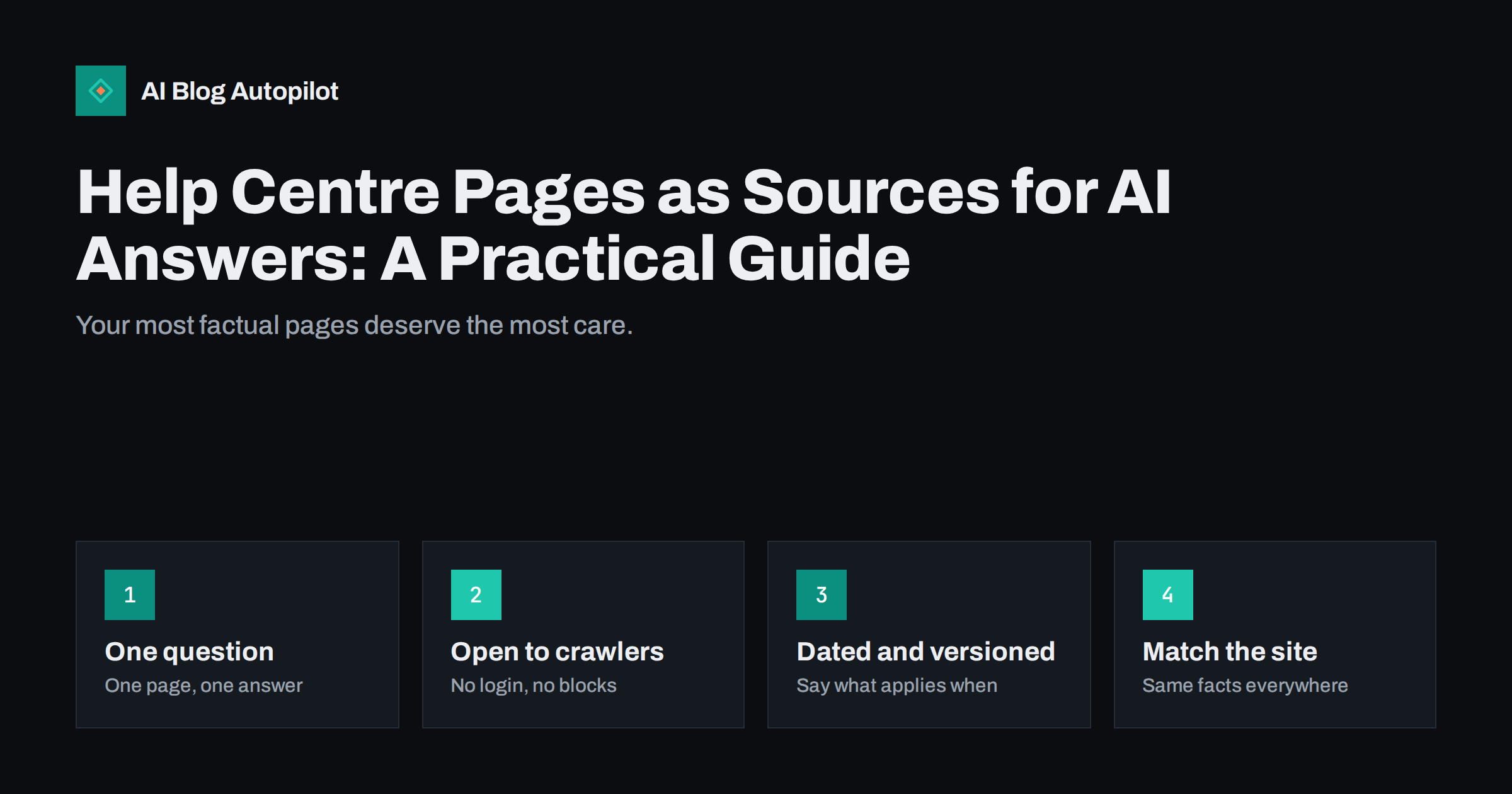
Short answer: help centre and documentation pages are often the best material an assistant can find about how your product or service works, because they are specific, factual and written as answers. To make them useful, give each page one clear question, answer it in the first lines, add steps and limits in plain language, state what version or date the advice applies to, keep the pages open to crawlers, and make sure they agree with your marketing pages and pricing. Stale or contradictory help pages teach assistants the wrong facts.
Most businesses treat the help area as a support tool for existing customers. That is its first job. But a person who asks an assistant “how do I change my plan with this tool” or “does this service work with that platform” is often a prospect or a new customer, and the answer will come from whichever pages the system can find and trust. This guide covers how to write and maintain help content with that audience in mind, without turning it into marketing.
Why help pages get used in answers
Questions put to assistants are often practical: how to do something, what a setting means, whether something is possible, what happens when something fails. Help pages are written to answer exactly these. They tend to contain concrete nouns, numbered steps, names of buttons and clear conditions, which makes them easier to quote than a brand story or a general article.
They also carry a signal of authority. A help page from the maker of a product is the primary source for that product, and a careful assistant will usually prefer it to a forum guess. The flip side is risk: if the primary source is vague, outdated or hard to read, the assistant may fall back on third-party material that is wrong. Good help content is therefore both a service to customers and a way to control what is said about you.
One question, one page
The structure that works best for people and machines is simple: each page answers one question or covers one task. Long, catch-all pages with dozens of unrelated topics force a system to guess which part applies. Short pages with a precise title let it lift the right answer, and let a human land on the right place from a search.
- Write the title as the task or question, in the words customers use, such as “Change your billing email” rather than “Account settings overview”.
- Answer in the first two sentences. Put the direct answer first, then the detail.
- Use numbered steps for procedures, with one action per step and the name of each button or menu as it appears.
- State prerequisites up front, such as the plan, role or permission needed.
- Add what to expect afterwards, and what to do if it did not work.
Where a topic really does need depth, split it into a short overview page that links to focused pages, and make sure each focused page stands on its own.
Be precise about scope, limits and dates
Vague help text produces confident but wrong answers. If a feature is available only on some plans, say which. If a limit exists, state the number and the unit. If a process changed, say when, and describe the old and new behaviour. Avoid phrases such as “recently” and “soon”, which have no meaning once the page is copied or summarised.
Add a visible “last updated” line to each page and keep it honest. For products that change often, consider noting the version or interface name that the steps refer to. When a feature is removed, do not leave its page to rot. Either update it with a note about the change and link to the replacement, or redirect it to the closest current page.
The same discipline applies to plan details and prices. If help pages repeat figures from your pricing page, they must match, and ideally they should link to the single source of truth instead of copying numbers that will drift.
Keep the pages crawlable and readable
A help centre that cannot be fetched cannot be quoted. Check the basics, as you would for any section of the site.
- No login wall for general help. If some content is for customers only, keep that apart from public articles.
- Server-rendered text. If the help centre is a script-driven application that shows an empty shell without running code, test whether the text appears in the page source or in a rendered view from a URL inspection tool.
- Clean URLs that describe the topic and do not change when you reorganise categories.
- No accidental blocks in robots rules or meta tags. Staging or search-result pages should be excluded, but real articles should not be.
- Working internal links between related articles, and a sitemap that includes them.
- One canonical address for each article, with no duplicates by language or category path unless they are handled properly.
If you use a third-party help desk, check how it serves pages and whether you can use your own domain. Content on a subfolder or subdomain of your own site is easier to connect with your brand than content on a distant address that customers do not recognise.
Match the marketing site
Assistants combine information from several of your pages and compare it. Contradictions lower trust and produce muddled answers. A feature that the marketing page calls “unlimited” and the help page limits to a number is a good example. Another is a setup process that has changed in the help centre but is still described in an older blog article.
Run a short consistency review every quarter. List the top twenty facts customers ask about, such as plans, limits, supported platforms, regions, refund terms, cancellation steps and contact methods. For each, find every place on your site that states it, and fix the differences. When the same fact appears in many places, keep one authoritative page and have the others link to it.
Write for people first
It is tempting to write help text for machines, with repeated keywords and rigid templates. Resist that. Plain language, short sentences and a helpful tone serve everyone. Define terms the first time you use them, avoid internal jargon and name things as customers do. Include a short example or screenshot description where it clarifies the action, and write alt text for images that carry information.
Add a small FAQ block to pages where related questions naturally follow, and mark it up properly when it genuinely reflects visible content. Do not stuff pages with questions nobody asks. A list of five real questions from support tickets does more good than twenty invented ones.
Use support data to decide what to write
The best source for new help pages is the support inbox. Tag incoming questions by topic for a month, then count them. The most frequent ones, and the ones that take longest to answer, are the pages to write or improve first. When an agent writes a good answer to a new question, turn it into a page within the week, while the details are fresh.
Also watch the search terms customers use in your help search box, and the phrases used by assistants and forums when they discuss your product. If people use a different name for a feature than you do, add the common name to the page, so that both versions lead to the right answer.
A short example shows the difference. A weak page titled “Integrations” lists twenty tools and says that setup is easy. A strong page titled “Connect your store to the email tool” states which plans include the connection, lists five numbered steps with the exact menu names, explains the two errors people meet most often and says when the page was last checked. The second page answers a question; the first only describes a feature. When an assistant looks for a reply to a specific question, the second page is far more likely to give it something correct to quote.
Keep ownership clear, too. Name a person or team responsible for each section, so that when the product changes someone knows which pages to update. Without an owner, help content slowly drifts out of date, and the drift is usually discovered by a customer.
Measure the effect
Track whether the work pays off. Compare the number of tickets on topics that have a new or rewritten page before and after. Look at the pages that receive visits from search and from assistants in your analytics, and at how long visitors stay. Ask a few questions in an assistant that relate to your product, note whether the answer reflects your help pages and fix what is wrong. Our guide on checking AI visibility shows a simple method. Treat any single result as a sample, because answers vary from one asking to the next.
How AI Blog Autopilot helps
AI Blog Autopilot asks for your topics, keywords, audience and tone, and writes full SEO articles with FAQ, tags and meta for your WordPress blog. It covers the blog side, such as guides and explainers around your help centre, so your own help pages can stay focused on the precise task. See the pricing page for plans.
Related reading
- Support Articles That Actually Reduce Tickets
- Question Headings: When They Help AI Answers and When Not
- Product and Pricing Facts: Making Them Easy for AI Answers
- Checking Whether AI Assistants Mention Your Blog
The bottom line
Help and documentation pages are among the most quotable content a business has, so write them as precise answers: one question per page, the answer first, steps, limits and dates stated plainly, open to crawlers, and consistent with everything else you publish. Use the support inbox to decide what to write, review the key facts every quarter and check what assistants actually say. Accurate help content serves customers today and shapes what assistants say about you tomorrow.
DUK
Should help pages and blog articles cover the same topics?
They can, but with different jobs. The help page gives the exact steps for a task; the blog article explains the idea, the choices and the context, and links to the help page.
Does a help centre on a separate domain hurt?
It is not a penalty, but content on your own domain or a subfolder connects more clearly to your brand. If you use a third-party tool, check that pages are crawlable.
How often should help pages be reviewed?
Review key pages every quarter and any page affected by a product change at once. Show a last-updated date on each.
Should I add FAQ markup to help pages?
Only where a visible question-and-answer block really exists on the page. Do not add markup for content readers cannot see.
Can assistants read help content behind a login?
Generally not. Keep public help open, and keep customer-only content separate from the articles you want found.