ENEnglish
 LTLietuviškai
 DEDeutsch
 FRFrançais
 RUРусский
 ESEspañol
 PLPolski
 ITItaliano
 UKУкраїнська
 CSČeština
 PTPortuguês
 JA日本語
JA日本語 LVLatviešu valoda
 ETEesti
 HUMagyar
 IDBahasa Indonesia
 TRTürkçe
 HIहिन्दी
 ELΕλληνικά
 ARالعربية
 THไทย
THไทย VITiếng Việt
 RORomână
 MSBahasa Melayu
 BNবাংলা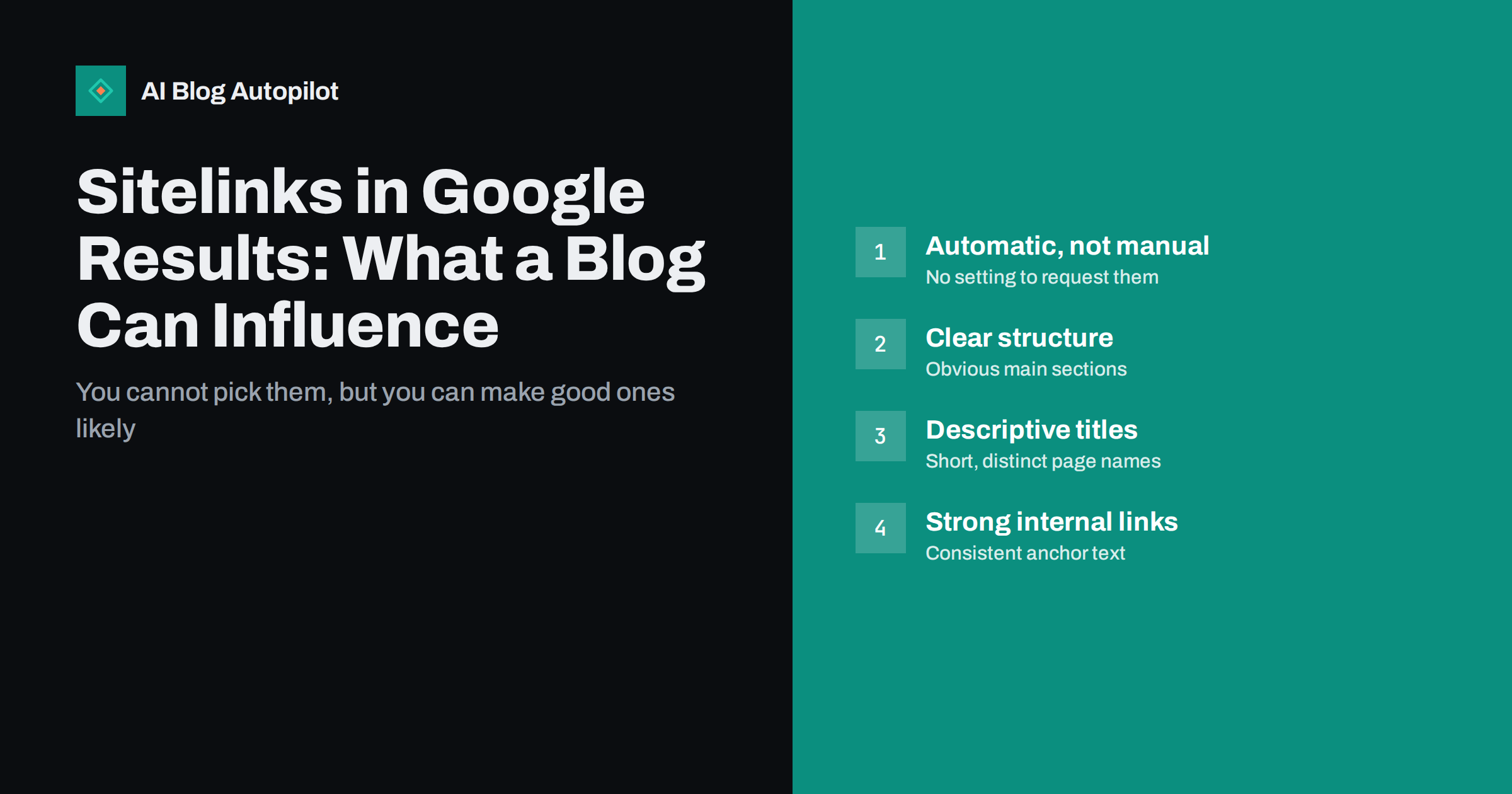
Short answer: sitelinks are the extra links Google sometimes shows beneath a search result, pointing to other pages on the same site. They are generated automatically, and there is no setting or markup that requests them. A blog makes useful sitelinks more likely through a clear site structure, concise and distinct page titles, consistent navigation and descriptive internal links. They appear mostly for searches on your brand or site name.
When someone searches for a business by name, the result often comes with a small block of links underneath: “Pricing”, “Blog”, “Contact”, or a few popular articles. Those links make the result larger and help searchers jump straight to what they wanted. Site owners understandably want them, and they often ask how to add or change them. The honest answer is that you cannot control them directly, but you have more influence than it first seems.
What sitelinks are
Sitelinks are additional links from the same domain shown as part of a single search result. Google describes them in its sitelinks documentation as a way to help users navigate a site, and states that they are only shown when its systems think they will be useful.
There are a few forms you may see:
- Expanded sitelinks: a larger block of links, sometimes with short descriptions, usually shown for navigational searches such as a brand name.
- One-line sitelinks: a compact row of links under an ordinary result, which can appear for non-brand searches too.
- Links to sections of a page: for some long articles, Google shows links that jump to specific sections, based on headings and anchor links in the page.
You may also remember the search box that used to appear under some brand results. Google retired that sitelinks search box in late 2024, so there is no reason to keep chasing it or to worry about markup that was added for it.
Why you cannot request or remove them directly
There is no Search Console setting to add sitelinks, choose them or order them. Search Console once had a tool to demote a sitelink, but it was removed years ago. Google’s position is that the choice is automatic and based on the site’s structure.
That means two things. First, any service promising to “get you sitelinks” is overselling. Second, if an unwanted page appears as a sitelink, the fix is to change the page, not to look for a switch: remove it from search with a noindex tag if it should not be in search at all, or improve its title and linking if it is simply the wrong page to highlight.
When sitelinks usually appear
Expanded sitelinks are most common when the search clearly targets one site, such as its brand name or domain. A new blog with little brand search may not see them for a while, even with a perfect structure, because few queries are clearly about the site. Some factors that typically go together with sitelinks:
- People search for the site by name, so Google has clear navigational intent to respond to.
- The site has a small number of obvious main sections that the navigation and internal links point to consistently.
- Those pages have clear, distinct titles that describe what they are.
- The site is crawled and indexed properly, so Google understands which pages exist and how they relate.
If you do not see sitelinks yet, that is not an error. It is more often a sign the site has little brand demand so far.
It also helps to check what you are actually looking at. Sitelinks can differ between devices, countries and even individual searches, and the set shown today may change next week without anything on your site changing. Search your brand name on a phone and on a desktop, in a private window, and note what appears. Treat it as a snapshot rather than a fixed feature of the result. Search Console does not report sitelinks separately, so the Performance report will not tell you which sitelinks were shown, only which pages received impressions and clicks for your brand queries.
Structure: make the important sections obvious
Google learns what matters on a site mostly from how the site itself links. A blog that links to everything equally, or hides its main sections, gives a weak signal. A few structural habits help:
- Keep the main navigation short. Five to seven top-level items, each a real section: home, blog, the main topic categories, pricing or services, about and contact.
- Link to key pages consistently from the header, the footer and relevant articles, with the same wording each time.
- Use real category pages for major topics rather than dozens of tags with a few posts each. A category page with an introduction and good links is a natural sitelink candidate.
- Add breadcrumbs so the hierarchy is visible in every article, and mark them up with BreadcrumbList structured data.
- Avoid near-identical pages such as several overlapping “resources” or “start here” pages that compete for the same role.
Think about the journey of someone who searches your brand name. They usually want one of a few things: to read the blog, to see prices or services, to get in touch, or to find a specific popular guide. If those destinations are the pages your navigation highlights, Google’s view of the site and the searcher’s intent line up, which is exactly the situation in which sitelinks are useful.
The guide on breadcrumbs and navigation for a growing blog goes into more detail on menus and hierarchy.
Titles and anchor text: give each page a short, distinct name
Sitelinks usually show a short label for each page, often derived from its title, headings or the anchor text used to link to it. Long or repetitive titles make poor labels. Check your main pages for:
- Distinct titles. If five pages start with the same long brand phrase, the useful part gets cut off. Put the page name first and the brand last.
- Concise names for key sections. “Pricing”, “Guides”, “Case studies” and “Contact” are clearer labels than clever marketing phrases.
- Consistent anchor text. If the menu says “Guides”, the footer says “Resources” and articles say “our library”, the signal is split.
- A clear site name. Declaring your site name properly helps Google present the whole result. See site name and favicon in Google results.
Section links inside long articles
For long guides, the links that jump to specific sections can be valuable, because they let a searcher go straight to the part they need. You cannot request those either, but well-structured articles make them possible:
- Use descriptive H2 headings that name what each section covers, not vague labels such as “More” or “Next steps”.
- Give headings stable id attributes and include a table of contents that links to them.
- Keep one clear topic per section so each heading is an accurate label.
These habits also help readers and make sections easier for AI answers to quote, so they are worth doing regardless of sitelinks. The article on tables of contents for long articles covers the practical setup.
Dealing with unwanted sitelinks
Sometimes the wrong page shows up: a login page, an old campaign, a tag archive or a thin page nobody should land on. Work through these steps:
- Decide whether the page should be in search at all. If not, add a noindex robots meta tag and let it drop out once it is recrawled.
- If it should stay in search but not be prominent, reduce how much the site emphasises it: remove it from the main menu and footer, and stop linking to it from many articles.
- Strengthen the pages you would prefer to see with clearer titles and consistent links from navigation.
- Be patient. Changes are reflected only after pages are recrawled and the systems reassess the site, which can take weeks.
A common case on WordPress blogs is an author archive, a date archive or a tag page appearing as a sitelink. These archives are often thin and duplicate the main blog listing. If they add nothing for searchers, noindex them through your SEO plugin; if a category archive is the page that appears, improve it with a short introduction and a curated list of its best articles so that it deserves the spot.
Do not block an unwanted page in robots.txt to hide it. A blocked page can still be indexed from links, and Google cannot see a noindex tag on a page it is not allowed to crawl.
A quick checklist for a blog
- Main navigation lists a handful of real sections with short labels.
- Key pages have distinct titles with the page name first.
- Menu, footer and article links use consistent wording for the same page.
- Categories are real, introduced landing pages; thin tag archives are not emphasised.
- Breadcrumbs are visible and marked up.
- Long articles have descriptive headings, heading ids and a table of contents.
- Pages that should never appear in search carry noindex.
How AI Blog Autopilot fits in
AI Blog Autopilot publishes articles to your WordPress blog with titles, descriptions, tags, clear headings and an FAQ already written, so each post has a consistent structure. Your menus, categories and theme remain yours to arrange, and that is where most sitelink signals come from. See how Autopilot works.
Related reading
- The Blog Home Page: What It Should Do for Search
- Breadcrumbs and Navigation for a Growing Blog
- Categories or Tags: How to Organise a Blog
The bottom line
Sitelinks are automatic and cannot be ordered, but they reflect how clearly your site describes itself. Keep navigation short, give key pages distinct names, link to them consistently and structure long articles with good headings. As brand searches grow, useful sitelinks tend to follow; until then, a clear structure still helps readers and crawlers.
FAQ
Can I add sitelinks to my blog manually?
No. Google generates sitelinks automatically and there is no setting or markup that requests them. You can only make useful sitelinks more likely through clear structure, titles and internal linking.
Why does my blog not have sitelinks?
Expanded sitelinks mainly appear for searches that clearly target one site, such as its brand name. A newer blog with little brand search often has none, even with a good structure, and that is not an error.
How do I remove an unwanted sitelink?
Add a noindex tag if the page should not appear in search at all. If it should stay indexed, reduce how prominently the site links to it and strengthen the pages you prefer, then wait for recrawling.
How long does it take for sitelink changes to show?
Changes appear only after Google recrawls the affected pages and reassesses the site, which often takes several weeks. There is no way to force an immediate update of sitelinks.
Do sitelinks help SEO rankings?
Sitelinks are a presentation feature, not a ranking factor. They make a result larger and easier to navigate, which can help searchers reach the right page, but they do not move the result higher.
Does structured data create sitelinks?
No structured data type creates sitelinks. Breadcrumb markup helps Google understand the hierarchy of a site, but the choice of which links to show remains automatic.