ENEnglish
 LTLietuviškai
 DEDeutsch
 FRFrançais
 RUРусский
 ESEspañol
 PLPolski
 ITItaliano
 UKУкраїнська
 CSČeština
 PTPortuguês
 JA日本語
JA日本語 LVLatviešu valoda
 ETEesti
 HUMagyar
 IDBahasa Indonesia
 TRTürkçe
 HIहिन्दी
 ELΕλληνικά
 ARالعربية
 THไทย
THไทย VITiếng Việt
 RORomână
 MSBahasa Melayu
 BNবাংলা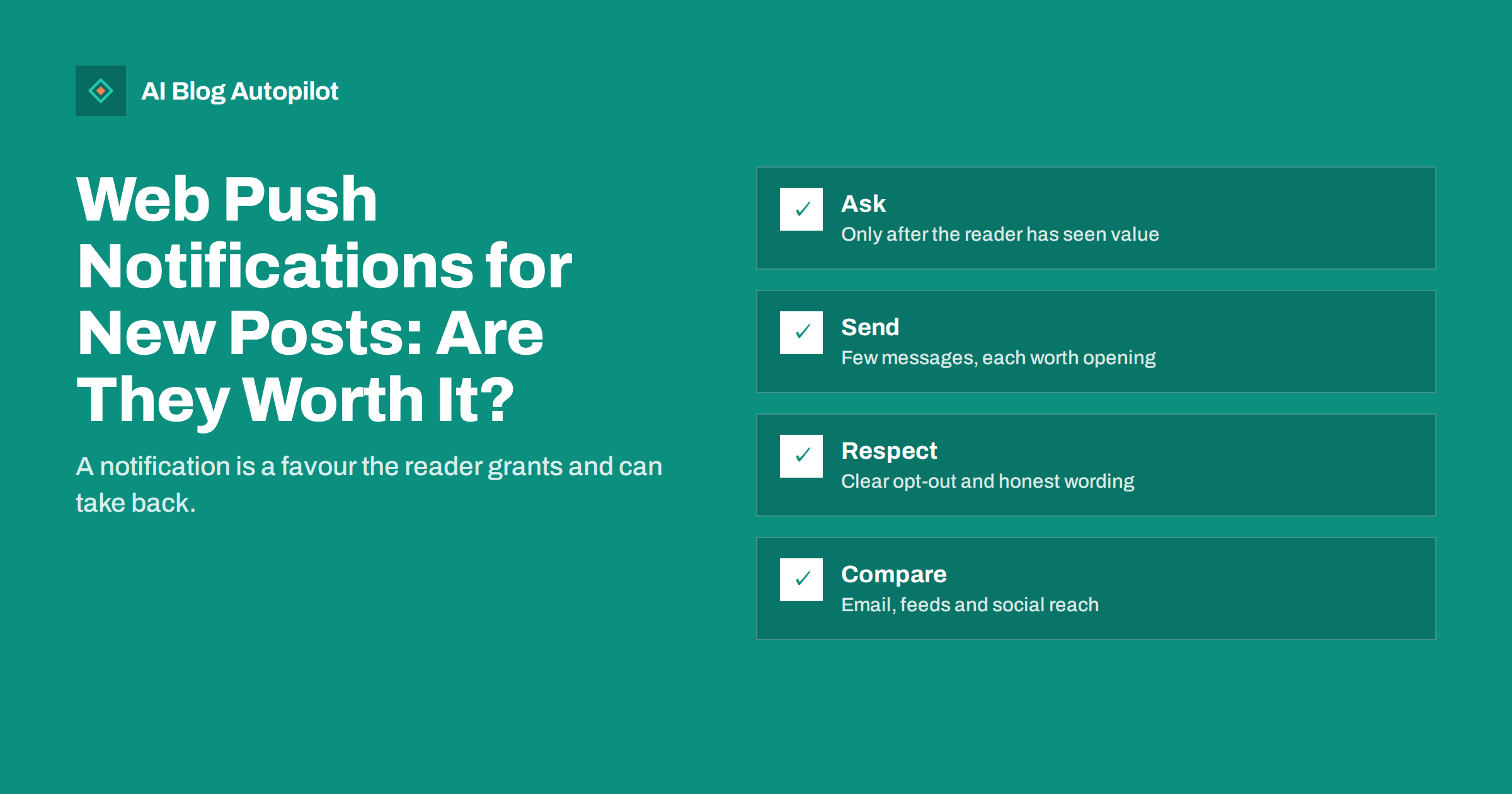
Short answer: web push notifications can bring returning readers to a blog quickly, but they work only when the reader has chosen to receive them and when the messages are rare and useful. They suit blogs with frequent, time-sensitive posts and an audience that already comes back. For most small blogs, an email newsletter or an RSS feed is a calmer, more reliable first step, and push can be added later.
A push notification appears on the visitor’s screen even when the site is closed. That is powerful, and also why people are wary of it. Browsers have made the permission prompt more cautious over time, and many readers refuse out of habit. Whether push is worth the effort depends on your audience, your publishing rhythm and your willingness to keep the messages restrained.
How web push works
When a visitor agrees, the browser registers them for notifications from your site, using a small background script called a service worker. The site, or a push service you use, can then send a message that the browser shows as a notification on the phone or computer, with a title, a short text, an icon and a link. The reader does not need to have the page open, and the message arrives only on the device and browser that granted permission.
The technology requires a secure connection to your site, and it depends on browser and device support, which varies. Some mobile systems limit notifications to sites that the user has installed to their home screen, and the rules change from time to time, so check the current documentation for the platforms your readers use. Because the choice belongs to the reader, a refusal is usually remembered by the browser, and you may not be able to ask again.
When push is worth considering
Push works best when readers want to know quickly. News, deals with a short deadline, event updates, live coverage and posts in a regular series all fit this pattern. If you publish a daily article that your audience reads every morning, a notification can become a useful habit. If you publish twice a month on a slow-moving topic, a notification adds little and may become an irritation.
Think about the alternatives before you start. Our guide to building a newsletter from your blog posts describes a channel where the reader gives you an address and expects a message, and where you can say more than a short line. An RSS feed serves readers who prefer to collect updates in a reader of their own. Social networks reach people who already follow you, as discussed in our guide to turning an article into social posts. Push is the most immediate, but also the most intrusive.
Ask for permission politely
The worst way to ask is to show the browser’s permission prompt the moment a stranger arrives. Most people refuse, and many browsers now suppress prompts that appear without any interaction. A better approach is to wait until the reader has shown interest: after they have read an article to the end, visited a second page or returned on another day. Then show a small message of your own that explains what they will receive and how often, with a clear button to accept and another to decline.
Write the message in plain words: “Get a short note when we publish a new guide, about once a week. You can switch it off at any time.” Do not use pressure, false urgency or a design that makes refusing difficult. If the reader says no, respect it and do not ask again for a long time. Pop-ups that cover the content can also harm the experience and search performance, as explained in our guide to popups and interstitials.
Decide what to send
Each notification should be worth the interruption. A new article with a clear title and a single sentence on why it matters is fine. A series of vague teasers is not. Keep titles short, because many devices cut them, and put the main point at the start. Add an image only if it helps. Do not send a notification for every minor update, and avoid sending the same content to the same people by several channels at once.
Decide on a limit and keep it: for example no more than one notification a day, and none at night in the reader’s local time. If your audience is spread across time zones, consider scheduling by region or group. If you have several topics, let readers choose which they want, so that a person interested in one subject is not disturbed by another. Our article on the best time to share blog posts explains how to look for patterns without relying on general claims.
Think about the content behind the notification
A notification promises something, and the page must deliver it at once. If the message says “five ways to fix a slow site”, the reader should land on a page that begins with the answer, loads quickly on a phone and does not hide the text behind a pop-up. A mismatch between the message and the page produces instant exits and unsubscribes. Test every notification on a real device before sending to everyone, and check the link, the title and the image.
Keep the wording consistent with the voice of your blog. A calm, specific title such as “New guide: how to check a redirect chain” is better than a shout in capital letters. Avoid emojis that might not display on every device, and never promise something that the page does not contain. If an article is updated rather than new, say so honestly, and do not resend it as if it were fresh.
Prepare for mistakes. A wrong link or a typo in a notification cannot be corrected once it is delivered, so keep a short checklist: title, text, link, time and audience. If a serious error does go out, publish a correction on the site and send a brief, polite follow-up only if the mistake could mislead or harm readers. Otherwise, fix the page and carry on.
Respect privacy and the rules
Push involves a stored subscription for each device, and in some places it is treated as personal data or requires consent in addition to the browser’s own prompt. Describe what you collect and why in your privacy information, make it easy to unsubscribe, and delete the subscriptions of people who have opted out. If you use an outside service to send notifications, check what it stores, where and for how long, and whether its terms fit your obligations. Our guides to privacy and analytics on a blog and cookie banners cover related questions.
Do not use notifications for anything that readers would not expect, such as unrelated promotions or messages sent on behalf of third parties. Misleading wording or messages that imitate system alerts damage trust and may breach the rules of the browser makers and consumer law. Keep the language honest and the purpose clear.
Segment your audience when you can. A reader who came for one topic may not want every message, and a short choice at sign-up, such as “guides”, “news” or “events”, keeps notifications relevant. If you cannot segment, send only the posts that suit almost everyone, and leave niche pieces to other channels. Relevance is the strongest protection against unsubscribes, and it costs nothing but a little planning.
Measure what notifications really do
Track the number of people who accept the request, the number who unsubscribe, the share who click a notification and what they do after arriving. Use tagged links, as described in our guide to UTM tags for social shares, so that visits from notifications can be separated from other traffic. Compare these visits with those from email and social channels: if the visitors from push read little and leave quickly, the notifications may be attracting clicks without interest.
Watch the opt-out rate carefully. A rise after a particular message is a clear signal that you sent too much or sent the wrong thing. Review your sending rules every quarter, and be ready to stop altogether if the channel does more harm than good. A small, loyal group of subscribers is worth more than a large number who feel pestered.
Start small and keep the option to stop
Begin with a test on one section of the site or one type of article, and tell readers what to expect. Run it for a couple of months, review the numbers and decide whether to continue. If you choose a plugin or service, make sure you can export your subscribers and leave without losing them. Check that the setup does not slow the pages down, using the measures in our guide to Core Web Vitals for bloggers.
Above all, keep the main goal in view: readers who come back because the content is useful. Notifications can help with that, but they cannot replace articles worth reading. If the posts are strong, a gentle reminder may be welcomed. If they are weak, no channel will fix that.
How AI Blog Autopilot helps
AI Blog Autopilot writes full SEO articles for your WordPress blog from the topics, keywords, audience and tone you set, with FAQ sections, tags and SEO meta included, and it shares each one to your social networks. A steady flow of well-structured articles gives any announcement channel, including a push setup in your own WordPress tools, something worth announcing. Approval mode lets you read each article first. See the pricing page for plans.
Related reading
- Building a Newsletter From Your Blog Posts
- RSS Feeds and SEO
- Popups and Interstitials: What Hurts SEO
- The Best Time to Share Blog Posts
The bottom line
Web push is worth trying when readers want fast updates and you can keep the messages rare and useful. Ask politely after the reader has seen value, send little, respect privacy, measure the effect and be ready to stop. For many blogs, email and RSS come first.
الأسئلة الشائعة
Do web push notifications work on every device?
No. Support depends on the browser, the device and sometimes on whether the site is installed to the home screen. Check current documentation.
When should I show the permission request?
After the reader has shown interest, for example by finishing an article or returning another day, with a clear explanation of what they will receive.
How often should I send notifications?
As rarely as you can while staying useful. Set a limit, such as one a day at most, and avoid night hours in the reader’s time zone.
Is push better than email?
It is faster but more intrusive. Email lets you say more and is easier to manage, so many blogs start there.
Do I need consent for push?
The browser asks for permission, and local privacy rules may add requirements. Explain the use clearly and make opting out easy.