ENEnglish
 LTLietuviškai
 DEDeutsch
 FRFrançais
 RUРусский
 ESEspañol
 PLPolski
 ITItaliano
 UKУкраїнська
 CSČeština
 PTPortuguês
 JA日本語
 LVLatviešu valoda
 ETEesti
 HUMagyar
 IDBahasa Indonesia
 TRTürkçe
 HIहिन्दी
 ELΕλληνικά
 ARالعربية
 THไทย
 VITiếng Việt
 RORomână
 MSBahasa Melayu
 BNবাংলা
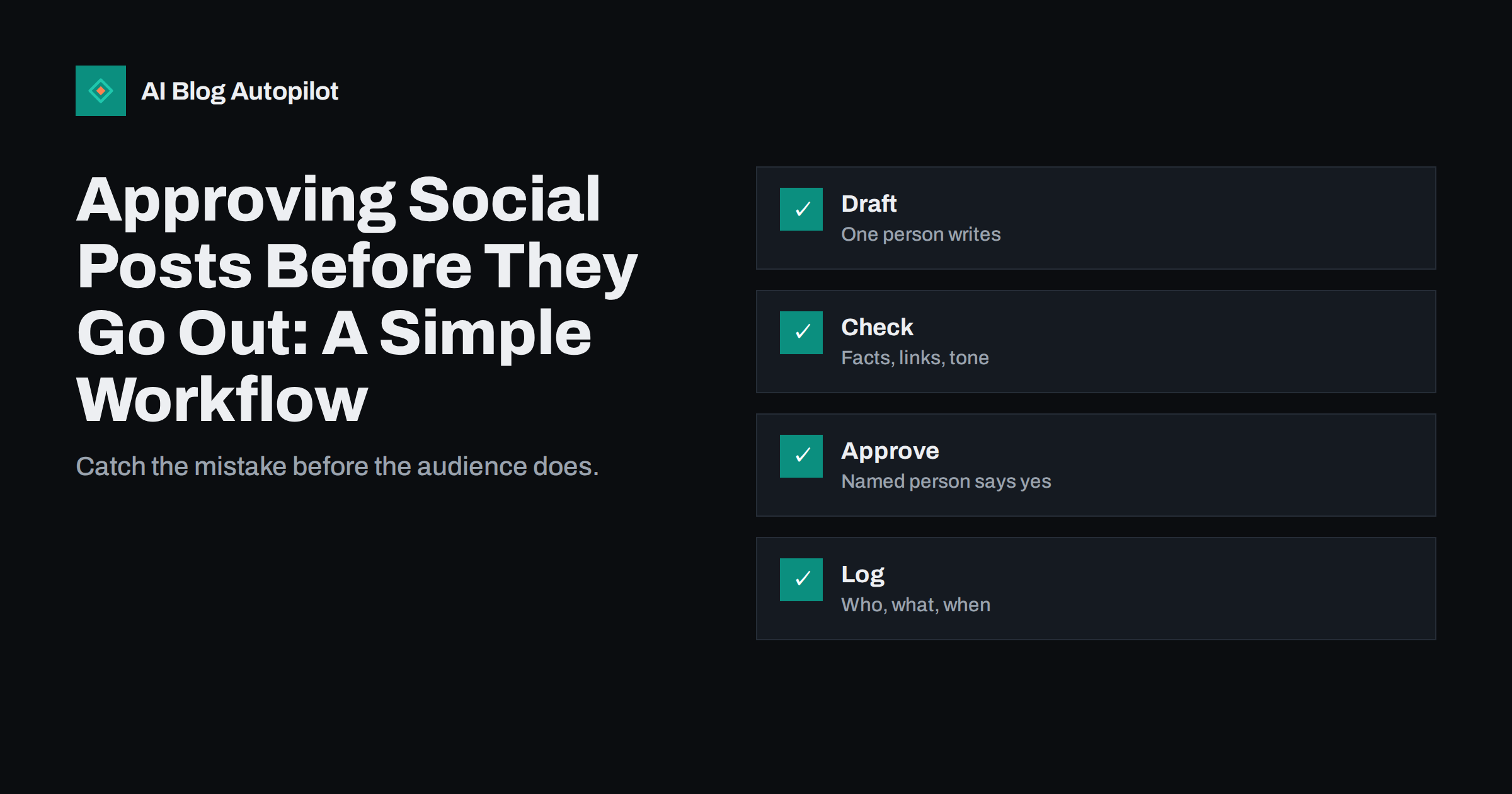
Short answer: a good approval workflow for social posts has four steps: one person drafts, a second person checks facts, links, images and tone against a short list, a named person approves, and the post is scheduled with a record of who agreed. Keep it light so it does not slow you down, set faster rules for urgent replies and review the process after any mistake. A small team can do it in minutes a day.
A social post can be seen by thousands of people within minutes, and it is hard to take back completely. Screenshots remain even when a post is deleted. A wrong link, a misspelt name, a careless joke or a post sent on the wrong day can cost goodwill that took years to build.
This guide describes a simple approval workflow for a small team or a single owner. It explains roles, a short checklist, tools, timing, urgent cases and what to do when something still goes wrong.
Be clear about what approval is not. It is not a way to slow down creative work or to blame people, and it should not turn every post into a committee decision. The aim is to make safe posting easy and fast, and to give the person who writes a chance to learn from a colleague. If the process feels heavy, simplify it instead of skipping it.
Why approval matters
Most social mistakes are not dramatic. They are small errors that nobody checked: a link to a page that has moved, an image without permission, a price that changed, a hashtag with an unexpected meaning, a post scheduled to a day of national mourning or a message sent from the wrong account. A second pair of eyes catches most of them.
Approval also protects consistency. When several people write posts, the voice can drift. A reviewer who knows the brand voice can bring posts back into line, and the guide on writing brand voice guidelines explains how to describe that voice so that anyone can check against it.
It protects legal and ethical limits as well. Claims, testimonials, giveaways, images of people and mentions of other businesses all carry risk. A quick check helps you meet those obligations before posts go public.
Finally, approval makes automation safer. If posts are scheduled in advance or created with software, a human check is the main defence against errors that repeat themselves many times.
Keep the draft in one place. If the text is in an email, the image in a folder and the link in a message, details get lost. A single document or card that holds everything, with a status such as draft, checked or approved, shows at a glance where each post stands and what is waiting for someone.
The four steps
First, the draft. One person writes the post, adds the link, the image and the alt text, and notes the intended network and time. The draft should contain everything needed to publish, so that the reviewer judges the real post and not a description of it.
Second, the check. A different person looks at the draft against a short list: facts correct, names spelt right, link works and goes to the right page, image rights clear, alt text present, tone in line with the brand, no sensitive date clash and no confidential detail. For a single-person business, wait an hour or until the next day and check your own draft with fresh eyes.
Third, the approval. A named person says yes in a place where it is recorded, such as a comment on the draft, a status in the scheduling tool or a message in a team channel. Silence does not count as approval. If the approver changes the text, the changed version is the one that is scheduled.
Fourth, the scheduling and the record. After approval the post is scheduled or published and the record notes who drafted, who checked, who approved and when. The record is useful when a question arises later.
A checklist that fits on a card
Keep the checklist short or it will be ignored. Ten items are enough: correct facts, correct names, working link, right image, rights to use the image, alt text, tone, no sensitive timing, no private data and the right account. Print it or pin it where the team works.
Add checks that match your field. A restaurant needs to check allergens and opening hours. A shop needs to check prices and stock. A clinic needs to check that no health advice is given. A consultant needs to check client confidentiality. Review the list every few months and remove items that never find a problem.
Always click the link from the post preview, not from the draft text, and check how it looks on a phone. The article on Open Graph tags explains why a link preview can differ from what you expect, and the guide to stale link previews explains how to fix one.
Check the date and the time zone. A post for a launch at nine in the morning that goes out at nine in the evening is a common mistake, so confirm the time zone of your scheduling tool before you rely on it.
Train new team members on the process in their first week, with two or three real examples of posts that were corrected and why. People follow a process better when they understand what it prevents. Invite them to suggest changes to the checklist after a month, since a fresh view often notices steps that long-time members no longer see.
Roles for teams of different sizes
In a team of one, split the roles over time. Write the posts in a batch, leave them overnight, check them the next morning with the list and then schedule. It is not as strong as a second person, but it catches many errors. If possible, ask a friend or a colleague to look at posts about sensitive subjects.
In a team of two or three, let the writer and the checker be different people and give the approval to the person responsible for the brand or the business. Swap roles from time to time so that nobody becomes the single point of failure and everyone understands the whole process.
In a larger team or an agency, define who can approve what. Routine posts may need one approval, while posts about prices, legal matters, people or crises need a senior one. Clients of an agency should know what they will see and when, and the article on running blogs for clients as an agency describes how to agree this.
Write the rules down in a page of one screen. Include who writes, who checks, who approves, what is urgent, who is on call and how long each step may take.
Look at the results as well as the process. Compare engagement and complaints before and after you introduced approval, and note how many problems the check caught. If the numbers show that the check finds an error in one post out of twenty, it is worth the minutes it takes. If it never finds anything, simplify the list.
Tools and timing
You do not need special software. A shared document, a spreadsheet or a message channel can serve as the workflow if everybody uses it the same way. Many scheduling tools also have approval statuses, comments and roles, which help when the team is bigger. Choose a method the team will actually use.
Set time limits. A check that waits for three days is not a check but a block. Agree that drafts are reviewed within a working day, and that a reviewer who cannot do it passes the draft to someone else. Plan a buffer: schedule posts at least a day ahead for routine content so that there is room to fix issues.
Use batches. Reviewing a week of posts at one time is faster than checking each one separately, and it lets you see the mix as a whole, as the guide on the social media content mix suggests.
Protect access. Limit who can publish directly, use strong passwords and two-step sign-in, and remove people who leave. The article on securing your social media accounts explains the basics.
Think about private messages and comments as well. A reply sent in anger or haste can do as much damage as a post. Give the person who handles replies a short guide on tone, a list of topics to pass on and permission to take a few minutes before answering. Where a reply could have legal or safety consequences, ask for a second opinion.
Urgent posts and replies
Not everything can wait a day. Replies to customers, time-sensitive offers and news need a faster route. Define what counts as urgent, who may approve on the spot and what limits apply. For example, a trained team member may reply to simple questions using approved wording, while complaints, legal matters and anything about safety go to a senior person.
Prepare approved snippets for common questions: opening hours, delivery times, how to contact support and how to report a problem. They allow quick and consistent replies without waiting for approval each time. Review them regularly so that they remain true.
Stay calm in a crisis. If an event happens in the world that makes your scheduled posts look tasteless, pause the queue first and check afterwards. Having a named person who may pause the whole queue makes this much easier.
Keep a record of urgent decisions as well, with a short note on what was posted and why. It makes it easier to learn and to defend the choice if questioned.
When a mistake gets through
Expect it to happen sometimes. When it does, act in order: stop any related scheduled posts, decide whether to edit, delete or correct, and tell people honestly if the error matters. Decide in advance who may edit or delete a post, and keep a short note of what was changed and why.
Then look at the process, not at a person to blame. Which step should have caught the error, and why did it not? Perhaps the checklist lacked an item, the reviewer was rushed or the draft was not complete. Adjust the workflow and tell the team what changed.
Keep a short log of near misses as well as errors. Patterns show where the process is weak, and small fixes made early prevent larger ones later.
How AI Blog Autopilot helps
AI Blog Autopilot can write and publish articles on your chosen topics, with FAQ sections, tags and SEO meta, and share them to your social networks. Treat what it prepares as a draft for your own checks, and review names, facts, links and tone before anything goes live. See the pricing page for plans and monthly credits.
Related reading
- Automated Social Posting Mistakes That Look Robotic
- Editorial Review: Draft, Approve or Full Auto?
- Security Basics for a Business Blog
The bottom line
Separate drafting, checking and approving, use a short checklist, set faster rules for urgent replies and learn from every mistake.
الأسئلة الشائعة
Do small businesses need a social approval process?
Yes, a light one. Even a one-person business gains from leaving drafts overnight and checking them against a list.
Who should approve social posts?
A named person responsible for the brand or the business, and a senior person for sensitive topics.
How long should approval take?
Within a working day for routine posts, with a faster route for urgent replies.
What should the checklist include?
Facts, names, working link, image rights, alt text, tone, timing, private data and the right account.
What if an error is published?
Stop related posts, decide whether to edit, delete or correct, tell readers if it matters and fix the process.