 ENEnglish
 LTLietuviškai
 DEDeutsch
 FRFrançais
 RUРусский
 ESEspañol
 PLPolski
 ITItaliano
 UKУкраїнська
 CSČeština
 PTPortuguês
 JA日本語
JA日本語 LVLatviešu valoda
 ETEesti
 HUMagyar
 IDBahasa Indonesia
 TRTürkçe
 HIहिन्दी
 ELΕλληνικά
 ARالعربية
 THไทย
THไทย VITiếng Việt
 RORomână
 MSBahasa Melayu
 BNবাংলা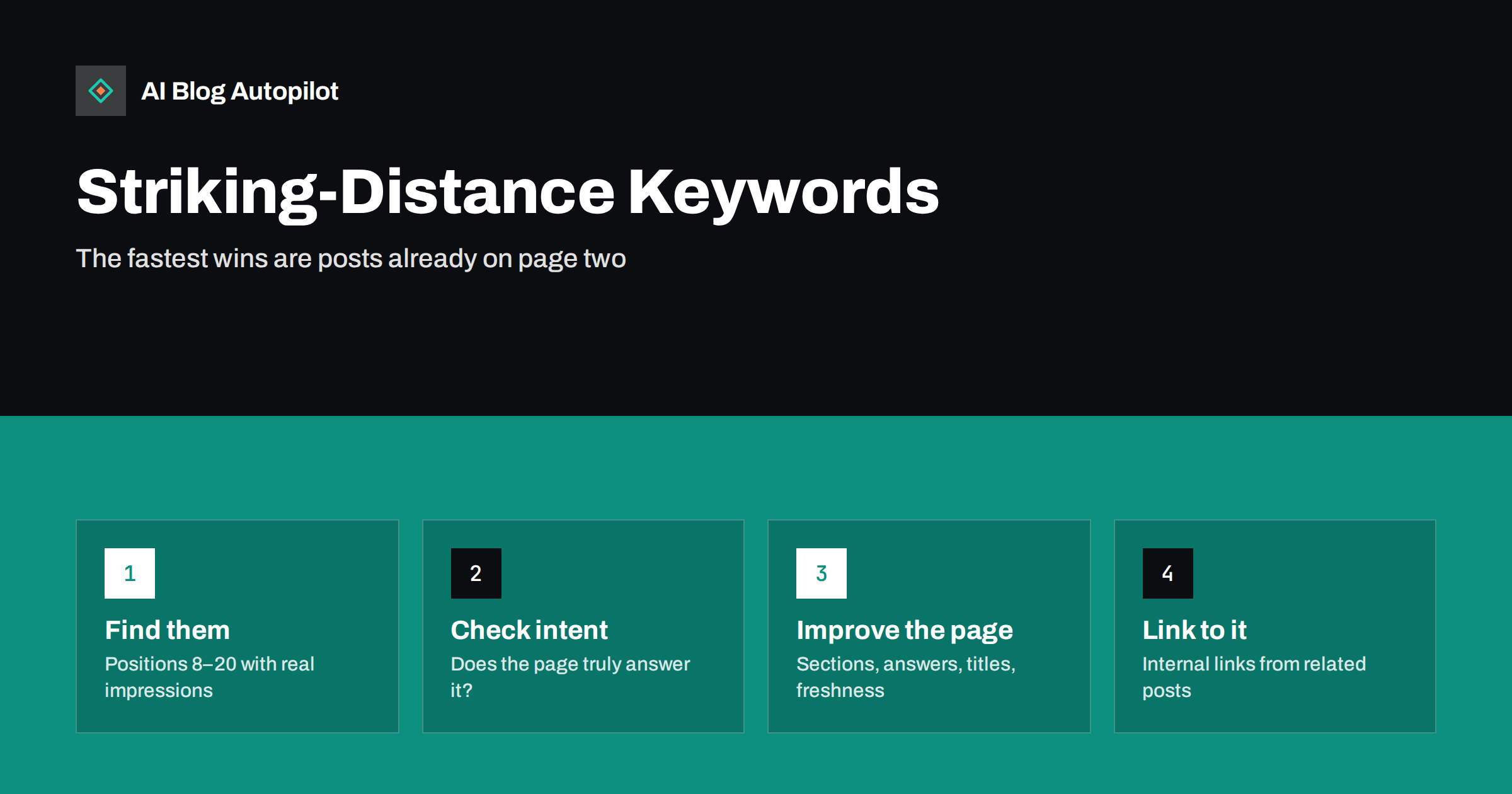
Short answer: striking-distance keywords are queries where one of your pages already ranks just below the top results, typically around positions 8 to 20. Because search engines already consider the page relevant, targeted improvements often move it up faster than a new article would rank. Find them in Search Console’s performance report by filtering for average position and sorting by impressions, then improve the matching page: answer the query more directly, cover missing subtopics, refresh the title and add internal links from related posts.
Most blogs have a quiet layer of opportunity hidden in their data: posts that almost rank. They appear on the second page, or at the bottom of the first, for queries people actually type. They collect impressions but very few clicks, because hardly anyone scrolls that far.
Improving those pages is usually the highest-return SEO work available to an established blog. This article explains how to find striking-distance keywords, how to judge which ones are worth the effort, and what changes tend to help.
What “striking distance” means
The term describes a query for which a page ranks close enough to the top that a moderate improvement could bring it into the positions that receive most clicks. Definitions vary, but a common working range is average position 8 to 20: the bottom of page one and most of page two.
Why that range? Clicks are heavily concentrated in the first few results. A page at position 12 may get a small fraction of the clicks it would get at position 4, even though the search engine has already judged it to be a reasonable answer. The gap between “relevant enough to show” and “shown where people look” is often small in terms of content, and large in terms of traffic.
Positions beyond 20 can also be improved, but they usually signal a bigger mismatch in intent, depth or authority, which takes more than a refresh.
Why these queries are often quicker to win
A new article starts from nothing. It must be crawled, indexed, understood and then earn its place, a process that often takes months, as how long before a new post ranks explains.
A striking-distance page has already passed several of those hurdles:
- It is indexed and considered relevant to the query.
- It has some history and whatever links and signals it has accumulated.
- Its topic is confirmed by real impressions, not a tool’s estimate.
That does not guarantee movement. But the odds of a useful gain per hour of work are typically better than starting a fresh page, especially on a blog that already has a body of content.
Finding striking-distance keywords in Search Console
Search Console’s performance report is the best free source, because it shows the queries your pages actually appear for.
- Open Performance and select Search results.
- Set the date range to the last three months for enough data without too much history.
- Enable Average position and Impressions in the chart toggles.
- In the Queries tab, add a filter on position: greater than 7 and, with a second filter, less than 21.
- Sort by impressions, highest first.
- For each promising query, click it and switch to the Pages tab to see which URL ranks.
Export the list if it is long. A simple spreadsheet with query, page, impressions, clicks and position is enough to work from. Google’s help page on the Performance report explains how average position is calculated, which is worth knowing before you draw conclusions.
Filtering the list: which ones are worth it
Not every query in the range deserves attention. Filter with a few questions:
- Does the query matter to the business? A query that brings the right readers is worth more than a bigger one that does not.
- Are the impressions meaningful for your site? What counts as meaningful depends on scale, but prioritise the top of the list first.
- Is it the right page? Sometimes a page ranks for a query only tangentially. If another page on your site would be a better answer, the fix may be to strengthen that page instead.
- Are two of your pages competing? If several of your URLs appear for the same query with unstable positions, consolidating them may help more than improving either one.
- Is the intent achievable? Look at the live results. If the top positions are all shops or tools, an article may have reached its ceiling.
A shortlist of ten to twenty query and page pairs is plenty for a first round.
What to change on the page
The aim is to make the page a clearly better answer for the specific query, without breaking what already works for its other queries. Typical improvements, roughly in order of impact:
- Answer the query directly. If the query is a question the page only touches on, add a section with a descriptive heading and a direct answer in its first sentences.
- Fill missing subtopics. Compare the page with the top results for the query. If they all cover something yours does not, add it, in your own words and with your own expertise.
- Refresh outdated content. Update steps, screenshots, prices of third-party tools, and anything that has changed. Stale information is a common reason a page slips.
- Improve the title and meta description where the page’s main query is the striking-distance one. A title that matches the query wording more closely can also lift click-through rate at the same position.
- Improve the opening. A short, direct answer at the top helps readers and makes the page easier to use in featured snippets and AI answers.
- Add an FAQ entry for related queries that show up in the same data, if they do not justify their own section.
Avoid rewriting a page from scratch or changing its URL. Both risk losing the signals that got it to page two in the first place. Refreshing old blog posts covers the mechanics of a safe update.
Internal links: the underused lever
Internal links tell search engines which pages matter and what they are about. Many striking-distance pages have very few links pointing to them from elsewhere on the site.
- Search your own site for articles that mention the topic and add a contextual link to the target page.
- Use anchor text that describes the target page’s subject naturally, not the same exact phrase every time.
- Link from pages that already get traffic or links, as they pass more value.
- Check that the page is reachable from a relevant category or hub page, not only from the blog archive.
Three to five good contextual links from related articles is a reasonable target for a priority page. Internal linking on autopilot explains how to make this a habit rather than a project.
Measuring the result
Record the date of each change and the position, impressions and clicks for the target query beforehand. Then check again after four to eight weeks. Search engines need to recrawl the page and reassess it, and positions fluctuate day to day, so shorter comparisons mislead.
Look at three things:
- Position for the target query, compared over equal periods.
- Clicks, which matter more than position. A move from 11 to 7 should show up here.
- Total clicks to the page, to confirm the change did not hurt other queries.
Expect mixed results. Some pages will jump, some will not move, and occasionally one will drop temporarily. Across a batch of improvements the overall trend is what counts.
A related opportunity: good position, few clicks
The same report reveals a second group worth attention: queries where a page already ranks in the top five or so, yet earns noticeably fewer clicks than neighbouring results would suggest. Here the problem is rarely the content. It is usually how the result looks on the page.
- The title does not match the query. If people search one phrasing and your title uses another, they may skip it even though the page answers them.
- The title is cut off or rewritten by the search engine into something less appealing.
- The description is generic, so the snippet does not show why this page is the useful one.
- A featured snippet or answer box above the results satisfies the question, so fewer people click any result.
Sort the performance report by impressions, look at click-through rate for top-five queries, and compare pages against each other rather than against an abstract benchmark. Rewriting a title and description takes minutes, and it is easy to measure because the position stays roughly constant. Meta titles and descriptions covers what to write.
Common mistakes
- Stuffing the query into the page in every heading and paragraph. Relevance comes from answering the question, not repeating it.
- Chasing tiny queries with a handful of impressions while bigger opportunities wait.
- Changing too many things at once across the site, then being unable to tell what helped.
- Improving a page that is the wrong answer for the query, instead of creating or strengthening the right one.
- Judging after a week. Search engines rarely reassess that quickly.
How AI Blog Autopilot fits in
AI Blog Autopilot writes and publishes new long-form articles around real search queries, with FAQ, tags and SEO meta, so the pool of pages that can reach striking distance keeps growing. On the Pro and Agency plans, topics can be imported from Search Console, bringing queries you already appear for into planning. Refreshing specific existing pages is still a task worth doing yourself. Learn more on the AI Blog Autopilot home page.
Related reading
- Google Search Console: The Five Reports That Matter
- How to Refresh Old Blog Posts
- Content Decay: Spotting Articles That Are Slowly Fading
- Search Volume Numbers: Why They Mislead and How to Use Them
The bottom line
Striking-distance keywords are queries where your page already ranks around positions 8 to 20. Find them in Search Console, keep the ones that matter to your business and match the page’s intent, then improve the page with direct answers, missing subtopics, fresh information, a better title and more internal links. Measure over weeks, not days. For an established blog, this is often the most efficient SEO work there is.
SSS
What are striking-distance keywords?
They are search queries for which one of your pages already ranks just below the top results, commonly positions 8 to 20. A focused improvement can often move the page into the positions that receive most clicks.
How do I find striking-distance keywords for free?
Use Search Console’s performance report. Filter queries to an average position between about 8 and 20, sort by impressions, then check which page ranks for each query in the Pages tab.
Should I create a new article or improve the existing one?
Usually improve the existing page, because it is already indexed and considered relevant. Create a new article only when the query needs a different kind of answer than the ranking page can reasonably give.
How long does it take to see results after updating a page?
Typically four to eight weeks. The page must be recrawled and reassessed, and positions fluctuate, so compare equal periods before and after the change.
Can updating a page make its rankings worse?
It can, especially if you remove content that answered other queries or change the URL. Keep the URL, add rather than cut where possible, and check total clicks to the page after the change.


