ENEnglish
 LTLietuviškai
 DEDeutsch
 FRFrançais
 RUРусский
 ESEspañol
 PLPolski
 ITItaliano
 UKУкраїнська
 CSČeština
 PTPortuguês
 JA日本語
JA日本語 LVLatviešu valoda
 ETEesti
 HUMagyar
 IDBahasa Indonesia
 TRTürkçe
 HIहिन्दी
 ELΕλληνικά
 ARالعربية
 THไทย
THไทย VITiếng Việt
 RORomână
 MSBahasa Melayu
 BNবাংলা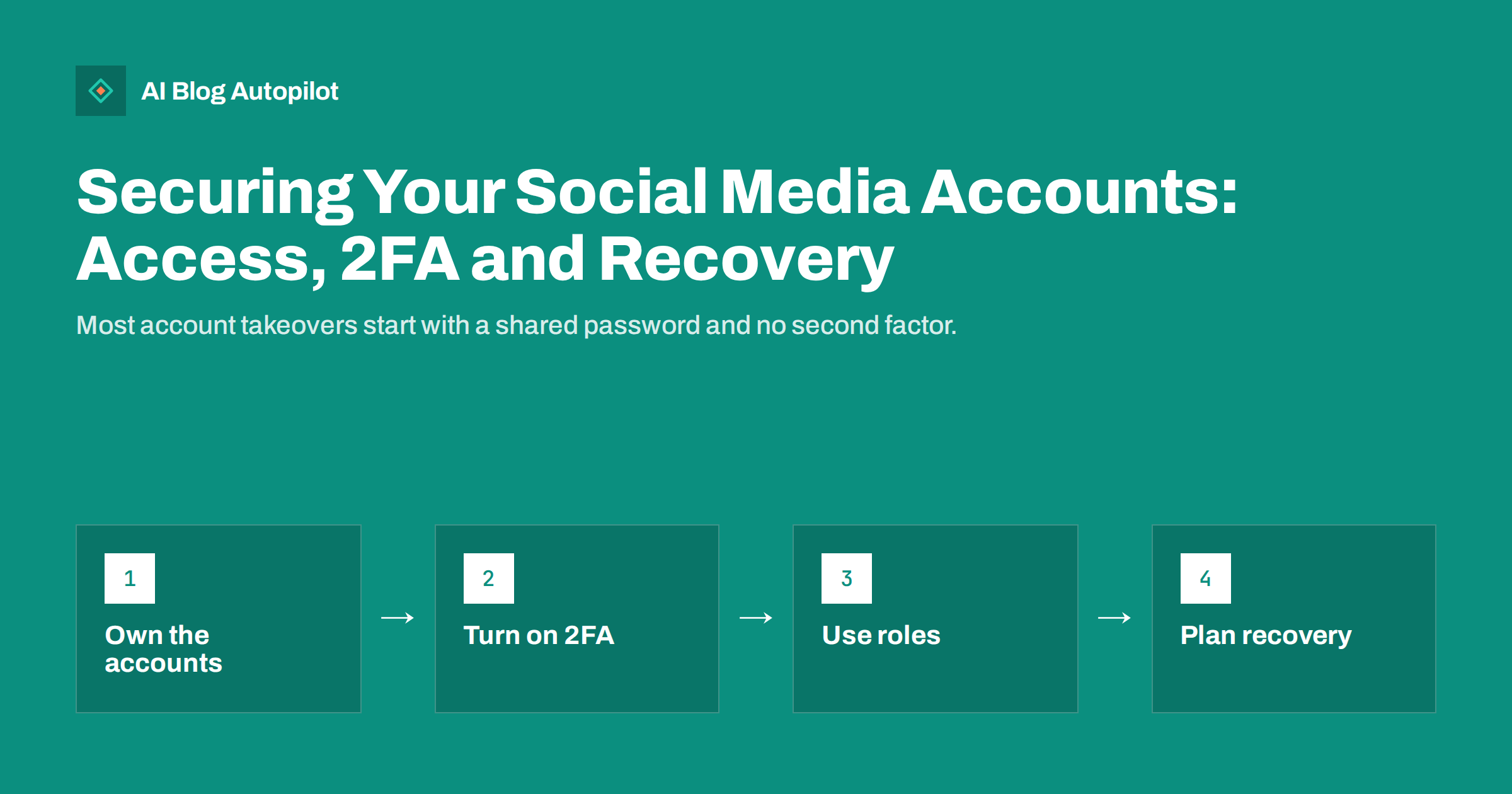
Short answer: to secure your business social media accounts, register them to a business email address the company controls, turn on two-factor authentication for every person with admin access, give team members and agencies their own roles instead of sharing passwords, review connected apps and admins regularly, and set up recovery options before anything goes wrong. Keep a short written list of every account, who owns it and how to recover it. If an account is taken over, act quickly through the network’s official recovery process and warn followers once you regain control.
For many small businesses, social media accounts are as important as the website. They carry the brand name, years of followers and a direct line to customers. Yet they are often protected by a single password known to several people, linked to a former employee’s personal email and missing any second factor. When something goes wrong, recovery can take weeks or fail completely. This guide covers the practical steps that prevent most problems and what to do when they happen anyway.
Start with ownership
The first question is who actually owns each account. In many businesses the honest answer is “whoever set it up”, which may be a former employee, a freelancer or an agency.
Fix ownership before anything else:
- Use a business email address that the company controls, ideally a shared role address such as a social or marketing mailbox rather than one person’s inbox.
- Use business structures where networks offer them, such as business pages, business managers or organisation accounts, instead of personal profiles.
- Make sure at least two trusted people in the business have admin access, so the account does not depend on one person.
- Keep the recovery phone number current, and preferably tied to a business line or a device the company controls.
If an agency set up your accounts, ask them to confirm that the business is the owner and that you have full admin access. A good agency will be glad to; it protects them as well.
Turn on two-factor authentication
Two-factor authentication, often called 2FA, requires a second proof besides the password, such as a code from an authenticator app or a physical security key. It stops most attacks that rely on stolen or guessed passwords.
Practical advice:
- Turn it on for every admin, not only for the main account. Attackers often go for the weakest person with access.
- Prefer an authenticator app or security key over text message codes where the network supports them, because phone numbers can be hijacked.
- Save backup codes in a safe place, such as the company’s password manager.
- Plan for lost phones: know how each person would regain access if their device is lost or replaced.
Some networks now require 2FA for business tools or for admins of pages with many followers. Treat that as the minimum, not the goal.
Remember the email account behind each social account as well. If an attacker can get into the mailbox that receives password reset links, two-factor authentication on the social network alone may not be enough. Protect the business email with its own strong password and second factor, and limit who can read the shared mailbox.
Use roles instead of shared passwords
Sharing one password among several people is the most common weak point. You cannot tell who did what, you cannot remove one person without changing the password for everyone, and every extra person who knows it is another chance for it to leak.
Most major networks let you add people with their own login and a specific role:
- Admins can change settings, add or remove people and manage the account fully. Keep this group small.
- Editors or content roles can post and reply but not change ownership or settings.
- Analyst or limited roles can view results without posting.
Give each person the lowest role that lets them do their job. Agencies and freelancers should have their own access through the business tools rather than your login details.
Password basics still matter
Where a password is needed, use a long, unique one for each account, stored in a password manager. Never reuse the password of your email or website for a social account. If one service leaks, reused passwords let attackers into everything else.
Review connected apps and tools
Over the years, social accounts collect connections: scheduling tools, analytics services, contest apps, website plugins and old integrations nobody remembers. Each connection has some level of access to the account.
Once or twice a year:
- Open the connected apps or integrations section in each network’s settings.
- Remove anything you no longer use or do not recognise.
- Check what each remaining tool can do, such as posting, reading messages or managing ads, and make sure it is what you expect.
- Reconnect tools you rely on if the network asks, rather than ignoring warnings.
Connections to reputable tools are not a risk in themselves; forgotten ones with broad permissions are. Removing an unused app takes seconds.
Keep an account register
A simple document or spreadsheet saves hours in an emergency. For each account, record:
- The network and the account name or URL.
- The email address and phone number linked to it.
- Who has admin access and who has other roles.
- Whether 2FA is on and where backup codes are stored.
- Connected tools and agencies with access.
- The date of the last review.
Store it securely, not in a public folder, and keep login details in the password manager rather than in the document itself. Update the register whenever someone joins or leaves the team.
When people leave
Staff changes are a common cause of lost or misused accounts. When an employee, freelancer or agency stops working with you:
- Remove their roles on every network the same day.
- Change any passwords they knew, if shared passwords were still in use.
- Check that recovery email and phone details do not belong to them.
- Review recent activity for anything unexpected.
Doing this routinely, even on good terms, is simple professional hygiene, not a sign of distrust. A short offboarding checklist that lists every network makes sure nothing is forgotten, especially accounts that are used only occasionally.
Recognising phishing aimed at page owners
Many account takeovers begin with a message that looks official: a warning that your page will be deleted for a copyright violation, an invitation to verify your account or a request to log in to resolve a policy issue. These messages often arrive through direct messages, comments or email and link to convincing fake login pages.
Simple rules help:
- Do not log in through links in messages. Open the network’s app or website directly and check notifications there.
- Be suspicious of urgency and threats, such as “your page will be removed in 24 hours”.
- Check the sender carefully; networks rarely contact page owners through ordinary direct messages.
- Tell the team about common scams so everyone recognises them.
If an account is hacked
Act quickly:
- Try to log in and change the password immediately if you still can, then sign out all other sessions.
- Use the network’s official recovery process if you cannot log in. Avoid third parties who offer to recover accounts for a fee; many are scams.
- Secure the email account linked to the social account, since attackers often get in through email.
- Remove unknown admins, apps and devices once you regain access.
- Check for changes: profile details, posts, messages, ads and payment settings.
- Tell your followers through the account or another channel once it is safe, especially if the attacker posted scams or messages in your name.
Keep notes of what happened and when. They help with the recovery request and with preventing the same problem later.
Security and automated posting
Tools that post on your behalf need access to your accounts, usually through the network’s official connection process rather than your password. That is safer than sharing login details, and you can revoke it at any time from the network’s settings. Connections sometimes expire or need to be renewed after password changes or security reviews, so a tool may ask you to reconnect an account. Treat these prompts as normal maintenance, but always reconnect from within the tool or the network itself, not from a link in an unexpected email.
When you evaluate a posting or scheduling tool, check how it connects: an official authorisation screen from the network is a good sign, a request for your password is not. Give the tool only the accounts it needs, note it in your account register and remove its access from the network settings if you stop using it.
How AI Blog Autopilot helps
AI Blog Autopilot shares every article to your connected social networks, and its content map shows each post per network; if something failed, it tells you exactly why, for example when an account needs reconnecting. WordPress is connected by approving the connection in WordPress or with an application password. See the pricing page for plans.
Related reading
- Security Basics for a Business Blog
- Handing Your Blog to Someone Else Without Losing It
- Getting Your Team to Share Blog Posts on Their Profiles
- How to Connect WordPress to an Automated Publishing Tool, Safely
The bottom line
Secure social media accounts start with clear ownership: a business email, at least two trusted admins and current recovery details. Turn on two-factor authentication for every admin, give people their own roles instead of sharing passwords, review connected apps and admins regularly and keep an account register. Remove access the day someone leaves, watch for phishing aimed at page owners and, if an account is hacked, use only the official recovery process.
SSS
Should business social media accounts use a personal email?
No. Use a business email address the company controls, ideally a shared role address. Accounts tied to one person’s personal email are hard to recover when that person leaves.
Is two-factor authentication really necessary for social media?
Yes. It stops most attacks based on stolen or guessed passwords. Turn it on for every admin, prefer an authenticator app or security key and store backup codes safely.
How should an agency get access to our social accounts?
Through the network’s business tools, with its own login and a role you assign, not with your password. That way you can remove the access at any time without changing anything else.
What should I do if our social media account is hacked?
Change the password and sign out other sessions if you can still log in, otherwise use the network’s official recovery process. Secure the linked email, remove unknown admins and apps, and inform followers once safe.
How often should we review social media access?
At least once or twice a year, and every time someone joins or leaves the team. Check admins, roles, connected apps and recovery details on every network.