ENEnglish
 LTLietuviškai
 DEDeutsch
 FRFrançais
 RUРусский
 ESEspañol
 PLPolski
 ITItaliano
 UKУкраїнська
 CSČeština
 PTPortuguês
 JA日本語
 LVLatviešu valoda
 ETEesti
 HUMagyar
 IDBahasa Indonesia
 TRTürkçe
 HIहिन्दी
 ELΕλληνικά
 ARالعربية
 THไทย
 VITiếng Việt
 RORomână
 MSBahasa Melayu
 BNবাংলা
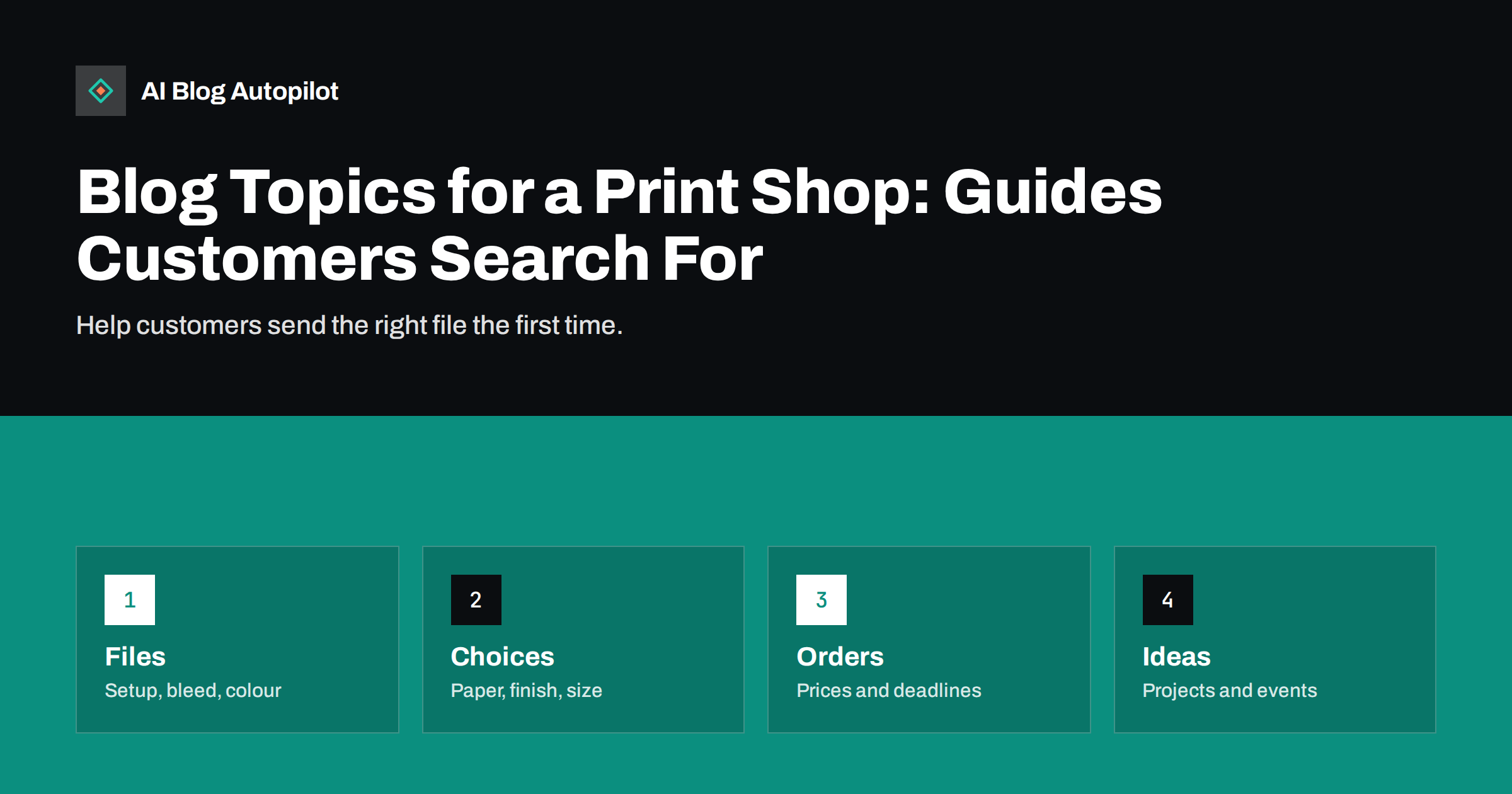
Short answer: a print shop should blog about the questions customers ask before and during an order: how to prepare files, which paper and finish to choose, what sizes and quantities suit a project, how long production takes, what affects the price and how to avoid common mistakes. Add project ideas for local businesses and events, show real samples with permission and keep prices and deadlines current. Each guide should lead to an easy way to upload a file or ask for a quote.
Printing is full of terms that customers do not know: bleed, crop marks, CMYK, gsm, lamination, spot varnish and proof. A customer who cannot judge these things often orders the wrong product or sends a file that cannot be used. This costs time for the shop, delays the job and can end in disappointment. Clear guides prevent many of these problems.
This guide lists topic groups for a print shop that serves local businesses, organisations and individuals. It shows how to turn recurring questions into pages that attract new customers and reduce the load on your team, and how to keep information accurate and useful.
Offer a short video or an annotated screenshot for the steps that cause the most mistakes, such as exporting a print-ready file from common design tools or from office programs. People who are not designers often make their files in a word processor or a presentation tool, so include a section on how to set up a document in those tools. A guide aimed at non-designers can attract customers that competitors ignore, and it saves your team many hours of explaining.
Include a pre-flight checklist that customers can tick off before uploading: size correct, bleed added, images at full resolution, fonts included or outlined, colours set, text checked, file name clear. Offer to check files for a small fee or for free, depending on your policy, and explain how long this takes. Clear rules reduce disputes later.
Guides for preparing files
The most useful content for a print shop is a clear guide to artwork. Explain the file formats you accept, the resolution you need, how to add bleed, where to put crop marks, how to keep text inside safe margins and how to set colours. Show each point with a simple picture of a good file and a bad one.
Write separate pages for the products that need different handling: business cards, flyers, brochures, posters, banners, stickers, packaging and books. Each has its own sizes, folds and limits. A page for each product with a template to download, a checklist and a place to upload gives customers what they need in one place.
Explain the typical errors in plain words: low-resolution images from a website, text too near the edge, colours that look different on screen and paper, missing fonts and files in the wrong colour mode. Say what you do when a file has a problem, whether you fix it for a fee, ask for a new file or print as supplied. The guide on support articles that actually reduce tickets shows how to write such help pages.
Do not forget digital and large-format materials. Banners, vinyl, rigid boards, fabric and window graphics have their own guides: indoor or outdoor use, expected life, fixing methods, wind and weather, and how to prepare artwork at large sizes. Explain the limits honestly, such as how long an outdoor banner is likely to last in strong sun, and offer advice on when a different material is better.
Paper, finishes and materials
Customers often ask what to choose. Write guides that compare papers by weight and surface, such as uncoated, silk, gloss and recycled, and explain which suits which job. A business card on thick uncoated stock feels different from one on a thin glossy sheet, and a short note on the feel and the use of each helps buyers decide.
Explain finishes: lamination, varnish, foil, embossing, die-cutting and folding. Use photographs of real samples, and describe what each costs in terms of price and time, even if you give only a general idea. Mention the limits, such as foil not working well with fine detail, or lamination affecting writing on the surface.
Include environmental information only if it is accurate. If you offer recycled stock or certified paper, state exactly what the certification covers and show the details. Avoid vague claims such as “eco-friendly” without a clear basis. The article on evidence for marketing claims explains how to support such statements.
Sizes, quantities and cost
Many buyers do not know what size or quantity to order. Write guides that show common sizes with a drawing or a comparison to familiar objects, and explain which suit leaflets, menus, posters or signs. Explain how quantity affects the price per item and where it is worth ordering more, and where it is not.
Be open about prices. List what affects them: size, paper, colours, finishing, quantity, delivery and speed. If you can show example prices, mark them with the date and the conditions. If not, give a clear way to get a quote fast. The guide on writing honest articles about what things cost offers a structure.
Help customers avoid waste. Explain how to plan for future changes, such as phone numbers, dates or prices that may change, so that they do not print too many items that will become outdated. Suggest ordering a small run first for tests when a design is new.
Deadlines, proofs and delivery
Time is critical in printing. Write a page that explains the timeline of an order: file check, proof, approval, production, finishing and delivery. State the usual times for each product and the cut-off times for same-day or next-day jobs. If delivery partners vary, explain how and when customers are informed.
Explain proofs and approval. Customers need to understand that the approved proof is the basis for printing, and that errors found after approval may not be refundable. Show what to check in a proof: spelling, numbers, images, colours, margins and contact details. A checklist helps prevent expensive mistakes.
Describe your policy on colour. Screens and paper show colours differently, and customers who expect an exact match may be disappointed. Explain what you can and cannot guarantee, and offer a printed proof or a sample for colour-critical jobs. Honest expectations cause fewer complaints.
Project ideas for local customers
Many customers do not know what to print. Write idea pages for typical situations: opening a shop, launching a service, running an event, promoting a sale, welcoming guests, marking a milestone, organising a school or club activity or preparing for a market. Each page can list the items that fit, with suggested quantities and timing.
Seasonal ideas bring good traffic: calendars, greeting cards, menus for holidays, event programmes, banners and flyers for local festivals. Plan them early, since people search weeks before they need the goods. The guide to planning seasonal content without scrambling every year shows how to prepare ahead.
Show examples of finished work, with permission from the customer, and describe the project, the products used and the result. Avoid showing personal data on samples, such as private phone numbers or addresses, and do not use another firm’s brand without consent. A real example shows what is possible and gives ideas that buyers can adapt.
Local search and trust
Local customers often search for terms such as printing near me, same-day printing or a product plus a town name. Make sure your site gives clear local information: address, opening hours, parking, collection options, delivery areas and contact details. Keep your Google Business Profile in line with your site, as the article on Google Business Profile updates describes.
Write about the local organisations you serve, with their consent: schools, clubs, shops, restaurants, councils and charities. Short stories about how a local club prepared for a tournament, with the printed items that helped, tie your shop to the community and add real local content.
Show your team and your equipment. Photos of the shop floor, the machines and the people who handle each job build trust, and a short explanation of how a file moves through the shop shows that care is taken. Keep it honest: do not claim machines or capabilities that you do not have.
Add a short page for each service you offer beyond printing, such as design help, finishing, mailing, large-format work or storage. Explain who it suits, how it works and what it costs in general terms. Many customers do not know that these services exist, and a clear page can turn a simple print order into a larger one. Link each page to the related guides on files, paper and deadlines, so that readers can move from one question to the next without searching.
Keep it current and useful
Prices, paper stocks, deadlines and technical requirements change. Put a review date on each guide and update it when anything changes. Remove pages for products that you no longer offer, or redirect them to the closest alternative, as the guide on 301 and 302 redirects explains.
Use customer questions as your topic list. Ask the staff who answer calls and emails to note the questions that come up more than twice, and turn each into a page or a section. After you publish a guide, share the link when the question comes again, and see whether the number of such calls drops.
Measure what works. Look at which guides lead to file uploads or quote requests, which are read most before an order and which bring visitors but no action. Improve the second and third groups with clearer next steps. A few well-kept guides will do more than a large archive that nobody maintains.
How AI Blog Autopilot helps
AI Blog Autopilot can write and publish articles on your chosen topics, with FAQ sections, tags and SEO meta, and share them to your social networks. Give it your products and your area, and check prices, sizes, deadlines and technical details before each article goes live. See the pricing page for plans and monthly credits.
Related reading
- Blog Strategy for a Local Business
- Support Articles That Actually Reduce Tickets
- Writing Honest Articles About What Things Cost
The bottom line
Turn recurring customer questions into clear guides on files, paper, prices and deadlines, add local project ideas and keep every page current with an easy next step.
SSS
What is the most useful topic for a print shop blog?
A clear guide to preparing files, with templates, bleed and margin examples and a place to upload.
Should I publish prices?
If you can, with the date and conditions. Otherwise explain what affects the price and how to get a quote quickly.
How do I show samples without breaking privacy?
Ask the customer for permission and avoid private details such as phone numbers, addresses or another firm’s brand.
How often should guides be reviewed?
Whenever prices, stocks or deadlines change, and at least once a year.
Can blog guides reduce support calls?
Yes, if they answer the questions that come up repeatedly and you send the link when customers ask.