ENEnglish
 LTLietuviškai
 DEDeutsch
 FRFrançais
 RUРусский
 ESEspañol
 PLPolski
 ITItaliano
 UKУкраїнська
 CSČeština
 PTPortuguês
 JA日本語
JA日本語 LVLatviešu valoda
 ETEesti
 HUMagyar
 IDBahasa Indonesia
 TRTürkçe
 HIहिन्दी
 ELΕλληνικά
 ARالعربية
 THไทย
THไทย VITiếng Việt
 RORomână
 MSBahasa Melayu
 BNবাংলা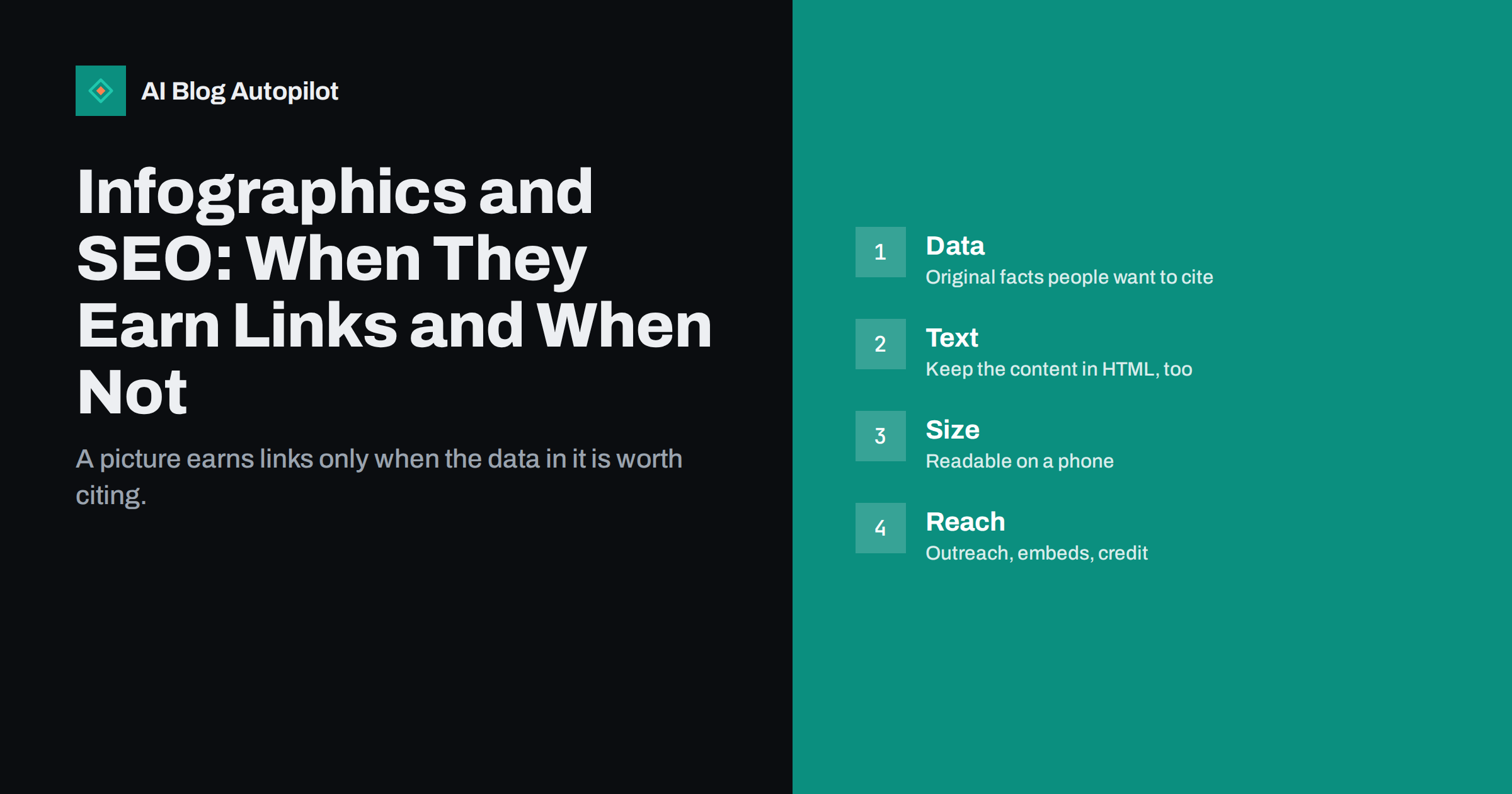
Short answer: an infographic helps SEO only when it contains useful, original or well-organised information that people want to cite or share. The image alone is not read well by search engines, so publish the key facts as text on the same page, add alternative text, make the file fast and readable on a phone and tell relevant people it exists. A decorative infographic with no new information earns little.
Infographics were once a standard link-building tactic, and many were made in volume and of low quality. Today they remain useful in a narrower way: a clear visual can explain a process, compare numbers or summarise research in a form that readers remember. This guide explains when to make one, how to publish it properly and what results to expect.
What infographics can and cannot do for SEO
An infographic is an image, and search engines understand images much less well than text. They may read some of the text in an image, but they cannot be relied on to do so, and they cannot judge whether the information is correct. The page around the image, the heading, the text, the links and the alternative description carry the weight.
The possible benefits are indirect. A strong graphic can attract links from other sites that want to refer to the data, shares on social networks that bring visits, and a longer time on page when readers study it. It can also give your article a memorable element that people mention in conversation. None of this is automatic, and none of it works when the content is thin.
It is also useful for readers who learn visually, and for explaining a complex process in one view. If the graphic helps people to understand your subject, it is worth including even if it earns no links at all. Judge it first as a teaching tool, and then as a possible source of attention.
Start with information worth citing
People link to a graphic when it gives them a fact they can use. The strongest sources are your own data: a survey of your customers, an analysis of your results, a comparison you have measured or a timeline that nobody has put together. Our guide to how to add original data to blog posts explains how to gather it honestly.
A well-organised summary can also be valuable. A process with seven steps, a decision tree, a checklist or a map of how concepts connect can help people who find a long text hard to follow. The test is simple: would someone want to put this in their own presentation or article with credit to you? If not, think again about the idea.
Avoid a graphic made from other people’s statistics with no analysis. It adds nothing, and any errors in the sources become your errors. If you use third-party data, cite it clearly, check that it is current and use the source’s own wording where possible. Read statistics roundup posts for care in handling such figures.
Publish the facts as text as well
Put the key points of the infographic in the body of the page as normal text. A short summary, a list of the main numbers and an explanation of each step are enough. This helps readers who use screen readers or slow connections, helps search engines understand the page and gives people something to quote without retyping from an image.
Use a clear heading above the image and a caption that says what it shows and where the data comes from. Add the date of the data. If you update the graphic later, say so on the page. Our guide to image captions in blog posts shows why captions are among the most read parts of a page.
Write alternative text that describes the main message in a sentence or two, and not a list of every number. Then put the full details in the page text. See the image alt text guide for how to write alt text that is useful and brief.
Keep the design readable
A very tall infographic that is thousands of pixels high is hard to read on a phone: the text becomes tiny and the reader must zoom and scroll. Make the graphic in sections that fit a narrow screen, or build the layout in HTML and CSS so that it adapts. A simple chart that is clear on a small screen is better than a grand poster that is not.
Use large type, strong contrast and few colours. Limit each section to one message. Avoid decoration that does not carry meaning, and do not put long paragraphs inside the image. If you need many words, the content belongs on the page, and the graphic can support it.
Check the colours for people with colour-vision differences. Do not rely on red and green alone, and label charts directly instead of using colour keys only. Our guide to accessibility for blogs has more points to check.
Make the file fast
Large images slow the page, and a slow page is a poor experience. Export the graphic at a sensible size, use a modern format where your site supports it and compress it without making text blurry. Set the width and height in the page so that the layout does not jump when the image loads.
If the graphic is below the first screen, lazy loading is appropriate, but make sure that it still loads for crawlers and for people who scroll quickly. See lazy loading images without hurting SEO and WebP and AVIF images for the details.
Use a clear file name that describes the content, such as “blog-cost-breakdown-chart”, and avoid “image1”. It is a small signal, but it is also useful for your own library and for people who save the file.
Help people share and credit it
If you want links, make it easy to link. Offer an embed code or a short line that readers can copy, including a link back to the page, and state the terms of use plainly: reuse with credit, no changes to the data and so on. Some publishers will take the image and forget to link, so a visible credit within the graphic itself, such as your site name, helps keep the source attached.
Do not hide a link inside the embed code that has nothing to do with the topic, and do not use the embed to place unrelated keyword links on other sites. That is the kind of practice that search engines discourage, and it can lead to links being discounted or worse. Offer a clean, relevant credit and nothing more. See building backlinks honestly for the approach that lasts.
Add share buttons or a simple invitation to share at the right place, close to the graphic and not buried at the bottom. Keep them modest, and make sure the shared preview shows the image and the title correctly, as described in Open Graph tags for blogs.
Tell the right people
A graphic does not find an audience on its own. List a few journalists, bloggers, newsletter writers and associations that cover the topic, and send each a short, personal message that explains what the graphic shows and why their readers might care. Do not mass-send. Offer the underlying data on request, as it increases trust and the chance of a mention.
Share it on your own channels in several forms: the full image, a cropped detail for each network and a short text with the main number. Our guide to digital PR for small blogs explains how to approach other publishers without becoming a nuisance.
Be patient and realistic. Many graphics earn no links at all, and a few earn several. The ones that do usually contain data that is new, clear and relevant to a specific group.
Measure what happened
Track the page that holds the graphic: visits, time on page, scroll depth, shares and new links. Use your search console tool and a backlink report to see which sites link to it. Look at referral visits in your analytics, and note which outreach messages produced replies.
Compare the result with the cost in time. If a graphic took a day and brought several links from relevant sites, it was worthwhile. If it brought nothing, ask why: was the data new, was the page well found, did you tell anyone? The answers will guide the next attempt.
Keep a short record of each graphic with the date, the data source, the outreach you did and the results after three months. You will soon see which types of information work for your audience, and you will avoid making more of what does not.
Consider alternatives before you commit. A simple table, a chart made from your data or an annotated screenshot often delivers the same value at a fraction of the effort, and it is easier to update. Our guide to when to use tables and lists helps to decide which form suits the information. Reserve a full infographic for material with a real story to tell, such as a process with many steps or a set of numbers that gain meaning in a visual order.
Plan updates from the start. Data ages, and a graphic that shows last year’s figures looks careless. Keep the source file, note the date of each figure and set a reminder to review it. When you update it, keep the same address for the page so that existing links continue to work, and change the date shown on the page.
Finally, make sure that the claims in the graphic are accurate and fair. A chart with a truncated axis or a comparison that leaves out an inconvenient case may attract attention, but it will lose trust. Honest charts are the ones people still cite years later.
How AI Blog Autopilot helps
AI Blog Autopilot writes full SEO articles for your WordPress blog, with FAQ sections, tags and SEO meta, and shares each one to your social networks. It gives you the written article, and you can add a chart or graphic of your own data where a picture explains the point better. See the pricing page for plans.
Related reading
The bottom line
Make an infographic only when it contains information worth citing, publish the facts as text too, keep it readable and fast and tell the people who might use it. Without real content, a graphic is decoration.
SSS
Do infographics still help SEO?
They can, indirectly, when they hold original or clearly organised information that people link to and share.
Can search engines read text inside an image?
Sometimes, but not reliably, so publish the same facts as text on the page.
How long should an infographic be?
Short enough to read on a phone. Several small sections work better than one very tall image.
Should I offer an embed code?
It can help people credit you, but keep the credit link clean and relevant to the page.
How do I know if it worked?
Track visits, shares and new links to the page, and compare them with the time you spent.