 ENEnglish
 LTLietuviškai
 DEDeutsch
 FRFrançais
 RUРусский
 ESEspañol
 PLPolski
 ITItaliano
 UKУкраїнська
 CSČeština
 PTPortuguês
 JA日本語
JA日本語 LVLatviešu valoda
 ETEesti
 HUMagyar
 IDBahasa Indonesia
 TRTürkçe
 HIहिन्दी
 ELΕλληνικά
 ARالعربية
 THไทย
THไทย VITiếng Việt
 RORomână
 MSBahasa Melayu
 BNবাংলা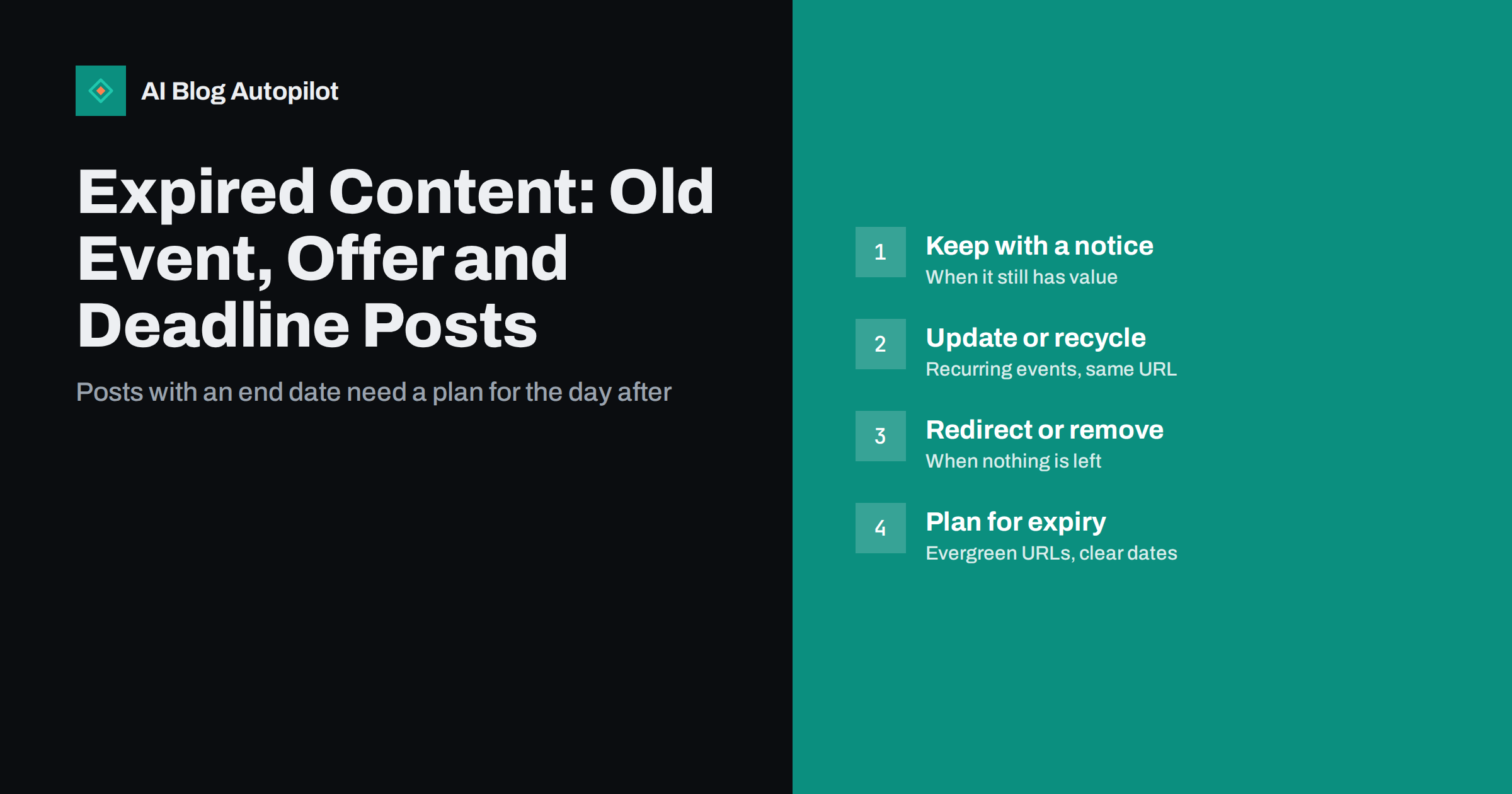
Short answer: when a post about an event, offer or deadline expires, you have four options: keep it with a clear notice that it has ended, update it for the next occurrence at the same address, redirect it to the most relevant current page, or remove it. Keep or update posts that still attract visitors or links, redirect those with a clear successor, and remove only posts with no value left. The best fix happens earlier: plan time-bound posts with reusable URLs and visible dates.
Every business blog accumulates posts with a shelf life. A webinar announcement, a seasonal discount, a conference recap, an application deadline, a limited-time product launch. They are useful for a few weeks, and then they quietly become misleading.
Left alone, expired posts frustrate readers who find them in search, clutter the archive and occasionally create real problems, such as customers trying to claim an offer that ended long ago. This guide shows how to decide what to do with each one, and how to write future time-bound posts so the problem is smaller.
What counts as expired content
Expired content is any page whose main purpose depended on a date that has passed. Typical examples on a blog include:
- Event posts: webinars, workshops, trade fairs, open days, meetups.
- Offer posts: discounts, promotions, giveaways, seasonal sales.
- Deadline posts: application windows, registration cut-offs, regulatory deadlines.
- Announcements: launches, pre-orders, beta programmes, temporary changes to opening hours or services.
- Time-bound guides: “what to do before a specific date” articles that stop being relevant afterwards.
This is different from outdated content, such as a guide with old screenshots. Outdated content can be refreshed. Expired content has lost the thing it was about, so the decision is whether any value remains at all.
Why expired posts cause problems
- Frustrated readers. Someone who finds a promising offer in search and then discovers it ended two years ago leaves with a worse impression of the business.
- Customer service load. People act on expired information and then contact you to ask why the discount code does not work or the event page will not accept a booking.
- Trust signals. A blog whose most visible posts are about past events looks neglected.
- Diluted archive. Dozens of short announcement posts can outnumber the substantial articles, making the blog harder to navigate.
- Wasted ranking value. An expired post may still hold links and traffic that could be directed somewhere useful.
Step one: take an inventory
Start by finding the expired posts. Search your archive for words such as “webinar”, “offer”, “deadline”, “register”, “sale”, “limited”, and names of recurring events. Categories such as “News” or “Events” are usually rich sources.
For each post, record:
- The URL and title.
- What expired and when.
- Traffic over the last twelve months, from analytics or Search Console.
- Whether other sites link to it, from the Search Console Links report or a backlink tool.
- Whether there is a current equivalent: a newer event, a current offer, a permanent product page or an evergreen guide on the same subject.
With that information, the decision for each post becomes much simpler.
Step two: choose what to do with each post
| Situation | Best option |
|---|---|
| The event or offer recurs, for example every year | Update the same post for the next occurrence |
| The post has lasting value, such as a recap, recording or useful explanation | Keep it, add a clear “this has ended” notice and link to what is current |
| A close current equivalent exists | Redirect to it with a permanent redirect |
| It still gets traffic or links, but nothing equivalent exists | Keep with a notice, or rewrite into an evergreen article on the topic |
| No traffic, no links, no lasting value, no equivalent | Remove it and let the address return 404 or 410 |
Keeping with a notice
If an expired post still has value, keep it but make its status unmistakable. Add a short notice at the very top: what ended, when, and where to go now. “This webinar took place in March. The recording is below, and our next session is listed on the events page.” Update the title if it is misleading, for example by removing “register now”.
A recap of a past event, with key takeaways, photos or a recording, is often more useful than the original announcement. Converting an announcement into a recap is one of the best ways to extract lasting value from event posts.
Updating for the next occurrence
For recurring events and seasonal offers, reusing the same URL is usually the strongest choice. Links and ranking signals built up over previous years stay with the page, and people searching for the event find the current version.
To make this work, the URL should not contain a date or year. /annual-conference/ can be updated every year. /annual-conference-2024/ cannot, without a redirect. When updating, change the dates, details and any date in the title, and consider keeping a short section about previous years.
Redirecting
If a current page serves the same purpose, redirect the expired post to it with a permanent 301 redirect. This passes visitors and most link value to the page that can help them. Redirect only to genuinely relevant pages. Sending every expired post to the home page is confusing for readers, and search engines may treat such redirects as if the page had simply been removed.
Removing
For posts with no traffic, no links and no remaining value, removal is fine. Delete the post and let the address return a 404 or, if you want to state that the removal is deliberate and permanent, a 410. Either way, search engines drop the page over time. Remove internal links pointing to it so readers do not hit dead ends.
Technical signals for time-bound pages
A few technical options help search engines handle pages with a known end date.
- The unavailable_after directive. Google supports a robots meta tag or header,
unavailable_after, which tells it to stop showing a page in results after a given date. It is useful for pages you know will expire and do not plan to update, such as a one-off promotion. - Event structured data. For event pages, Event markup describes the date, location and status. The schema.org Event type includes a status property for cancelled, postponed and rescheduled events, which keeps information accurate if plans change.
- Visible dates. Show the publish date, and the event or offer dates, clearly in the post. Readers and search engines both use them to judge whether information is current.
Planning time-bound posts so they age well
Most of the cleanup work can be avoided by writing time-bound posts with their expiry in mind.
- Use evergreen URLs for recurring things. Leave years and dates out of the slug for events and offers that repeat.
- Keep announcements separate from substance. A short announcement post can point to a longer evergreen article on the topic. When the announcement expires, the substance survives.
- Add an expiry date to your content calendar. When you schedule a time-bound post, schedule a reminder for the day after it expires to update, redirect or add a notice.
- Put the dates up front. State the dates in the first paragraph so readers who arrive late see immediately that the post is time-bound.
- Consider a dedicated events or offers page. A single, continuously updated page for current events or offers often works better than a series of individual posts.
A simple annual review
Once a year, or once a quarter on busy blogs, filter your archive for time-bound categories and walk through the list with the table above. It rarely takes more than an hour or two, and it keeps the archive trustworthy. Combine it with a general content review if you already do one, so expired posts are handled alongside outdated ones.
Special cases worth a second look
- Posts with legal or financial deadlines. If a post told readers about a filing date, a regulatory change or a tax deadline, outdated information can cause real harm. Add a prominent notice or update the post as soon as the date passes, rather than waiting for a review.
- Posts that earned press coverage. A launch announcement that was widely reported may have valuable links. Keep it, add a notice and link to the current product page, rather than removing it.
- Posts in several languages. On a multilingual blog, each language version of an expired post needs the same treatment. It is easy to update one version and forget the others.
- Posts shared recently on social media. An old announcement reshared by someone else can suddenly send visitors. A clear notice at the top protects you from confused enquiries.
How AI Blog Autopilot fits in
AI Blog Autopilot writes long-form SEO articles planned around real search queries, publishes them to your WordPress blog and shares each one to your social networks. Articles of this kind are usually evergreen by design, which means they do not expire in the way event or offer announcements do. That makes it practical to keep time-bound news in a small number of hand-written posts or a single events page, while the steady flow of automated articles builds lasting content. You can see how planning works on the AI Blog Autopilot home page.
Related reading
- Content Pruning: When to Delete, Merge or Redirect a Blog Post
- Evergreen or News Content: What a Business Blog Should Publish
- Planning Seasonal Content Without Scrambling Every Year
- How to Refresh Old Blog Posts (and When It Beats Writing New Ones)
The bottom line
Expired posts should not be left to mislead readers. Inventory them, then keep those with lasting value behind a clear notice, update recurring ones at the same address, redirect those with a real successor, and remove the rest. Going forward, give recurring events and offers evergreen URLs, separate announcements from substance, and put an expiry reminder in the calendar the day you publish.
SSS
Should I delete old event posts from my blog?
Only if they have no traffic, no links and no lasting value. Posts with value can be turned into recaps with a clear notice that the event has ended, and posts with a current equivalent can be redirected to it.
What should I do with a page for an expired offer?
If the offer recurs, update the same page for the next occurrence. If a similar current offer exists, redirect to it. Otherwise, add a clear notice that the offer has ended and link to current options, or remove the page if nobody visits it.
Is it better to use a 404 or a 410 for removed posts?
Both lead search engines to drop the page. A 410 states that the removal is permanent and deliberate, which some search engines may act on slightly faster, but for a blog either is acceptable.
Should event URLs include the year?
For recurring events, no. An address without a year can be updated each time, keeping its links and ranking history. Use a year only for genuinely one-off events you do not plan to update.
What is the unavailable_after tag?
It is a robots directive supported by Google that tells it to stop showing a page in search results after a specified date. It suits one-off pages such as a single promotion that you do not intend to update.


