ENEnglish
 LTLietuviškai
 DEDeutsch
 FRFrançais
 RUРусский
 ESEspañol
 PLPolski
 ITItaliano
 UKУкраїнська
 CSČeština
 PTPortuguês
 JA日本語
 LVLatviešu valoda
 ETEesti
 HUMagyar
 IDBahasa Indonesia
 TRTürkçe
 HIहिन्दी
 ELΕλληνικά
 ARالعربية
 THไทย
 VITiếng Việt
 RORomână
 MSBahasa Melayu
 BNবাংলা
Short answer: A course creator, tutor or online school can use AI Blog Autopilot to publish short, useful lessons that answer learners’ questions, share each to social networks and lead readers to the course. Give the product your subjects, learner levels and tone, keep claims about results modest, review the first articles with a subject expert and start on Starter.
People rarely buy a course on first sight. They search for an answer, find an article, trust the person who wrote it and later consider the course. Educators who teach in public, with free, clear and honest content, often find that the course sells itself to people who have already learned something from them.
But teaching is a full-time job. Between preparing lessons, answering students and marketing the next intake, a regular blog is hard to keep. This guide shows how a course creator can use AI Blog Autopilot to keep a steady stream of useful articles and social posts. The product facts come from the home page, networks page and pricing page. Facts about your courses are yours to supply.
Why teaching in public works
A small free lesson shows what you teach and how. A reader who finds a clear explanation of a hard concept learns that you can teach, which is the main thing a buyer wants to know. It also lowers risk: they have already benefited before spending anything.
Search is on your side. People search for the exact questions that students ask: how to start, what is the difference between two terms, why a method does not work. Each answer on your blog can bring in learners who have never heard of you. Over time, a library of such answers becomes an asset that keeps working.
The home page describes Autopilot as writing 2,000 to 3,000-word articles planned around real search queries, with FAQ, tags and SEO meta. That depth suits educational content, where readers want thorough explanations. The article on a blog for an online course or training provider covers the strategy in more detail.
What to write about
Start with the questions beginners ask. What do I need before I start? How long does it take? What mistakes should I avoid? What is the first thing to learn? Add comparisons that help learners choose, such as which method suits which goal.
Add mini-lessons: a worked example, a step-by-step method or a clear explanation of a concept from your course, without giving the whole course away. Add learner-focused posts: study routines, how to stay motivated, how to fit learning into a busy week and how to practise.
Add behind-the-scenes content: how the course is built, who teaches it and what a typical week looks like. Add stories of student progress, with permission. And add timely content, such as preparing for exams, new year plans or the start of the semester. The article on seasonal content planning helps you map a year around your intakes.
Keep claims honest
Education marketing attracts scrutiny. Promises such as guaranteed results, a new career in weeks or a specific salary are risky, both legally and for trust. Your articles should describe what the course teaches and what learners do, not what they will earn.
State in the brief that articles must not promise outcomes, must not invent testimonials or statistics and must not claim accreditations you do not hold. Provide the real facts: course length, level, format, who teaches, what is included and how to enrol. The home page says the writer is told never to make up statistics, quotes or sources, and your brief reinforces it.
Where an article touches regulated subjects, such as health, law or finance, have a qualified person review it. Rules on advertising education differ by country, so check what applies in yours. The article on fact-checking AI content offers a routine for checking claims.
Set up the brief
The home page says you give Autopilot topics with weight, keywords, audience and tone. For an educator, define the subjects you teach, in order of importance. Give the highest weight to those with the most students or the next intake. Add keywords the way learners phrase them, not the way teachers do.
Describe your audience by level. A beginner and an advanced learner need very different articles. If you teach several levels, write separate topic sets or state clearly which level each topic targets. Describe the tone: patient, clear and encouraging often works, with no jargon without explanation.
Add a fact sheet with course names, levels, formats, prices policy, enrolment dates and contact details. Update it before each intake. The article on setting up topics in Autopilot explains weights and keywords.
Connect the right networks
Choose networks where learners are. Younger audiences may favour video-heavy networks, though Autopilot’s posts are native text and links, professionals may use LinkedIn, hobby learners may gather in Facebook groups or on Discord and some communities prefer Telegram. The networks page says each network gets its own text, length and timing.
The home page describes social-only mode, with tips, how-tos, product posts, questions and seasonal moments. For an educator, these map well: a study tip, a how-to on a technique, a post about the next intake, a question to learners and a seasonal push before exams or the new year.
Keep a human presence. Reply to comments, answer questions and invite learners to share their progress. Autopilot publishes consistently, but learners remember the teacher who talks back.
Review with a subject expert
Teaching content must be correct. A wrong explanation damages trust more than a missing one. Ask a subject expert, ideally the teacher, to read each article before it goes live in the first weeks. They check facts, examples, terminology and whether the explanation is suitable for the level.
The home page says approval can be switched on at any time. Use it at first, and move to AUTO only when the articles need few changes. Even then, keep a monthly check, and use the content map, the calendar and network matrix described on the home page, to see what was published.
Keep a log of corrections. If the same mistake recurs, such as an oversimplified rule, add a line to the brief. The log is also useful for improving your courses, since a misunderstanding that appears in articles may also appear among your students.
Consider a short story. A freelance language tutor sells a twelve-week course for adult beginners. She writes a brief with six topics: first words, grammar basics, pronunciation, study routines, preparing for travel and choosing a course. She specifies that articles must not promise fluency by a date and must suggest practice habits. She reviews each article on Sunday and corrects a few examples. After three months, several new students say they found her through the pronunciation guide, and her Monday review has shrunk to ten minutes.
The lesson is that free teaching can be a steady recruiter. The article is the first lesson, and the course is the next one.
Turning readers into learners
An article that teaches well still needs a path to the course. Decide in advance what a reader should do next: join a mailing list, try a free lesson, book a call or enrol in the next intake. Mention the course naturally, near the end, where it solves the problem the article raised, and avoid pushing it in every paragraph.
Link to your course page and to a related article. Keep the next step light for readers who are not ready: an invitation to a free resource often works better than a request to buy. The home page describes a bottom line and a related reading list in articles, which gives readers natural places to continue.
Measure the path. Look at how many readers reach the course page, how many join a list and how many enrol, and note which articles lead the way. Give more weight to the topics that bring learners who finish, since those are the ones that match your teaching.
Planning around intakes and terms
Courses run in cycles. Plan your content around the dates that matter: enrolment opens, early bird closes, the course starts, exams approach and results arrive. In the weeks before an intake, give more weight to beginner guides and comparison articles, and in quiet weeks give more to study tips and community stories.
Prepare ahead. Search takes time to respond, so an article intended to bring learners in September should be live by early summer. Write the dates into your fact sheet and update it each term. Add a reminder to review the brief a month before each intake, so that the topics match what you are about to sell.
Keep a calendar of your own, and compare it with the content map, which shows what was published and when. Where the two do not match, adjust the weights or the plan, and note what you learned for the next cycle.
Finally, listen to your learners. The questions in your inbox, the comments under your posts and the points where students get stuck are the best source of topics. Keep a running list and pass it into the brief each month. Articles that answer real questions are more useful than ones built on guesses, and learners notice when an author has heard them. Thank people who ask, and where an article answers a question someone raised, tell them. It builds loyalty and brings the next enquiry.
How AI Blog Autopilot helps
The product writes thorough, structured articles from your subjects and tone, adds FAQ, tags and SEO meta, runs a quality check and shares each to your networks, so your time goes into teaching. Try it with the three free articles on AI Blog Autopilot, no card needed, and see the plans on the pricing page.
Related reading
- A Blog for an Online Course or Training Provider: What to Publish
- Setting Up Topics in Autopilot
- Choosing an AI Blog Autopilot Plan: Social to Agency
The bottom line
An educator should teach in public with honest, level-appropriate articles, avoid promises about results, supply course facts, have a subject expert review early articles and start on Starter before scaling up.
SSS
Can Autopilot write lessons from my course?
It writes articles from your topics, keywords, audience and tone. Keep full course material separate and share only what you choose.
Will articles promise results to learners?
They should not. Say in the brief to avoid guarantees, invented testimonials and unverified statistics.
Who should review educational content?
A subject expert, ideally the teacher, especially for the first weeks.
Which plan suits a solo tutor?
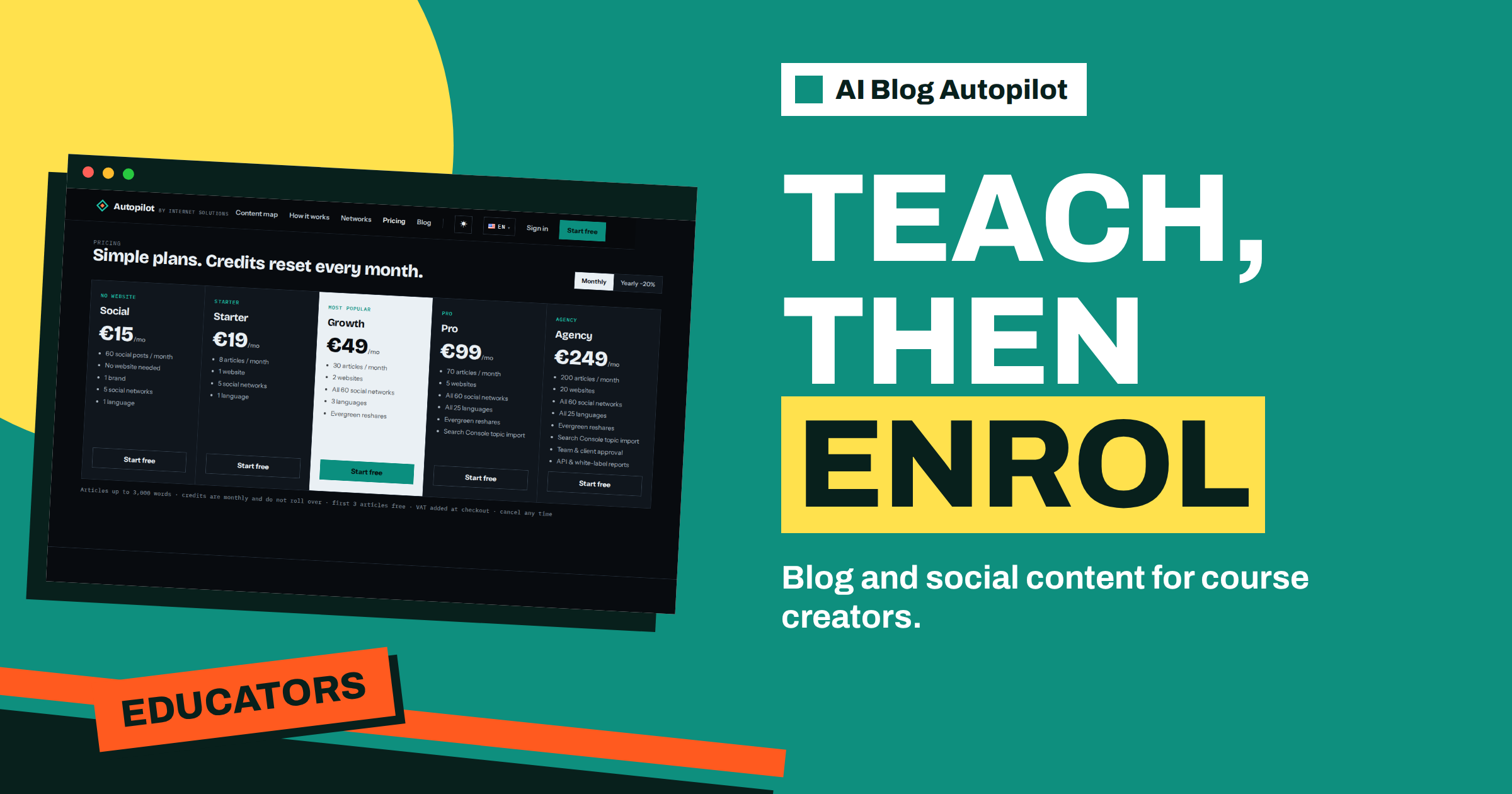
Many start with Starter, which lists 8 articles a month for 19 euros, or Social for 60 posts without a website.
Can I mention enrolment dates?
Yes, if you give them in the fact sheet and update it before each intake.