ENEnglish
 LTLietuviškai
 DEDeutsch
 FRFrançais
 RUРусский
 ESEspañol
 PLPolski
 ITItaliano
 UKУкраїнська
 CSČeština
 PTPortuguês
 JA日本語
 LVLatviešu valoda
 ETEesti
 HUMagyar
 IDBahasa Indonesia
 TRTürkçe
 HIहिन्दी
 ELΕλληνικά
 ARالعربية
 THไทย
 VITiếng Việt
 RORomână
 MSBahasa Melayu
 BNবাংলা
Short answer: A salon, barber shop or beauty studio can use AI Blog Autopilot to publish care guides, style advice and seasonal tips, and to share each one on Instagram, Facebook, Pinterest and other networks. Supply your services, prices and policies yourself, avoid health claims and use your own photographs with client permission.
Beauty is a visual and local business. Clients choose a stylist by the pictures they see and the people they trust, and they often decide on a phone, late in the evening, after scrolling past dozens of other salons. Yet the working day of a stylist is full, and writing articles comes last on a long list.
This guide explains how a salon or barber can keep a blog and social presence going with AI Blog Autopilot. The product facts come from the home page, networks page and pricing page. Everything about your own services, products, prices and policies must come from you, because the product cannot know it.
What a blog adds to your social pages
Social posts are quick and visual, but they disappear in a day and are hard to search. A blog is slower and lasts longer. An article on how to care for coloured hair, or how often to book a trim, can bring in a person who searches for exactly that, months after you wrote it.
A blog also gives you somewhere to send people. A post about a new style can lead to a guide that explains the care, the products and the time between visits, and then to your booking page. It shows that you know your craft, which matters when a client trusts you with their appearance.
The article on a blog for a beauty salon or barber shop covers what to write in general. This guide shows how to keep that going with Autopilot while you work with clients.
Topics that suit a salon or barber
Good topics come from the questions clients ask in the chair. How often should I have a cut? How do I keep colour from fading? What suits my face shape? How do I prepare for my first appointment? What should I bring to a wedding trial? How do I look after a beard between visits?
Add seasonal topics, such as styles for the holidays, summer hair care and back-to-school cuts. Add guides to services, explaining what a treatment involves, how long it takes and what to expect, without making medical promises. Add behind-the-scenes topics, such as how you choose products or train your team.
For each topic, the home page says to give weight, keywords, audience and tone. A warm, friendly tone usually suits a salon. The article on setting up topics in Autopilot explains how to define each one, including the audience, such as first-time clients or regular customers.
Facts, claims and care with advice
The home page says the writer is instructed never to make up statistics, quotes or sources. It cannot know your price list, your opening hours, your brands or your policies on cancellations and deposits. Give the product a short fact sheet with the services you offer, the products you use and the booking method, and keep it current.
Be careful with claims. Do not allow articles to promise that a treatment cures a skin or scalp condition, guarantees a result or is safe for everyone. For anything that touches health, such as allergies, hair loss or skin reactions, the safe advice is to ask a professional and to do a patch test where one is recommended. If you are unsure, leave the claim out.
Many salons start with approval on, so that a senior stylist reads each article before it goes live. When the first articles have proved accurate, you can decide to move general topics to AUTO. The article on moving from approval to AUTO sets out a four-week plan.
Pictures, permission and your own voice
Beauty content lives on photographs, and the best ones are your own work. Before you show a client’s face or hair, ask for permission and keep a record of it. Do not use another salon’s photographs, and be careful with stock images that show a style you do not offer, since a client who books a look you cannot deliver will be disappointed.
Add a photograph to each article where you can, with a short caption that says what was done. The article text can then refer to real work. Add your team’s names and specialities too, since clients often book a person, not a salon.
Keep your own voice. Add a line or two of your own at the end of articles, such as a tip you give every client. Small personal touches turn a generic guide into something that reads like you, and clients notice the difference. If a stylist has a signature technique or a favourite product, mention it by name, as long as the claim is accurate.
Think about reviews and word of mouth too. Satisfied clients tell friends, and a blog gives them something to share. A guide on caring for a new colour is the kind of article a client forwards to a friend. Add a gentle line at the end that invites questions, and answer comments politely and promptly, since a quick reply from a real person is worth more than any automated text.
Instagram, Facebook and Pinterest
The home page lists Instagram, Facebook and Pinterest among the networks, and says each network gets its own text, length and time. For a salon, Instagram suits pictures and short stories, Facebook suits local news and offers, and Pinterest suits style ideas that people save and return to.
Pinterest deserves attention. People search it for hair and beauty ideas, and a pin can send visitors for a long time after it appears. According to the home page, Autopilot posts to Pinterest the next day in its example timing, which suits a platform where content lasts. Check the timing in your account.
Connect only the networks you will really maintain. A profile that is neglected looks worse than none. The article on how Autopilot writes for each network explains how one article becomes a different post for each.
Turning client questions into a topic list
The easiest topic source is a notebook at the reception desk. For two weeks, write down every question a client asks, however small. At the end, group similar ones and count them. The questions that appear most often become your highest-weight topics, because they are what real people want to know.
A simple example shows how this works. A barber notes that clients often ask how to style short hair at home, how to care for a beard and how often to visit. He lists three topics, gives the first two a high weight and the third a medium weight, and adds the questions as keywords. Each month, Autopilot plans articles around them, and he checks that the advice matches what he actually tells clients.
Repeat the exercise every quarter. New trends, new products and new services bring new questions. A topic list that follows your clients will always feel current, and it keeps the blog from drifting into generic advice that could belong to any salon.
Seasons, events and busy periods
A salon has clear peaks: before holidays, weddings, school photos and proms. Plan seasonal articles several weeks ahead, because clients book early for those dates. Raise the weight of seasonal topics as the peak approaches, and lower it afterwards.
Do not promise availability in an article, since slots change daily. Point readers to your booking page and say when you open the diary for a peak. If you offer a gift voucher or a seasonal treatment, put the details on a page you control and have the article link to it.
The article on planning your blog for the year-end holiday season gives a general calendar, and you can use it with your own busy dates.
Remember the other side of the calendar. Quiet weeks, such as the start of January or the middle of summer, are a good time for educational articles, since readers have time to browse. Use them to build a library of care guides that will keep working when the diary is full again.
Choosing a plan and a routine
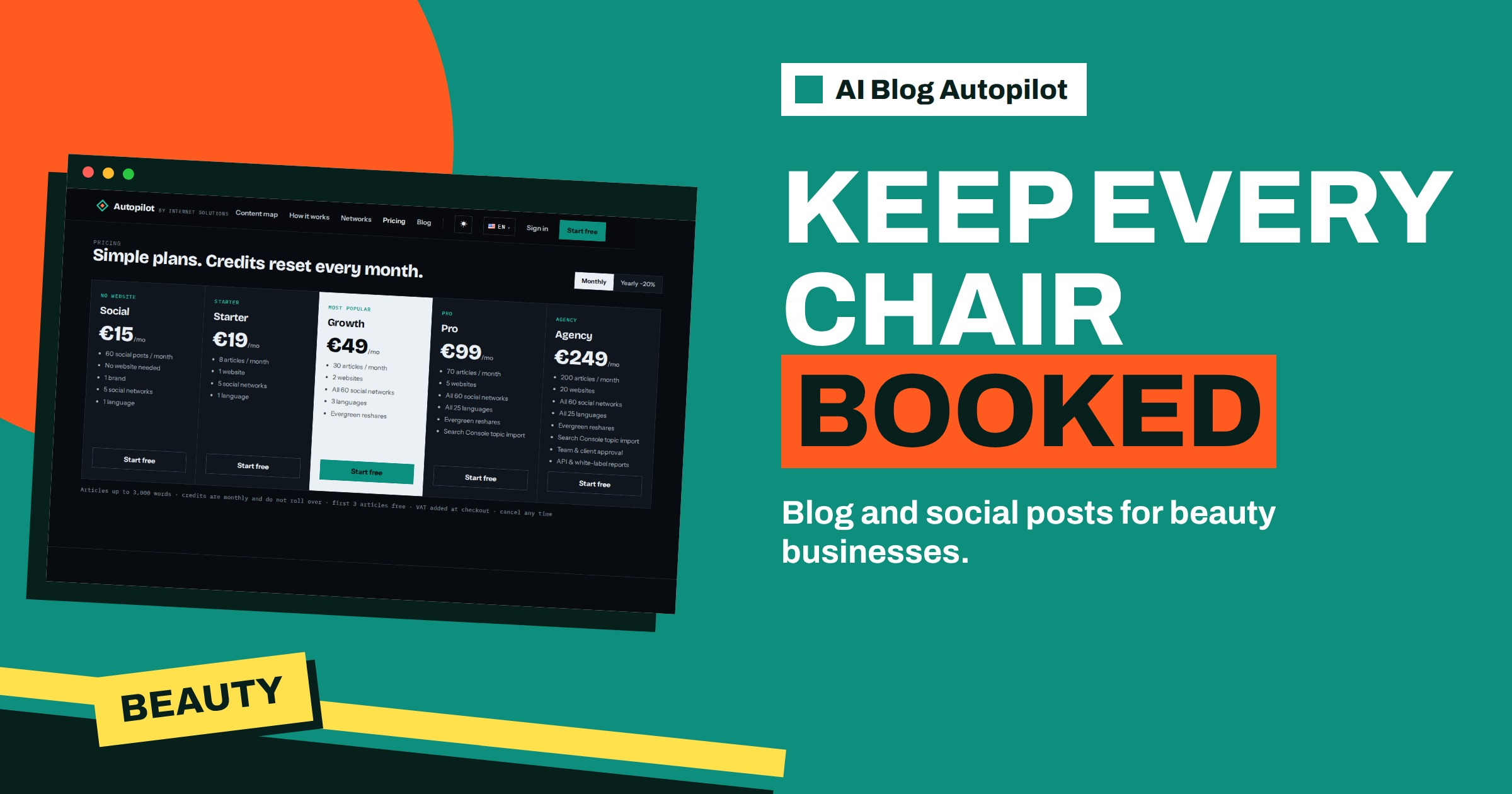
A salon with a website can start with Starter, which lists 8 articles a month, 1 website and 5 social networks for 19 euros. A studio with several sites or languages can look at Growth. A stylist who works only on social networks can start with the Social plan, which lists 60 social posts a month with no website needed, for 15 euros.
Credits are monthly and do not roll over, so choose a number of articles you will really publish. The first three articles are free, so you can test the style on your own services. The article on choosing an AI Blog Autopilot plan compares the plans.
Keep the routine short: ten minutes a week to open the content map, check that posts appeared on your networks and read one article. Once a month, update your fact sheet with new services and prices, and review which topics brought the most bookings.
How AI Blog Autopilot helps
You describe your salon and topics once, and Autopilot plans the month, writes and checks the articles, publishes them and shares each one on your networks, with approval if you prefer it. Try the three free articles on AI Blog Autopilot, no card needed, and compare the plans on the pricing page.
Related reading
- A Blog for a Beauty Salon or Barber Shop: What to Publish
- One Article, Many Posts: How Autopilot Writes for Each Network
- Your First 3 Free Articles in AI Blog Autopilot: A Walkthrough
The bottom line
Write about what clients ask in the chair, supply your own facts, avoid health promises, use your own photographs with permission and keep a short weekly check. Start with the free articles and choose a plan you will use.
FAQ
Will Autopilot know my prices and services?
No. The writer is instructed not to invent facts, so you must supply services, prices and policies and review articles that mention them.
Can it write about treatments safely?
Avoid health claims and promises. Review any article that touches skin, scalp or allergies, and say that clients should ask a professional.
Which networks suit a salon?
Instagram, Facebook and Pinterest are all listed. Connect only the ones you will maintain.
Can a stylist without a website use it?
Yes. The Social plan lists 60 social posts a month with no website needed, and you can add a blog later.
How many articles does a small salon need?
Many start with Starter, which lists 8 articles a month, then judge the results after a few months.