ENEnglish
 LTLietuviškai
 DEDeutsch
 FRFrançais
 RUРусский
 ESEspañol
 PLPolski
 ITItaliano
 UKУкраїнська
 CSČeština
 PTPortuguês
 JA日本語
 LVLatviešu valoda
 ETEesti
 HUMagyar
 IDBahasa Indonesia
 TRTürkçe
 HIहिन्दी
 ELΕλληνικά
 ARالعربية
 THไทย
 VITiếng Việt
 RORomână
 MSBahasa Melayu
 BNবাংলা
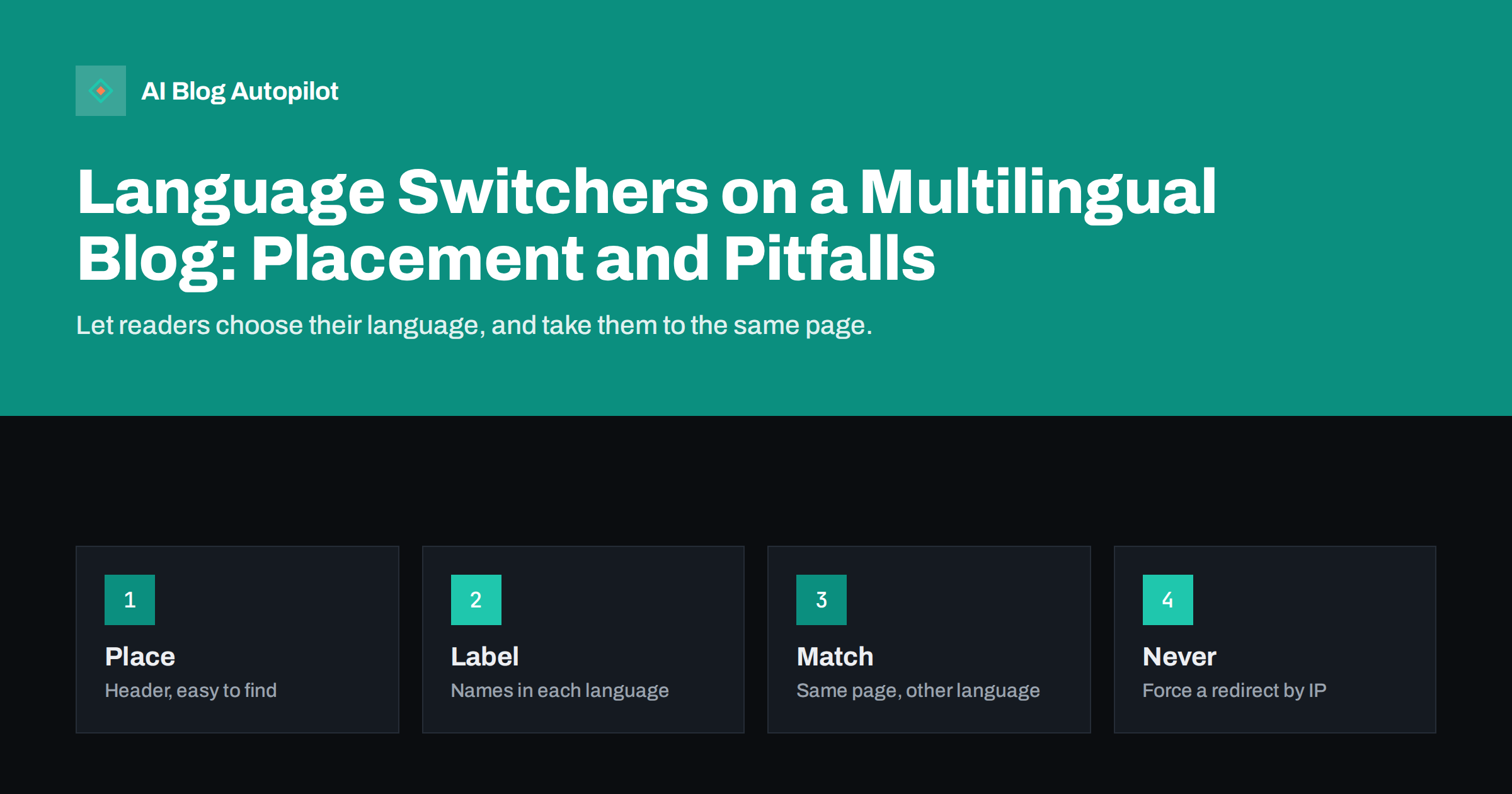
Short answer: a good language switcher is easy to find, usually in the header or the footer, shows each language by its own name, takes the reader to the same page in the chosen language when it exists and uses ordinary links that crawlers can follow. Avoid flags for languages, avoid forced redirects based on location and never send a reader to the home page when the matching article exists. Pair the switcher with correct hreflang markup so that search engines also understand the connections.
When a blog offers articles in more than one language, the switcher is a small piece of the design with a big effect. It decides whether a reader who lands on the wrong version can reach the right one in a few seconds, or leaves. It also affects how search engines find and connect your language versions. This article explains the choices to make and the mistakes that cause the most frustration.
The principles are the same whether you use a plugin, a theme feature or your own code. They apply to a small blog with two languages as well as to a site with many.
What the switcher has to do
The switcher has three jobs. First, it must let a human reader change language easily at any point. Second, it must lead to the equivalent page whenever one exists, and not to a generic page. Third, it must give crawlers plain links to the other versions, so that they can discover and connect them.
A switcher that does the first job but not the other two helps only half. If the link goes to the home page, the reader loses their place and must search again. If the link is a script action that does not use a real address, crawlers cannot follow it, and the language versions may not be found.
The decision on structure, such as folders, subdomains or separate domains, comes first, as discussed in international site structure. The switcher then sits on top of that structure and points to the right addresses.
Think about the arrival point as well. Many readers reach a page from search or a social link, not from the home page, so the switcher must be present on every article and not only on the front page. A reader who lands on an article in the wrong language is the main person the control is built for, and they should see it without scrolling.
Where to place it
Readers look for a language option in a few usual places: the top right of the header, the top menu or the footer. The header is the safest, since people who land on a page in a language they do not read look there first. A footer link is a good extra, but it should not be the only one.
On a phone, keep it reachable. If the header collapses into a menu, put the language option inside the menu at a visible place, or keep a small language control outside it. Test on a small screen, because hidden controls are among the most common complaints in multilingual sites.
Keep the position steady across pages. A switcher that moves around, or appears only on some templates, makes the site feel unreliable. The advice in mobile-first blog layout applies to this control as to any other.
If you offer regional variants, such as British and American English, or Brazilian and European Portuguese, label them clearly and consider whether the difference is worth a separate version. Two versions that differ in only a few words create duplicate pages and extra work, and a single version with consistent spelling may serve readers better.
How to label languages
Write each language in its own language and script: Deutsch, Français, Español, Lietuviškai, Русский, 日本語. A reader who cannot read English still recognises the name of their own language. If you write the names in English only, you force people to guess in a language they may not know.
Avoid flags to stand for languages. A flag stands for a country, not a language, and many languages are spoken in several countries. Spanish is not only Spain, English is not only one country, and some countries have several official languages. A flag can offend or confuse. If you want an icon, use a neutral one, such as a globe, next to the text.
Use short labels, and keep the order consistent. You can list languages alphabetically by their own names or by importance to your audience. Choose one rule, and use it everywhere. For a long list, a dropdown or a modal window is better than a row of links, as long as the links inside it remain real links.
Take the reader to the same page
The most useful behaviour is also the one that is often broken. When a reader switches language on an article, the new language should show the same article, if a version exists. This needs a link between the versions, which a good multilingual plugin or setup creates when you mark pages as translations of each other.
If no version exists, do not pretend that one does. Either hide the language for that page, or send the reader to the closest relevant page, such as the blog home in that language, and make it clear that the article is not available. A message such as “this article is not available in Deutsch yet” is better than a silent jump to another place.
The same link structure is what powers hreflang, which tells search engines that pages are versions of each other. The guide to hreflang for a multilingual blog explains the markup, and it should match the switcher exactly.
Do not redirect by location
Some sites send visitors to a language based on their address or country. This is tempting, but it causes trouble. A traveller, an expat or a reader behind a company network may be sent to a language that they do not want, and they may not find a way to change it. Crawlers, which often come from a single country, may never see the other versions.
A better method is to suggest and not to force. You can show a small banner that says that the page is available in another language, and offer a link to it. The reader chooses, and the choice can be remembered with a cookie, if you inform visitors in line with your privacy rules.
Search engines advise against automatic redirection by location for this reason, and they recommend that each language version have its own address that anyone can reach. If you must use some automatic logic, keep it light, and always make sure that every version remains reachable by a direct link.
Avoid putting the switcher only in a script-driven widget that loads late. If the links appear only after a delay or a click, some crawlers may not see them. Server-rendered links in the page source are the most reliable, and a simple list of links in the footer is a good backup for both people and crawlers.
Technical points for search
Use ordinary links with real addresses for the switcher. A script that changes the page without changing the address leaves crawlers with no way to find the other languages. Check by viewing the source of the page, and see if each language appears as a link with an address.
Make sure that the language of each page is declared, and that each page contains text in one main language. A page that mixes menus in one language and content in another confuses both readers and search engines. Translate the interface elements, such as buttons, dates and forms, and not only the articles.
Check the sitemap, too. It should list each language version, and each address should match the one used in the switcher and in hreflang. A short crawl of the site, using a tool that lists internal links, will show gaps and loops. The article on orphan pages explains why unlinked language versions are a problem.
Remember cookies and memory. If the site remembers a reader’s language choice, make sure that this does not hide other versions from a crawler or block a shared link. A link to a page in one language should always open that language, whatever a stored preference says, because shared links are how most readers arrive.
Accessibility and usability
A switcher should work with a keyboard and a screen reader. Use a real list of links or a properly labelled control, and mark the language of each link in the code, so that a screen reader pronounces the name in the right voice. Give the control a clear label, such as “Language”, in the language of the page.
Make the target large enough to tap on a phone, and keep enough contrast. Highlight the current language so that people know where they are, and keep the other languages easy to reach. Avoid menus that open only on hover, which do not work on touch screens. The notes in accessibility for a blog offer a longer checklist.
If your languages include right-to-left scripts, such as Arabic, make sure that the layout switches direction on those pages, including the switcher itself. Test every language, not just the first two, because small layout errors are easy to miss.
Testing before launch
Make a short test plan. For ten articles and for each language, click the switcher and check that you land on the matching page. Try it on a phone, with a keyboard and in a private window. Try pages with no translation, to see the message, and try the home and category pages.
Ask a native reader of each language to look at the labels and the first screen. They will quickly spot a missing translation, a wrong name or a mixed page. This is a cheap test with a large benefit.
After launch, watch your analytics for the share of visits that change language, and for pages with high exits right after a switch. If readers switch and then leave, the target page may be wrong or poorly translated. Fix it, and note the date.
How AI Blog Autopilot helps
AI Blog Autopilot writes articles natively in 25 languages and publishes them to your WordPress blog with FAQ sections, tags and SEO meta, so each language version can stand as a complete article. Plans differ in the number of languages, so check the pricing page. You will still need a way to link the language versions on your site.
Related reading
- Hreflang for a Multilingual Blog, Without the Headaches
- Country Domains, Subfolders or Subdomains for Other Languages
- Translating Articles or Writing Natively in Each Language
The bottom line
Put the switcher where readers expect it, name each language in its own script and link to the same page in the other language. Do not force redirects, and keep the links and hreflang consistent.
FAQ
Should I use flags in a language switcher?
No. Flags represent countries, not languages, and can confuse or offend. Use the language names in their own script.
Where should the language switcher go?
In the header, where readers look first, with an optional extra link in the footer. Make sure it is reachable on phones.
Should the site redirect visitors by their location?
It is better not to. Suggest a language with a banner and let readers choose, so that no one is locked out of a version.
What if an article has no translation?
Hide that language for the page or send the reader to the nearest page with a clear message, and avoid a silent jump to the home page.
Does the switcher affect SEO?
Yes. Real links between versions help crawlers find them, and they should match the hreflang markup and the sitemap.