ENEnglish
 LTLietuviškai
 DEDeutsch
 FRFrançais
 RUРусский
 ESEspañol
 PLPolski
 ITItaliano
 UKУкраїнська
 CSČeština
 PTPortuguês
 JA日本語
JA日本語 LVLatviešu valoda
 ETEesti
 HUMagyar
 IDBahasa Indonesia
 TRTürkçe
 HIहिन्दी
 ELΕλληνικά
 ARالعربية
 THไทย
THไทย VITiếng Việt
 RORomână
 MSBahasa Melayu
 BNবাংলা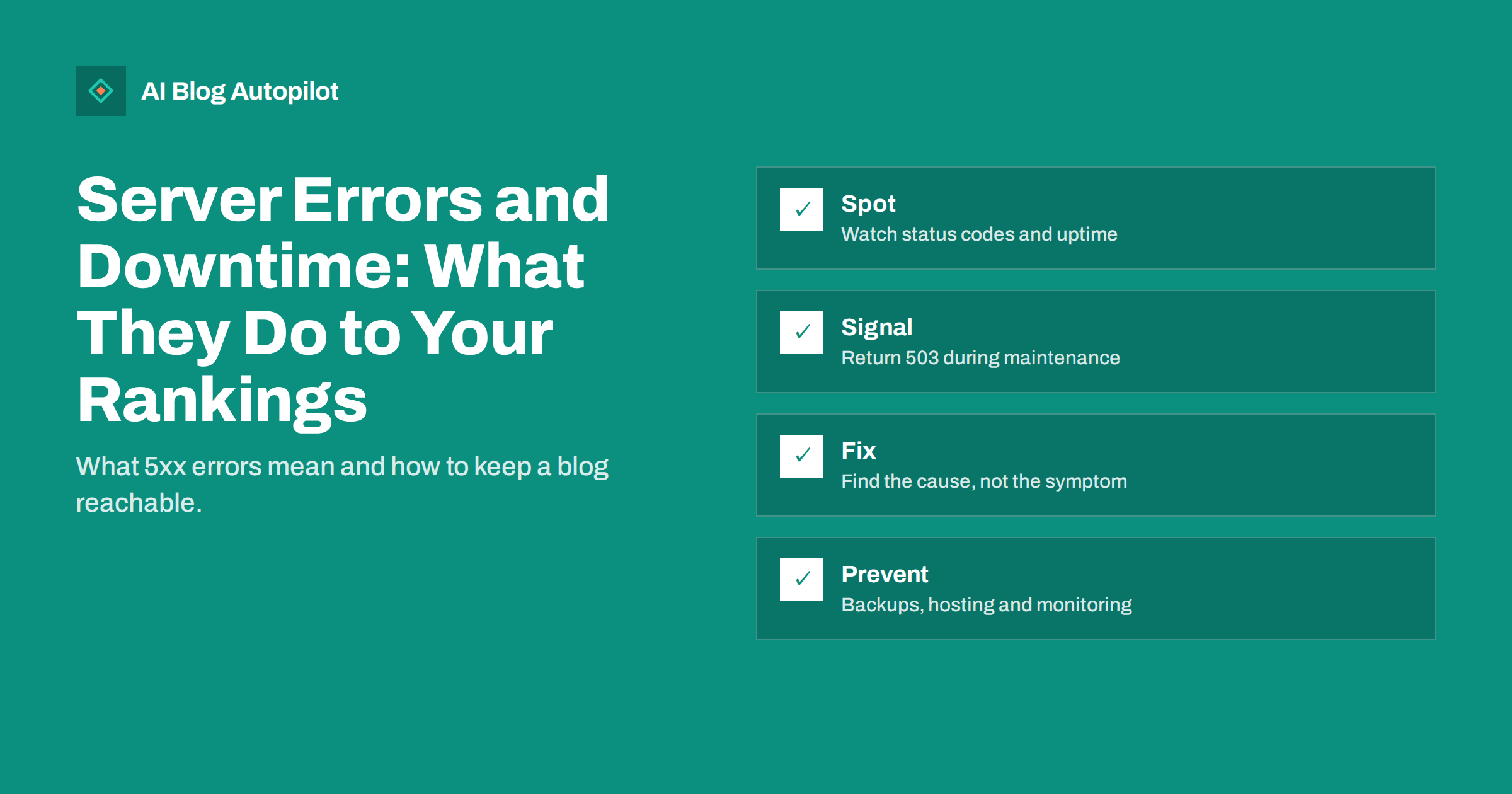
Short answer: a brief outage of a few minutes is unlikely to affect your rankings, but frequent or long-lasting server errors can make search engines crawl your site less, delay the indexing of new articles and, if the problem continues, remove affected pages from results until they work again. Monitor your uptime and your Search Console reports, return a 503 status with a Retry-After header during planned maintenance, find the real cause of recurring errors and keep your hosting and backups in order.
Most SEO advice is about content and links, but none of it matters if the page cannot be served. Server errors are quiet problems. Visitors see a blank page and leave, and you may not notice for hours, particularly if you are asleep or travelling. This article explains what the errors mean, what search engines do when they meet them and how to build a simple routine that keeps a blog reachable.
What a server error is
Every response from a web server carries a three-digit status code. Codes starting with 2 mean success, 3 mean a redirect, 4 mean a problem with the request, such as a page that does not exist, and 5 mean the server failed to complete a valid request. These are the ones that point to trouble on your side.
- 500 Internal Server Error: a general failure, often a faulty plugin, a code error or a misconfigured file.
- 502 Bad Gateway: one server received an invalid answer from another, common when a proxy, cache or PHP service fails.
- 503 Service Unavailable: the server cannot handle the request right now, because of overload or maintenance.
- 504 Gateway Timeout: a server waited too long for another one to respond.
A 404 is different. It says the page is missing, which may be correct. A 5xx says the page may exist but cannot be delivered. Search engines treat the two very differently, which is why it is worth knowing which one you have.
What search engines do when they meet one
Search engine crawlers visit your pages regularly. When a request fails with a server error, the crawler usually tries again later. If errors keep appearing, it tends to reduce how often it visits, to avoid overloading a server that looks unhealthy. The practical effect is that new articles are discovered more slowly and changes to old ones take longer to appear.
If a page keeps returning a server error over a longer period, it can eventually be dropped from the index, because the search engine cannot confirm that it still exists and works. Rankings usually return after the pages are reachable again, but recovery is not instant. The longer and more frequent the problem, the longer the recovery tends to be. For a small blog with a few hundred pages, the main risks are slow indexing and a loss of visits during the outage itself.
Planned downtime: use 503, not an error page
Sometimes you need to take the site offline: a migration, a major update, a hosting change. The right signal for a temporary stop is a 503 status code, ideally with a Retry-After header that tells crawlers when to come back. It says that the absence is temporary and that the pages should stay in the index.
- Prepare a simple maintenance page that explains the situation in plain words.
- Make sure the page is served with a 503 status, not a 200. A maintenance page with a 200 code can be mistaken for real content.
- Keep the downtime as short as you can, and do the work at a quiet time for your audience.
- Do not redirect all pages to the homepage, which looks like a mass removal.
- After the work, check key pages, the sitemap and robots.txt, and confirm that the normal responses are back.
Many WordPress maintenance plugins can send a 503 correctly, but check the setting instead of assuming it. Test with a browser’s developer tools or a header-checking tool.
How to find out that something is wrong
You need two views: what visitors experience right now and what search engines have reported over time.
- Uptime monitoring: a monitoring service checks your site every minute or every few minutes and sends an email or message when it fails. Many services have a free tier that is enough for a blog.
- Search Console: the crawl stats and indexing reports show server errors that the crawler met, with dates. A spike is a clear signal to investigate.
- Server logs and hosting dashboard: they show which URLs failed, when and why, including memory limits and process crashes.
- WordPress site health: the built-in tool warns about some configuration problems.
- Your own checks: open the homepage, one recent article and the sitemap on a phone once a day, which takes a minute.
Our guides to Search Console and server log analysis explain the reports in more detail. The key habit is to look at them regularly, not only after a traffic drop.
Common causes on a WordPress blog
Most recurring 5xx errors come from a short list of causes, and finding the right one saves a lot of time.
- A faulty or outdated plugin or theme, especially right after an update. Deactivating the latest change is the quickest test.
- PHP memory or time limits that are too low for heavy pages, imports or backups.
- Traffic spikes or aggressive bots that overload a small hosting plan.
- Database problems, such as a full disk, too many connections or a corrupted table.
- Cache or proxy faults that return a gateway error while the origin is fine.
- Cron jobs and scheduled tasks that run at the same time and compete for resources.
- An expired certificate or a DNS change, which can look like downtime to visitors even if the server is running.
Change one thing at a time, note what you changed and when, and read the error log before guessing. If you cannot find the cause, ask your host with the exact times of the failures, which makes their investigation much faster.
Prevention: hosting, caching and backups
Prevention is cheaper than recovery. Choose hosting that matches your traffic, and look at the uptime record and the support options, not only the price. Use page caching so that most visits do not hit the database. Keep WordPress, plugins and themes updated, but update on a staging copy or at a quiet time, and keep a recent backup that you have tested by restoring it.
- Remove plugins you do not use, because each one is a possible failure point.
- Set alerts for disk space, memory and certificate expiry.
- Limit abusive crawlers with sensible rate limits, while leaving search engines unblocked.
- Keep a short written plan: who to contact, where the backups are and how to restore them.
- After any incident, write a short note about the cause and the fix, so that the same problem takes less time next time.
A simple response plan for the first hour
When the alert arrives, a fixed order of steps keeps you calm and stops you from making the problem worse. Write the plan once and keep it where you can find it from a phone.
- Confirm the failure. Open the site from a different network and device, and use an external checker, so that you know whether the problem is yours or only your connection.
- Check your host. Look at the status page and the dashboard for known incidents, resource limits or maintenance windows.
- Look at what changed. A recent plugin update, theme change, new redirect rule or configuration edit is the most likely cause, so undo the last change first.
- Read the error log. The last lines usually name the file or process that failed.
- Restore if needed. If you cannot fix it quickly, restore the last good backup and investigate on a copy.
- Tell people. If the outage is long, post a short notice on social media or on a status page, so that readers know you are aware of it.
Do not make several changes at once, and do not delete files you do not understand. If you work with a developer or a host, send them the exact times, the URLs and the error messages. Good notes shorten the repair, and they also help you decide afterwards whether the hosting plan still fits your site.
After an outage: confirm recovery
When the site is back, do not assume everything is fine. Check that the pages return a normal 200 status, that the sitemap is reachable and that robots.txt is not blocking anything by mistake. Open Search Console, look at the crawl and indexing reports over the next days and confirm that errors have stopped. If you use scheduled publishing, check that no scheduled article was missed during the outage, and fix any that were. Record the incident, including start and end times, so that you can explain any dip in visits later. An annotation in your analytics is enough.
How AI Blog Autopilot helps
AI Blog Autopilot publishes articles to your WordPress blog on the schedule you choose, so a healthy, reachable site is the foundation for everything it does. If a publish fails, you should check your site and your hosting first. The pricing page lists the plans, and the first three articles are free.
Related reading
- Web Hosting and SEO: What Actually Matters
- Backups for a Blog: The Boring Thing That Saves You
- Google Search Console for Bloggers
- Crawl Budget for Small Sites
The bottom line
A short outage is usually harmless, but repeated server errors slow crawling, delay indexing and can cost you pages in the results. Know the difference between 404 and 5xx, send a 503 with Retry-After for planned maintenance, monitor uptime and Search Console, find the real cause of recurring errors and invest in sensible hosting, caching and tested backups. After any incident, confirm recovery and write down what happened.
FAQ
Does a short outage hurt my rankings?
Usually not. A few minutes of downtime is normal. Frequent or long-lasting server errors are the real risk, because they slow crawling and can remove pages from results.
What status code should I use for planned maintenance?
Use 503 Service Unavailable, ideally with a Retry-After header. It tells crawlers that the stop is temporary and the pages should stay indexed.
What is the difference between a 404 and a 500 error?
A 404 says the page does not exist. A 500-range error says the server failed to deliver a request that may be valid, so crawlers will try again.
How do I find out my site is down?
Use an uptime monitor that alerts you by email or message, check the Search Console crawl and indexing reports, and read your host’s error logs.
How long does recovery take after downtime?
It depends on how long and how often the site failed. Normal crawling usually returns after pages are reachable again, but it can take days.