 ENEnglish
 LTLietuviškai
 DEDeutsch
 FRFrançais
 RUРусский
 ESEspañol
 PLPolski
 ITItaliano
 UKУкраїнська
 CSČeština
 PTPortuguês
 JA日本語
JA日本語 LVLatviešu valoda
 ETEesti
 HUMagyar
 IDBahasa Indonesia
 TRTürkçe
 HIहिन्दी
 ELΕλληνικά
 ARالعربية
 THไทย
THไทย VITiếng Việt
 RORomână
 MSBahasa Melayu
 BNবাংলা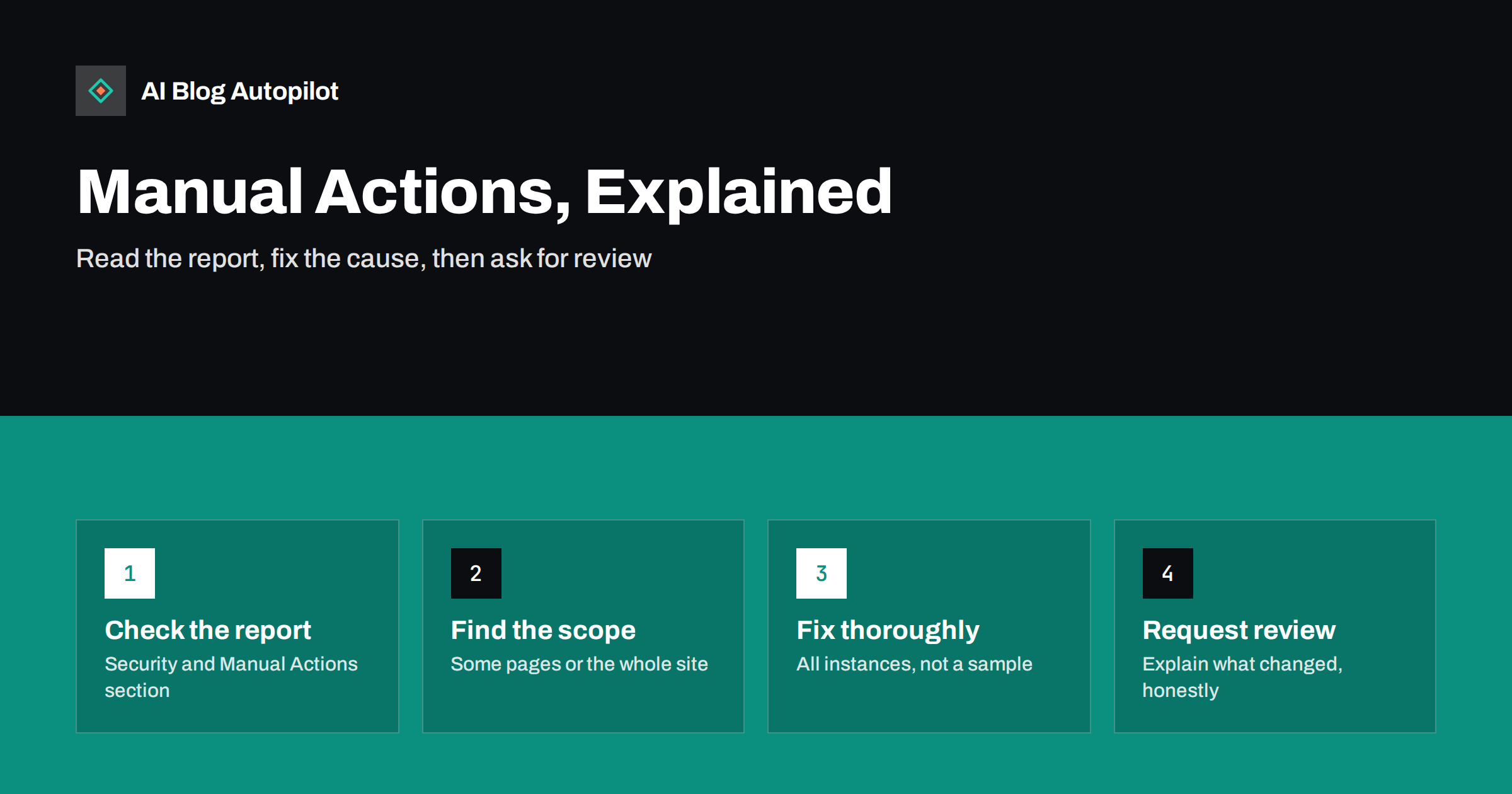
Short answer: a manual action is a penalty applied by a human reviewer at Google when they find that pages on your site break Google’s spam policies. It appears in the Manual Actions report in Search Console, names the problem and says whether it affects some pages or the whole site. To lift it, fix every instance of the problem, then submit a reconsideration request that explains what you found and what you changed. Most traffic drops are not manual actions: if the report is empty, the cause lies elsewhere.
The phrase “Google penalty” gets used for almost every traffic drop, but in the strict sense a penalty is rare. Most ranking changes come from automated systems and updates, and they arrive without any message. A manual action is different: it is a deliberate decision by a person, it is documented in Search Console, and it comes with a defined way out.
This article explains what manual actions are, the types most relevant to blogs, how to fix them and how to write a reconsideration request that has a good chance of success.
Where to find manual actions
In Search Console, open the section called Security & Manual Actions and choose Manual actions. You will see one of two things:
- “No issues detected”. There is no manual action on the property. Any ranking problem has another cause.
- One or more listed issues. Each entry names the type of problem, often with a short description, a link to the relevant policy and sample affected URLs.
Search Console also sends a message to verified owners when a manual action is applied, so make sure the email address on your account is one you actually read. If several people manage the blog, make sure at least one of them is a verified owner who checks those messages.
Next to it is the Security issues report, which covers problems such as hacked content and malware. Those are related but separate, and both are worth checking when something seems wrong.
What a manual action does
A manual action can have different scopes:
- Partial match. Only certain pages, sections or patterns are affected. The rest of the site ranks normally.
- Site-wide match. The whole site is affected, which can mean much lower rankings or, for severe cases such as pure spam, removal from results entirely.
The effect can range from specific pages being demoted, to rich result features being removed (for structured data issues), to the site disappearing from search. The report tells you which situation you are in.
Manual action types that affect blogs
Google lists a range of manual action types, all tied to its spam policies. The ones most often relevant to blogs and content sites are:
- Thin content with little or no added value. Pages that add nothing original: scraped or lightly rewritten content, auto-generated pages without value, doorway pages targeting slight keyword variations, thin affiliate pages.
- Unnatural links to your site. A pattern of links that look bought, exchanged or otherwise manipulative, such as paid guest posts with keyword-rich links or large link schemes.
- Unnatural links from your site. Selling links that pass ranking value, or participating in link schemes from your own pages.
- User-generated spam. Spam in comments, forum posts or user profiles that you host, often left unmoderated.
- Spammy structured data. Markup that describes content not visible on the page, or that misrepresents it, such as fake reviews marked up for star ratings.
- Hidden text and keyword stuffing. Text or links hidden from readers, or pages stuffed with repeated keywords.
- Cloaking and sneaky redirects. Showing search engines different content from what users see, or redirecting users somewhere they did not expect.
- Site reputation abuse. Publishing third-party content on your site mainly to exploit your site’s ranking signals, with little oversight.
- Pure spam. Aggressive techniques such as auto-generated gibberish or scraped content at scale. This usually affects the whole site.
A legitimate blog that writes its own articles, moderates comments and earns links honestly is unlikely to receive any of these. Problems usually come from shortcuts taken at some point, sometimes by a previous owner or an agency, or from spam that crept in unnoticed.
If you bought the blog or took it over from someone else, check the Manual Actions report on your first day, before you invest in new content. Previous owners sometimes leave behind link schemes, doorway pages or spam that has already been flagged, and inheriting a site-wide action is an expensive surprise. The same applies when you move a blog to a new domain: problems attached to the old content, particularly unnatural links, tend to travel with redirects. Clean up first, then migrate. It is also worth keeping a simple log of what you changed and when during any cleanup, because it makes the reconsideration request much easier to write and gives you a record if the same issue is ever raised again.
How to fix the problem properly
A reconsideration request only succeeds if the problem is genuinely fixed. The work depends on the type, but the principles are the same.
- Read the policy linked in the report. Understand exactly what the reviewer objected to, not what you assume they meant.
- Use the sample URLs as a starting point, not a complete list. Samples show the pattern. Find every page that fits the pattern.
- Fix all instances. Remove, improve, noindex or merge thin pages; delete spam comments and add moderation; remove or correct misleading markup; clean up hidden text.
- For unnatural links to your site, contact site owners to remove the links where you can, and use the disavow tool for links you cannot get removed. Document your outreach.
- For unnatural links from your site, remove paid links or add
rel="sponsored"orrel="nofollow"to them. - Prevent recurrence. Change the process that created the problem: comment moderation, editorial review for guest content, rules for sponsored posts.
Be thorough. Fixing half of the problem and asking for review usually results in a rejection, and every round adds weeks.
Writing a reconsideration request
Once the fixes are in place, click Request review in the Manual Actions report. The request is read by a person, so write it for a person.
- Explain the issue in your own words. Show that you understand what was wrong.
- Describe exactly what you did. Numbers help: how many pages you removed or improved, how many links you had removed, what moderation you added.
- Provide evidence. Link to a shared document or spreadsheet with your list of changes and outreach, if relevant.
- Explain how you will prevent it happening again. A process change is more convincing than a promise.
- Be honest and brief. Do not argue that the reviewer was wrong unless you truly believe so and can show why. Do not blame others at length, even if a previous agency caused the problem.
Review can take anywhere from days to several weeks. You receive a message when it is complete. If the request is rejected, the response usually indicates what is still wrong; fix it and try again.
Manual action or something else?
If your traffic dropped and the Manual Actions report is empty, you are dealing with something else. Common causes include:
- Algorithmic changes and core updates, which re-evaluate content quality and relevance without any notification.
- Technical problems such as accidental noindex, robots.txt blocks, broken redirects after a migration or server errors.
- Tracking problems that make traffic look lower in analytics than it really is.
- Changes in search results, such as new features that answer the query directly, or seasonal shifts in demand.
- Security issues such as hacked pages, shown in the separate Security issues report.
There is no reconsideration request for algorithmic changes. The way forward is to improve content and fix technical issues, then wait for the systems to reassess the site over time.
How to avoid manual actions in the first place
- Publish content that adds something: your experience, clear explanations, useful structure, not rewritten versions of other pages.
- Moderate comments and user contributions, or switch them off if you cannot.
- Label sponsored and affiliate links correctly.
- Do not buy links or join link exchanges.
- Only add structured data that matches visible content.
- Vet guest and partner content as carefully as your own, and do not host third-party content that has nothing to do with your site.
- Keep the site secure and up to date, since hacked content can also lead to problems.
Publishing with automation is not a policy violation in itself. What matters is whether the content is helpful and original for readers, and whether it is published at a pace and quality that serves them rather than just filling pages.
How AI Blog Autopilot fits
AI Blog Autopilot writes long-form articles planned around real search intent, checks length, structure, keyword and meta automatically before anything goes live, keeps a steady publishing pace per site and is instructed never to invent statistics, quotes or sources. Weak articles wait for you instead of being published. That approach is designed to produce helpful content rather than mass-produced pages. Your site’s links, comments and markup remain your responsibility. See how Autopilot’s quality gate works.
Related reading
- What to Do When Your Blog Traffic Drops
- Algorithm Updates: What They Mean for Your Content
- Earning Backlinks Honestly: What Works for a Small Site
- Security Basics for a Business Blog
The bottom line
A manual action is a documented penalty from a human reviewer, visible in Search Console with a named reason and a way out. Read the policy, fix every instance of the problem, change the process that caused it and send an honest, specific reconsideration request. If the report is empty, stop looking for a penalty and investigate algorithmic, technical or tracking causes instead.
FAQ
How do I know if my blog has a manual action?
Open Search Console and go to Security & Manual Actions, then Manual actions. If it says no issues detected, there is no manual action. Verified owners also receive a message when one is applied.
How long does a reconsideration request take?
It varies from several days to several weeks. You receive a message in Search Console when the review is complete. If it is rejected, fix the remaining issues before submitting again.
Will my rankings return immediately after a manual action is lifted?
Not necessarily. Once the action is revoked, pages are eligible to rank normally again, but rankings depend on the site’s overall quality and signals. If you removed a lot of content or links, the site may not return exactly to its previous position.
Can AI-written content cause a manual action?
Content is not penalised simply for how it was produced. Problems arise when content is thin, unoriginal or mass-produced mainly to manipulate rankings. Helpful, accurate articles published at a sensible pace are not a spam policy violation.
Is a traffic drop after a core update a manual action?
No. Core updates are algorithmic and come without notification or a reconsideration process. If the Manual Actions report is empty, focus on content quality and technical health instead.


