ENEnglish
 LTLietuviškai
 DEDeutsch
 FRFrançais
 RUРусский
 ESEspañol
 PLPolski
 ITItaliano
 UKУкраїнська
 CSČeština
 PTPortuguês
 JA日本語
JA日本語 LVLatviešu valoda
 ETEesti
 HUMagyar
 IDBahasa Indonesia
 TRTürkçe
 HIहिन्दी
 ELΕλληνικά
 ARالعربية
 THไทย
THไทย VITiếng Việt
 RORomână
 MSBahasa Melayu
 BNবাংলা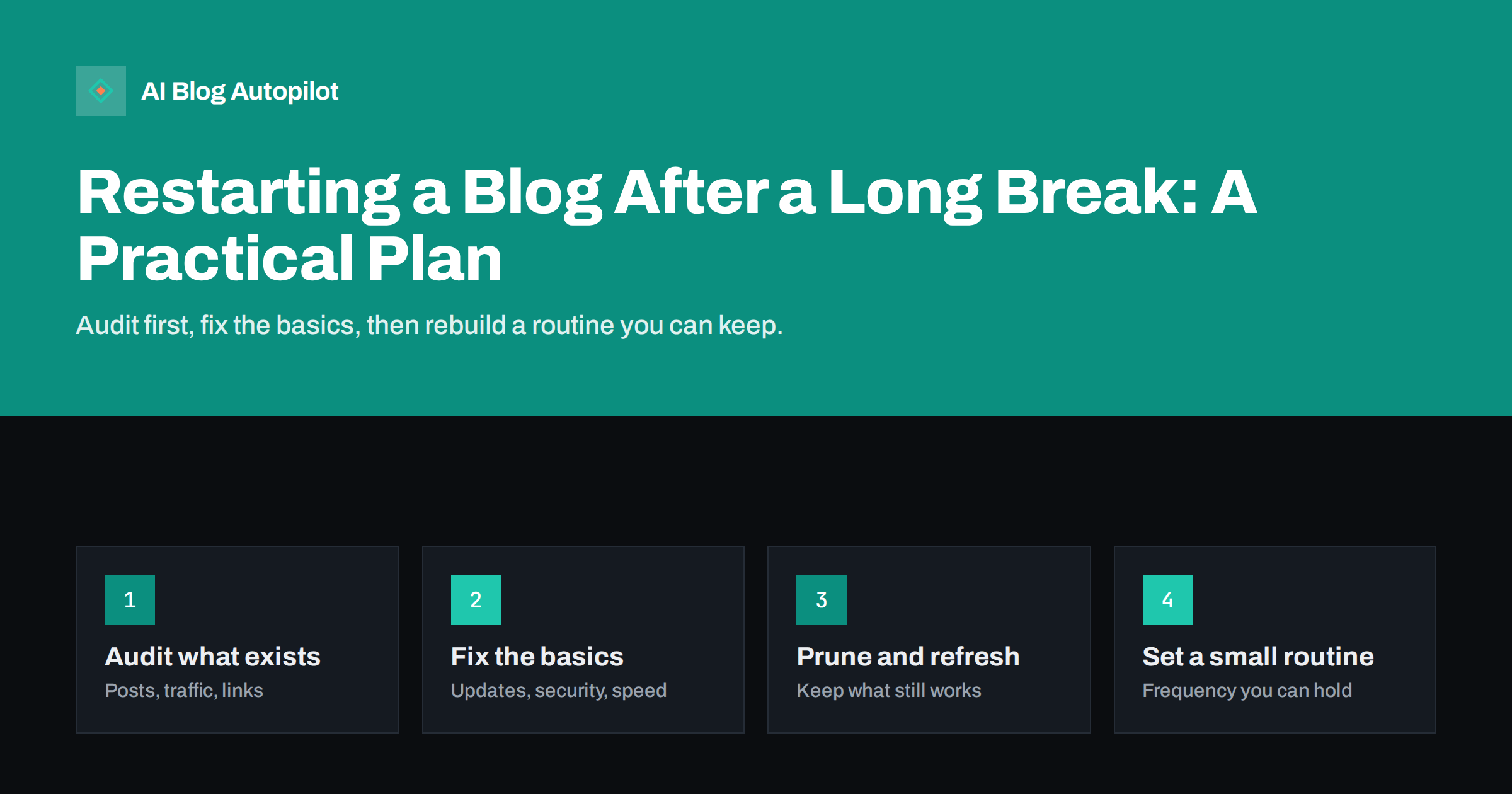
Short answer: to restart a blog after a long break, begin with an audit instead of new posts. Check that the site is secure and working, list what you have and which pages still get visits, update or remove what is outdated, and fix the obvious technical problems. Then choose a publishing rhythm you can actually keep, restart with a few strong posts, and tell your audience you are back. Search engines do not punish a pause, but they reward a site that becomes useful again.
Almost every blogger stops at some point. A busy season at work, a change of focus or simple loss of momentum can turn weeks into years. Coming back feels awkward: the last post is old, the theme may look dated and the plugins may be out of date. The good news is that an old blog is an asset. It has pages that may still rank, links from other sites and a domain with history. The task is to turn that into a working site again without rushing into a burst of posts that you cannot sustain. This plan takes you through it in a sensible order.
Start with a health check of the site itself
Before you write anything, make sure the site is safe and works. A site left alone for a long time is a common target for attacks, and visitors who arrive at a broken page will not stay.
- Update everything. Take a full backup, then update WordPress core, the theme and every plugin. Remove plugins and themes you no longer use.
- Check security. Review user accounts, remove those that should not exist, set strong passwords and turn on two-step sign-in for administrators.
- Test the site as a visitor. Open the home page, a few old posts, the contact form, search and the mobile view. Note anything broken.
- Check the basics in Search Console. Look for crawling errors, security warnings, manual actions and sitemap problems.
- Confirm domain, hosting and certificate. Make sure renewal dates are known and that HTTPS works on every page.
If you find signs of spam pages or injected links, deal with that first, since it can undo everything else.
Take stock of the content
Next, list what you have. A simple spreadsheet is enough. Export your posts with their URLs, publication dates and categories, then add columns for traffic, links and your verdict.
- Traffic data. From your analytics and Search Console, note which pages still receive visits and which queries they appear for, even if the numbers are small.
- Inbound links. Pages that other sites link to are valuable, even if they are not popular, so mark them to protect.
- Quality. Read the titles and open a sample. Some posts will still hold up, others will be thin, wrong or out of date.
- Purpose. Ask whether each post still fits what the blog is for now, which may be different from when you began.
This inventory is the base for every decision that follows, and it often reveals surprises, such as an old post that quietly brings most of your traffic.
Decide what to keep, update, merge or remove
With the inventory in hand, give each post one of four treatments.
- Keep as is, for accurate evergreen posts that need nothing.
- Update, for posts on topics that still matter but have old facts, broken links or weak structure. These are often the best first investment, because they already have a page history.
- Merge, for several short posts on the same subject that would be stronger as one article, with permanent redirects from the old addresses.
- Remove, for posts that are wrong, off-topic or of no use. If they have links or traffic, redirect them to the closest relevant page. If they have neither, a removal that returns a proper “gone” or “not found” status is acceptable.
Do not delete in bulk without checking the data. Removing a page that other sites link to throws away value. Do not leave the old posts untouched either, because a large body of stale material tells new visitors the blog is abandoned.
Fix the technical basics
Once you know what is staying, tidy up the technical side. These are the fixes that tend to matter most after a long gap.
- Broken links. Old outbound links often lead to pages that no longer exist. Find them with a link checker and fix or remove them.
- Redirects. Set up permanent redirects for anything you moved or merged, and avoid chains of redirects.
- Speed and mobile layout. Check the pages on a phone. Compress large images and remove heavy scripts you no longer need.
- Sitemap. Make sure the XML sitemap lists the pages you want indexed and nothing else, and that it is submitted.
- Titles and descriptions. Fix duplicate or missing ones on your top pages first.
- Contact details and About page. Update them. A page describing a business as it was three years ago undermines trust.
Refresh the look and the promise
A restart is a good moment to ask what the blog is for. If your audience or your business has changed, say so on the home page and the About page. You do not need a redesign, but the first screen should tell a newcomer who the blog is for, what it offers and how recent it is.
- Show recent content prominently, so that the date of the latest post does not look like the date of your last visit.
- Remove banners, widgets and links to services that no longer exist.
- Add or update a clear way to subscribe or contact you.
- If the topic focus has shifted, write a short post explaining it, which also serves as your return announcement.
Avoid a long apology for the gap. A short, friendly note and a promise you can keep are enough.
Rebuild a routine you can keep
Most blogs stop because the plan was too ambitious. Choose a rhythm that fits your actual time and protect it.
- Start small. One good post a week, or even every two weeks, beats a burst of daily posts followed by silence.
- Plan a first batch. Write or schedule three to five posts before you announce the restart, so that early visitors find fresh content and you have a buffer.
- Use your data. The old queries and pages that still earn visits show what your audience wants. Build new posts around them.
- Set a review point. After six weeks, look at what you published, what it cost in time and what came back. Adjust the rhythm if needed.
- Remove friction. A short checklist, a content calendar and a clear definition of “done” make it easier to keep going.
Tell people you are back
Search engines will notice new content over time, but people are quicker. Once the first posts are live, let your audience know.
- Email your list, if you have one, with a short note and a link to the best recent post.
- Share the new posts on the social networks you use, and update the profile links so they point to a current page.
- Contact a few people who linked to you in the past and have something relevant to show them. Be sure it is useful to them and not just a request.
- Ask for feedback and replies. Early comments show whether you are writing about the right things.
Expect recovery to take weeks or months. An old domain with history can regain traffic faster than a new one, but results depend on how competitive the topic is and how much you improve the content.
Traps to avoid on a restart
A few predictable mistakes make a restart fail. Knowing them in advance makes them easy to sidestep.
- Trying to fix everything before posting. A perfect site that never publishes is no better than the old one. Fix the serious problems, publish, and keep improving as you go.
- Changing too many things at once. If you redesign, move hosts, change the permalink structure and restart the schedule in one week, you will not know what caused any change in traffic.
- Chasing a new topic every week. Pick the core subjects your blog will cover and stay with them long enough for readers and search engines to understand the site.
- Rewriting history. Do not change the dates on old posts to make them look new. Update the content, then show an honest updated date.
- Ignoring comments and messages. Replies that have waited for years are a chance to show that someone is home. Answer the ones that still matter.
If you stall again, look at what stopped you and make that part smaller or automatic, rather than blaming motivation.
How AI Blog Autopilot helps
The hardest part of a restart is keeping up the routine. AI Blog Autopilot plans the month from the topics, keywords and tone you give it, writes full articles with a FAQ, tags and SEO meta, and publishes them to your WordPress blog at the hour you choose. Each article also goes to your connected social networks. If you want to read each article first, you can switch on approval. See the pricing page for plans.
Related reading
- How to Audit a Blog in a Week
- How to Refresh Old Blog Posts (and When It Beats Writing New Ones)
- Content Pruning: When to Delete, Merge or Redirect a Blog Post
- The First 90 Days of an Automated Blog
The bottom line
A blog that has been quiet is not dead. Check the site’s health, take stock of what you have, update or retire old posts with care, fix the technical basics and then set a rhythm that you can sustain. Restart with a small batch of good posts, tell people you are back and review the results after a few weeks. Steady, modest publishing will do more for an old blog than a short burst of effort that you cannot keep up.
BUJ
Will search engines penalise a blog for a long gap in posting?
There is no penalty for pausing as such. Older content may lose rankings if it becomes outdated or competitors improve, so updating the best pages and publishing again helps.
Should I delete all the old posts?
No. Check traffic and links first. Update posts that still matter, merge overlaps, and remove only those that are wrong or useless, redirecting any that have links or visits.
How often should I post after restarting?
Choose a frequency you can keep for months, such as weekly or every two weeks. Consistency matters more than volume.
Do I need a new design?
Not necessarily. Make sure the site is secure, fast and clear about who it is for. A redesign can wait until the routine is working.
How long until traffic recovers?
It varies with the topic and the state of the site. Expect weeks to months, and judge progress by trends in impressions and clicks rather than daily numbers.