ENEnglish
 LTLietuviškai
 DEDeutsch
 FRFrançais
 RUРусский
 ESEspañol
 PLPolski
 ITItaliano
 UKУкраїнська
 CSČeština
 PTPortuguês
 JA日本語
JA日本語 LVLatviešu valoda
 ETEesti
 HUMagyar
 IDBahasa Indonesia
 TRTürkçe
 HIहिन्दी
 ELΕλληνικά
 ARالعربية
 THไทย
THไทย VITiếng Việt
 RORomână
 MSBahasa Melayu
 BNবাংলা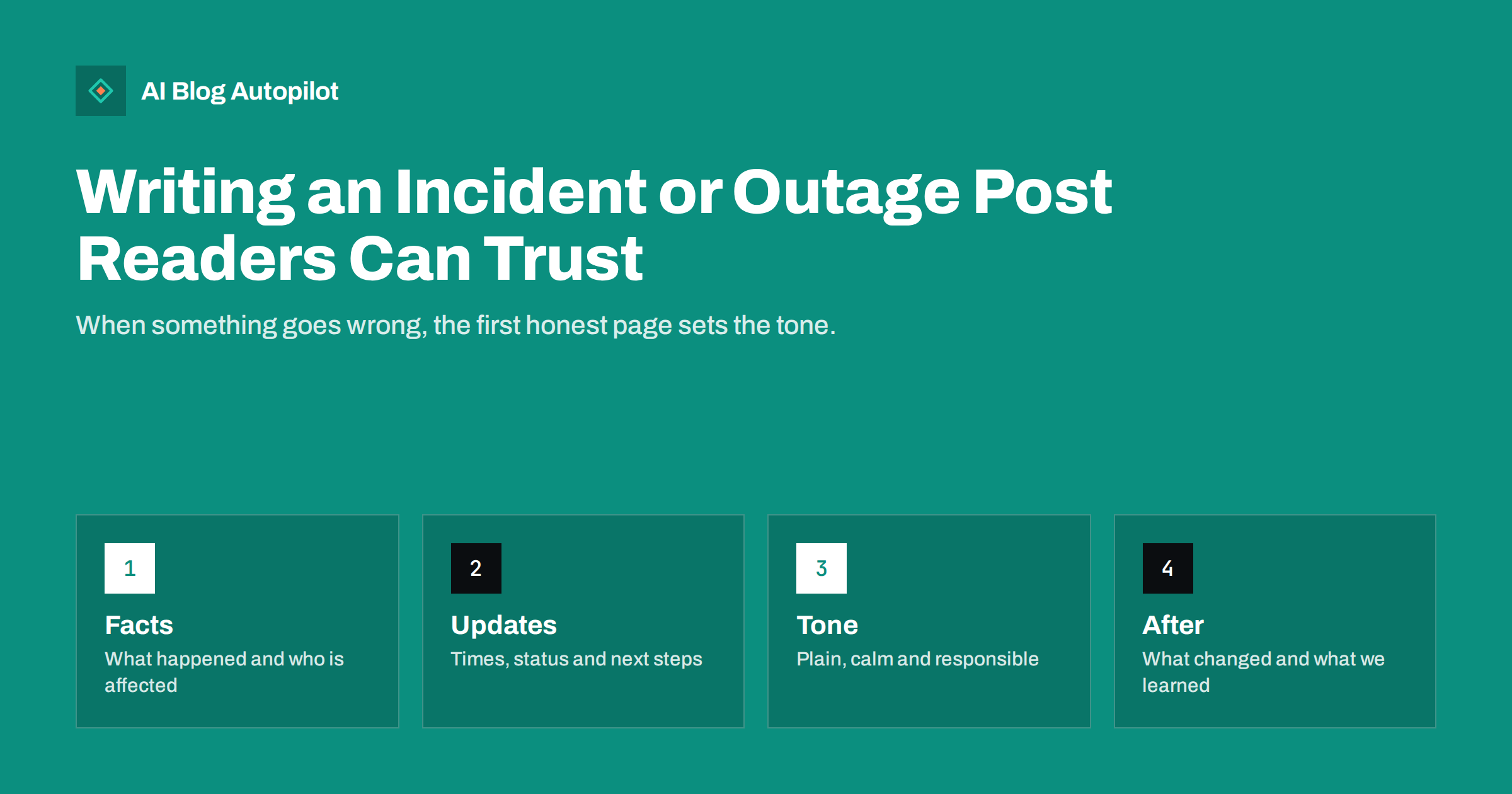
Short answer: an incident post should state, in plain words and as early as you can, what happened, who is affected, what you are doing and when you will update again. Keep one page at a stable address, add timed updates instead of rewriting history, avoid blame and vague language, and finish with what has changed. Honest and timely information protects trust better than silence or polish.
Every business has a bad day: a service goes down, an order is delayed, a product is recalled, an email is sent to the wrong list or a mistake is published. Customers rarely expect perfection, but they expect to be told the truth quickly. The page you write in the first hour will be read by anxious customers, journalists, partners and search engines, and it will keep being read for months, so it is worth thinking about before you need it.
Decide in advance who may publish
Incidents are stressful, and stress produces bad decisions. Agree in advance who decides when to publish, who writes the text, who checks the facts and who answers questions. Write the names and backups in a short document and keep it where everyone can find it, because the person you expect may be away on the day.
Keep a template for an incident page so that nobody starts from a blank screen. Include the headline, the time, a one-sentence summary, who is affected, what to do now, what you are doing and when the next update is due. A template does not make the writing automatic, but it prevents the most common omissions.
Decide where you publish: a status page, the blog, email and social networks. Choose one place as the source of truth and link to it from the others. Our guide to writing an editorial policy page explains how a written policy can help set expectations before something goes wrong.
Keep a short list of facts that you can state at any moment: the first time the problem was noticed, the services involved, the number or type of customers affected if you know it, and what is safe. Check each item with the person who understands the system, and write down who confirmed it. This list prevents the common mistake of saying something at nine o’clock that is contradicted at ten.
Say what happened, plainly and early
Start with the facts you are sure of. State what is not working or what went wrong, since when, who is affected and what they can do. Avoid phrases such as “some users may be experiencing issues”, which tell readers nothing and make them suspect that you are hiding something. Say what you know, what you do not know yet and when you expect to know more.
Do not wait for a perfect explanation. A short, accurate first post is better than a polished one that arrives six hours later. If you do not yet know the cause, say so, and promise only what you can deliver, such as an update within an hour. Customers can accept uncertainty, but they cannot accept being ignored.
Use the reader’s words rather than internal terms. A customer wants to know whether they can log in, whether their order is safe and whether they will be charged, not the name of a server or a supplier. If the incident involves personal data or money, check the legal obligations in your country, such as notification deadlines, and speak to an adviser early.
Decide how often you will update. If the problem is serious, an update every thirty to sixty minutes is reasonable, even if the update only says that nothing has changed. A regular rhythm tells readers that someone is working on it, while silence tells them the opposite. State the time of the next update in each entry and keep to it.
Keep one page and add timed updates
Use one page at a stable address and add updates in time order, each with its own timestamp and time zone. Put the latest status at the top, so that readers see the current position at once, and keep the earlier entries below as a record. Do not delete or silently rewrite earlier text, because readers who saw the first version will notice, and the change will look like concealment.
If you need to correct an earlier statement, say so in an update. Our guide to how to handle corrections on a blog gives wording and rules that apply equally here. Mark the page clearly as resolved when the problem ends, and keep it published so that it remains a record.
Show dates in an unambiguous format and state the time zone. Show the date of the last update in plain view and in the page markup, as explained in publish and updated dates, so that search engines and readers know whether they are reading something current.
Prepare the people who answer
Customers who read the page will often write or call as well. Give the support team a short briefing with the same facts as the page, the same wording and a reminder of what they must not say, such as guesses about the cause or promises about timing. Update the briefing whenever the page is updated, so that everyone gives the same answer in every channel.
Ask the team to record the questions that come in. They show what the page does not yet explain, and they are the best material for the closing review. A few well-chosen lines added to the page can stop dozens of repeated enquiries during a long incident.
Write in a calm and responsible tone
Tone matters as much as facts. Apologise once, specifically and sincerely, for the effect on customers, not for “any inconvenience”. Do not blame suppliers, customers or individuals in public, even if they were involved, because it reads as an excuse. Avoid jokes, marketing language and exclamation marks, and do not use the page to promote a new feature or a discount.
Be careful with promises. A statement such as “this will never happen again” cannot be guaranteed and will be quoted back to you. Say what you have changed and what you will check, and leave it there. Plain language works best: short sentences, the most important fact first and no jargon.
Treat the people affected as the main audience, not the press. If customers need to do something, such as change a password, check an order or contact their bank, put the instruction at the top in short steps. Add a way to reach a human being, and make sure that someone is answering.
Keep the language of the page neutral enough to be quoted. Journalists and partners may copy a sentence, and a sentence that is accurate on its own, such as “from 09:10 to 11:40 some customers could not sign in; no payment data was affected”, can be quoted without distortion. Avoid statements that only make sense in context, and avoid absolute claims you cannot verify.
Handle search and social media sensibly
An incident page will often be found by people searching for your name together with words such as “down”, “problem” or “outage”. That is acceptable and even useful. Give the page a clear title, such as the service name, the date and the problem, so that it is easy to recognise. Do not try to hide or noindex the page while the incident is live, since readers need to find it.
On social networks, post a short link to the page and avoid arguing in the comments. Pin the post while the incident is open, answer questions politely and point them to the page for details. Our guide to handling negative comments on social posts covers the tone to take.
Pause scheduled promotional posts and automated shares while the problem is active. Nothing damages trust faster than a cheerful promotion that appears an hour after an apology. Check what is queued across all channels and remove anything that does not fit the moment.
Think about the people who were not told. Some customers will never see the page, because they do not follow your social networks or read your blog. Decide whether an email, a notice in the product or a message to key accounts is appropriate, and keep the text short and identical to the facts on the page. Direct contact shows respect and often prevents a complaint.
Close the loop after the incident
When the problem is resolved, publish a final update that says so, with the time. Within a few days, add a short review: what happened, how long it lasted, who was affected, what you changed and what you will check in future. Keep it factual and avoid technical detail that readers do not need. People are reassured by evidence that you have understood the cause.
If customers lost money or time, explain clearly what you will do about it, including refunds or credits, and how to claim them. Do not invent compensation after the event that you would not have promised before, and do not make commitments beyond what the business has agreed. Check the wording with whoever is responsible for such decisions.
Inside the team, write a private note with the timeline, the decisions and the lessons. Update the template and the contact list in the light of what you learned. The next incident will be easier because of it.
How AI Blog Autopilot helps
AI Blog Autopilot writes full SEO articles for your WordPress blog from the topics, keywords, audience and tone you set, with FAQ sections, tags and SEO meta included, and it shares each one to your social networks. Incident pages themselves should be written by people who know the facts, but the regular blog can keep running while you deal with a problem. Approval mode lets you read each article first, so nothing cheerful appears at the wrong moment. See the pricing page for plans.
Related reading
- How to Handle Corrections on a Blog
- Publish and Updated Dates: What to Show and When to Change Them
- Negative Comments on Social Posts: Reply, Hide or Ignore?
The bottom line
Prepare roles and a template, publish the plain facts early, keep one page with timed updates, write calmly without blame or false promises, pause promotions and finish with what has changed.
BUJ
How quickly should I publish an incident post?
As soon as you know the basic facts and who is affected. A short accurate post now is better than a perfect one later.
Should I delete old updates?
No. Add new updates with timestamps and keep the earlier entries, so the page remains an honest record.
Should I apologise?
Yes, once, specifically and without excuses. Do not blame others or promise that it will never happen again.
Should an incident page be hidden from search?
No. Customers search for it, so give it a clear title and keep it published after the problem is resolved.
What about scheduled promotional posts?
Pause them until the incident is resolved. A cheerful promotion next to an apology damages trust.