ENEnglish
 LTLietuviškai
 DEDeutsch
 FRFrançais
 RUРусский
 ESEspañol
 PLPolski
 ITItaliano
 UKУкраїнська
 CSČeština
 PTPortuguês
 JA日本語
JA日本語 LVLatviešu valoda
 ETEesti
 HUMagyar
 IDBahasa Indonesia
 TRTürkçe
 HIहिन्दी
 ELΕλληνικά
 ARالعربية
 THไทย
THไทย VITiếng Việt
 RORomână
 MSBahasa Melayu
 BNবাংলা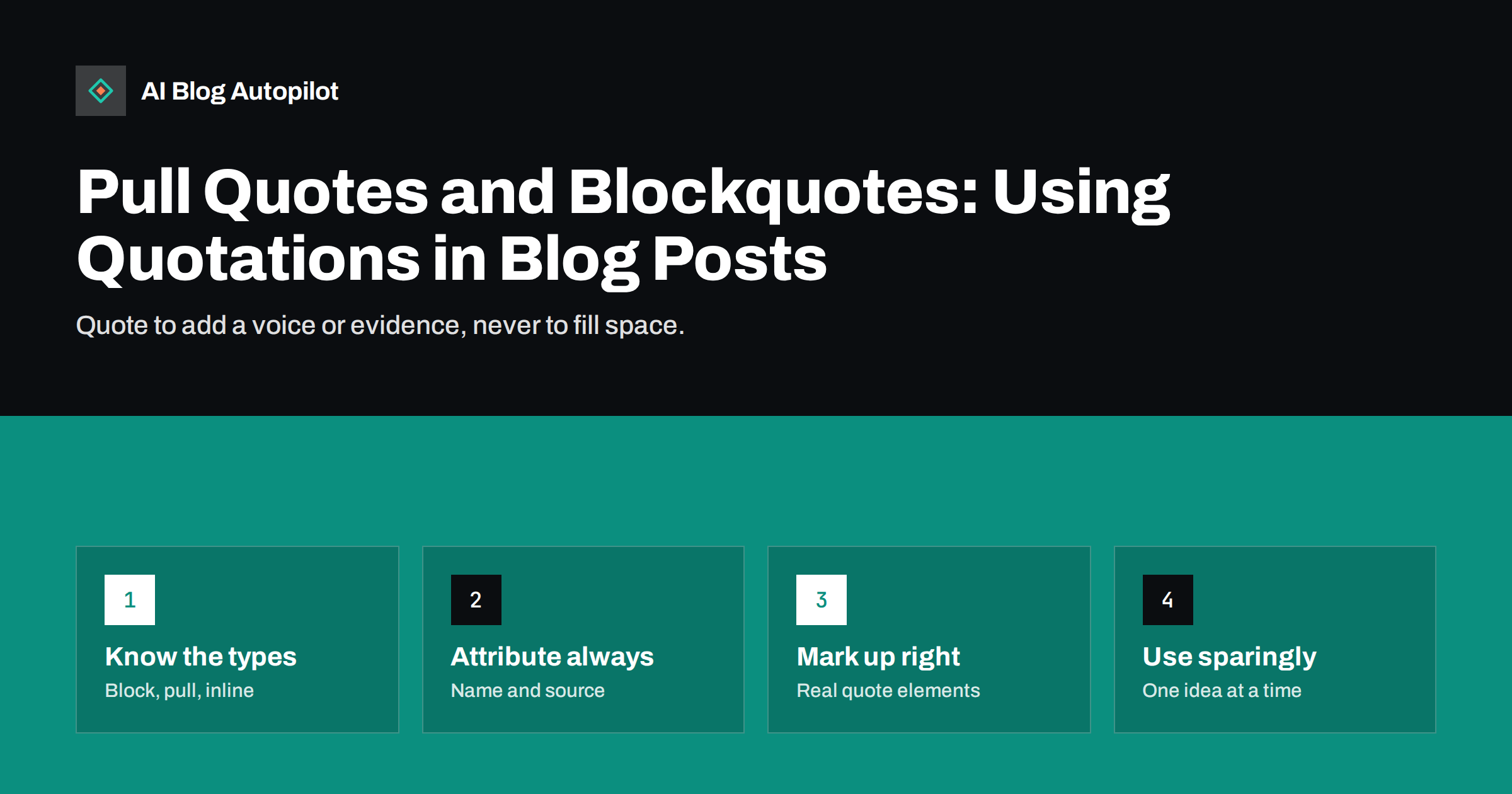
Short answer: use a blockquote when you reproduce someone else’s words at length, a pull quote when you repeat a line from your own article for emphasis, and an inline quotation for a short phrase inside a sentence. Always attribute the source, keep quotations short and relevant, and use the proper quote markup in WordPress instead of faking it with italics. A quotation should add evidence, a voice or a memorable line; if it only fills space, remove it.
Quotations make a post feel grounded. A customer’s words, an expert’s view or a line from a report tells the reader that the article is not just one writer’s opinion. They also break up long text, which helps on a phone. But they are easy to misuse: a wall of borrowed text, a decorative quote repeated for no reason or a quote with no source can weaken a post instead of strengthening it. This guide explains the three main kinds of quotation, how to write and attribute them, how to build them properly in WordPress and what to avoid.
Three kinds of quotation
People use the word “quote” for several different things. Separating them helps you choose.
- Blockquote. A passage taken from another source and set apart from the surrounding text. It is used for longer extracts, usually one to a few sentences, where the exact wording matters.
- Pull quote. A short, striking line taken from the article itself and displayed in larger or different type. It is a design device borrowed from magazines, meant to catch the eye and draw people into the text.
- Inline quotation. A few words or a short sentence placed in quotation marks within a paragraph. It is the lightest way to use someone’s words.
Each has a different purpose. A blockquote is evidence. A pull quote is emphasis. An inline quotation is a precise phrase that you would lose if you paraphrased it.
Why quotations help a post
Used well, quotations do several jobs at once.
- They add a voice. A customer or expert who speaks in their own words gives the page a human element that general advice lacks.
- They support claims. When you say that something is common, a statement from a named person or a source gives the reader a reason to believe you.
- They improve scanning. A visible break in the text helps readers who skim and gives them a point of entry.
- They add variety. A long post made only of paragraphs and lists can feel flat. A well-chosen quotation changes the rhythm.
- They show you did your homework. Interviews, studies and customer feedback show effort, which supports trust in the article.
None of these benefits depends on length. A short, apt quotation works better than a long one that the reader skips.
When to use a blockquote
Use a blockquote when the wording of the source matters and you cannot say it better yourself: a definition, a statement of policy, a passage from a guideline, or an expert’s explanation that is clear and concise. Before you include one, ask three questions.
- Do I need the exact words? If a paraphrase works, paraphrase, and cite the source.
- Is it short enough? A few sentences is usually plenty. If you need a whole page of someone else’s text, link to it instead.
- Do I add something? A quotation should be followed by your own comment: what it means, why it matters or how it applies to the reader. A quotation left to speak for itself is a missed opportunity.
A good pattern is to introduce the quotation in a sentence, show it, then explain it. For example: “A customer describing the first week with a new tool said: ‘We stopped worrying about when to publish.’ That is the kind of change worth looking for when you review results.” The reader gets the voice and the interpretation together.
When to use a pull quote
A pull quote repeats a sentence that already appears in the article, so it is purely a presentation device. It can help on long pages, but it has costs. The repeated text adds words that are not new, it can distract from the flow and, on small screens, it may be rendered as a plain paragraph that looks like a mistake. Consider these points.
- Choose a line that makes sense on its own and that makes the reader curious.
- Use no more than one or two on an article. Three or more in a short post feels like decoration.
- Do not put a pull quote before the sentence it comes from if that spoils the point. Place it near the passage it quotes.
- Check that it is not read twice by screen readers in a confusing way. If your theme marks it as decorative, good; if not, think about whether it is needed.
If your posts are mostly under a thousand words, you may not need pull quotes at all. A strong short answer at the top and clear subheadings do the same job.
Inline quotations and short phrases
Inline quotations are the most common kind and the easiest to get wrong. Use them for precise phrases, such as a term a source defined, a customer’s own description or a label that you are discussing. Keep the following in mind.
- Quote exactly. If you change a word, use square brackets to show it; if you leave out words, mark the gap.
- Do not quote simply to avoid writing. A paragraph stitched together from short quotations reads as if nobody is speaking.
- Be fair. Do not cut a sentence so that it says the opposite of what the source meant.
- Use quotation marks only for actual quotations. For terms used in a special sense, italics or plain wording is clearer.
Attribute every quotation
A quotation without a source is hard to trust, and it can be unfair to the person who said it. Attribution does not need to be long.
- Name the speaker or the source. A name, a role and, where appropriate, the organisation are enough.
- Give the context. When and where was it said? A statement from several years ago in another setting may not mean the same today.
- Link to the original when it is public and stable. This lets readers check, and it is courteous to the source.
- Get permission for quotations from customers, colleagues or emails and anything that was said privately. Agree on the exact wording and how you will name them.
- Do not invent quotations. Composite or imagined statements dressed up as real ones are misleading, and a business blog cannot afford to lose trust.
Quotations of reasonable length, used to comment on or illustrate a point and credited properly, are common practice. Rules about what is allowed differ by country and by case, so if you are unsure about a longer extract, ask for permission or paraphrase and link.
Mark them up properly
In WordPress, the editor has a Quote block that produces the standard blockquote element, with a field for the citation. Use it instead of italics or an indented paragraph, because the correct markup tells browsers, assistive technology and search engines that the text is a quotation. A few practical points follow.
- Fill in the citation field, or add the source on a line after the quotation.
- Do not use a blockquote just to indent text or create a coloured box. If you want a callout, use a block designed for that.
- Keep the quotation text separate from your own comment. Put your comment in a normal paragraph.
- For pull quotes, use the pull quote block if your theme supports it, and check how it looks on a small screen.
- Check contrast and size so the quotation is readable. Light grey italics on white may look elegant but are hard to read.
Avoid making quotations into images. Text inside a picture cannot be read by screen readers unless you write alt text, cannot be copied and is invisible to search engines in practice. If you want a shareable quote graphic for social media, create it separately and keep the real text on the page.
Quotations and AI answers
Named, attributed quotations can help an article in answer engines, because they make clear who said what and give a reader a way to check. An unattributed line is ambiguous: a system, or a person, cannot tell whether it is your claim or someone else’s. Short, accurate quotations from a named source, placed next to the claim they support, are easier to use than a long extract or a vague statement. This does not guarantee any citation, but it makes your page cleaner and more reliable as a source.
How AI Blog Autopilot helps
AI Blog Autopilot writes articles that include a FAQ, tags and SEO meta, and it is instructed never to make up statistics, quotes or sources. That matters for a post about quotations: if you want a real customer or expert quotation in an article, add it yourself with their permission and attribute it. An automatic quality check looks at length, structure, keyword and meta before anything goes live. See the pricing page for plans.
Related reading
- Interviewing Experts for Your Articles
- Originality and Plagiarism on a Business Blog
- Citing Sources in Blog Posts: Why It Helps in AI Answers
- Accessibility for a Blog: The Fixes That Matter Most
The bottom line
Quotations give a post a voice, evidence and variety, but only when they are chosen with care. Use a blockquote for exact words from another source, a pull quote sparingly for emphasis and an inline quotation for a precise phrase. Attribute every one, get permission where it is needed, never invent a statement, and use the real quote markup in WordPress. Follow each quotation with your own comment, and if it adds nothing, take it out.
DUK
What is the difference between a blockquote and a pull quote?
A blockquote reproduces words from another source, while a pull quote repeats a line from your own article as a design feature to draw readers in.
Do I need permission to quote someone on my blog?
Short quotations from published sources, credited and used to illustrate a point, are common practice, but rules vary. Always ask permission for customers, colleagues and private messages.
How long should a blockquote be?
Usually a few sentences at most. If you need a longer passage, paraphrase it and link to the original.
Should I use italics instead of the quote block?
No. The quote block produces the correct markup, which tells browsers and assistive technology that the text is a quotation, and it has a field for the source.
Can I use a quotation as an image?
Avoid it for the main text because screen readers and search engines cannot use it well. Keep the real text on the page and make a separate graphic for social media if you want one.