ENEnglish
 LTLietuviškai
 DEDeutsch
 FRFrançais
 RUРусский
 ESEspañol
 PLPolski
 ITItaliano
 UKУкраїнська
 CSČeština
 PTPortuguês
 JA日本語
JA日本語 LVLatviešu valoda
 ETEesti
 HUMagyar
 IDBahasa Indonesia
 TRTürkçe
 HIहिन्दी
 ELΕλληνικά
 ARالعربية
 THไทย
THไทย VITiếng Việt
 RORomână
 MSBahasa Melayu
 BNবাংলা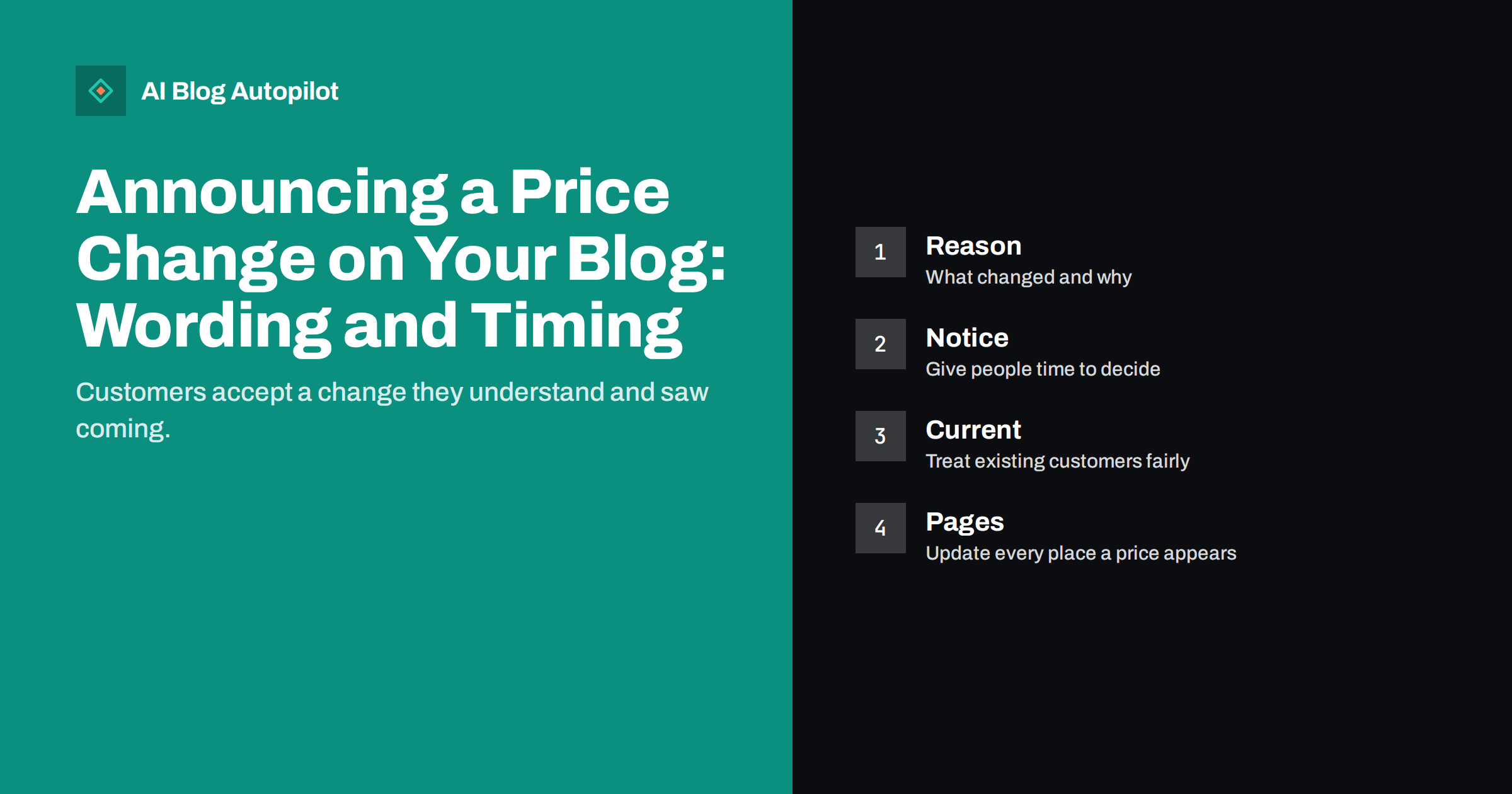
Short answer: announce a price change early, in plain words, with the exact new figures, the date they apply from, the reason in one or two honest sentences and what current customers can do. Publish the announcement on your blog, update every page that shows a price on the same day, and send the message directly to affected customers before they find it on their own.
Nobody enjoys writing a price announcement, and many businesses delay it or bury it in a vague update. That usually makes the reaction worse. Customers tend to accept a change they understand, but they resent one that feels hidden or sudden. A short, clear post that respects the reader is one of the most useful pieces a business can publish, and it is also a good moment to remind people what they receive for the money.
Decide the facts before you write a word
Before drafting, settle the details. What exactly changes: the price of one plan, all plans, a fee, a limit or the billing period? From which date? Does it apply to new customers only, to everybody or to everybody from their next renewal? Are there exceptions, such as existing customers keeping their price for a period? Write these decisions down and check them with whoever handles billing, because the announcement must match what the system will really do.
Do not announce a date that you may not keep, and do not promise that a price will never change again unless you are prepared to honour it. Any commitment you make in public may be quoted back to you later. Check the terms and the law that apply to your customers, especially for subscriptions and contracts, which often require a minimum notice or the customer’s right to cancel. If you are unsure, ask a qualified adviser before you publish.
Lead with what changes
Readers should learn the main point in the first lines. Open with a sentence such as “From 1 March, the monthly price of the Standard plan rises from X to Y”, using the real figures and the currency, and say whether tax is included. Then explain who is affected and what they need to do, if anything. Avoid headlines and openings that hide the news behind vague words, such as “an exciting update” or “changes to our plans”.
A short table can help when several plans change, showing the old price, the new price and the date. Our guide on when to use tables and lists explains when a table is the clearest option. Keep the table simple, and write the main points in sentences as well, so that the message is clear to people who use screen readers or read on a small screen.
Give an honest reason
People are more understanding when they know why. Say plainly what has changed: costs have risen, the service has grown, new features have been added or the old price no longer covered the work. One or two sentences are enough. Do not blame others, exaggerate or invent a reason. If the real reason is that you need a sustainable business, it is acceptable to say so, because customers generally understand that.
Avoid defensive language and long justifications. A price announcement is not the place to argue with imaginary critics. State the facts, thank people for their support and show what they receive. Our article on choosing the narrative voice for a business blog can help you decide whether the message should come from the company or from a named person, which often feels more personal.
Think about the tone of the whole message. A price announcement is read by people who may already be worried about their own costs, so avoid celebration, slogans or cheerful language that ignores the effect on the reader. Be warm but factual, use short sentences and avoid jargon. Show that a real person has read the message, and give a contact address or form that is answered quickly. If you do not know the answer to a question, say so and promise a reply only if you can keep it.
Finally, check the message from the customer’s point of view before it goes out. Ask a colleague who did not work on the change to read it and tell you in one sentence what happens, when and what they must do. If the answer is not what you intended, rewrite the opening. A clear message prevents far more trouble than a clever one.
Give notice and treat current customers fairly
The time between the announcement and the date of the change matters as much as the wording. Give enough notice for people to decide, and make the length at least as long as any term in your contracts requires. Longer notice reduces anger and gives customers time to plan their budgets. If you offer a way to stay on the current price for a period, such as by renewing early or moving to a yearly plan, say so clearly and only if it is true and can be handled by your systems.
Explain the options for people who do not wish to continue: how to downgrade, pause or cancel, and what happens to their data or content. Make these steps easy to find, because hiding them breeds distrust and may also break the rules that protect consumers. A calm and respectful exit is better for your reputation than a forced renewal.
Tell customers directly before the blog
A blog post is a public record, but the people most affected should hear from you directly. Send an email to current customers on or before the day the post goes live, with the key facts and a link to the post. Customers who learn of a change from a stranger or a social post feel ignored. Use a plain subject line that says what the message contains, as described in our guide to email subject lines, and avoid anything that looks like marketing.
Prepare your support team. Write short, accurate answers to the questions you expect, and share them with everyone who talks to customers. Add them to a short FAQ at the end of the post. Typical questions include whether the new price applies at the next renewal, whether yearly customers are affected, how to cancel and whether features have changed. Our article on support articles that reduce tickets explains how clear answers reduce the number of messages you receive.
Update every place where a price appears
On the day the change applies, check the whole site. Update the pricing page, product pages, comparison tables, checkout, invoices, email templates, the FAQ and older blog posts that mention costs. Search your own site for the old figures, and decide whether each mention should be changed, dated or removed. Inconsistent prices cause disputes and confuse search engines and AI assistants, which may quote an old figure. Our guide to a pricing page for search and AI answers explains how to keep the information consistent.
Keep the announcement itself as a dated record. Do not rewrite it later to make it look as if the change was different. If a mistake is found, add a visible correction with the date, following the advice in our article on handling corrections. A clear history is a sign of honesty.
Do not hide a decrease or a simplification either
The same principles apply when a price falls or a plan structure becomes simpler. Say what changes, from when and who benefits. If existing customers are moved to the lower price automatically, say so. If they must ask, explain how. Customers who find out that they paid more than a new customer for the same service feel cheated, so treat both groups fairly and say how you did.
When you restructure plans, explain the old and the new side by side, and show which plan each existing customer will move to. Avoid renaming plans without saying how the old names map to the new ones. Our article on product update posts contains ideas for writing about changes of this kind.
Watch the reaction and respond
After you publish, monitor the replies for a few days. Read the comments, emails and social messages, and answer politely and factually. Some questions will show that part of the post was unclear, and a short correction or an added line in the FAQ will help everyone. Do not delete honest criticism, and do not argue in public. Thank people for their feedback, explain again what they receive and point to the options available to them.
Track what happens in numbers as well. Look at cancellations, downgrades, support messages and new sign-ups in the weeks around the change, and compare them with a normal period, remembering that other factors may play a part. If you see an unexpected reaction, such as many questions about one detail, write a follow-up post that explains it. The way you handle the weeks after a price change often matters more to customers than the change itself.
Finally, record what you learned. Write a short internal note on what worked, what questions arrived and what you would do differently next time, so that the next announcement, whenever it comes, is easier to prepare.
How AI Blog Autopilot helps
AI Blog Autopilot writes full SEO articles for your WordPress blog from the topics, keywords, audience and tone you set, with FAQ sections, tags and SEO meta included, and it shares each one to your social networks. It can keep your regular content flowing around an announcement, while you write the price message yourself. Approval mode lets you read each article first, which is important wherever figures and dates appear. See the pricing page for plans.
Related reading
- A Pricing Page That Works for Search and AI Answers
- Product Update Posts
- Handling Corrections on a Blog
- Support Articles That Reduce Tickets
The bottom line
A price change is easier to accept when it is early, exact and honest. Decide the facts, lead with the figures, give a short real reason, treat current customers fairly, tell them directly and update every page that shows a price.
FAQ
How much notice should I give before a price change?
Enough for customers to decide, and at least as much as your contracts and local rules require. Longer notice usually reduces anger.
Should I tell customers by email or on the blog first?
Email affected customers on or before the day the post goes live, so that they do not learn of it from a public page.
Do I need to explain the reason?
A short, honest reason helps. Do not invent one, blame others or write a long defence.
Where should I update prices on my site?
On the pricing page, product pages, checkout, email templates, FAQ and any older posts that mention costs.
Can I promise that the new price will not change again?
Only if you are ready to honour it. Public promises can be quoted back to you later.