ENEnglish
 LTLietuviškai
 DEDeutsch
 FRFrançais
 RUРусский
 ESEspañol
 PLPolski
 ITItaliano
 UKУкраїнська
 CSČeština
 PTPortuguês
 JA日本語
 LVLatviešu valoda
 ETEesti
 HUMagyar
 IDBahasa Indonesia
 TRTürkçe
 HIहिन्दी
 ELΕλληνικά
 ARالعربية
 THไทย
 VITiếng Việt
 RORomână
 MSBahasa Melayu
 BNবাংলা
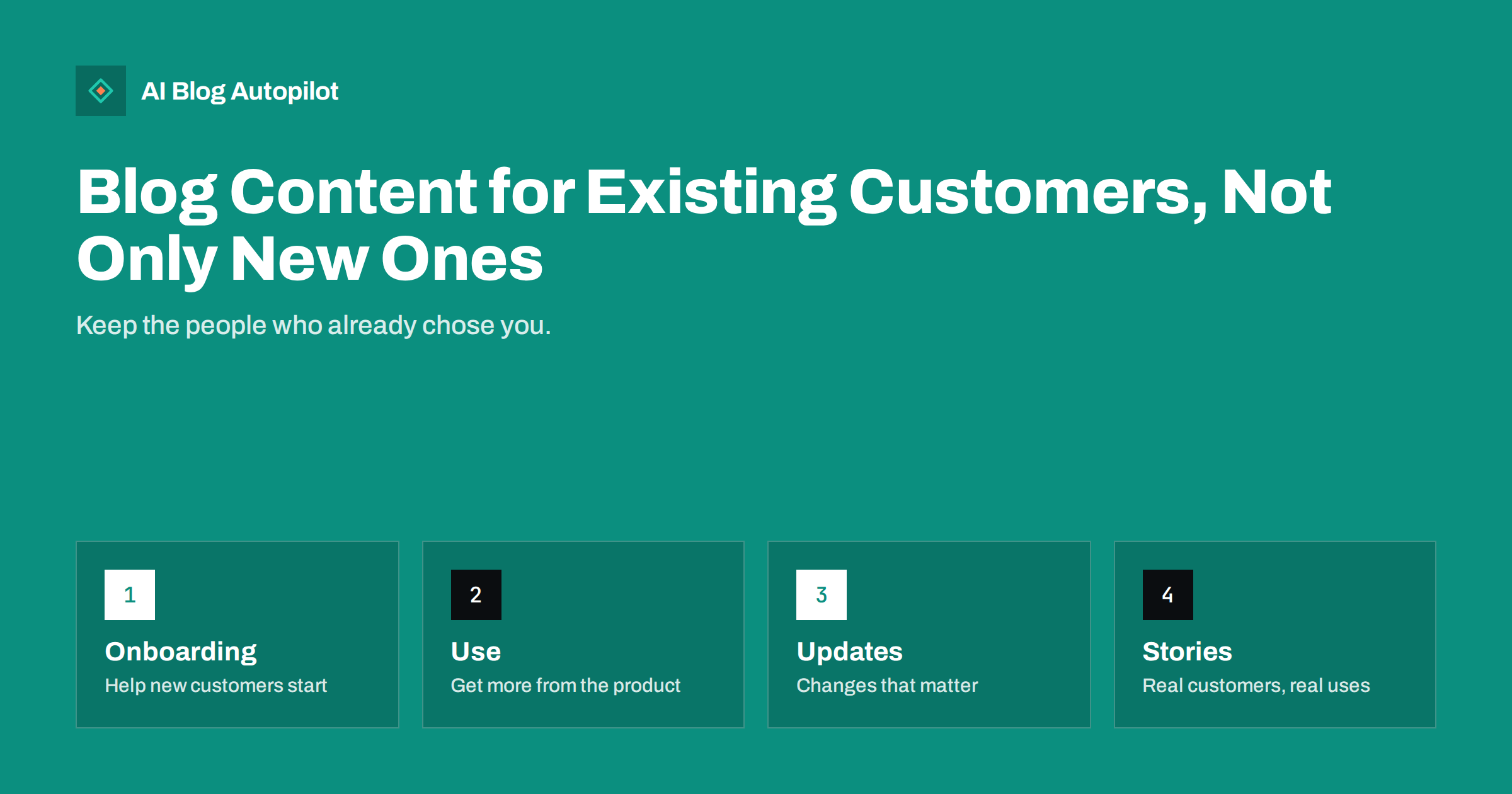
Short answer: a blog can serve current customers as well as strangers. Write onboarding guides for new customers, tips that help people get more from what they bought, honest updates about changes, answers to questions that support hears often and stories from other customers. Mark these posts clearly, link them from emails and accounts, and keep them separate from the search-focused posts that attract newcomers.
Business blogs usually aim at people who have not yet bought. That makes sense, since search traffic brings new faces. But a customer who has already chosen you is often the cheaper and more valuable reader: they are more likely to buy again, to stay longer, to recommend you and to reduce support costs when they find answers on their own.
This guide explains which kinds of posts serve existing customers, how to find the right topics, how to combine them with your search-focused content and how to measure whether they work. It is useful for service businesses, shops, software companies and membership sites, and does not require a large budget.
Understand what current customers need
Begin by asking what happens after the sale. Customers need to start, to learn, to solve problems, to decide on upgrades and sometimes to leave gracefully. Each stage creates questions, and each question can become a post. If you only write for the stage before the purchase, you leave the rest of the relationship to chance.
Collect real questions from support emails, chat logs, calls, reviews, returns and comments. Group them by theme: setup, daily use, billing, troubleshooting, upgrades. A pattern of ten similar questions is a strong sign that a page is missing. The guide to turning customer questions into topics explains how to sort them.
Talk to a few customers. Ask what they wish they had known in the first month, what they still find confusing and what they would tell a friend. Their words often make better titles than your own, and their stories show which examples are most helpful.
Decide who owns this content. Support, customer success and marketing may all have a stake. Agree who writes, who checks accuracy and who updates pages when something changes. Without an owner, help pages go out of date and become a source of frustration instead of help.
Think about different kinds of customer. A private buyer, a small business owner and a large organisation may need different guides, even for the same product. Write a version for each group where it matters, with its own examples and vocabulary, and link them from a single overview page so that everyone finds the right one quickly.
Add a short page on who to contact and how. Say which channel is fastest, what hours you answer, what information helps and what response time to expect. Many frustrations come from not knowing where to turn, and a clear contact page is one of the most useful help posts you can publish.
Write onboarding posts that remove first-week friction
The first days decide whether a customer feels glad about their purchase. A short getting-started guide, with the three or four steps that matter most, helps people succeed early. Show what to do first, what to ignore for now and where to ask for help. Use screenshots or photographs, and keep the language plain.
Offer a checklist for the first week or month. For a physical product, it may cover setup, care and registration for a warranty. For a service, it may cover what to prepare for the first visit and how to give feedback. A clear checklist lowers anxiety and reduces early support calls.
Cover common first mistakes. Explain what often goes wrong, why and how to fix it. A friendly, non-judgemental tone is important: the reader should feel that the problem is common and solvable. Link to your support page for deeper issues.
Send onboarding posts through the right channel. A welcome email or an in-account message that points to the guide is more effective than hoping customers find it by search. The guide on support articles that reduce tickets shows how to make help pages that work.
Remember loyalty and referrals. Write a page that explains how existing customers can recommend you, what they receive if you offer a reward and how to share a link or a code. Keep the terms simple and fair, and follow the rules about incentives in your country. Satisfied customers are often glad to help when asked clearly.
Include a page for customers who are thinking of leaving. Explain how to pause, change or cancel, what happens to their data or items and how to come back. An honest, easy exit builds respect, and many people return later because the last experience was fair.
Show how to get more value over time
Many customers use only a small part of what they bought. Write posts that show features, uses and techniques they may not know: five ways to use a product, a seasonal care routine, an advanced setting explained simply or a clever combination of services. Each post gives a reason to use more and to keep the relationship.
Organise these posts by goal, not by feature. Customers think in terms of what they want to achieve, such as saving time, saving money or doing something better. Titles that begin with how to speed up, how to avoid or how to get the most from are easier to understand than a list of technical names.
Include examples from real use, with permission. A short story of a customer who solved a problem with your help is more convincing than a general claim, and it helps others picture the same result. The guide on customer contributions on a blog explains how to invite and check them.
Plan content around the customer’s year. Many customers face tasks on a calendar, such as tax deadlines, seasonal maintenance, school terms or busy periods. A short guide published a few weeks before each one is useful and well timed, and it shows that you understand their situation.
Share updates honestly
When something changes, say so clearly: new features, changed prices, new opening hours, discontinued products, updated terms. Explain what changed, why, who is affected and what to do. Put the key point in the first paragraph and the date at the top. The guide to product update posts explains how to write them well.
Be especially careful with bad news. If a price rises or a service is withdrawn, tell customers before it takes effect, not after. State the facts plainly, avoid defensive language and describe the options. Customers forgive honest messages more readily than silence or spin, and they remember how you treated them.
Create a single place for updates, such as a page that lists changes in order. Customers can find the latest information, support can link to it and search engines can see that the information is current. Avoid scattering news across social posts that are hard to find later.
Close the loop on feedback. When a customer’s suggestion leads to a change, say so, and thank them. A short note such as you asked, we listened shows that the relationship is two-way, and encourages further suggestions.
Answer the questions support hears every week
Turn repeated questions into short, clear posts. For each, write a direct answer in the first sentence, followed by the steps or the reasoning, and link to related pages. Keep each post to one question, so that it is easy to find and easy to link from support replies.
Write about billing and policies in plain words. Customers often search for how to cancel, how to change a plan, when a charge appears or how returns work. A clear page saves them frustration and saves your staff time. Put the page where people expect it and link it from the account area and receipts.
Cover troubleshooting calmly. Give a short list of checks, from the simplest to the more complex, and tell readers when to contact you. Include the information support will need, such as a model number or screenshot, so that the first message already contains what is required.
Review the pages every quarter. Remove those that are no longer true, update steps that changed and mark old versions clearly if some customers still use them. An accurate help library is a valuable asset, and an outdated one does more harm than none.
Keep a simple editorial plan. List the customer questions that arrive each month, decide which deserve a post and add them to the calendar next to your search-focused topics. Review the plan every quarter with support and sales, so that the blog follows what customers really need and not only what keywords suggest.
Balance it with posts for newcomers
Do not abandon the search content that brings new readers. A healthy blog has both: guides that answer broad questions for people who do not know you, and posts that serve those who do. Plan a mix, for example three posts for newcomers and one for customers, and adjust it to your goals.
Separate them clearly. Use categories or sections such as guides and help, and make sure that customer-only content does not confuse visitors who are still deciding. Where a post serves both groups, write it so that a newcomer understands and a customer finds something new.
Link the two worlds. A newcomer’s guide can point to the customer stories and updates that show what life is like after buying, while a customer’s help page can point to deeper guides. The guide to funnel stage blog topics shows how to map content to each stage.
Measure the results by group. For customers, look at support volume, repeat purchases, retention and referrals. For newcomers, look at search visits and conversions. A post that reduces support tickets by a visible amount is as valuable as one that brings new visitors.
How AI Blog Autopilot helps
AI Blog Autopilot can write and publish articles on your chosen topics, with FAQ sections, tags and SEO meta, and share them to your social networks. Give it the questions your customers ask, and check every step, policy and price before each article goes live. See the pricing page for plans and monthly credits.
Related reading
The bottom line
Write onboarding guides, value tips, honest updates and answers to support questions for current customers, and keep a clear balance with posts for newcomers.
GYIK
Should a blog write for existing customers?
Yes. Posts that help customers use what they bought reduce support work, increase repeat sales and encourage referrals.
How do I find topics for customers?
Use support emails, chat logs, reviews and short conversations with customers, then group questions by theme.
Where should customer posts live?
Use clear sections such as guides and help, and link them from emails, receipts and the account area.
How do I announce bad news to customers?
Tell them before it takes effect, state the facts plainly, explain the options and avoid defensive language.
How do I measure whether it works?
Track support volume, repeat purchases, retention and referrals for customer posts, and search visits for newcomer posts.