ENEnglish
 LTLietuviškai
 DEDeutsch
 FRFrançais
 RUРусский
 ESEspañol
 PLPolski
 ITItaliano
 UKУкраїнська
 CSČeština
 PTPortuguês
 JA日本語
JA日本語 LVLatviešu valoda
 ETEesti
 HUMagyar
 IDBahasa Indonesia
 TRTürkçe
 HIहिन्दी
 ELΕλληνικά
 ARالعربية
 THไทย
THไทย VITiếng Việt
 RORomână
 MSBahasa Melayu
 BNবাংলা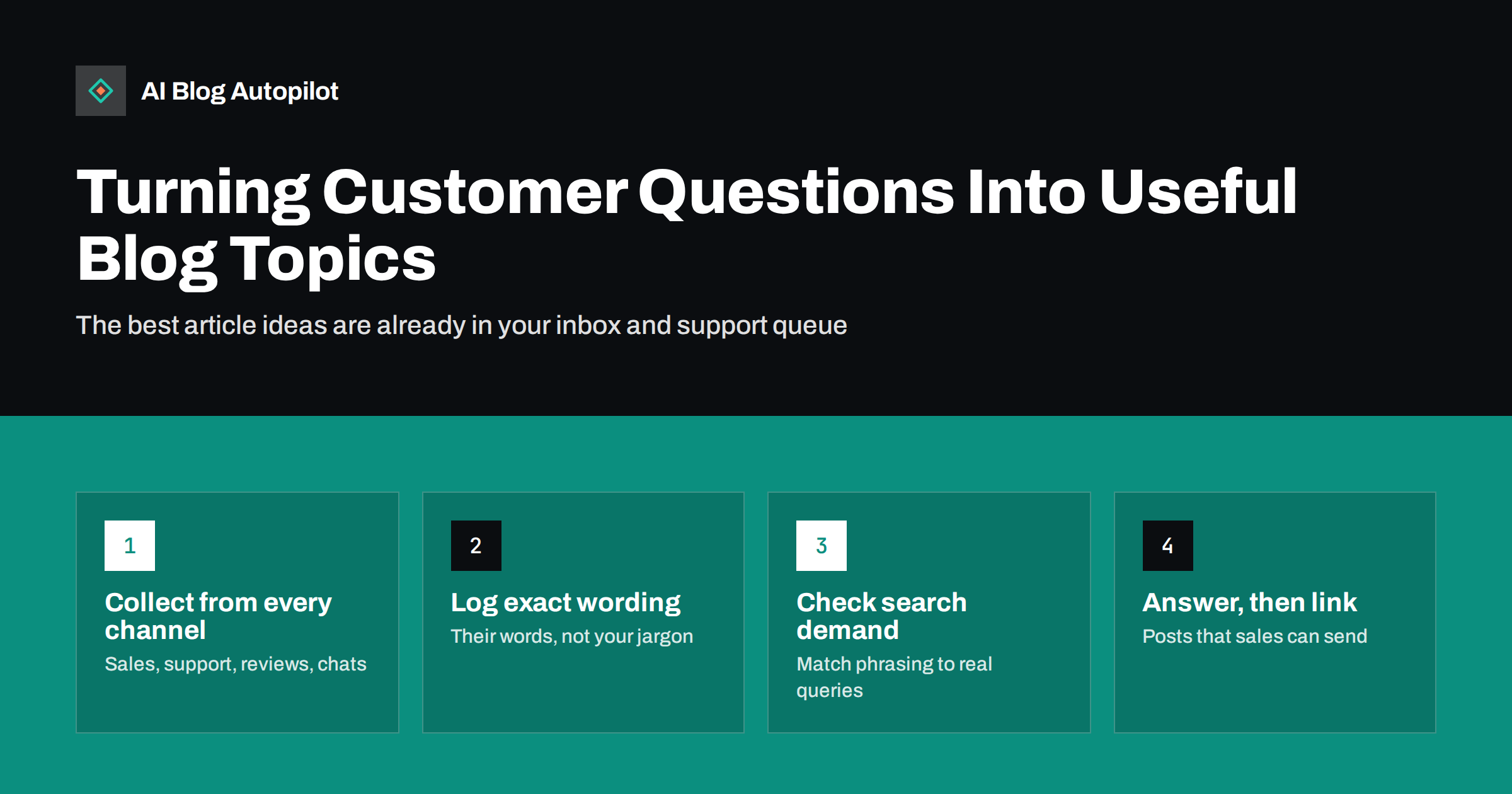
Short answer: the questions customers already ask your team are some of the best blog topics you will ever find. Collect them from sales calls, support tickets, chat logs, reviews and emails, write them down in the customer’s exact words, group similar ones, and check how people phrase them in search. Then write one clear article per question. These posts tend to attract readers who are close to buying, and your team can send them as answers.
Keyword tools are useful, but they only show what large numbers of people search for. They cannot tell you the specific worries that stop your own customers from buying, the misunderstandings that fill your support queue, or the comparisons people make before choosing you. Your customers tell you those things every week.
This guide shows how to capture those questions systematically and turn them into a steady source of articles that help readers and the business.
Why customer questions make strong topics
A question a real customer asks has already passed the most important test: someone cared enough to ask it. That gives these topics several advantages over ideas that start from a keyword list.
- Proven relevance. The question comes from your actual audience, not from a general population of searchers who may never buy what you sell.
- Buying intent. Many questions arrive during a decision: “Does it work with what I already have?”, “How long does setup take?”, “What happens if I cancel?” Articles answering them reach people close to a decision.
- Natural language. Customers phrase questions the way they would type or speak them into a search box or an AI assistant, which helps your articles match real queries.
- Double use. An article that answers a common question can be sent by sales and support, saving time on repeated explanations.
- Less competition. Specific questions about your niche are often ignored by large sites that focus on broad topics.
Where to find the questions
Most businesses have more sources than they realise. Start with the ones that are easiest to access, then add others over time.
- Sales calls and demos. Ask salespeople which questions come up in almost every call, and which ones come up just before a deal is lost.
- Support tickets and help desk. Look at the most common ticket categories and the questions that take longest to answer.
- Live chat and chatbot logs. Chat transcripts show questions in raw form, often from visitors who never became customers.
- Email inbox. Pre-sales enquiries and replies to newsletters are full of specific questions.
- Reviews. Your own reviews and competitors’ reviews reveal what people expected, what surprised them and what they wish they had known.
- Site search. What visitors type into your own search box shows what they looked for and could not find quickly.
- Social comments and messages. Questions left under posts and in direct messages are often short and very direct.
- Onboarding and training sessions. New customers ask about the steps that trip them up, which often become how-to articles.
How to capture questions without extra work
The collection habit fails when it depends on someone remembering to write things down. A light, shared system works better than a big initiative.
- Create one shared list. A spreadsheet or shared document with columns for the question, where it came from, the date and any notes.
- Record the exact wording. Write “Can I use this without a website?” rather than “Q about website requirement”. The customer’s words are the keyword research.
- Ask teams for five a month. A small, regular request is easier than asking for everything. Sales and support can add the questions they heard most often.
- Tag by stage. Mark whether a question came before purchase, during setup or during use. This helps later when deciding which articles to write first.
- Review monthly. Once a month, read the list, merge duplicates and pick the next topics.
If your help desk or chat tool can export conversations, a periodic export and quick scan can replace manual logging. Remove personal details before sharing any transcript beyond the team that handles it.
From question to topic: grouping and checking demand
A raw list of questions is not yet a content plan. Several steps turn it into one.
Group similar questions
“How long does setup take?”, “Is it hard to get started?” and “Do I need technical help to install it?” are three phrasings of one concern. They belong in one article about getting started, with each phrasing answered within it.
Check how people search for it
Type the question, and shorter versions of it, into a search engine. Look at autocomplete suggestions, related questions and the results that appear. You are checking two things: how people usually phrase this, and what kind of page currently answers it.
If you find almost no search activity, the topic may still be worth writing, because the article can serve sales and support directly. But for search traffic, prioritise questions that clearly match what people type.
Decide the format
- “How do I…” questions become step-by-step guides.
- “Is it worth…” or “Should I…” questions become honest decision articles with clear criteria.
- “What is the difference between…” questions become comparisons.
- “Why does…” questions become explainers or troubleshooting articles.
- “How much…” questions become cost articles that explain what drives the price.
Prioritising which questions to answer first
You will usually collect more questions than you can write about quickly. A simple scoring approach keeps the most valuable ones at the top.
- Frequency: how often the question comes up across channels.
- Stage: questions asked just before buying often matter most for revenue.
- Search demand: whether people search for it in similar words.
- Cost of not answering: questions that cause lost deals or long support threads deserve priority even with little search volume.
- Ease: whether you can answer it well and accurately right now.
Score each on a small scale, add them up and start from the top. Revisit the scores as new questions arrive.
Writing the article so it actually answers
Articles built from customer questions work best when they respect the question.
- Use the question in the title or first heading. Readers and search engines should see immediately that this page answers what they asked.
- Answer in the first paragraph. Give the direct answer first, then the detail and exceptions. A reader who asked “Can I cancel any time?” wants yes or no before anything else.
- Include the situations behind the question. Customers usually ask because of a specific context. Cover the common contexts rather than only the general case.
- Be honest about limits. If the answer is “no” or “not yet”, say so and suggest an alternative. Readers trust honest answers and remember evasive ones.
- Add related questions. A short FAQ at the end can cover the follow-up questions customers typically ask next.
- Link to the next step. Point to setup guides, pricing or a contact page where it helps the reader, without turning the article into an advert.
Mistakes that waste good questions
- Rewriting questions into internal language. A customer asks “Will it slow down my website?” and the article is titled “Performance Architecture Overview”. The customer’s version is the one people search for.
- Answering only the easy questions. Uncomfortable questions about price, limits, cancellation or competitors are often the ones that decide a purchase. Avoiding them sends readers to sites that do answer.
- Publishing private details. Questions are useful; the people who asked them are not content. Never quote customers by name or include identifying details without clear permission.
- Letting the list go stale. A question log that nobody reviews for six months stops reflecting what customers ask now. A short monthly review keeps it current.
- Writing one article per phrasing. Five versions of the same question should produce one strong article, not five thin ones.
Keeping the loop going
The value of this approach grows over time. Once articles exist, share them with the teams that supplied the questions and ask them to use the links in replies. Their feedback tells you whether the article really answers the question or needs another section.
Watch the source channels too. If a published article answers a common support question, the number of tickets on that topic may fall over the following months. That is a useful signal alongside search traffic, and it shows the rest of the business that the blog does more than attract visitors.
How AI Blog Autopilot fits in
AI Blog Autopilot plans articles from the topics, keywords, audience and tone you give it, writes 2,000–3,000-word SEO articles with FAQ, tags and meta, and publishes them to your WordPress blog on a schedule. Customer questions make excellent input: add the recurring questions from your list as topics or keywords, in your customers’ own words, and the planner can turn them into full articles. Each new article is then shared to your social networks. You can see how planning and publishing work on the AI Blog Autopilot home page.
Related reading
- Support Articles That Actually Reduce Tickets
- Using People Also Ask as a Content Source
- What Readers Search For on Your Site, and What to Do With It
- Using Blog Articles in Sales Conversations
The bottom line
Your customers are already telling you what to write. Capture their questions in their own words from sales, support, chat, reviews and site search, group them, check how people search for them, and answer the most valuable ones first with clear, honest articles. The result is a blog that attracts the right readers and saves your team from answering the same questions again and again.
GYIK
Where can I find customer questions for blog topics?
Good sources include sales calls, support tickets, live chat logs, pre-sales emails, reviews of your business and competitors, your site’s internal search and comments on social media. Sales and support teams usually know the most common questions without looking anything up.
Should I write about a question nobody searches for?
Sometimes. If the question comes up often in sales or support, an article can save time and help close deals even with little search traffic. For search growth, prioritise questions that people also type into search engines.
How many customer questions should one article answer?
One main question, plus closely related variations and follow-ups. Group questions that share the same underlying concern into one article, and give genuinely different concerns their own articles.
Should I use the customer’s exact wording in the title?
Often, yes. Customers phrase questions the way searchers do, so their wording tends to match real queries. Tidy it for clarity, but keep the key words they used rather than replacing them with internal jargon.
How do I know if an article answered the question well?
Ask the sales and support teams whether they use the link and whether customers still come back with the same question. Fewer repeat questions and regular use by the team are strong signs the article works.