ENEnglish
 LTLietuviškai
 DEDeutsch
 FRFrançais
 RUРусский
 ESEspañol
 PLPolski
 ITItaliano
 UKУкраїнська
 CSČeština
 PTPortuguês
 JA日本語
JA日本語 LVLatviešu valoda
 ETEesti
 HUMagyar
 IDBahasa Indonesia
 TRTürkçe
 HIहिन्दी
 ELΕλληνικά
 ARالعربية
 THไทย
THไทย VITiếng Việt
 RORomână
 MSBahasa Melayu
 BNবাংলা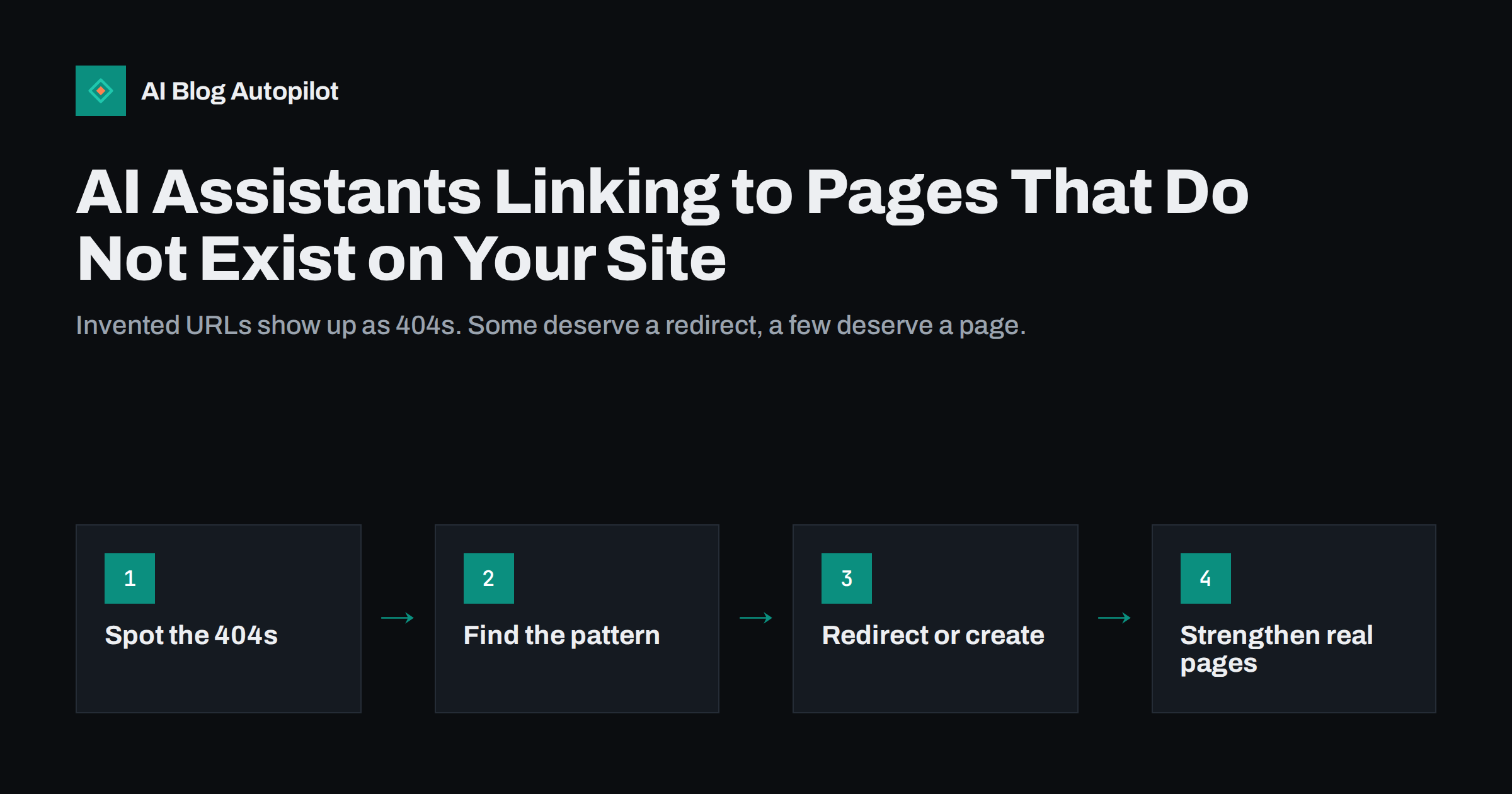
Short answer: AI assistants sometimes generate links to pages on your site that never existed, because they predict what a URL probably looks like instead of copying a real one. Visitors who click land on a 404 page. You can find these requests in your server logs or analytics by looking at 404s with AI assistant referrers, then redirect repeated guesses to the closest real page, create a page when many people clearly want content you do not have, and make your real URLs and key facts easier for assistants to find.
A growing share of visits now comes from links inside AI answers. Most of those links are correct, but some point to addresses like /pricing-plans/ or /blog/how-to-choose-a-size/ that your site has never had. The assistant guessed. For a small business, these broken visits are easy to miss and easy to fix once you know where to look. This guide explains why it happens, how to find the affected URLs and what to do with them.
Why AI assistants invent URLs
AI assistants generate text by predicting likely words, and a URL is just more text to them. When an assistant has seen many sites with a /pricing-plans/ page, it may suggest the same pattern for yours, even if your page is called /pricing/. When it knows you wrote about a topic but not the exact address, it may build a plausible slug from the topic.
Several things make this more likely:
- The assistant answers from memory rather than from a live search of your site.
- Your URLs changed after the assistant learned about your site, for example after a migration or a slug clean-up.
- Your structure is unusual, so common patterns such as /blog/post-name/ or /products/name/ do not match it.
- The topic is popular but your page is not prominent, so the assistant knows you are relevant but not where the page is.
Assistants that search the web before answering are less likely to invent links, because they cite pages they actually retrieved. But even they can shorten, combine or mistype addresses.
Why it matters for a small site
A visitor who clicks a link in an AI answer usually has a clear intent: they asked a question and were told your site has the answer. Landing on an error page wastes that moment. Some will search your site or go to the home page; many will simply leave and click the next source.
The search ranking impact is usually small. Requests to URLs that never existed do not harm your site in search engines on their own. The cost is lost visitors and a worse first impression, which is why this is mainly a user experience problem rather than an SEO emergency.
Finding invented URLs in your data
You have three main places to look:
- Server or hosting logs: filter requests with a 404 status and look at the referrer. Requests that come from AI assistant domains, or that arrive with no referrer at URLs that look like guesses, are candidates.
- Analytics: if your 404 page has a recognisable title, create a report of views of that page with the page path and the source. Many analytics tools let you see the requested address and the referring site.
- A 404 logging plugin or redirect manager: many content management systems have plugins that list missing URLs and how often they are requested.
Search Console is less useful here. It mainly reports URLs that search engines tried to crawl, not addresses that visitors typed or clicked from AI answers, so do not expect to see these guesses there.
Review the list once a month. Look for addresses that are requested more than once, because a one-off typo is not worth acting on, while a guess that keeps returning shows a real pattern.
A simple monthly routine
A small site does not need special tools for this. Once a month, export the list of 404 requests for the last thirty days, sort it by the number of requests and keep only addresses requested at least two or three times. Add a column for the referrer and a column for your decision: redirect, new page or ignore. The whole check often takes less than half an hour.
You can also test the problem from the other side. Ask a few AI assistants the questions your customers typically ask, such as where to find your prices or how to return a product, and click the links they give. If an assistant repeatedly suggests the same wrong address, add a redirect for it even before it shows up in your logs, and check that the real page states the answer clearly enough to be quoted.
Sorting what you find
Each repeated missing URL falls into one of a few groups:
- A near miss: the guessed address is close to a real page, such as /pricing-plans/ instead of /pricing/, or a slug with an extra word. The visitor clearly wanted that page.
- A topic you cover under another name: the guess describes an article you have, but the wording is different, such as /how-to-pick-a-bike-size/ for your post on choosing a frame size.
- A topic you do not cover: the assistant assumed you have a page you never wrote, such as a comparison or a guide.
- Noise: random strings, automated probes and addresses with no clear meaning.
Only the first three deserve action. Automated probes for admin pages or old software files are a security matter, not an AI answer problem, and should simply keep returning 404.
Redirect, create or ignore
For near misses and topics you cover under another name, a permanent 301 redirect to the right page is the simplest fix. The visitor lands where they wanted to go, and the redirect costs nothing. Keep the redirect specific: one guessed URL to one matching page.
Avoid the tempting shortcut of redirecting every 404 to the home page. Search engines tend to treat mass redirects to the home page as soft 404s, and visitors who wanted a specific answer are not helped by landing on a general page. A useful 404 page with search and links to your main topics is better than a blanket redirect.
For topics you do not cover, look at the demand. If the same guessed page keeps being requested, people are being told your site has something it does not. That is a content idea handed to you. If the topic fits your business, write the page and publish it at the address people are already requesting, or at a clean address with a redirect from the guess.
Ignore one-off requests and anything that does not match your business. You cannot redirect every possible guess, and trying to do so creates a messy redirect list that is hard to maintain.
Keeping the redirect list tidy
Write down why each redirect exists and when you added it. Review the list once or twice a year and remove redirects that receive no traffic for a long period, unless they protect old URLs that other sites link to. A short, documented list is easier to trust than hundreds of unexplained rules.
Making your real URLs easier to find
You cannot control how assistants generate links, but you can make the right answer easier to produce:
- Use clear, stable URLs. Short slugs that describe the topic, such as /pricing/ or /returns/, are easier to predict correctly than long or cryptic ones.
- Avoid unnecessary URL changes. Every change creates a period when old addresses circulate in AI answers and elsewhere. When you must change, redirect the old address.
- Link important pages from navigation and related articles, so they are prominent when assistants and search engines crawl your site.
- Keep an up-to-date XML sitemap so crawlers find the real addresses.
- State key facts clearly on the page itself. When an assistant can quote your page directly, it is more likely to link the page it read.
An llms.txt file that lists your key pages is optional and support for it varies, but it does no harm if you keep it accurate.
A useful 404 page for AI visitors
Some invented URLs will always slip through. A good 404 page limits the damage. It should return a real 404 status, say clearly that the page was not found, offer a search box and link to your main topics, most popular articles and contact page. Visitors who arrive from an AI answer often have a specific question, so a search box and a short list of key pages give them a quick way forward.
If your analytics show many 404 visits from AI assistants on a particular topic, you can also add a short line on the 404 page pointing to that topic’s main article.
How AI Blog Autopilot helps
AI Blog Autopilot publishes each article on your WordPress blog through the normal WordPress structure, with titles, descriptions, tags and FAQ. Steady publishing on a clear topic plan gives you more real pages that match what people ask, so fewer questions point to content you do not have. Redirects and 404 settings stay in your WordPress admin. See the pricing page for plans.
Related reading
- A Useful 404 Page for a Blog: What to Put on It
- Tracking Visits From AI Assistants in Your Analytics
- 301 or 302 Redirect? Choosing the Right One for a Blog
- When AI Answers Get Your Business Wrong: What to Do
The bottom line
AI assistants sometimes invent plausible URLs on your site, and visitors who click them land on a 404. Check your logs or analytics monthly for repeated missing addresses with AI referrers, redirect near misses to the right page, write content where a guessed topic shows real demand and ignore one-off noise. Clear, stable URLs and a helpful 404 page reduce the problem over time.
FAQ
Why does an AI assistant link to a page that does not exist?
Assistants generate URLs by predicting what an address probably looks like, based on patterns they have seen. If they do not copy the real address from a page they retrieved, the guess can point to a page that never existed.
Do these 404 errors hurt my SEO?
Usually not directly. Requests to URLs that never existed do not harm rankings on their own. The real cost is visitors who arrive with a clear question and leave because they hit an error page.
Should I redirect every invented URL?
No. Redirect repeated guesses that clearly match a real page, using a specific 301 redirect. Ignore one-off requests and random strings, and never redirect all 404s to the home page.
How do I find invented URLs from AI assistants?
Look at 404 responses in your server logs or analytics and check the referrer. Repeated missing addresses that come from AI assistant domains are the ones worth reviewing.
Can I stop assistants from inventing links?
Not completely. Clear, stable URLs, good internal linking, an accurate sitemap and pages that state key facts plainly make correct links more likely.