ENEnglish
 LTLietuviškai
 DEDeutsch
 FRFrançais
 RUРусский
 ESEspañol
 PLPolski
 ITItaliano
 UKУкраїнська
 CSČeština
 PTPortuguês
 JA日本語
 LVLatviešu valoda
 ETEesti
 HUMagyar
 IDBahasa Indonesia
 TRTürkçe
 HIहिन्दी
 ELΕλληνικά
 ARالعربية
 THไทย
 VITiếng Việt
 RORomână
 MSBahasa Melayu
 BNবাংলা
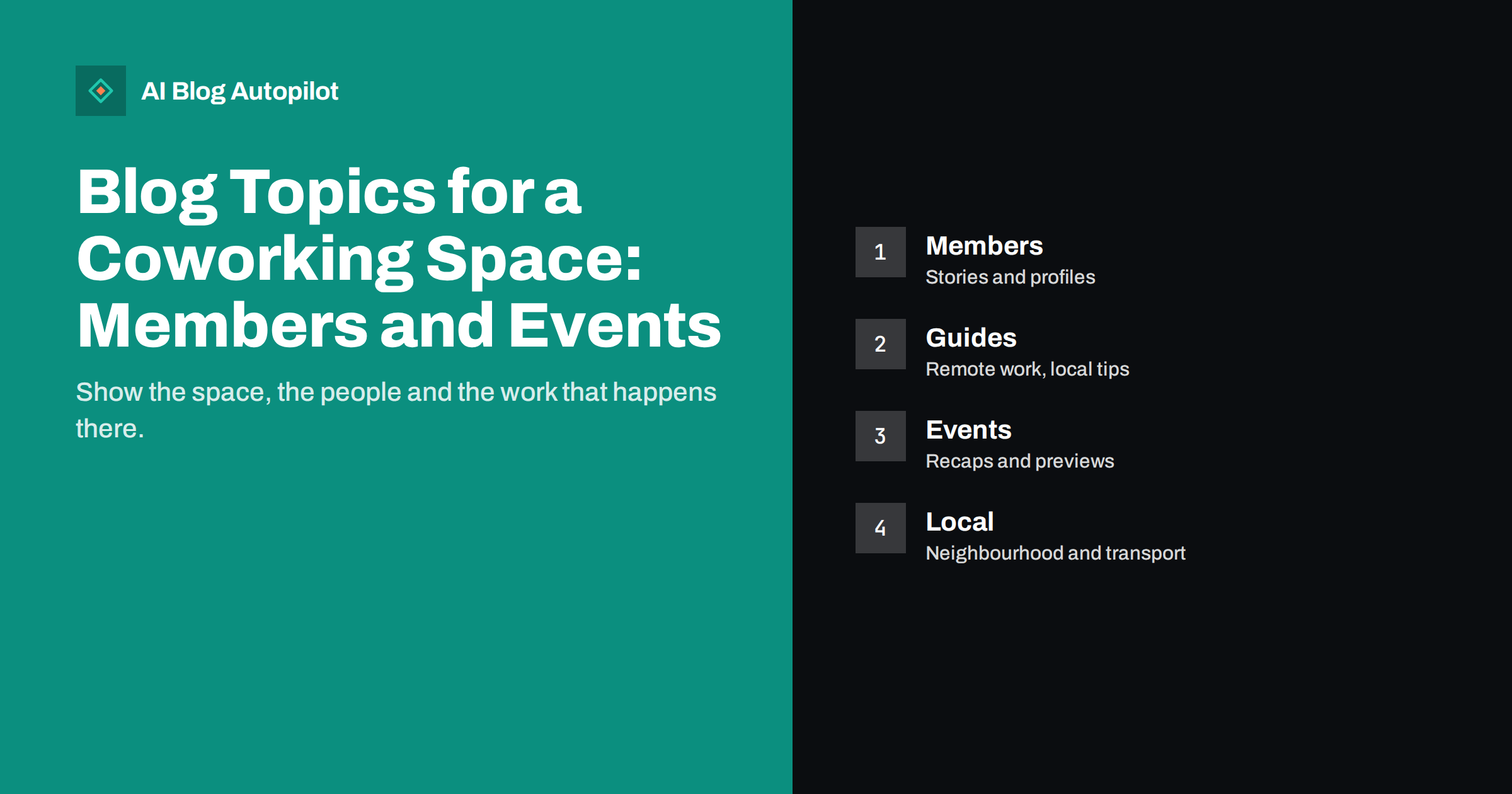
Short answer: a coworking space should blog about what prospective members want to know: what it is like to work there, who uses it, what it costs, how to choose between desk types, what is nearby and what events take place. Add member stories with permission, practical guides on remote work and local tips for the neighbourhood. Keep prices and facilities up to date, and give each article a clear route to book a visit.
People choose a coworking space with their feet. They want to see the room, meet the people and feel the atmosphere. A blog cannot replace a visit, but it can bring them to the door and answer the questions that stop them from booking one. It also helps the space to rank for local searches such as coworking near a station or desks for freelancers in a town.
This guide offers topic groups, ideas for member and event content and advice on keeping the blog accurate and useful. It suits a single independent space or a small group of locations, and it works for spaces of every size.
Explain what working there is like
Start with the basics, since many visitors have never used a coworking space. Write a guide to what happens on a typical day: arrival, desks, meeting rooms, kitchen, quiet areas, phone booths, printing, events and opening hours. Use photos with permission, and be honest about noise, busy times and the rules that members follow.
Describe each type of membership clearly: hot desk, fixed desk, private office, day pass and meeting room hire. Explain what is included, what costs extra, how long the contract is and how to cancel or change. A table that compares the options helps readers choose, and a link to the booking page lets them act.
Explain who the space suits. Freelancers, small teams, remote employees, start-ups and creative businesses each have different needs, and honest advice about who will be happy, and who may not be, builds trust. A short page about what the space is not, such as a quiet library or a call centre, prevents mismatched expectations.
Prices, terms and facts that stay accurate
Price is a top question. If you can publish prices, do so, with the date and what is included. If prices vary, explain what affects them, such as the location of the desk, the length of the contract or the number of people. Avoid hidden extras, and list deposits, setup fees and taxes where they apply.
Keep facts consistent across your site, your profiles and booking tools. Opening hours, address, access, parking, accessibility and facilities should be the same everywhere. When they change, update every page at once. The guide on Google Business Profile updates covers how to keep local profiles in line with your site.
Accessibility information deserves its own page. Describe step-free access, lifts, toilets, quiet spaces, hearing support and any other relevant details. Visitors who need this information will search for it, and a clear answer may decide their choice.
Member stories and profiles
Members are your best advertisement. Short profiles that explain what each person or company does, why they chose the space and what they like about it show prospective members what the community looks like. Ask each member for permission, show the text before publishing and let them approve the photo.
Keep the profiles useful. Besides the story, include practical details such as the type of work, the size of the company and how the member uses the space. Add a link to the member’s own site if they wish, which helps them and strengthens the sense of community.
Do not publish private information or sensitive details about clients of the members. Avoid claims about a member’s results that you cannot verify. The article on customer stories and contributions on a business blog describes how to handle the process with care.
Also give new members a way to be introduced. A monthly post that welcomes new members, with a line about what they do, is a friendly tradition that costs little and encourages connections inside the community.
Do not forget the health and comfort side of working. Short guides on setting up a desk, taking breaks, lighting, posture and managing noise are popular and easy to write from your own experience of running a shared space. They can include real photos of your desks and chairs and a simple checklist that readers can use at home or in your space. Keep the advice general and practical, and avoid claims about medical effects.
Practical guides for remote workers and freelancers
Many visitors search for help with remote work long before they think of a coworking space. Guides on setting up a routine, avoiding isolation, managing time, working with clients across time zones, invoicing, finding work and keeping boundaries between home and work will attract that audience. Where the space can help, mention it in a natural way, without turning every guide into an advert.
Write comparisons that help people decide between working at home, in a cafe and in a coworking space. Be fair: say when home is better and which costs and benefits matter. A reader who feels you have been honest is more likely to visit.
Local practical content also works. Where to find lunch, which coffee shops allow laptops, how to get to the space by bus, train, bike or car, where to park and what is nearby for client meetings are all questions that members and visitors ask. Update these pages regularly, since businesses open and close.
Consider the schedule of your events as content in itself. A page that lists the regular weekly and monthly events, such as community lunches, workshops, networking evenings and quiet days, shows how active the community is. Keep it up to date, and link each item to its own page where it makes sense. Visitors who see an active calendar feel that the space is alive, and members use it to plan their week.
Invite members to host events and write about them. A member who runs a workshop on bookkeeping, photography or marketing can contribute a short summary or a checklist for the blog. This brings fresh material, spreads the work and gives members a reason to promote the post to their own contacts.
Events: previews and recaps
Events bring people into the space, and a blog helps them to be found. Write a short preview for each event with the date, time, topic, speaker, price, booking link and what to expect. Keep each preview on its own page, so that it can be linked and shared, and mark the page clearly as ended once the event is over.
After the event, publish a recap with the main points, a few photos taken with permission and links to resources that were mentioned. Recaps keep their value for people who could not attend, and they give you content that reflects the real life of the space. The article on webinar and event recaps as blog posts shows how to write them well.
Be careful with expired content. Old event pages that remain online with no note can confuse visitors. Archive them with a clear label, or update them with a link to the next event, as explained in the guide on handling old event, offer and deadline posts.
Local search and community
Your blog can help you to rank for local searches by giving real information about the area. Write about the neighbourhood, the business community, local transport, nearby services and local events. Mention the streets, stations and districts that people use to describe where they are, and keep the text natural.
Connect with local organisations. Partner with local business groups, universities, charities and other spaces for events and joint posts, and link to their pages. Each partner can link back to you, which helps both visibility and trust. The guide to blog strategy for a local business gives more ideas.
Encourage reviews on the platforms where people search for spaces. Respond to every review, positive or negative, politely and quickly. Quote a few reviews on your site with permission, and link to the full set.
Look at your pages from the view of a person who has never visited. Does the home page explain in a few lines what the space offers, where it is and how to book a tour? Is the price page easy to find? Can someone on a phone reach the contact form with one tap? Ask a friend who has not seen the site to find the opening hours and the cost of a day pass, and watch where they struggle. These checks often reveal a missing link or a confusing page faster than any report.
Add a short guide for companies that want to rent space for a team. They search with different words, such as team office, flexible office or meeting room for a group, and they need different information: contracts, invoicing, access cards, mail handling, insurance and the option to grow. A separate page for them, with a clear contact route, can bring fewer but more valuable enquiries.
Measure and improve
Track the number of visits that lead to a booking page, a tour request or a contact form, and ask new members how they found you. A simple question on the tour form is enough. Note which articles are most often read before a booking, and write more in that style.
Look at the search queries that bring visitors, and add pages for questions you have not answered. Watch which events and member stories get shared, and plan more like them. Review the blog every quarter with the person who handles tours, since they know what questions visitors ask in person.
Keep the effort realistic. Two or three good articles a month, a regular event calendar and a few member profiles will do more than a burst of posts followed by silence.
How AI Blog Autopilot helps
AI Blog Autopilot can write and publish articles on remote work, local guides and similar topics, with FAQ sections, tags and SEO meta, and share them to your social networks. Add member stories and event recaps yourself, and check prices and facts before publishing. See the pricing page for plans and monthly credits.
Related reading
- Blog Strategy for a Local Business
- Webinar and Event Recaps as Blog Posts That Earn Search Traffic
- Customer Stories and Contributions on a Business Blog
The bottom line
Show what working there is like, keep prices and facts current, feature members with permission, cover events and local life, and give every article a route to book a visit.
FAQ
What should a coworking blog publish first?
A guide to a typical day, a clear comparison of membership types and a page with prices, opening hours and access details.
Do I need member permission for stories and photos?
Yes. Ask in advance, show the final text and photo and let the member approve or decline.
Should I publish prices?
If you can, with the date and what is included. If not, explain what affects the price.
How do I handle past events?
Mark them as ended, archive them and link to the next event or to a recap.
How often should a coworking space publish?
Two or three articles a month, plus event previews and recaps, is realistic for most spaces.