ENEnglish
 LTLietuviškai
 DEDeutsch
 FRFrançais
 RUРусский
 ESEspañol
 PLPolski
 ITItaliano
 UKУкраїнська
 CSČeština
 PTPortuguês
 JA日本語
JA日本語 LVLatviešu valoda
 ETEesti
 HUMagyar
 IDBahasa Indonesia
 TRTürkçe
 HIहिन्दी
 ELΕλληνικά
 ARالعربية
 THไทย
THไทย VITiếng Việt
 RORomână
 MSBahasa Melayu
 BNবাংলা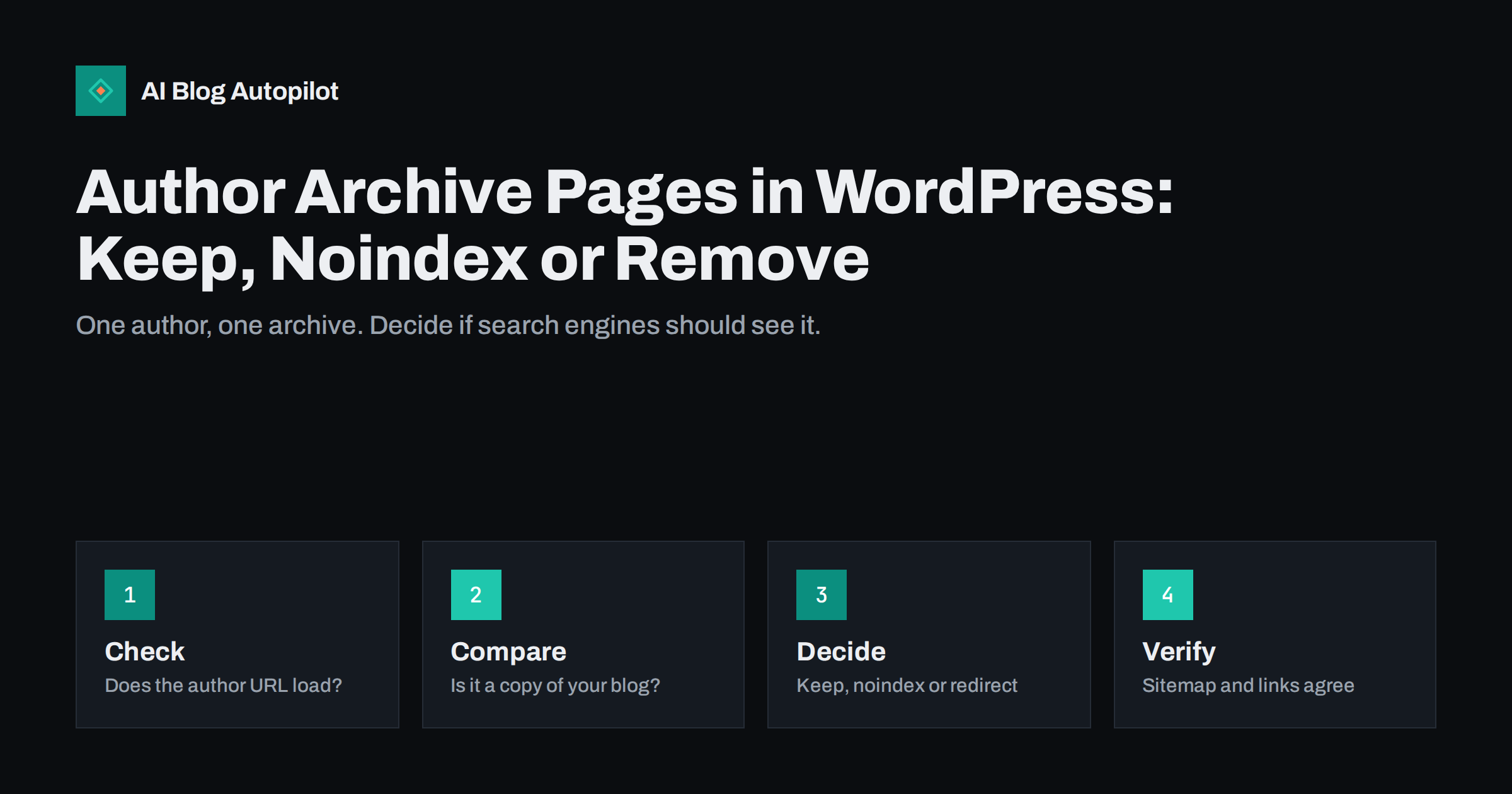
Short answer: an author archive is an automatic page that lists every post written by one author. On a blog with a single author it repeats the main blog listing, so it is usually better to keep it out of search results or send it to a sensible page. On a blog with several real authors, a well-made author page can help readers and search engines see who writes what, so keep it and improve it.
Most WordPress sites create these pages without anyone asking. The address often looks like a folder with the word author and a user name, and it appears the moment a user publishes a post. Many blog owners never see it, yet it can be crawled, indexed and linked from every byline. This article explains what the page is, when it causes trouble and how to choose the right treatment for your blog.
What an author archive is
WordPress builds several kinds of archive pages from your content: categories, tags, dates and authors. The author archive collects the posts of one user in date order, usually with the same layout as your blog index and a short title that shows the author name. The theme decides how it looks, and some themes show a biography above the list, while others show nothing but the posts.
The page exists as soon as the user has published something, and the link to it normally sits behind the author name in the byline. That means every post you publish quietly links to it. Search engines follow those links, so the page gets crawled and, unless you say otherwise, it can be indexed.
You can test your own site in a minute. Open a recent post, click the author name and see where you land. Then look at the address and the content. If you see a plain list of all your posts and nothing else, you have found the archive that this article is about.
Why it can be a problem on a single-author blog
If one person writes everything, the author archive and the blog index show nearly the same list of posts. The two pages compete for similar searches, and each one adds no new value. For a small site this is mostly a tidiness issue, but it can dilute signals and waste crawling on pages that offer nothing new. The topic is related to the duplicate problems in how to handle duplicate content.
There is also a thin content angle. A page that only repeats titles and short excerpts gives a reader little, and a large number of such pages can make a site look weaker than it is. See thin content on blogs for how to judge that.
A smaller risk concerns user names. In some setups the address of the archive shows the login name of the user, which is a detail that you may prefer not to expose. Check the address, and if it reveals a login name, change the public nicename in the user profile so that the visible part is not the same as the name used to sign in.
When an author archive is useful
With several writers, the archive becomes a real page. A reader who likes one article can follow the author to the rest of their work. A short biography, a photo, a role and links to profiles turn the page into evidence that real people stand behind the content, which supports the signals discussed in author bios and bylines and E-E-A-T for automated blogs.
It is also useful when authors are experts with their own audience, such as a doctor, an engineer or a lawyer who writes for a firm. In that case the page can rank for the person name and send trust back to the company. If you take this route, treat the page like any other important page: give it a title, an introduction and a clear list of the best posts, not only the newest ones.
Finally, keep it if readers actually use it. Look at your analytics for visits to author addresses before you remove anything. If nobody lands there and nobody clicks through, the page is not helping anyone.
A simple way to decide is to count the people. If your blog has one author, the archive has no unique content. If it has two or three authors who each write on different subjects, the archive can act as a small topic page. If it has many authors, the archive is a directory of expertise. Add to that the question of whether the authors want to be seen as individuals, since a public page puts a name and sometimes a photo in front of search engines.
Your options
You have four sensible choices, and the right one depends on your team and your goals.
- Keep and improve. Add a biography, a photo and an introduction, then let it be indexed. This suits blogs with several named authors.
- Keep but noindex. The page still works for visitors, yet search engines are asked not to list it. This is a safe default for small blogs. The details are in noindex pages on a blog.
- Redirect. Send the author address to the blog index or to an about page with a permanent redirect. This suits a single-author blog where the archive has no purpose.
- Disable. Some themes and plugins can switch the archive off entirely, so that the address returns a not found page or redirects.
Do not combine options that work against each other. A page that is blocked in the robots file cannot be read for a noindex tag, and a redirected page should not stay in the sitemap.
Take a quick look at what the archive shows before you change anything. Some themes display the full text of each post, others show only titles. If it prints full posts, the duplication is worse, because a long block of text now sits on several addresses. That alone is a good reason to noindex it. If it shows short excerpts and a biography, the page is closer to a proper profile and may deserve to stay.
How to make the change safely
Start with a list of the author addresses that exist. On a small blog that is one or two. Check which ones receive visits and which ones appear in search results, using a site search and the pages report in Search Console. Then apply the option you chose in your SEO plugin or theme settings, using the guidance in WordPress SEO plugin settings.
After the change, reload the author address in a private window and confirm what you see: a normal page, a redirect or a not found page, depending on your choice. If you chose noindex, view the page source and look for the robots tag. If you chose a redirect, confirm that it is a permanent one and that it reaches the final address in one step, as explained in 301 versus 302 redirects.
Write the decision down. A short note such as “single author, archive redirects to the blog index, decided in October” saves you from reopening the question every time a plugin updates its defaults.
One more detail concerns guest writers. If you accept guest posts, each guest may get a user account and their own archive, which makes a page for a person who wrote a single article. These pages are very thin. A common approach is to assign guest posts to a shared account with a clear name, or to hide the archives of all contributor-level users while keeping the page for the editorial team.
Sitemaps, links and bylines
A page that you hide from search should not be advertised in other places. Check that the author address is not in your sitemap, because a sitemap tells search engines which addresses you want indexed. Core WordPress can include a list of users in its own sitemap, and many SEO plugins have a switch for it. See XML sitemaps explained for how to read one.
Then look at the links. If the byline links to a page you have redirected or noindexed, you create a small loop for visitors. Many themes let you show the author name as plain text, or link it to an about page instead. Choose one approach and keep it consistent across all posts.
Finally, review structured data. Article markup can name the author and link to an author page. If that address now redirects, point the markup at the page that really represents the author, for example the about page or a profile page. Mismatched addresses are a common source of warnings in testing tools.
Finally, think about how you present people. A named byline with a link to a short, honest biography is better for readers than a generic account name that appears on every post. The best result comes from matching the page to the way you want your team to be known.
Mistakes to avoid
The first mistake is to delete user accounts to remove the archive. Deleting a user can reassign or remove posts, and it solves a problem that a setting would have fixed in a minute. Change how the page behaves, not who owns the content.
The second is to block the author path in the robots file and consider the work done. That stops crawling, but addresses that are already known can still appear in results without a description. If you want a page out of the index, allow it to be crawled and mark it noindex, as covered in robots.txt for blogs.
The third is to ignore internal links. If dozens of old posts link to an author address that now redirects, you add a needless step. Update the links where you can, or change the byline so that it links to the right place from now on.
How AI Blog Autopilot helps
AI Blog Autopilot writes full SEO articles for your WordPress blog from the topics, keywords, audience and tone you set, with FAQ sections, tags and SEO meta included, and it shares each one to your social networks. Decide how your author and archive pages should behave once, in your own site settings, and every new article will follow that decision. Approval mode lets you read each article before it goes live. See the pricing page for plans.
Related reading
The bottom line
On a single-author blog the author archive is usually a copy of the blog index, so noindex or redirect it. On a multi-author blog, turn it into a real page with a biography and the best work. Check the sitemap and the byline links afterwards.
FAQ
Do author archive pages hurt SEO?
Not by themselves. On a single-author blog they repeat the blog index and add little, so many owners noindex or redirect them.
Should I delete the author archive?
You rarely need to delete anything. Change how the page behaves with a setting, redirect or noindex tag, and keep the user account.
Can an author page help rankings?
It can help readers and trust signals when it shows a real biography and a list of the author’s best work, especially for expert writers.
Should author archives be in the sitemap?
Only if you want them indexed. If you noindex or redirect them, remove them from the sitemap.
Does the author URL reveal my login name?
It can, depending on your setup. Set a different public nicename in the user profile and check the address.