ENEnglish
 LTLietuviškai
 DEDeutsch
 FRFrançais
 RUРусский
 ESEspañol
 PLPolski
 ITItaliano
 UKУкраїнська
 CSČeština
 PTPortuguês
 JA日本語
JA日本語 LVLatviešu valoda
 ETEesti
 HUMagyar
 IDBahasa Indonesia
 TRTürkçe
 HIहिन्दी
 ELΕλληνικά
 ARالعربية
 THไทย
THไทย VITiếng Việt
 RORomână
 MSBahasa Melayu
 BNবাংলা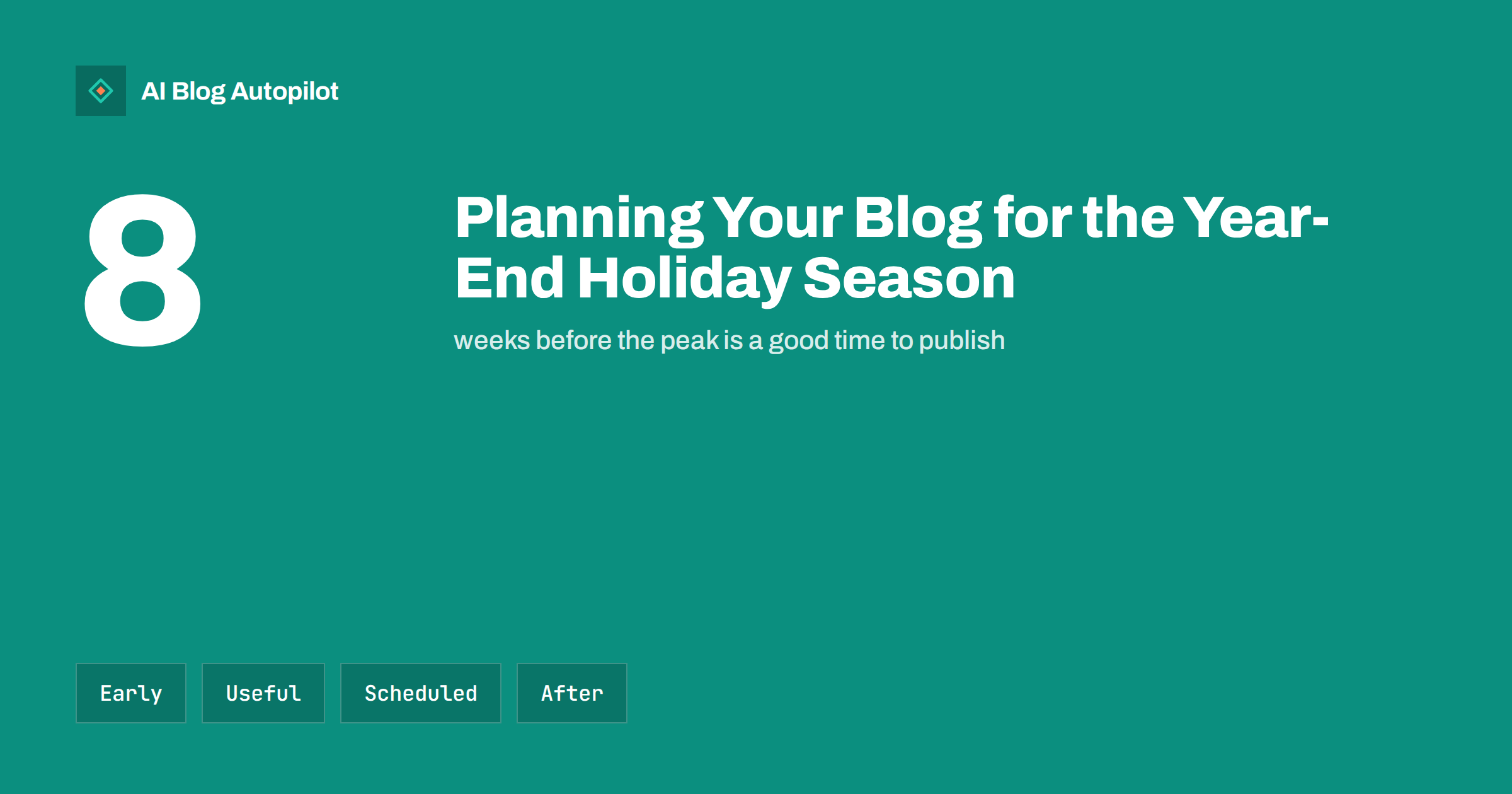
Short answer: start planning the year-end holiday content about two months before the peak. Publish gift guides, ordering deadlines and opening hours early, keep one permanent page for each so that you can update it, schedule posts for the quiet days, and prepare an after-holiday plan. Readers search weeks before they buy, and search engines need time to find new pages.
The weeks before the year-end holidays are the busiest of the year for many businesses and the most distracted for the people who run them. Shops are full, staff are stretched, customers ask the same questions again and again and the calendar fills with parties. A blog plan made in advance turns that pressure into an advantage, because the pages that answer the questions are already live and the posts for the quiet days are already scheduled.
Start earlier than feels natural
Most people begin to look for gift ideas, travel plans, party venues and delivery information well before the final weeks, and search engines need time to discover and rank new pages. If you publish a gift guide in the middle of December, you are almost certainly too late. Aim to publish the main pages six to eight weeks before the busiest date, and refresh them as the date approaches.
Make a short calendar now: the date to publish each guide, the date to update it, the date when orders must be placed to arrive in time, the days when you are closed and the date when the season ends. Our guide to seasonal content planning without the scramble describes how to build such a calendar, and the article on planning a quarter of content in one afternoon shows a fast way to do it.
Share the calendar with everyone who touches the site: whoever sets prices, whoever answers customers and whoever writes the posts. A plan that only one person knows disappears the moment that person is busy.
Build one page per question, and keep it
For each recurring seasonal question, create a single page that stays at the same address from year to year. Typical pages include gift ideas by budget or type of recipient, last order dates, delivery and returns rules over the holidays, opening hours and the events you run. Update the page each year rather than creating a new one, so that it keeps its links and history and shows a current date.
Put the short answer at the top. A customer asking “when is the last day for delivery before the holidays?” wants the date, not an introduction. Add the date of the last update and a line on what has changed since last year. If you must correct something later, do so quickly and visibly, as we describe in how to handle corrections on a blog.
Write gift guides that help, not just sell
Gift guides are among the most searched seasonal pages, and also among the most generic. A page that lists forty products with no reasons is no better than a catalogue. Choose a clear audience, such as gifts for a new gardener or for someone who has everything, give fewer items and explain why each one fits. Include the price range, a note on who would not enjoy it and how to order it.
Be honest about what you sell and what is available. If an item sells out quickly, say how to join a waiting list. If a product is new and untested, say so. Our guide to blog strategy for an online shop and the advice on writing honest articles about what things cost help you keep prices and claims accurate. Remove items that are no longer available, because nothing annoys a customer more than a gift guide full of dead ends.
Publish clear deadlines, hours and exceptions
The most valuable seasonal content is often the dullest: dates and hours. State the last day for orders, the last day for delivery, the closing days and the reopening day, in plain words and with the year. If your delivery partners have different deadlines, list them. If you have several locations, give each its own hours. Put this information at the top of the page and repeat it in your email and social posts.
Use the same details on your business profile, your site and your email footer. Our guide to reusing blog posts locally explains how to share updates there. Conflicting hours across places generate calls and bad reviews, and the cost of a mistake is highest at the busiest time. Ask a colleague to check the dates against a calendar before you publish.
Decide early which offers you will run and who approves the wording. Many businesses change their mind about discounts in the last week, and the pages then contradict the emails and the shop window. Keep one source of truth, such as a short internal document with the dates, the terms and the exclusions, and write every page and message from it. When something changes, update the document first and then the pages.
Handle sales and offers carefully
Year-end sales bring pages that expire. Create offer pages with an end date, state the terms clearly and decide in advance what happens when the offer ends. Do not delete the page if it has earned links. Replace the offer with a note that it has ended and a link to current alternatives. Our article on old event, offer and deadline posts explains the options.
Take care with claims. Price comparisons, “lowest ever” statements and countdown timers are regulated in many countries, and false urgency damages trust. Use real dates, show the previous price only when it is genuine, and let a colleague check the wording. If you run a giveaway, publish clear rules and follow the local law.
Think too about the staff who answer questions during the break. Give them a short list of the pages that answer the most common questions, such as delivery dates, returns and opening hours, so they can send a link instead of writing a reply. A clear internal list saves time and keeps the answers consistent, and it shows you which pages need to be better when the same question arrives a tenth time.
Prepare the quiet days in advance
The holidays are a time when staff are away and readers are distracted, but search and social activity continue. Write the posts for the quiet days before the rush and schedule them, so that the blog does not go silent just when many people have time to read. Evergreen guides, summaries and gentle reflections suit this period better than urgent news.
Check scheduling carefully. Time zones, daylight saving changes and server settings can shift publication times, and a missed schedule is harder to notice when the office is closed. Our guide to scheduling posts in WordPress lists the checks, and it is worth testing a few days ahead and confirming that someone will look at the site while you are away.
Consider the readers who will not buy at all. Many of them still visit, and a warm note of thanks, a short practical guide such as how to cope with a busy week or a plain statement of when you will reply helps them remember you kindly. These small acts rarely appear in a sales report, but they shape the impression people carry into the new year.
Use email and social channels with restraint
Readers receive far more messages than usual at this time of year, so a short, useful note beats a long promotional one. Send your key dates early, a reminder close to each deadline and one final message, and avoid daily blasts. Pull the content from your blog pages so that you write once and use it twice. Our guide to building a newsletter from your blog posts shows how.
On social networks, reshare your best older pages if they are still correct, as described in resharing old blog posts without spamming. Vary the wording, keep a respectful tone, and remember that some readers find the season difficult. Avoid pressure and avoid jokes that might offend. A kind, practical message is rarely wrong.
Decide, too, what to do with seasonal pages once the season is over. Pages that will return next year, such as delivery deadlines, can be kept with a note that they will be updated in the autumn. Pages that will never be useful again can be redirected to the closest current page. Making these choices in a calm moment is better than leaving expired deadlines live for months.
Plan the weeks after the holidays
The first weeks of the new year are a good time for returns information, gift-card guides, planning and resolutions, as well as for your yearly summary. Prepare these pages before the break, and decide when to remove or update the seasonal content. Our guide to annual round-ups explains when a look back is worth writing.
Use the quieter period to record what you learned. Which pages were read, which questions arrived by phone, which dates caused confusion and which posts brought customers. Write a short note while the memory is fresh, and put the first dates for next year in the calendar. It takes an hour, and it makes the next season easier.
How AI Blog Autopilot helps
AI Blog Autopilot writes full SEO articles for your WordPress blog from the topics, keywords, audience and tone you set, with FAQ sections, tags and SEO meta included, and it shares each one to your social networks. That keeps the blog active through the busiest and quietest weeks while you look after customers. Approval mode lets you read each article first, which matters for dates, prices and delivery rules. See the pricing page for plans.
Related reading
- Planning Seasonal Content Without Scrambling Every Year
- Planning a Quarter of Content in One Afternoon
- Scheduling Posts in WordPress: Time Zones and Missed Schedules
- Resharing Old Blog Posts on Social Media Without Spamming
The bottom line
Plan the holiday blog about two months ahead. Publish deadline, hours and gift pages early, keep one permanent page per question, state claims honestly, schedule the quiet days, use email and social restraint and write down what you learned for next year.
FAQ
When should I publish holiday gift guides?
About six to eight weeks before the busiest date, and update them as the date approaches. Search engines need time to find new pages.
Should I create a new page for each year?
Usually no. Keep one address, update the content and show the new date, so the page keeps its links and history.
What happens to offer pages after the sale?
Keep pages that earned links, mark the offer as ended and point to current alternatives instead of deleting them.
How do I keep the blog active while I am away?
Write evergreen posts in advance, schedule them, test the schedule beforehand and have someone check the site.
How often should I email readers in the busy season?
Send key dates early, one reminder near each deadline and one final note. Avoid daily messages, since inboxes are already full.