ENEnglish
 LTLietuviškai
 DEDeutsch
 FRFrançais
 RUРусский
 ESEspañol
 PLPolski
 ITItaliano
 UKУкраїнська
 CSČeština
 PTPortuguês
 JA日本語
 LVLatviešu valoda
 ETEesti
 HUMagyar
 IDBahasa Indonesia
 TRTürkçe
 HIहिन्दी
 ELΕλληνικά
 ARالعربية
 THไทย
 VITiếng Việt
 RORomână
 MSBahasa Melayu
 BNবাংলা
Short answer: A general AI chat assistant is good at drafting text when you ask for it, but you still plan the topics, write each prompt, check the result, format the post, publish it and share it. AI Blog Autopilot covers those steps: it plans the month, writes 2,000 to 3,000-word articles, runs a quality check, publishes to your site and shares each article to your networks.
Many people start blogging with a chat assistant, and it works for a while. The first article feels like magic. By the fifth, the real work shows: finding the topic, rewriting the prompt, pasting into WordPress, adding tags, finding an image and writing social posts. The writing was only one part of the job.
This article compares the two approaches fairly. A chat assistant is a flexible tool, and Autopilot is a workflow built around one task. The product facts come from the home page and pricing page. The comparison is about process and time, and it does not name or rank any particular assistant.
What a chat assistant does well
A general assistant is flexible. You can ask it to explain a term, outline a post, rewrite a paragraph, suggest headlines or translate a sentence. You can steer it in a conversation and change direction at any point. For one-off writing tasks, and for people who enjoy shaping a draft, that freedom is valuable.
It also costs little to try, and it needs no setup. If you write a few posts a year, or you want help with a single difficult paragraph, a chat window may be all you need. There is no shame in that. The question is what happens when a blog needs to publish every week for a year.
The weakness is not the quality of a single answer. It is that every answer starts from a blank page. The assistant does not know your month, your published articles, your schedule or your networks, unless you paste that context in each time.
The steps around the writing
List what a published article needs. A topic that fits a real search query. A title and a meta description. Headings and an FAQ. Tags. A check that the text is long enough and well structured. Publication on your website at a chosen time. A separate post for each social network. A record of what was done.
With a chat assistant, you do each of those steps, or you write a prompt for each one and review the answer. Over a month of eight articles and five networks, that is dozens of small tasks, and each one is an opportunity to forget something or to make a mistake when copying text between windows.
Autopilot is built to carry those steps. The home page describes titles, descriptions, tags and FAQ done for you, an automatic quality check before anything goes live, publication at your chosen hour and each network posted with its own text and timing.
Planning a month, not a post
A blog is a series, not a single post. It needs topics that fit together, a rhythm and a balance between main and side subjects. With a chat assistant, that plan lives in your head or in a spreadsheet, and you maintain it by hand.
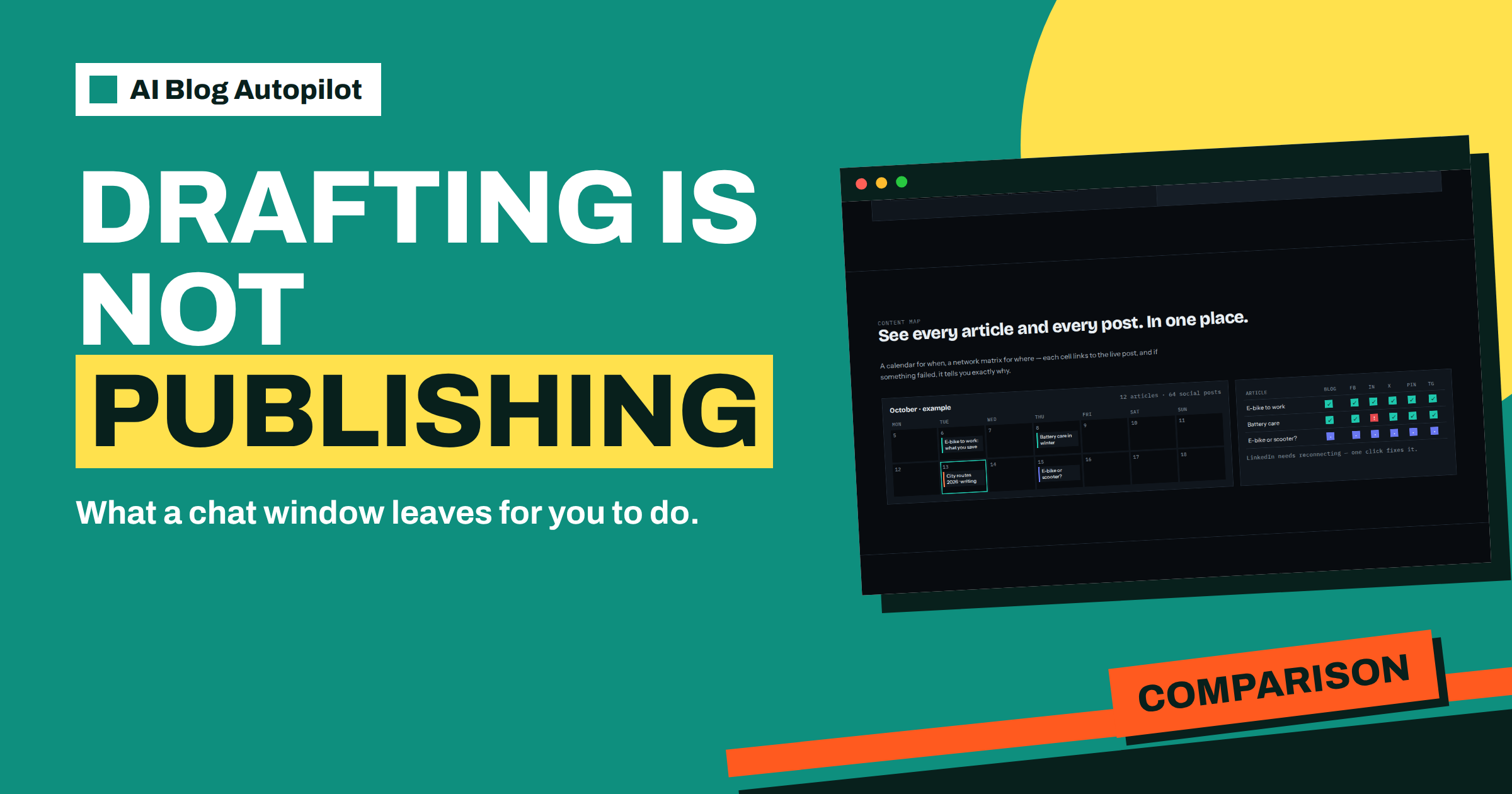
In Autopilot, you give topics with weight, keywords, audience and tone, and it plans the month from there. The content map shows a calendar for when and a network matrix for where, so you can see what is planned, written and published. The article on how to read the content map explains the view.
A planned series also avoids repeating yourself. When you prompt an assistant one post at a time, it is easy to ask for the same angle twice. A tool that holds the whole plan can spread topics across the month.
Quality checks and held articles
A chat assistant gives you text and leaves the judgement to you. That is reasonable when you read every word. It becomes a burden when the volume grows, because a tired reviewer misses things.
The home page describes a quality gate that checks length, structure, keyword and meta automatically, and says weak articles wait for you instead of going live. That is a different kind of safety: a fixed test applied to each article before publication, not a reader’s mood on a busy day.
It is also worth knowing what the check does not do. It does not confirm that your facts are right. The writer is instructed never to make up statistics, quotes or sources, but your prices, dates and promises still come from you. The article on the quality gate explains what is checked.
Publishing and sharing without copy and paste
The most tedious part of using a chat assistant is moving text. You copy the draft into your website, fix the formatting, add the tags and press publish. Then you open each social network and write a post. If you have five networks, that is five more drafts, each with a different length and tone.
Autopilot connects to WordPress with an application password or a one-click approval, and it can publish through a webhook or API too. After the article goes live, each connected network gets its own text at its own time. The home page gives an example in which the blog goes live at 9:00, LinkedIn follows after 30 minutes and Facebook after two hours.
That timing is part of the plan, not a favour you do yourself. The article on AUTO timing across networks explains how it works.
There is also the matter of consistency. A series of posts written in separate chat sessions can drift in tone, structure and length, because each session starts fresh. A tool that applies the same topic settings, tone and checks to every article gives the blog one voice. Readers notice that, even if they cannot say why.
Finally, think about handover. If you are away, ill or busy with a client, a workflow that runs on its own keeps the blog alive. A chat-based process stops the moment the person who writes the prompts stops.
Time and cost compared
Count the time honestly. For each article, a chat-assisted workflow might need time for the topic, the prompts, the reading and editing, the formatting, the images, the publication and the social posts. Even if each step is quick, the total is rarely small, and it repeats every week.
Autopilot lists plans from 15 euros a month for the Social plan and 19 euros for Starter, which lists 8 articles. The first three articles are free. Plans are priced per month in euros, VAT is added at checkout and credits do not roll over. A chat assistant has its own subscription cost, which you should add to the value of your own hours.
The fair comparison is cost per published article, including your time. The article on choosing an Autopilot plan shows how to count it.
A last practical point concerns records. When articles come from a chat window, the history lives in separate conversations that are hard to search. When a workflow tool runs the blog, the content map keeps one list of what was written, published and shared, and a failed post shows the reason. That record is useful when a manager or client asks what went out last month, and it saves the hunt through old chats.
When a chat assistant is the better choice
There are cases where a general assistant is simply better. If you write rarely, enjoy the craft or need help with many different tasks, it is flexible and cheap. If a post needs a very personal voice, a single story or an unusual structure, you may want to drive the draft yourself.
Some businesses use both. They let Autopilot carry the regular blog and social schedule, and they use a chat assistant for special pieces, such as a founder letter or a launch announcement. That is a sensible split: automation for the steady rhythm, hands-on work for the moments that matter.
Choose by the job. If the job is a steady blog that publishes and shares itself, a workflow tool fits. If the job is occasional drafting help, a chat window fits.
Some teams also find that the two tools suit different people. The founder who loves writing keeps a chat assistant for personal pieces, while the marketing assistant who needs steady output relies on the workflow. Choosing by role, not by loyalty to a tool, avoids arguments and gets more published.
How to test the difference yourself
Run a short test. Pick one topic and write it with your usual chat workflow, noting how many minutes each step takes, from the first prompt to the last social post. Then create a free account on Autopilot, describe the same topic and let it produce one of your three free articles.
Compare the two on four measures: time spent by you, how complete the result is, how much you had to fix and how easy it is to repeat next week. Keep the test honest by reading both results with the same checklist.
After that, the decision is yours. The article on your first three free articles shows what to prepare so that the test is fair.
How AI Blog Autopilot helps
Autopilot turns a description of your business into planned, checked, published and shared articles. Try it with three free articles on AI Blog Autopilot, no card needed, and compare the plans on the pricing page.
Related reading
- Choosing an AI Blog Creator: Twelve Questions to Ask
- AI Blog Writer vs Hiring a Writer: Cost, Quality and Speed Compared
- A Week With AI Blog Autopilot: What Happens and When
The bottom line
A chat assistant drafts, and Autopilot runs the workflow: planning, writing, checking, publishing and sharing. Compare them on time per published article, and test with the three free articles before you decide.
FAQ
Can a general AI chat assistant write a blog post?
Yes, it can draft text on request. You still plan topics, check the result, publish it and write the social posts yourself.
What does Autopilot add beyond writing?
It plans the month, runs a quality check, publishes to your site and shares each article to your networks with a separate text and time for each.
Do I still need to check the facts?
Yes. The writer is instructed not to invent statistics, quotes or sources, but your prices, dates and promises must come from you.
Can I use both together?
Yes. Many businesses let Autopilot run the regular blog and use a chat assistant for special pieces.
How can I compare them fairly?
Time one topic through both workflows, from first prompt to last social post, and use the same checklist on both results.