ENEnglish
 LTLietuviškai
 DEDeutsch
 FRFrançais
 RUРусский
 ESEspañol
 PLPolski
 ITItaliano
 UKУкраїнська
 CSČeština
 PTPortuguês
 JA日本語
JA日本語 LVLatviešu valoda
 ETEesti
 HUMagyar
 IDBahasa Indonesia
 TRTürkçe
 HIहिन्दी
 ELΕλληνικά
 ARالعربية
 THไทย
THไทย VITiếng Việt
 RORomână
 MSBahasa Melayu
 BNবাংলা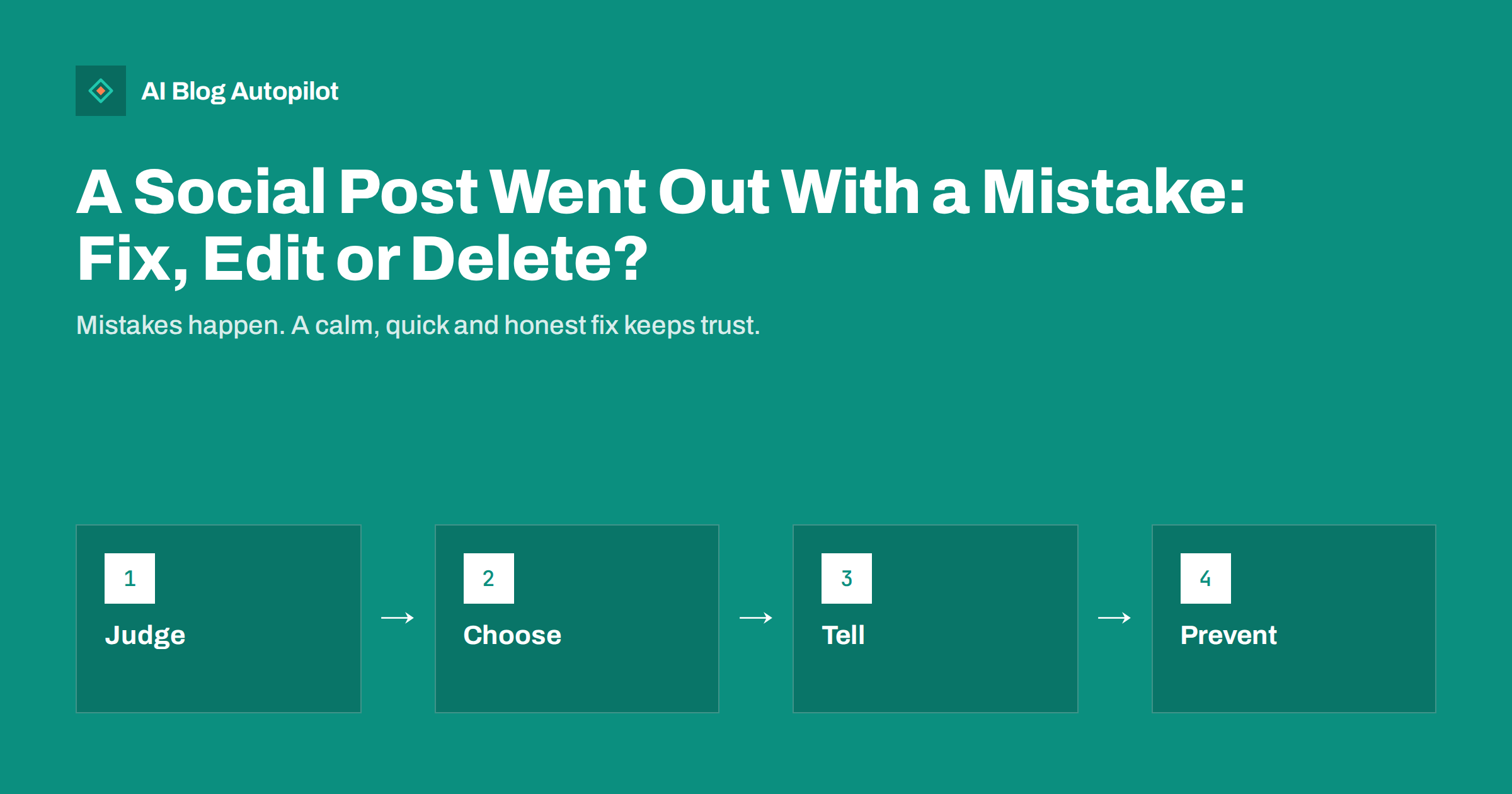
Short answer: first judge how serious the mistake is. A small typo can often be edited or ignored. A wrong link, a wrong price or a wrong fact should be fixed quickly, and if the network does not allow editing, delete the post and publish a corrected one. If people have already seen and shared the error, add a short, plain correction instead of removing it silently.
Anyone who posts often will eventually publish something with a mistake in it. It may be a missing letter, a link to the wrong page, an image from the wrong campaign or a date that is a week out. When posts are scheduled in advance, the error can sit live for hours before anyone notices. This article gives a calm way to decide what to do, with a short routine you can follow without panic.
Judge the damage first
Before you touch anything, spend one minute on three questions. How wrong is it? Who could be harmed or misled? How many people have already seen it? A misspelled word in a casual post is a small matter. A wrong opening time, price or legal statement can cost money or trust, and a link to a broken page wastes the attention of everyone who clicks it.
Look at the numbers on the post. If it has just gone live and has almost no views, a quiet fix is enough. If it has been shared, quoted or commented on, others now hold a copy of the mistake, and a visible correction is more honest than a disappearing act. Also check whether the same error appears in other places, such as your blog, an email or an advert.
Decide who is allowed to make the call. In a small team it is useful to name one person who can edit or delete posts without waiting for approval, so that nobody loses an hour asking permission for a typo.
Pay attention to timing as well. A fix made within minutes reaches almost everyone who would have seen the error, while a fix made a day later reaches only the few who return. If you cannot act at once, at least put a note in your team channel so that someone knows the post is wrong and that a correction is planned. A known problem that is waiting for a fix is much better than one that nobody has noticed.
Can you edit the post?
Networks differ a lot. Some let you edit the text of a published post, some limit editing to a short window or to certain account types, and many never let you replace the image or the link preview after publishing. Rules also change from time to time, so check the current options in the app you use instead of relying on memory.
Editing is the best choice when the mistake is in the words and the network supports it. It keeps the post, its comments and its reach. Some networks show a small mark or history that the post was edited, which is fine. Do not try to hide an edit that changes the meaning of the post, because readers who saw the first version may notice.
When the mistake is in the image or the link, editing is often not possible. In that case you have to choose between leaving a comment with the right link and replacing the whole post. For a link that goes to the wrong place, replacing is usually better, because the post will keep sending people to the wrong page.
Consider also the algorithm and the audience. A reposted item can reach fewer people than the original did, because the new post starts without any early reactions. Do not chase reach by posting the same fix several times. One clean correction, placed where people will see it, is enough.
When to delete and repost
Delete when the post is wrong in a way that matters and cannot be edited. Examples are a wrong price, a promotion that is not valid, a private detail that should not be public, an image that does not match the text or a link that leads to the wrong place. Publish the corrected version right away, so there is little gap.
Think about what you lose. Deleting removes the comments, reactions and shares, and it breaks any quotes that point to the original. If the post has already earned conversation, a pinned comment or a short reply with the fix may serve readers better than a deletion. If the mistake is embarrassing but harmless, a fast delete and repost is often the cleanest way.
When you repost, do not simply copy the old text. Check every detail again, read the link out loud and open it in a private window. Rushed repairs are a common source of a second mistake.
Keep a record of corrections for your own use. A simple log with the date, the network, what was wrong and how you fixed it helps new team members learn from earlier cases. It also gives you evidence if a customer or partner later asks what happened.
How to correct in public
If the error could have misled people, say so plainly. A short note such as “Correction: the event starts at 7 pm, not 6 pm. Sorry for the mix-up.” is enough. Place it where the audience will see it: as a reply under the post, as a new post or as an edit with a clear note. Avoid long explanations, jokes about the error and blame.
The same tone applies to your blog. Our guide to handling corrections describes how to mark changes in an article so that readers can trust it. A consistent approach across your channels shows that you take accuracy seriously.
If the mistake touches a customer, such as a wrong discount that someone has already used, deal with that person directly and kindly, and decide in advance how far you will honour the offer. Do this with the people responsible for those decisions, not on the spur of the moment in a comment thread.
Remember that a wrong preview can also come from the page itself. If the title or image on the page was wrong when the link was first shared, each network may keep showing the old data for some time. Fix the source, refresh the preview in each network’s own debugging tool where one exists and only then decide whether a new post is needed.
Fixing link previews and images
A frequent problem is a post that shows an old picture or an outdated title in the link preview. This often happens because the network stored a copy when the link was first seen. After you fix the page, you may need to ask the network to refresh its copy. Our article on link previews that do not update explains the usual steps.
If the preview shows the wrong image because the page tags were wrong, fix the tags on the page first, then refresh, then post again if needed. Posting again before you fix the page repeats the mistake. For the technical side, see Open Graph tags for blogs.
Alt text can also be wrong or missing. That is a smaller mistake, but worth correcting where the network lets you edit it, and it helps readers who use assistive tools, as described in accessible social posts.
Scheduled posts and automatic sharing
Mistakes in scheduled and automatic posts have a special risk: they can repeat. If a tool shares each new article to several networks, one wrong title or excerpt can appear in all of them. The first step is to stop further sharing of the faulty item, then correct the source, and then fix each network one by one. Make a list of where the post went, so that you do not miss one.
Keep your queue visible. A quick weekly look at what is scheduled for the next few days catches many errors before they go live. Read more about the failures that automation tends to cause in automated social posting mistakes.
Approval steps help most for new content types and for sensitive topics. If your tool offers a review step before posting, use it for posts that carry prices, dates, legal statements or anything about people.
A short prevention routine
You will never remove every mistake, but a small habit prevents most of them. Before a post goes out, check four things: the text, the link, the image and the date or price. Open the link on a phone. Read the text once aloud or in a different font size. Ask someone else to look at anything that carries a number.
After an error, add one check that would have caught it. If a wrong link slipped through, add a link test. If the wrong image was attached, add a look at the preview. Do not add ten rules at once. One small, real change that you actually follow is worth more than a long checklist that nobody reads. The same idea is used in the pre-publication checklist for blog posts.
Finally, keep a short note of what happened. A line in a shared document with the date, the mistake and the fix helps you notice patterns, such as the same person, tool or step involved every time.
How AI Blog Autopilot helps
AI Blog Autopilot writes full SEO articles for your WordPress blog from the topics, keywords, audience and tone you set, with FAQ sections, tags and SEO meta included, and it shares each one to your social networks. Approval mode lets you read each article before it is published and shared, which gives you a moment to catch a wrong detail before it reaches your audience. See the pricing page for plans.
Related reading
The bottom line
Judge the damage, edit when you can, delete and repost when you must and correct in public when people may have been misled. Then add one check that would have caught the mistake.
الأسئلة الشائعة
Should I delete a post with a typo?
Usually not. Edit it if the network allows, or leave it if the typo is harmless. Deleting removes comments and reach for a small gain.
What if the link in my post is wrong?
Replace the post if you cannot edit the link, because every click goes to the wrong place. Test the new link before posting.
Do I need to announce a correction?
Yes when the error could mislead people, such as a wrong date, price or fact. A short, plain note is enough.
Can I fix a wrong image in a published post?
Often not. Many networks do not allow replacing an image, so delete and repost if the image matters.
How do I stop the same error from repeating?
Add one specific check that would have caught it, such as testing the link or viewing the preview before posting.