ENEnglish
 LTLietuviškai
 DEDeutsch
 FRFrançais
 RUРусский
 ESEspañol
 PLPolski
 ITItaliano
 UKУкраїнська
 CSČeština
 PTPortuguês
 JA日本語
JA日本語 LVLatviešu valoda
 ETEesti
 HUMagyar
 IDBahasa Indonesia
 TRTürkçe
 HIहिन्दी
 ELΕλληνικά
 ARالعربية
 THไทย
THไทย VITiếng Việt
 RORomână
 MSBahasa Melayu
 BNবাংলা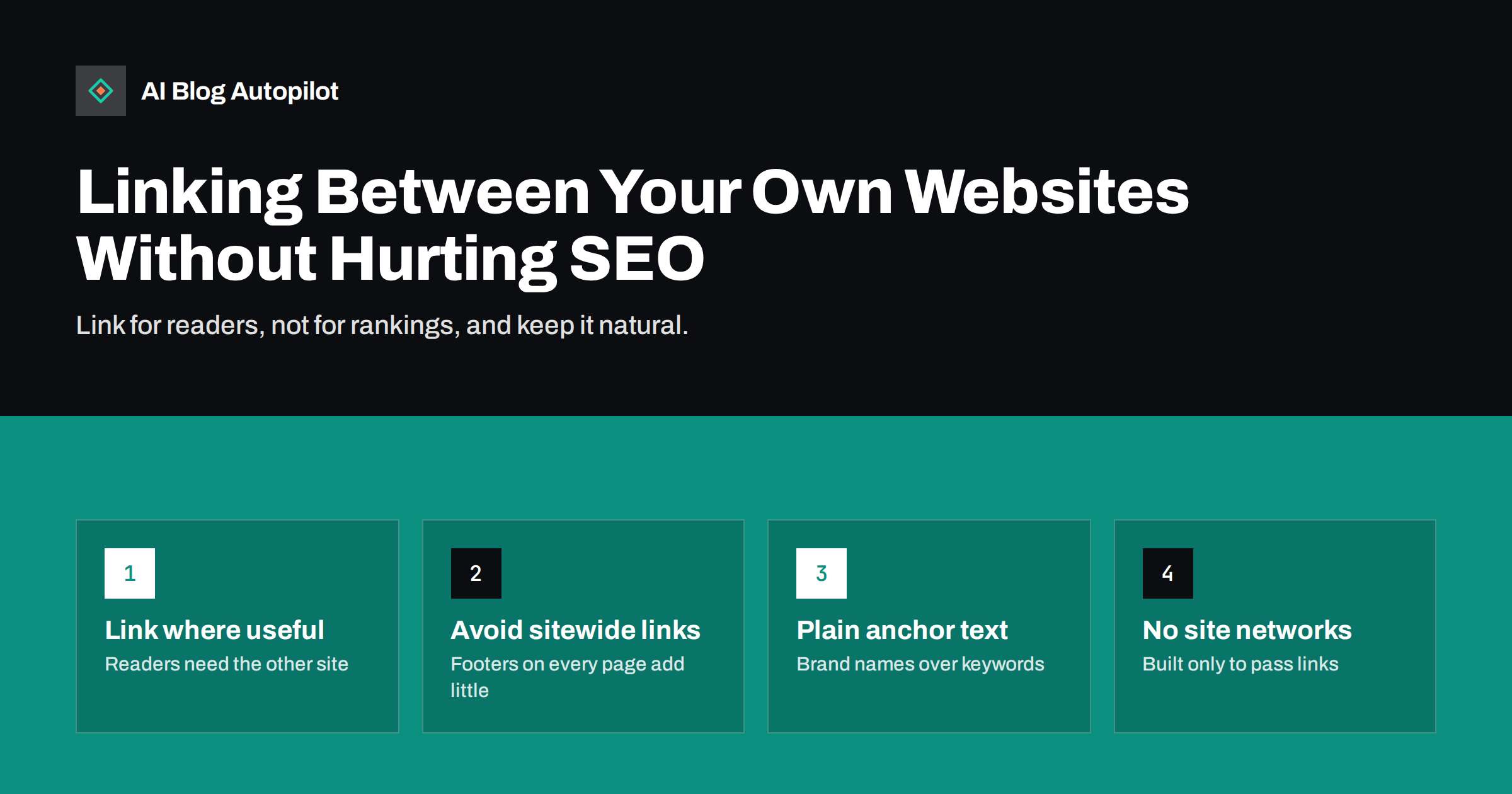
Short answer: linking between websites you own is normal and safe when the links help readers, such as a company site linking to its separate shop, blog or sister brand. It becomes a problem when sites are created or used mainly to pass ranking signals to each other, for example networks of similar blogs that all link to one money site with keyword-rich anchors. Link where a reader would genuinely want to go, use natural anchor text, and avoid building sites just to link.
Many businesses end up with more than one website. A company may run a main site, a separate online shop, a blog on its own domain, a site for each country, or several brands under one owner. Agencies and freelancers often run several projects of their own. Sooner or later the question comes up: should these sites link to each other, and could that harm their search visibility? The answer depends far less on the fact that you own both sites than on why and how the links exist.
Why owners link their sites together
There are many legitimate reasons to link between your own websites:
- Navigation between parts of one business. A company site links to its shop, help centre or careers site on another domain.
- Related brands. A group of businesses mentions its sister companies, often in an “our brands” or “about the group” section.
- Country or language versions. Separate domains for different markets link to each other so visitors can switch.
- Content that lives elsewhere. A blog article references a detailed guide or tool hosted on another of your sites.
- Credit and transparency. A product site states which company built it and links to that company.
All of these help visitors find what they need, and search engines see links like these on millions of sites every day. The risk lies in a different motive: linking primarily to influence rankings.
What search engines consider a problem
Google’s spam policies describe link spam as links intended mainly to manipulate rankings in search results. Among the examples are excessive link exchanges, large-scale article campaigns with keyword-rich anchors, and building or using networks of sites to create links. Ownership does not make such patterns acceptable; in fact, networks of sites under common control are one of the classic forms of link manipulation.
Patterns that tend to look manipulative include:
- A group of thin, similar sites whose main purpose seems to be linking to one commercial site.
- Every site in a portfolio linking to every other site from every page, regardless of topic.
- Exact-match keyword anchors such as “cheap running shoes online” pointing between sites, rather than brand names or descriptive phrases.
- Links inserted into old articles purely to point at a new project, with no connection to the text.
- Expired domains bought and filled with content mainly to redirect or link their old authority to another site.
In practice, search engines often simply discount links they consider unnatural, so they pass little or no value. In clear cases of large-scale manipulation, sites can also face manual actions.
Sitewide footer and sidebar links
The most common cross-site link is a footer or sidebar link on every page: “Made by”, “Part of the X group” or a row of logos for sister brands. These are generally fine as navigation and attribution, but you should understand what they are and are not.
- They pass limited value. One link repeated on thousands of pages is not thousands of votes. Search engines are well aware of sitewide templates.
- Anchor text matters. A brand name or “Built by Company Name” is natural. A keyword-stuffed footer link is a common signal of paid or manipulative linking.
- Relevance matters. Linking a dental clinic site to a sister dental supplies shop makes sense to visitors. Linking it to an unrelated casino review site does not.
If a sitewide link exists mainly for credit, such as a web agency link in a client’s footer, adding rel="nofollow" is a reasonable, cautious choice. If it is genuine navigation for visitors between parts of one business, a normal link is fine.
Contextual links between your sites
Links inside the body of an article carry more meaning than template links, because they are tied to specific content. They are also where the line between helpful and manipulative is easiest to see.
A helpful contextual link passes a simple test: would you include it if you did not own the other site? If your blog post explains how to calculate shipping costs and your separate shop has a detailed shipping calculator, linking to it helps the reader. If the post is about something unrelated and the link is added only because the shop needs links, it does not.
Some practical rules for contextual links between your own sites:
- Link only when the target page adds something the reader needs at that point.
- Use descriptive anchor text that reads naturally in the sentence, not a repeated keyword.
- Do not link to the same target from every article; let relevance decide.
- Prefer linking to the most specific relevant page, not always the homepage.
- Keep the ratio sensible. If most of a site’s outbound links point to one sister site, it can look like a feeder.
Several sites or one site?
Before worrying about links, it is worth asking whether you need several sites at all. A separate site makes sense when it serves a different audience, brand or market, or has a different business model. It is often a weaker choice when the goal is simply “more sites to rank”.
| Situation | Usually better choice | Why |
|---|---|---|
| Blog for your own business | Same domain, in a subfolder | Content and links strengthen one site |
| Distinct brand or product line | Separate site | Different audience and identity |
| Different country markets | Depends on business; separate domains or language folders both work | Use hreflang and clear switching |
| Extra sites to link to the main site | Do not build them | Looks like a link network, adds maintenance |
Every extra site has to earn its own visitors, links and trust. Concentrating effort on fewer, stronger sites is usually more effective than spreading it thin across many.
A useful sanity check is to imagine one of your sites without any links from your other sites. Would it still have a reason to exist, an audience and content worth finding? If the honest answer is no, the site is probably better merged into a stronger one than kept alive with internal portfolio links.
Practical rules for owners of several sites
- Write each site for its own audience. Each should have a clear purpose and original content.
- Link for navigation and context. An “our other brands” page, a clear footer credit and relevant contextual links are enough.
- Use brand anchors. Brand names and descriptive phrases are natural; repeated commercial keywords are not.
- Do not interlink everything. A full mesh of links between all your sites on all pages adds nothing for readers.
- Do not duplicate content across sites. If two sites need the same text, pick one primary version and use a canonical link or rewrite it for the second audience.
- Keep technical identity honest. There is no need to hide ownership by using different hosts or registrars. Building sites to look independent when they are not is exactly the kind of pattern link-spam policies target.
- Review links when sites change. When a project closes or changes topic, update or remove links that no longer help visitors.
What to do if your sites are already heavily interlinked
If you inherited a portfolio with aggressive cross-linking, clean it up gradually and in this order:
- Remove keyword-stuffed footer and sidebar links, or replace them with simple brand links.
- Remove contextual links that have no connection to the surrounding text.
- Merge thin sites that exist mainly to link, redirecting their useful pages to the most relevant pages on the main site.
- Check Search Console’s manual actions report for each site. If there is no manual action, cleanup is mostly about quality and future safety, not an emergency.
Do not disavow links from your own sites as a first step. It is simpler and clearer to change the links themselves, because you control both ends.
After the cleanup, keep a short record of which sites link to which and why. When someone on the team later proposes adding a link from one project to another, the record makes it easy to check whether the new link fits the same visitor-first logic.
How AI Blog Autopilot helps
AI Blog Autopilot can publish to more than one website from one account, depending on the plan: it writes and publishes SEO articles to connected WordPress blogs and shares them to your social networks. You describe the topics, keywords, audience and tone, so each blog can build its own original content rather than copies of another. Plan details are on the pricing page.
Related reading
- Running Several Blogs From One Place
- Subdomain or Subfolder: Where Should Your Blog Live?
- Earning Backlinks Honestly: What Works for a Small Site
- Nofollow, Sponsored and UGC Links: Which to Use When
The bottom line
Owning several websites does not make linking between them risky. Links that help visitors move between parts of a business, related brands or relevant content are normal. Links that exist mainly to pass ranking signals, especially from thin sites built for that purpose and with keyword anchors, are treated as link spam and usually ignored at best. Link for readers, use brand and descriptive anchors, and invest in fewer, stronger sites.
الأسئلة الشائعة
Is it bad for SEO to link between websites I own?
No, not in itself. Links between your own sites are fine when they help visitors, such as linking a company site to its shop or a sister brand. Problems arise when sites are created or interlinked mainly to influence rankings.
Should footer links between my sites be nofollow?
For pure attribution links, such as a credit to the company that built the site, nofollow is a reasonable cautious choice. For genuine navigation between parts of one business, normal links are fine. In both cases, use brand names rather than keywords as anchor text.
Can Google tell that several sites have the same owner?
Search engines can often recognise related sites through shared branding, content, linking patterns and other signals. You should not try to hide ownership. Build each site to be useful on its own and link between them openly and naturally.
Is a private blog network the same as linking my own sites?
No. A private blog network is a set of sites built or acquired mainly to pass links to other sites, often disguised as independent. That is a link scheme under search engine spam policies. Linking genuine, distinct websites you own for visitors is different.
Should I merge my small sites into one?
Often, yes, if they target the same audience and exist mainly to support one main site. Merging concentrates content and links in one place and reduces maintenance. Keep separate sites only where the brand, audience or market is genuinely different.