 ENEnglish
 LTLietuviškai
 DEDeutsch
 FRFrançais
 RUРусский
 ESEspañol
 PLPolski
 ITItaliano
 UKУкраїнська
 CSČeština
 PTPortuguês
 JA日本語
JA日本語 LVLatviešu valoda
 ETEesti
 HUMagyar
 IDBahasa Indonesia
 TRTürkçe
 HIहिन्दी
 ELΕλληνικά
 ARالعربية
 THไทย
THไทย VITiếng Việt
 RORomână
 MSBahasa Melayu
 BNবাংলা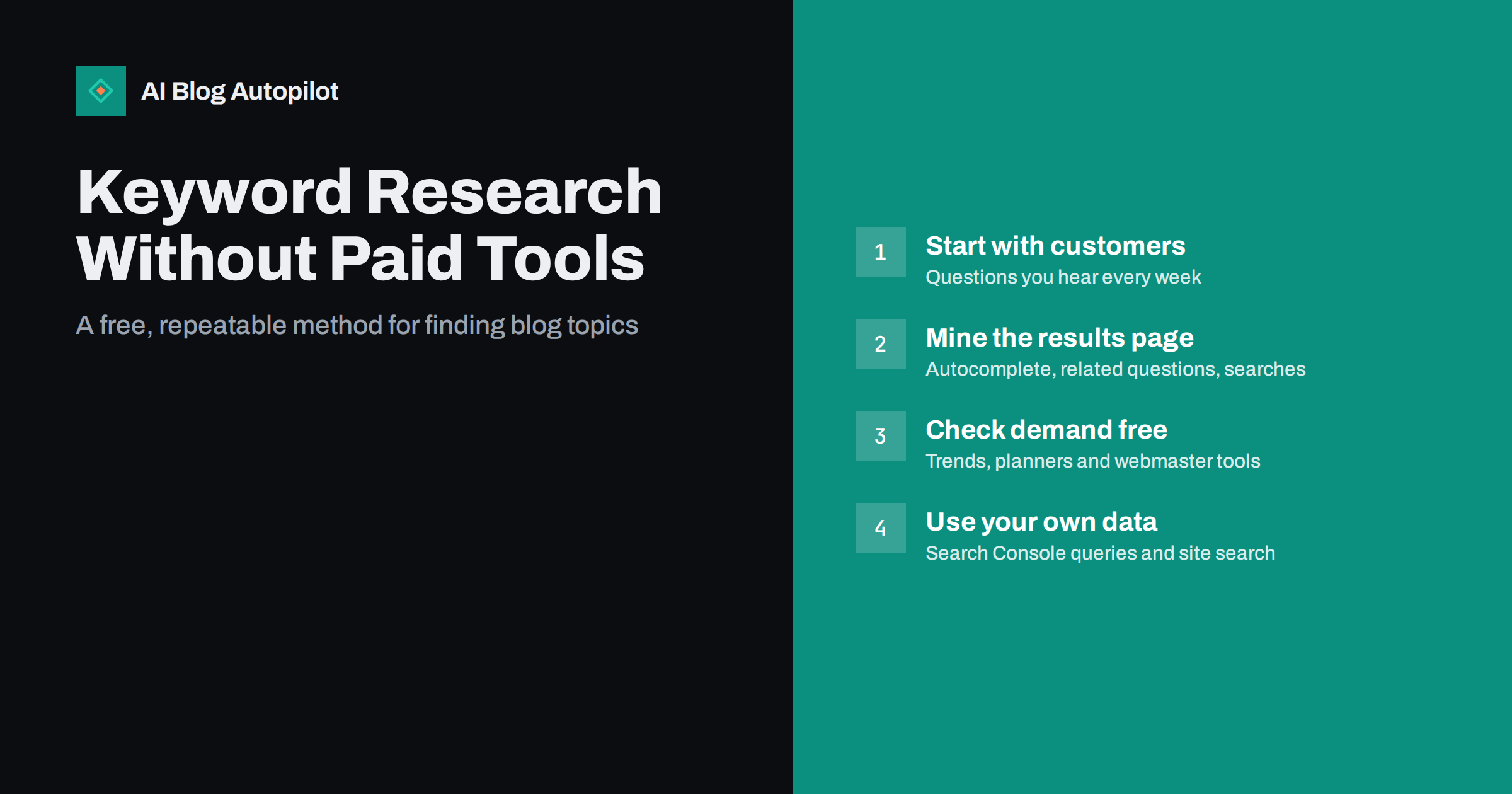
Short answer: you can do solid keyword research for a blog with free sources. Start from the questions your customers actually ask, expand them using search autocomplete, related questions and related searches on the results page, check relative demand and seasonality with free trend and planning tools, and, once the site has traffic, use Search Console to see the real queries you appear for. Paid tools add convenience and competitor data, but most small blogs can choose good topics without them.
Paid SEO suites are useful, and they are also expensive for a small business or a new blog that is not yet earning anything from its content. The good news is that the most valuable information for choosing topics is free: what people type, what search engines show, and what your own customers ask.
This article sets out a practical method that uses only free sources. It takes a little more manual work than pressing a button in a paid tool, and in return it tends to produce topics that are closer to your business.
What keyword research actually needs to answer
Before collecting phrases, it helps to be clear about the questions you are trying to answer. For a blog, keyword research exists to decide:
- Which topics to write about, based on what your audience searches for and what your business can credibly explain.
- How to phrase them, so titles and headings match the language people use.
- What each article must cover, including the follow-up questions searchers have.
- Which topics to do first, weighing relevance, likely demand and competition.
Paid tools mainly speed up the second and fourth points with large databases of estimated volumes and difficulty scores. The first and third points depend far more on understanding your audience, and no database replaces that.
Step one: start from your business, not a tool
The best seed list comes from sources you already have.
- Sales and support questions. Write down every question customers ask before buying, while using the product or service, and when something goes wrong. Recurring questions are searched by other people too.
- Objections and doubts. Price, risk, comparisons with alternatives, whether it suits a particular situation.
- Your services and products, described in the words customers use rather than internal names.
- Common mistakes in your field that you see clients make.
- Email and chat history, searched for question marks.
Aim for thirty to fifty seed ideas. Do not worry about wording yet. Choosing what your business blog is about helps define the boundaries of the list.
Step two: expand with autocomplete
Search engines suggest completions as you type, based on what people commonly search. It is one of the richest free sources of real phrasing.
- Type each seed idea slowly into the search box and note the suggestions.
- Add a letter after the phrase (a, b, c…) to surface more variations.
- Add question words before it: how, what, why, when, can, should, is.
- Add qualifiers after it: for small business, cost, vs, examples, checklist, mistakes.
- Repeat in a second search engine, whose suggestions often differ.
Suggestions reflect genuine search behaviour, so a phrase that appears in autocomplete is almost always searched by someone, whatever a tool might estimate. Use a private window to reduce the influence of your own history.
Step three: mine the results page
Search each promising phrase and look beyond the ten links.
- Related questions boxes list questions people ask about the topic. Expanding one often reveals more. They make excellent subheadings and FAQ entries. Using People Also Ask covers this in depth.
- Related searches at the bottom of the page show adjacent phrases, often more specific ones.
- The ranking pages themselves. Their titles and headings show how the topic is usually framed and which subtopics are expected.
- Forums and discussion threads in the results reveal how real people describe the problem, including frustrations that articles ignore.
At this stage, also note the intent. If the results for a phrase are mostly shops or tools, an article is the wrong format and the phrase can be dropped. Reading the search results before you write explains what to look for.
Step four: check demand with free tools
You do not need exact volumes, only a sense of which phrasing is more common and whether interest is seasonal.
- Trend tools. Free search trend tools let you compare the relative interest of several phrases over time and by country. They show which wording is more popular and when interest peaks, not absolute numbers.
- Advertising keyword planners. Search engines’ advertising platforms offer keyword planners that show volume ranges and related suggestions, usually free with an advertising account and without spending anything. Ranges are broad, but good enough to compare ideas.
- Webmaster tools keyword features. Bing Webmaster Tools includes a free keyword research tool with impression estimates and related phrases for verified site owners.
Treat every number as an estimate. Search volume explained covers why they mislead and how to use them anyway.
Step five: use your own data once you have it
After a few months of publishing, your best keyword source is your own site.
- Search Console performance report. Shows the queries your pages appear for, with impressions, clicks and average position. It reveals long-tail phrases no tool would suggest, and questions you have not yet answered.
- Queries with impressions but no dedicated page. If an article appears for a question it barely covers, that question may deserve its own article or a new section.
- Striking-distance queries. Phrases where you rank around positions 8 to 20 are often worth improving before writing anything new, as explained in striking-distance keywords.
- Internal site search. If your blog has a search box, its logs show what visitors look for and fail to find.
This data is real, specific to your site and free, which makes it more valuable than any third-party estimate.
Organising what you find
A spreadsheet is all you need. One row per topic, with these columns:
- Main phrase, in the searcher’s wording.
- Variants that share the same intent and results page.
- Intent: learn, compare, do, buy.
- Relevance to your business, scored 1 to 3.
- Relative demand, from trends or planner ranges: low, medium, high.
- Competition impression from the results page: big brands only, mixed, or small sites and forums.
- Questions to cover in the article or FAQ.
Group phrases that return nearly the same results into one row; they belong in one article. Then prioritise rows with high relevance, an article-friendly intent and beatable competition, regardless of whether demand is high or modest.
A one-hour monthly research routine
Keyword research works best as a small regular habit rather than a large one-off project. A routine that fits into an hour a month:
- Ten minutes: collect new questions. Ask whoever handles sales and support for the questions they heard most this month, and add them to the seed list.
- Fifteen minutes: expand the best five. Run each through autocomplete and the results page, noting variants, related questions and intent.
- Ten minutes: check your own data. Open Search Console, sort queries by impressions for the last month, and note new questions and striking-distance phrases.
- Ten minutes: check seasonality. Compare the shortlisted phrases in a trend tool and flag any that peak in the next two or three months.
- Fifteen minutes: update the spreadsheet and choose next month’s articles, mixing new topics with one or two improvements to existing pages.
Over a year, this builds a list rooted in real demand and real customer language, and it keeps the blog responsive to what people are asking now rather than what they asked when the plan was first written. It also keeps the effort proportionate: an hour a month is realistic for a busy owner, which matters more than a perfect process that never happens.
One practical tip: keep a single shared document where anyone in the business can drop a question the moment they hear it. The best topics are often lost simply because nobody wrote them down.
What you lose without paid tools, and how to compensate
Being honest about the trade-offs helps you decide whether a paid tool is worth it later.
- Competitor keyword lists. Paid tools show which phrases a competitor ranks for. Free substitute: read competitors’ sitemaps and category pages to see what topics they cover, then check the results for those topics yourself.
- Difficulty scores. A free substitute is looking at who ranks: if small sites and forums appear, the phrase is winnable.
- Bulk data. Paid tools process thousands of phrases at once. For a blog publishing a few articles a week, manual research of a few dozen phrases a month is enough.
- Historical ranking data. Search Console covers your own site for up to sixteen months, which answers most questions about your pages.
For many small blogs, the free method produces a better list, because it is anchored in real questions rather than in whatever a database happens to contain.
How AI Blog Autopilot uses your topics
AI Blog Autopilot plans the month from the topics you give it, with weight, keywords, audience and tone, and writes each article around a real search query with FAQ, tags and SEO meta. The research method above produces exactly that kind of input. On the Pro and Agency plans, topics can also be imported from Search Console. See how it works on the AI Blog Autopilot home page.
Related reading
- Keyword Research for an Automated Blog
- Long-Tail Keywords: Why a New Blog Should Start There
- How to Find the Content Gaps Your Blog Has
The bottom line
Good keyword research for a blog does not require a paid tool. Build a seed list from customer questions, expand it with autocomplete, related questions and related searches, check relative demand and seasonality with free trend and planning tools, and replace estimates with your own Search Console data as soon as you have it. Prioritise by relevance and intent first, and let demand break ties.
الأسئلة الشائعة
Can I do keyword research for free?
Yes. Search autocomplete, related questions, related searches, free trend tools, advertising keyword planners and Search Console together cover most of what a small blog needs. Paid tools mainly add speed, bulk data and competitor insights.
What is the best free keyword research tool?
For an existing site, Search Console, because it shows the real queries your pages appear for. For new topics, the search results page itself, with autocomplete and related questions, is the most reliable free source of how people phrase things.
How do I estimate search volume without a paid tool?
Use a free trend tool to compare relative interest between phrasings and an advertising keyword planner for broad volume ranges. Treat all figures as estimates and use them to compare options rather than to predict traffic.
How many keywords should I research before writing?
Enough to define one main phrase, a few close variants and the questions the article should answer. For a blog publishing weekly, researching a few dozen phrases a month is usually plenty.
When is a paid keyword tool worth it?
When you publish at high volume, manage several sites or need competitor data regularly. Until then, the time saved may not justify the cost, and free sources often produce more relevant topics.


