ENEnglish
 LTLietuviškai
 DEDeutsch
 FRFrançais
 RUРусский
 ESEspañol
 PLPolski
 ITItaliano
 UKУкраїнська
 CSČeština
 PTPortuguês
 JA日本語
JA日本語 LVLatviešu valoda
 ETEesti
 HUMagyar
 IDBahasa Indonesia
 TRTürkçe
 HIहिन्दी
 ELΕλληνικά
 ARالعربية
 THไทย
THไทย VITiếng Việt
 RORomână
 MSBahasa Melayu
 BNবাংলা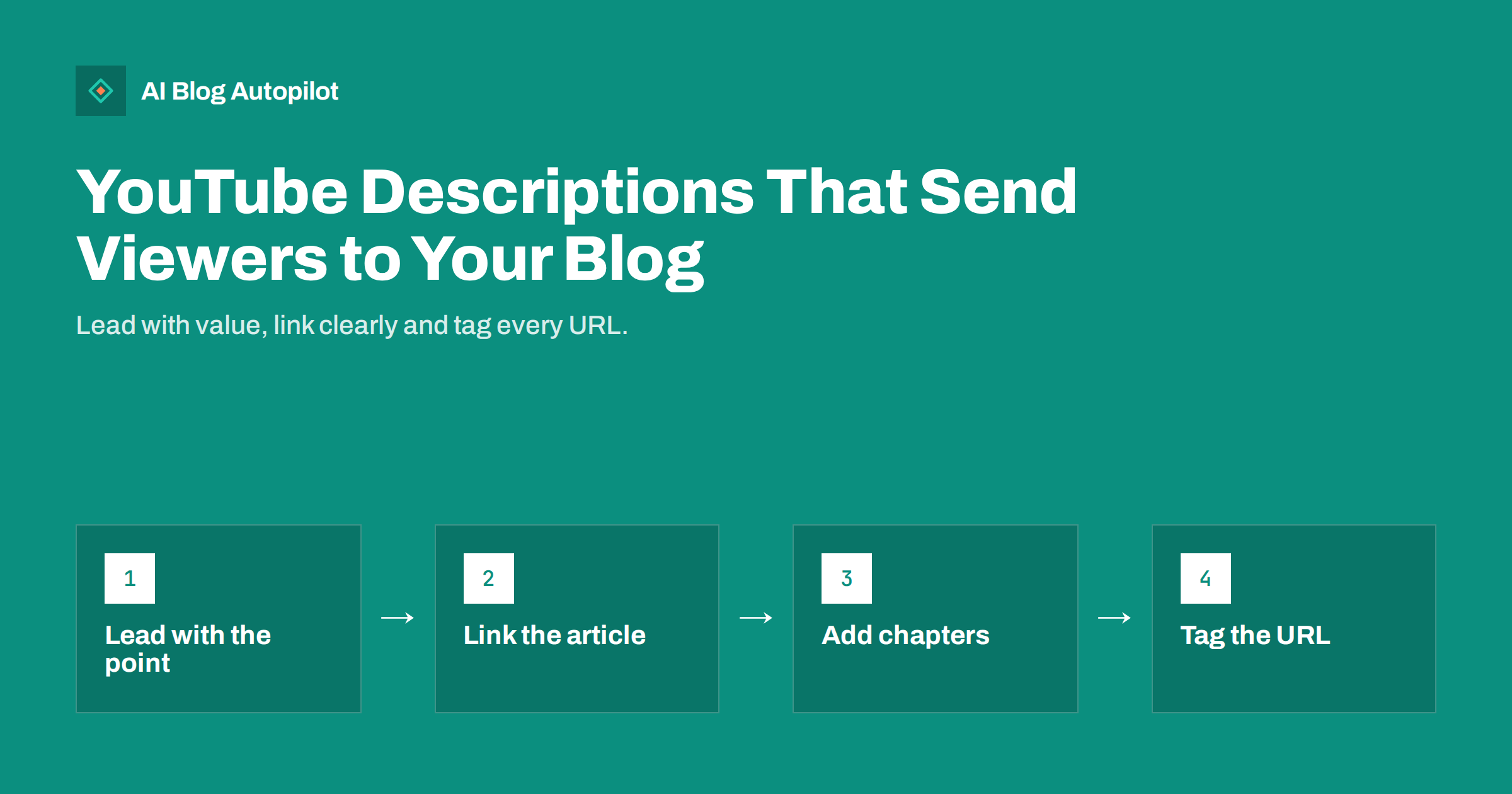
Short answer: a video description is one of the few places on YouTube where you control a clickable path to your blog. Put a one- or two-sentence summary and the link to the matching article in the first lines, because that is the part viewers see without expanding the text. Then add timestamps, a short list of related links, and your channel details further down. Tag the blog link so your analytics shows how many visits come from the video, and make sure the article truly adds something the video does not.
Many bloggers add video to their content mix and then treat the description as an afterthought: a pasted paragraph, a pile of hashtags and a link to the homepage. That wastes a useful opportunity. A video can introduce your ideas to people who would never find the article, and a well-written description can carry the interested ones across to your site. This article covers how to structure a description, what links to include, how to use chapters, what to avoid and how to measure the result.
What a description is for
A description has three jobs, and they pull in different directions if you are not careful.
- Help viewers decide. A good opening tells a person what the video covers and what they will gain from it.
- Help viewers continue. Links to the article, the template or the next video give a path forward.
- Help the platform understand the video. Clear, natural wording about the topic helps the system and viewers understand the subject. It is not a place for lists of unrelated keywords, which look careless and can break platform rules.
The description is also a text page that sits beside the video, and it should read as a short, useful piece of writing, not a block of codes and promotions.
Put the important part first
On most screens only the first lines of the description show before a viewer chooses to expand it. Treat those lines as the most valuable space and put your point and your link there.
- Line one or two: a clear sentence about what the video explains and for whom.
- Next: an invitation to read the full article, with a short reason, such as “The step-by-step checklist and examples are in the article”.
- The link, as a full address on its own line so that it is clickable and easy to see.
Avoid starting with channel promotion, long thanks or social links. Viewers who want those can scroll. Also avoid promising what the article does not deliver; if the video says “download the template” the link must lead to it without friction.
Make sure the article adds something
People will click through only if the article gives them more than the video. Think about what a reader gains by moving from video to page.
- A checklist, a template or a table that is awkward to follow on screen.
- The links, sources and tools mentioned in the video, in one place.
- A written version they can scan, search and save.
- Deeper detail, examples or updates that did not fit in the video.
Then say so in the description. “The full checklist with examples is in the article” is a better invitation than “Read more on my blog”. When you write the article, mention the video near the top and embed it, so that readers who arrive from search can choose either format. The two pieces support each other.
Use timestamps and chapters
Timestamps help viewers jump to the part they want, and the platform can turn them into chapters if they are formatted correctly. Check the current instructions in the help documentation, since rules such as the minimum number of chapters and the format can change.
- Start the list at 0:00 and keep the times in order.
- Give each chapter a short, descriptive title in plain words that matches the section of your article.
- Use the same wording as the headings in the article, which makes the two pieces feel connected.
- Put the list after the summary and the link, not before them.
Chapters are a convenience for viewers, and they also make you plan the video as a set of clear sections, which improves the article you can write from it.
Links, tracking and honesty
Links in a description are a normal way to reach your blog. A few practices keep them useful and safe.
- Link to the specific article, not the homepage. Viewers want the answer to the video’s question.
- Add tracking parameters so your analytics can attribute visits to the video. Use a consistent naming scheme for the source and campaign.
- Keep the number of links small. One main link and a few related ones are plenty. A long list of promotions hides the one that matters.
- Disclose commercial relationships. If the video contains paid promotion or affiliate links, follow the platform’s rules and the laws that apply to you, and say so clearly in the video and the description.
- Check the links after publishing, and again when you update the article, so they never lead to an error page.
If you change an article’s address later, set up a redirect, since the old link in the description cannot always be edited quickly and old videos continue to bring visitors for years.
Other places that point to your blog
The description is not the only route. Consider the following options, bearing in mind that features differ and change over time.
- A pinned comment with the link and a short note, which keeps the link visible to viewers who read the comments.
- The channel profile, with links to your site and a short, honest description of what you cover.
- Playlists organised by topic, matching the sections of your blog.
- Spoken mentions in the video, such as “the checklist is in the description”, but without repeating the address aloud.
- On-screen text or end screens that point to a related video or to your website, where the platform allows it.
Choose one or two and do them well. Too many calls to action dilute each other. Keep the message the same across them, so that a viewer who sees the pinned comment, the description and the end of the video is always pointed to the same article and the same next step.
Measuring what the videos bring
Review the results every month or two. Look at the visits from the tagged links in your analytics, and compare them with the video’s views, so you can see how many viewers cross over. Check what they do next: whether they read the whole article, open other pages or subscribe.
- Which videos send the most visits, and which articles do those visitors read?
- Do viewers who arrive from a video behave differently from those who arrive from search?
- Which descriptions and links get the best click-through, and what do they have in common?
- Are there videos with many views and no visits? They may need a stronger invitation or a better article.
Review the descriptions of your oldest, best-viewed videos first, because small improvements there reach the most people. Expect the numbers to be modest, since only a share of viewers click through, and treat video mainly as a way to reach and build trust with a new audience. Use what you learn to improve the next description.
A sample description, step by step
Imagine a short video on how to plan a month of blog topics, from a small marketing consultancy. A well-built description might run like this, described here in words so that you can adapt it.
The first two lines say: how to plan a month of blog topics in under an hour, with a simple method for small teams. The next line invites viewers to read the written guide, which contains the planning sheet and three worked examples, followed by the full link on its own line, tagged for analytics. Below that comes a short chapter list starting at 0:00, with titles such as “Why plan a month at a time”, “List your questions” and “Schedule and review”, matching the headings of the article. After the chapters, two links to related videos or articles, and a plain line about who the channel is for and how often it publishes. Last, a disclosure line if any link is an affiliate link or the video was sponsored.
The whole description is under a few hundred words, easy to read and every part has a reason. The first lines serve the viewer who skims, the link serves the viewer who wants the detail, the chapters serve the viewer who wants one part, and the closing lines serve the channel and the law. When you write the next description, copy the structure, not the words, and adapt each element to the subject.
Finally, review old videos from time to time. If an article behind a link has been updated or moved, update the description too. A few minutes spent on the best performing videos can bring more visits than a new upload, because those videos already have viewers.
How AI Blog Autopilot helps
AI Blog Autopilot writes the blog articles that your videos can point to, with FAQ, tags and SEO meta, and shares each article to your social networks. The video and its description remain yours to create, since they depend on what you say and show. See the pricing page for plans.
Related reading
- Embedding Video in Blog Posts: When It Helps
- Video Transcripts and AI Search: Making Video Readable
- UTM Tags for Social Shares: See Which Posts Bring Readers
- Repurposing an Article: One Piece, Several Formats
The bottom line
Treat the YouTube description as a short page of its own: a clear summary and the link to the matching article at the top, chapters below, a few useful related links and honest disclosures. Make sure the article adds value beyond the video, tag the link so you can measure it, and review the results regularly. Done well, each video becomes a modest but steady doorway to your blog.
FAQ
Should the link be in the first lines of the description?
Yes, in most cases. Only the first lines show before the viewer expands the text, so put the summary and the link there.
Should I link to the homepage or to the article?
Link to the specific article that matches the video. Viewers want the answer to the question the video raised.
How do I know how many visits come from a video?
Add tracking parameters to the link and check your analytics. Use a consistent naming scheme so you can compare videos.
Do hashtags and keyword lists help?
A few relevant hashtags are fine, but long lists of unrelated keywords look careless and can break platform rules. Write natural text instead.
What if I change the article address later?
Set up a redirect from the old address. Links in old video descriptions may keep bringing visitors for years.