ENEnglish
 LTLietuviškai
 DEDeutsch
 FRFrançais
 RUРусский
 ESEspañol
 PLPolski
 ITItaliano
 UKУкраїнська
 CSČeština
 PTPortuguês
 JA日本語
JA日本語 LVLatviešu valoda
 ETEesti
 HUMagyar
 IDBahasa Indonesia
 TRTürkçe
 HIहिन्दी
 ELΕλληνικά
 ARالعربية
 THไทย
THไทย VITiếng Việt
 RORomână
 MSBahasa Melayu
 BNবাংলা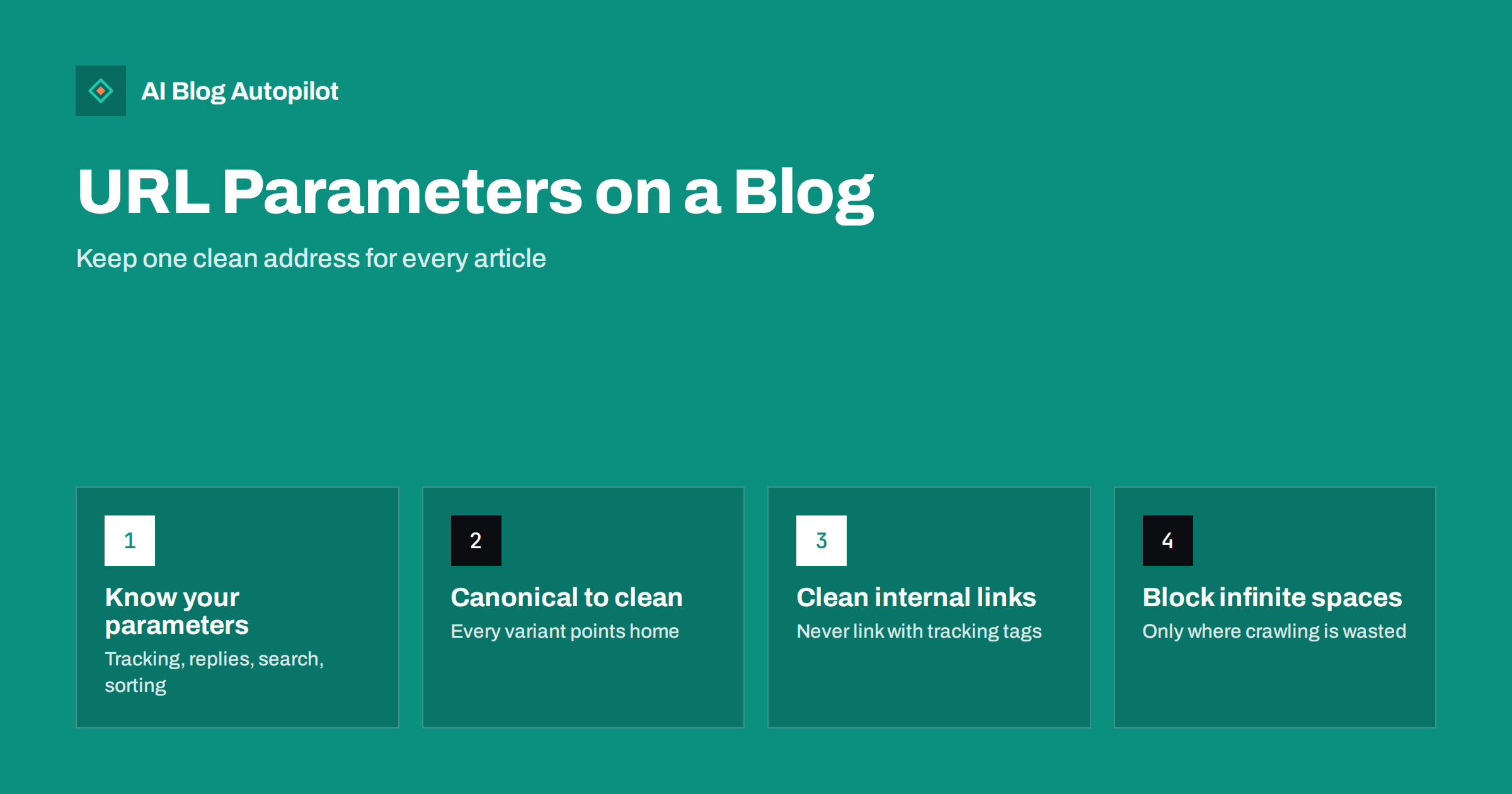
Short answer: URL parameters are the parts of an address after a question mark, such as ?utm_source=newsletter or ?replytocom=42. On a blog they usually do not change the article, so each parameter creates another address for the same content. Search engines handle this reasonably well if every variant carries a canonical tag pointing to the clean URL and your internal links never use parameters. Block crawling only for genuinely endless parameter spaces, such as internal search results or filter combinations.
Most bloggers never think about URL parameters until they open the page indexing report in Search Console and see hundreds of odd-looking addresses: the same post with ?amp, with ?share=facebook, with a string of tracking codes from an email tool. It looks alarming. Usually it is harmless, but sometimes it hides a real problem.
This guide explains which parameters a typical blog produces, which of them matter for SEO, and a simple set of rules to keep them under control.
What URL parameters are
A URL parameter, also called a query string, is a key and value added to an address after a ?. Several parameters are joined with &. For example:
/keyword-research-guide/?utm_source=newsletter&utm_medium=email
The server receives the parameters and may use them to change the page, for example to show search results, sort a list or display a specific page of comments. Very often, though, the parameters are only there for tracking or for a script on the page, and the content is identical to the clean address.
The part after a # is different. That is a fragment, handled by the browser, and search engines generally ignore it when deciding which URL a page lives at. Jump links to headings use fragments, and they do not create duplicate URLs.
The parameters a typical blog produces
Parameters fall into a few groups, and each needs different handling.
| Loại | Examples | Changes content? | Usual handling |
|---|---|---|---|
| Tracking | utm_source, utm_campaign, click IDs added by ad and social platforms |
No | Canonical to clean URL; never use on internal links |
| Sharing and scripts | ?share=, ?amp, ?print |
Usually no | Canonical to clean URL |
| Comment replies | ?replytocom= |
No | Canonical; many setups remove these links |
| Internal search | ?s=keyword |
Yes | Noindex; consider blocking crawling |
| Sorting and filtering | ?orderby=, ?filter= |
Reorders or narrows | Canonical to unfiltered page; block endless combinations |
| Pagination | ?page=2, ?paged=2 |
Yes | Keep crawlable; each page canonical to itself |
| Previews and IDs | ?p=123, ?preview=true |
Same or draft content | Redirect or canonical; drafts should not be reachable publicly |
Your blog may have fewer or more. The Search Console page indexing report, under the “Alternate page with proper canonical tag” and “Duplicate” statuses, shows which ones search engines have actually found.
Why parameters can cause problems
Parameter URLs are not a penalty risk. The issues are practical:
- Duplicate addresses. One article reachable at many URLs forces search engines to choose which one to show. They usually choose well, especially with a canonical tag, but without clear signals they may pick an odd variant.
- Split signals. If people link to or share different variants, the value of those links is spread across several addresses until they are consolidated.
- Wasted crawling. Endless combinations, such as every internal search query or every sort and filter option, can create far more URLs than the blog has content. For a small blog this rarely matters much, but it can slow down how quickly new posts are discovered on larger sites.
- Messy analytics. The same page split across many URLs in reports makes it harder to see how an article performs, unless your analytics tool groups them.
- Ugly results. Occasionally a parameter URL appears in search results or in a social share, which looks untidy and may carry someone else’s tracking code.
Rule 1: every variant should point to the clean URL
A self-referencing canonical tag on every article, pointing to the clean address without parameters, is the foundation. When a search engine crawls /post/?utm_source=x, it finds a canonical pointing to /post/ and consolidates the two.
Most WordPress SEO plugins and many themes output a canonical tag that already strips parameters. Check it: open an article with a made-up parameter such as ?test=1, view the source and look at the rel="canonical" link. It should show the clean URL.
Remember that canonical tags are strong hints, not commands. They work best when all your other signals agree: internal links, sitemaps and redirects should all use the same clean address.
Rule 2: never use parameters in internal links
This is the most common self-inflicted problem. Someone adds UTM tags to links in the blog’s sidebar or footer to track clicks, or a plugin adds a tracking parameter to every internal link. The result is that every page on the site links to parameter versions of other pages, and the clean URLs look less important.
- Use UTM tags only on links into your site from outside: newsletters, social posts, ads, partner sites.
- Track internal clicks with your analytics tool’s event tracking instead.
- Check your menus, footer, related-post widgets and call-to-action buttons for stray parameters.
- Make sure your XML sitemap lists only clean URLs.
Social platforms deserve a special mention. Several of them append their own click identifiers to every outbound link, and messaging apps sometimes add parameters when a link is forwarded. You cannot stop this, and you do not need to. As long as the canonical tag on the page points to the clean URL, these variants are consolidated. What you can control is the link you share in the first place: always copy the clean article URL, add your own UTM tags if you want campaign tracking, and let the platform add whatever it adds on top.
Rule 3: handle internal search and filters deliberately
Internal search result pages are the classic endless parameter space: any word typed into the search box creates a new URL. They rarely make good search landing pages, and if spammers link to your search page with junk queries, they can create thousands of odd URLs.
- Add
noindexto internal search result pages so they stay out of the index. Many SEO plugins do this by default. - If search pages are being crawled heavily, you can additionally disallow the search path or parameter in robots.txt. Be aware that crawlers then cannot see the noindex, so do this once the pages have dropped out, or accept that a few blocked URLs may remain listed without content.
- For category filters and sort orders, keep the default, unfiltered version indexable and canonicalise the variants to it.
Google’s documentation on consolidating duplicate URLs covers the canonical options in more detail.
Rule 4: remove parameters you do not need
Some parameters exist only because of old settings or plugins. Removing them at the source is cleaner than managing them forever.
- Comment reply links that add
?replytocom=can be replaced with script-based replies, or the parameter can be ignored via canonical and noindex settings in some SEO plugins. - Session IDs in URLs should be replaced with cookies. They create a unique URL for every visitor.
- Old sharing plugins that append parameters to every share link can often be configured not to.
- Legacy AMP or print versions you no longer use can be redirected to the main article.
Keep parameter order consistent where you do use them. ?a=1&b=2 and ?b=2&a=1 are different URLs to a crawler.
What not to do
- Do not block all parameters in robots.txt. A blanket
Disallow: /*?can block pagination, feeds or scripts that pages need to render, and it prevents crawlers from seeing canonical tags on the blocked variants. - Do not noindex the clean article by mistake. Some configurations apply noindex rules too broadly. Check a normal article after any change.
- Do not rely on a parameter setting in Search Console. Google retired its URL Parameters tool in 2022, saying its systems had become good at working out which parameters matter. Canonical tags and clean links are the tools now.
- Do not panic about “Alternate page with proper canonical tag”. That status means the system is working: a variant was found and correctly consolidated.
A quick parameter audit
- Open the page indexing report and export the URLs listed under duplicate and alternate statuses. Note which parameters appear most.
- For each parameter, decide: tracking (canonicalise), functional (keep and handle), or unnecessary (remove at the source).
- Test a few articles with a made-up parameter and confirm the canonical points to the clean URL.
- Crawl your own site with a desktop crawler or browser extension and check that no internal links contain parameters.
- Check that internal search pages are noindexed.
- Repeat after installing new plugins, changing themes or adding marketing tools.
How AI Blog Autopilot fits
AI Blog Autopilot writes SEO articles and publishes them to your WordPress blog through a one-click connection, then shares each one to your social networks with its own text and timing. It does not change your theme, SEO plugin or robots.txt, so canonical tags and search page settings stay under your control, and the audit above applies to your setup as it does to any blog. Read more about how Autopilot publishes to your blog.
Related reading
- Canonical Tags Explained Without the Jargon
- Duplicate Content: What Counts and What Doesn’t
- What Readers Search For on Your Site, and What to Do With It
- Staging Site Indexed by Google? How to Clean It Up
The bottom line
URL parameters are a normal part of running a blog, and most of them are harmless as long as every variant points to one clean, canonical address. Keep internal links and sitemaps free of parameters, noindex internal search pages, remove parameters you do not need, and only block crawling where there is a genuinely endless space of URLs. Then let the “alternate page” entries in Search Console do their quiet work.
FAQ
Do UTM parameters hurt SEO?
Not when they are used on external links such as newsletters and social posts, and your pages have a canonical tag pointing to the clean URL. They cause problems mainly when they are added to internal links, which makes parameter versions look like the main addresses.
Should I block URL parameters in robots.txt?
Only for endless parameter spaces such as internal search results or filter combinations that waste crawling. Blocking all parameters can stop crawlers from seeing canonical tags and may block pages or resources you need.
What does “Alternate page with proper canonical tag” mean in Search Console?
It means the search engine found a variant of a page, such as a URL with parameters, and correctly treated the canonical URL as the main version. It is usually a sign that things are working, not an error.
Are hash fragments the same as URL parameters?
No. The part after a # is a fragment handled by the browser, and search engines generally ignore it when determining the page’s URL. Jump links to headings use fragments and do not create duplicate URLs.
Can I still set parameter handling in Google Search Console?
No. Google retired the URL Parameters tool in 2022. Use canonical tags, consistent internal links, clean sitemaps and, where necessary, robots.txt rules instead.