ENEnglish
 LTLietuviškai
 DEDeutsch
 FRFrançais
 RUРусский
 ESEspañol
 PLPolski
 ITItaliano
 UKУкраїнська
 CSČeština
 PTPortuguês
 JA日本語
JA日本語 LVLatviešu valoda
 ETEesti
 HUMagyar
 IDBahasa Indonesia
 TRTürkçe
 HIहिन्दी
 ELΕλληνικά
 ARالعربية
 THไทย
THไทย VITiếng Việt
 RORomână
 MSBahasa Melayu
 BNবাংলা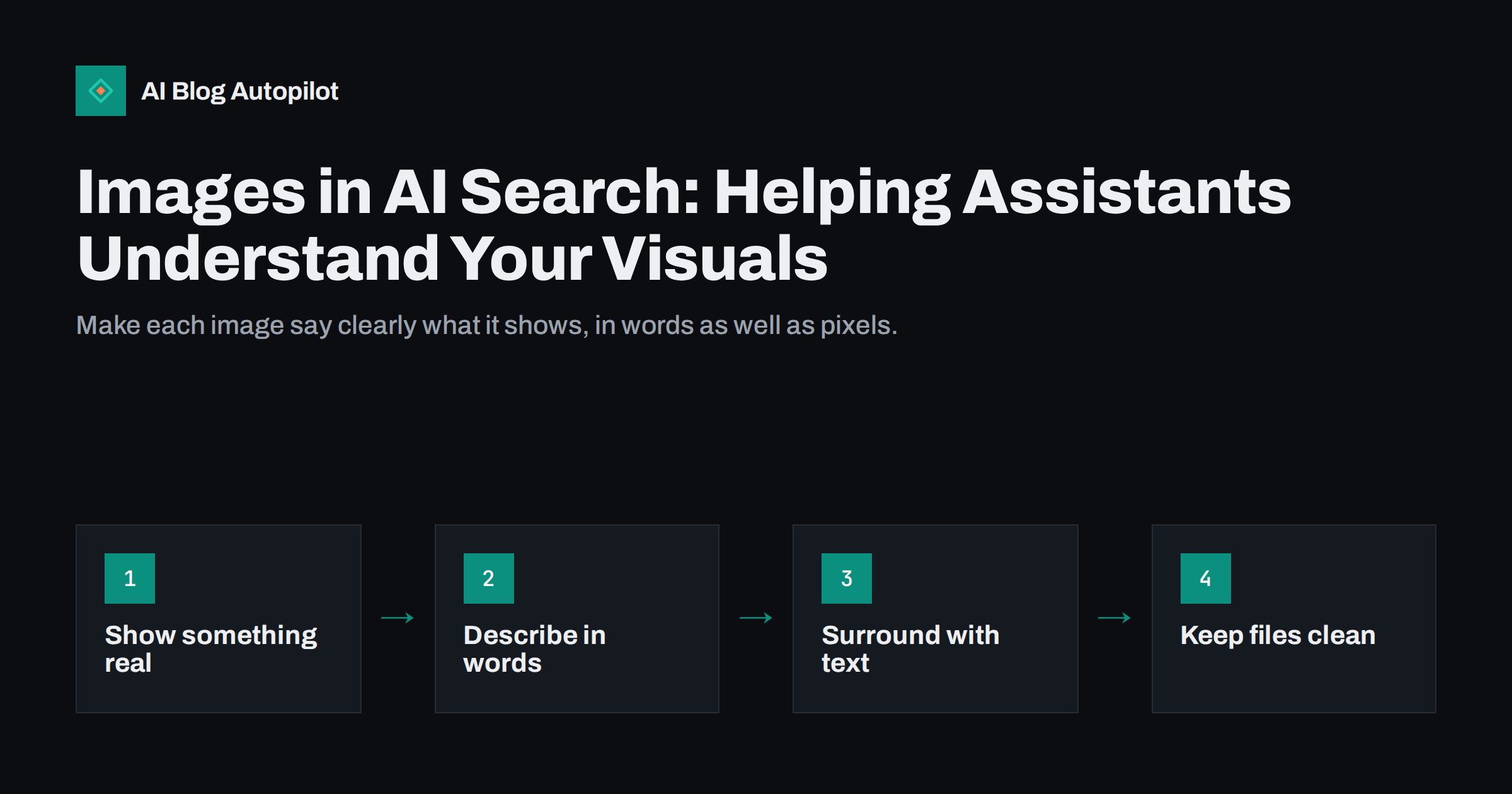
Short answer: AI assistants and visual search tools can look at pictures, but they still depend heavily on the words around them. To help them understand your images, use pictures that show something real and useful, write precise alt text and captions, place each image next to text that explains it, keep file names and formats tidy and avoid putting important information only inside the image. These steps also help readers, including those who use screen readers, so they are worth doing whatever the technology does.
Search is becoming multimodal. People type a question, upload a photo, point a phone camera at an object or ask an assistant about a chart. Systems that can interpret images are improving, but their ability varies, and they usually combine what they see with the text, the page and the source. For a business blog this means two things. Your images may be understood better than before, and the clarity of your surrounding text matters just as much as it did. This guide explains how images are used, what to do on the page and where to be cautious. It does not promise any particular result, because systems differ and change.
How images enter search and AI answers
There are several ways in which pictures from your site may be used.
- Image search results, where people search by text and browse pictures, then visit the page that contains them.
- Visual lookup, where a person submits a photo or a screenshot and asks what it is, where to buy it or how to use it.
- Answer summaries, where an assistant includes a picture, a chart or a thumbnail from a source alongside its text.
- Understanding of your page, where a system reads your images, diagrams and screenshots as part of understanding what the page is about.
- Accessibility tools, where screen readers read out alt text and some systems describe images automatically when no text is given.
In each case, the image is one signal among several. The page title, headings, nearby text, alt text, captions and file names tell the system what the picture is for. An image with no context is hard to place. An image with a clear explanation is easy to use correctly.
Choose images that carry information
The first decision is which images to use at all. Systems and people both value images that tell them something.
- Original over generic. Your own photographs, screenshots, diagrams and charts show real work. A stock picture of a handshake says nothing about your business and may appear on thousands of pages.
- Relevant over decorative. Ask what the image adds to the paragraph. If the answer is “mood”, it may not need to be there, or it may need only a short note.
- Clear over clever. A sharp photo of the product in use is more useful than an artistic crop. A simple diagram with large labels is easier to read, by people and systems, than a crowded one.
- Accurate. Pictures must show what the text says. Misleading images, such as a photo of a different model or an old version of a screen, damage trust.
- Licensed. Use images you have the right to use. Rights for generated images and stock pictures vary, so check the licence terms.
For tutorials, screenshots with a highlighted area and a sentence about what to notice are often more helpful than a long description in words.
Write alt text and captions that describe
Alt text is the short description of an image that is read by screen readers and used when the image cannot be shown. It is also one of the clearest ways to tell a system what a picture contains. Captions are visible to everyone and are read by many visitors before the body text.
- Describe what matters. State what the image shows and why it is on the page, in plain words, usually in a single sentence.
- Be specific. “Bar chart of monthly visits rising from 800 in January to 1,400 in June” is better than “chart”.
- Skip “image of”. Screen readers already announce that it is an image.
- Leave it empty for pure decoration, so that assistive technology can skip it.
- Do not stuff keywords. A list of search terms is unhelpful to readers and looks manipulative.
- Use captions for context, such as the source, date, location or the point the reader should notice.
For charts, give the key finding in the text near the chart, not only in the picture. That way someone who cannot see it, or a system that cannot read it well, still gets the message.
Put the explanation in text beside the image
Do not rely on the image alone for facts. Text embedded in a picture, such as prices in a banner, steps in a graphic or a table saved as an image, is hard for assistive technology and may be misread by automated systems. Keep the important content as real text on the page and use the image to illustrate it.
- Put the image close to the paragraph or heading it supports.
- Refer to it in the text: “The screenshot below shows the settings page with the option highlighted”.
- For infographics, publish the content as headings and lists as well, or as a summary, so that the information is available as text.
- For product photos, state the details in text: the name, size, colour options and condition, as they apply.
- Give each picture a heading context. A gallery of unlabelled images with no text is almost meaningless to a system.
Get the technical basics right
Technical points do not make a weak image good, but errors can prevent a good one from being found or can slow the page.
- File names. Use short, descriptive names with words separated by hyphens, such as “pruning-apple-tree-winter.jpg”, not “IMG_4821.jpg”.
- Format and size. Use modern formats where your platform supports them and compress files without visible loss. Large files slow the page, and slow pages suffer for everyone.
- Dimensions. Provide images large enough to be clear on high-resolution screens, and set width and height so the layout does not jump.
- Loading. Load below-the-fold images lazily, but make sure that the main image of the page loads promptly.
- Crawlability. Do not block image files in your robots rules, and make sure images are in the page code and not only added by scripts after loading.
- Stable addresses. If you move images, redirect the old addresses or update the links.
- Image sitemaps. If you have many images, listing them in a sitemap can help discovery. It is optional for most small blogs.
Make your own visuals worth citing
Original visuals can earn attention in a way that generic images cannot. A clear diagram of a process, a chart of your own data or a labelled screenshot may be quoted, linked or reused with credit.
- Make one idea per visual, with a title that states the point.
- Label directly, with readable text at small sizes, and sufficient contrast.
- Add the source and date to charts, and state the method if the data is your own.
- Give each visual its own address and a caption, so it can be referred to precisely.
- State reuse terms, if you are happy for others to share it with credit.
- Keep it truthful. Do not crop axes or scales to exaggerate a finding.
A branded watermark in a corner is fine, but a large one across the middle spoils the picture for readers and makes it harder for systems to interpret.
A quick checklist before you publish
Run through these questions for each image, and for the page as a whole, before you press publish.
- Does the image show something real or useful, and does it match the text?
- Is the alt text specific, or empty on purpose because the image is decorative?
- Does the caption add context, such as a source, a date or the point to notice?
- Is every important fact also available as text on the page?
- Is the file name descriptive, and is the file compressed and sized sensibly?
- Do you have the right to use the image, and have you checked privacy?
- Does the page still make sense with images switched off?
The last question is the best test of all. If the page still works without its pictures, the pictures are free to do their real job: to help people and machines see what you mean.
What to be careful about
- Do not expect every image to be read well. Systems misread charts, small text and unusual designs. Always provide the main message in text.
- Privacy. Photographs of people need permission, and metadata in image files, such as location, may reveal more than you intend. Remove it when it is not needed.
- Generated images. Pictures made by software can contain errors, odd details or text artefacts. Check them closely, and do not present them as real photographs of real events or products. If you use them, consider noting it in the caption or on the page.
- Trademarks and rights. Do not use someone else’s pictures or logos without permission.
- Accessibility. Contrast, size and alt text matter for everyone. Do not rely on colour alone to convey meaning.
How AI Blog Autopilot helps
AI Blog Autopilot writes articles that include a FAQ, tags and SEO meta, and its automatic quality check looks at length, structure, keyword and meta before anything goes live. Your own photographs, product shots and diagrams are best added by you, since they show your real work, and the articles it publishes to your WordPress site can then be refined with them. See the pricing page for plans.
Related reading
- Alt Text: How to Write It and Why It Matters
- Image SEO for Blog Posts: File Names, Size and Formats
- Featured Images for Automated Posts: What Works and What to Avoid
- Screenshots, Diagrams and Charts in Blog Articles
The bottom line
AI assistants and visual search can use your images, but they lean on the words that surround them. Use original, relevant pictures, write specific alt text and captions, place each image beside text that explains it and keep important facts out of the image alone. Tidy file names, sensible sizes and crawlable files make them easier to find. Make your own diagrams and charts clear and honest, and check privacy and rights. What helps a screen reader user helps a machine too.
FAQ
Can AI assistants read the text inside my images?
Sometimes, but not reliably. Keep important text and numbers on the page as real text and use the image to illustrate it.
Do I need alt text if I have a caption?
Usually yes. Alt text serves people who cannot see the image, while a caption is for everyone. They can overlap, but they do different jobs.
Are stock photos bad for visibility?
They are not penalised as such, but they add little because the same picture appears on many pages. Original images show real work and are more likely to be useful.
Should I put keywords in file names?
Use short, descriptive names that say what the picture shows. Do not stuff keywords, since that helps nobody.
Is it a problem to use generated images?
Not in itself, but check them for errors and do not present them as real photographs of real events or products. Check the licence terms too.