ENEnglish
 LTLietuviškai
 DEDeutsch
 FRFrançais
 RUРусский
 ESEspañol
 PLPolski
 ITItaliano
 UKУкраїнська
 CSČeština
 PTPortuguês
 JA日本語
JA日本語 LVLatviešu valoda
 ETEesti
 HUMagyar
 IDBahasa Indonesia
 TRTürkçe
 HIहिन्दी
 ELΕλληνικά
 ARالعربية
 THไทย
THไทย VITiếng Việt
 RORomână
 MSBahasa Melayu
 BNবাংলা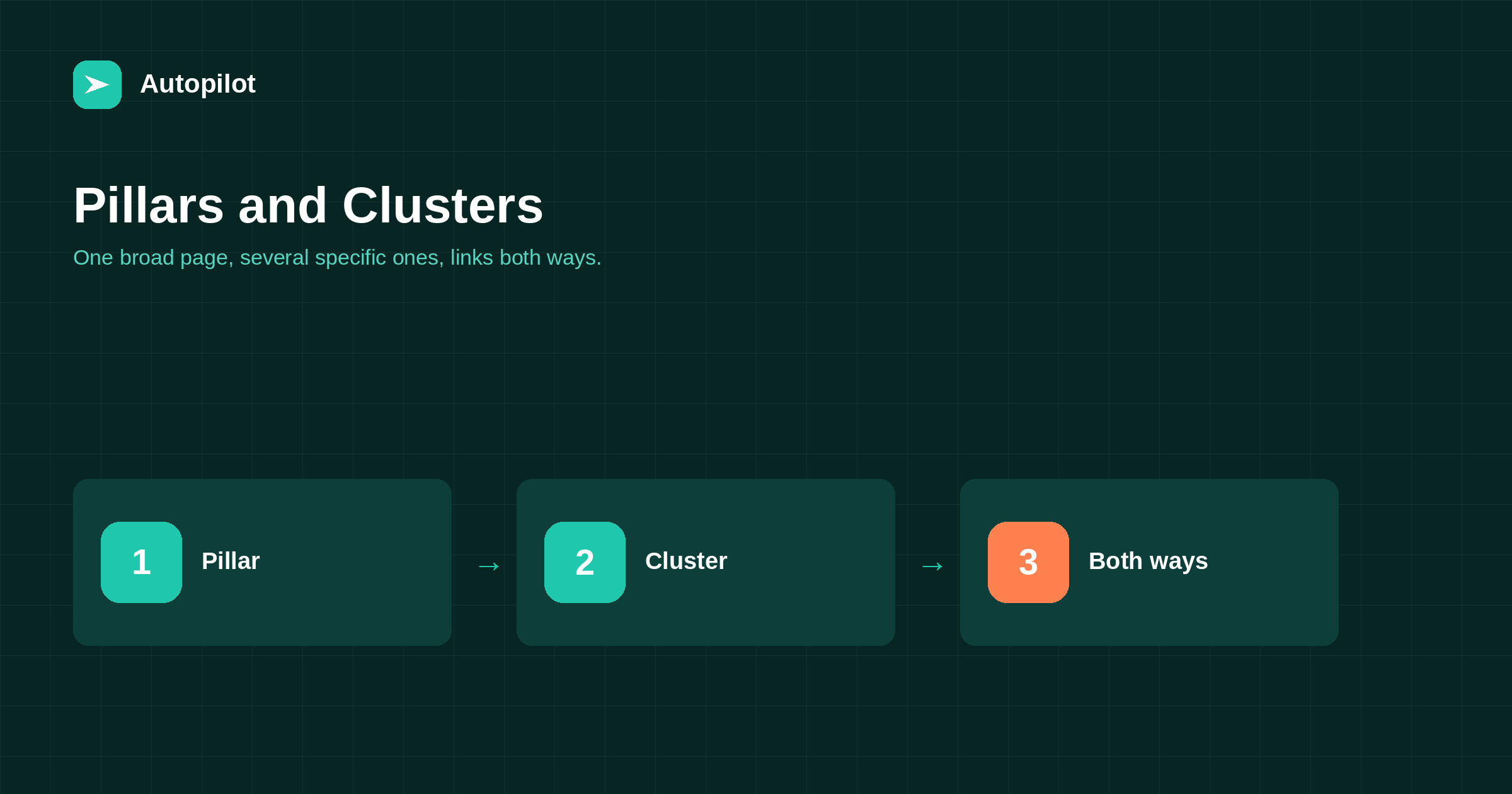
Short answer: a pillar page covers a broad subject completely enough to be useful on its own, and links out to specific articles that each go deep on one part of it; those articles link back to the pillar. That is the whole idea. A workable cluster is one pillar plus five to fifteen supporting articles, each answering a distinct question with no two competing for the same phrase. The benefit is navigational and structural rather than magical: readers find the next thing, and the relationship between your pages becomes legible. You can retrofit it onto an existing blog in an afternoon.
Most blogs are a chronological pile. Articles exist, some are good, and the only relationship between them is the date they were published.
Clusters replace that with a shape: a broad page per subject you care about, and a set of specific pages around it, linked in both directions. It is a simple idea that is frequently overcomplicated by people selling diagrams of it.
What a pillar page actually is
A pillar page covers a broad subject at a level that satisfies someone who wants the whole picture. It is not a table of contents with links, and it is not a 5,000-word article that tries to be everything.
The workable version: a genuinely useful overview of the subject, 1,500 to 3,000 words, which explains each major part well enough to be actionable and links to a deeper article where one exists. A reader who only reads the pillar has been helped. A reader who wants the detail on one part has somewhere to go.
Choose pillars by what your business is about, not by search volume. Three to five for most sites; one is fine for a narrow business.
What the supporting articles do
Each supporting article answers one distinct question fully. That is the only rule that matters.
Distinct is the word doing the work. Two articles on how long a post should be and ideal blog post length are one article written twice, and they will compete with each other rather than adding coverage. If you cannot state in one sentence how two articles differ, they are the same article.
Five to fifteen per pillar is a reasonable range. Below five it is not really a cluster; above twenty you usually have two subjects and should split the pillar.
How the links should run
The link pattern is the part people get wrong, usually by only doing half of it.
| Link | Necessary? |
|---|---|
| Pillar to each supporting article | Yes, in the relevant section |
| Each supporting article to the pillar | Yes, early in the article |
| Between closely related supporting articles | Where genuinely useful |
| Between every article and every other | No |
| From your main navigation to the pillar | Worth doing for your main pillars |
Anchor text should describe the destination in the words a reader would use. Every link should return a 200 rather than travelling through a redirect, and there should be no orphan article that nothing links to — the mechanics are in internal linking as you publish.
Retrofitting it onto an existing blog
Nearly everyone starts here rather than with a clean plan, and it takes an afternoon.
- List your published articles in a spreadsheet with their URLs.
- Group them into three to five subjects. Some will not fit; leave them ungrouped.
- For each group, ask whether a pillar exists. Usually one article is closest; sometimes you need to write one.
- Add the missing links both ways.
- Note the duplicates you find, which is the real value of this exercise.
Step five is where the return is. Grouping an archive reliably surfaces three or four pairs of articles saying the same thing, and merging those is usually worth more than the cluster structure itself — that is what deleting, merging or redirecting is for.
Building clusters as you publish
Once the structure exists, keeping it is a one-minute habit per article rather than a project.
Three questions at publication. Which pillar does this belong to? Does it link to that pillar in the first few paragraphs? And does the pillar now link to it, in the right section?
The third is the one that gets skipped, which is how blogs end up with pillars that stopped being updated in March and clusters full of articles nothing points to. If topics are planned a month at a time, as in planning a month of articles, assigning each to a pillar during planning removes the decision later.
What clusters do not do
Two overstated claims are worth deflating.
They are not a ranking mechanism you can install. Linking twelve mediocre articles to a thirteenth does not produce authority. The structure helps search engines understand relationships and helps readers move between pages; it does not substitute for the pages being good.
They do not require a particular URL structure. You do not need subfolders per cluster, and reorganising URLs to match a diagram means redirecting everything for no benefit. Links define the cluster, not paths.
Common failure modes
Four things go wrong often enough to name.
The cluster where every article targets the same phrase. You have written one article eight times. Merge.
The pillar that is only links. It has no value alone, so nobody stays on it and nothing links to it from outside.
The abandoned pillar. Six months of new articles, none added to the overview. Fix it in ten minutes and add the habit.
Clusters invented from keyword tools rather than from your business. A perfectly structured cluster about a subject you have no experience in is thirteen pages of summary, which is the problem adding something original addresses.
Related reading
If this was useful, these cover the questions that usually come next.
- Internal linking as you publish — the mechanics underneath a cluster
- Picking topics worth writing — where a cluster’s articles come from
- Deleting, merging or redirecting — what to do when cluster articles overlap
The bottom line
One broad page per subject that is useful on its own, five to fifteen specific articles around it, links running both ways, and no two articles competing for the same phrase. Retrofit it in an afternoon with a spreadsheet, and treat the duplicates you find as the main prize. Then keep it with one minute of work per published article.
FAQ
What is a pillar page?
A broad overview of a subject that is genuinely useful on its own, usually 1,500 to 3,000 words, which links out to deeper articles on each part of it. A page that is only a list of links is not a pillar.
How many articles should a cluster contain?
Five to fifteen supporting articles per pillar. Fewer than five is not really a cluster; more than twenty usually means the subject should be split into two pillars.
Do cluster articles need to link to each other?
Only where it is genuinely useful to a reader. What matters is that each article links to the pillar early on and that the pillar links out to each article from the relevant section.
Do I need to change my URLs to build clusters?
No. Clusters are defined by links, not by folder structure. Reorganising URLs means redirecting every page for no benefit.
How do I add clusters to a blog that already has 80 posts?
List every URL, group them into three to five subjects, identify or write a pillar for each, then add the missing links both ways. The duplicates you uncover while grouping are usually worth more than the structure.
Will clusters improve my rankings?
They make relationships between pages legible and help readers move around, which is worth doing. They do not compensate for pages that are thin or duplicated, and nobody can promise a position from a structure.