ENEnglish
 LTLietuviškai
 DEDeutsch
 FRFrançais
 RUРусский
 ESEspañol
 PLPolski
 ITItaliano
 UKУкраїнська
 CSČeština
 PTPortuguês
 JA日本語
JA日本語 LVLatviešu valoda
 ETEesti
 HUMagyar
 IDBahasa Indonesia
 TRTürkçe
 HIहिन्दी
 ELΕλληνικά
 ARالعربية
 THไทย
THไทย VITiếng Việt
 RORomână
 MSBahasa Melayu
 BNবাংলা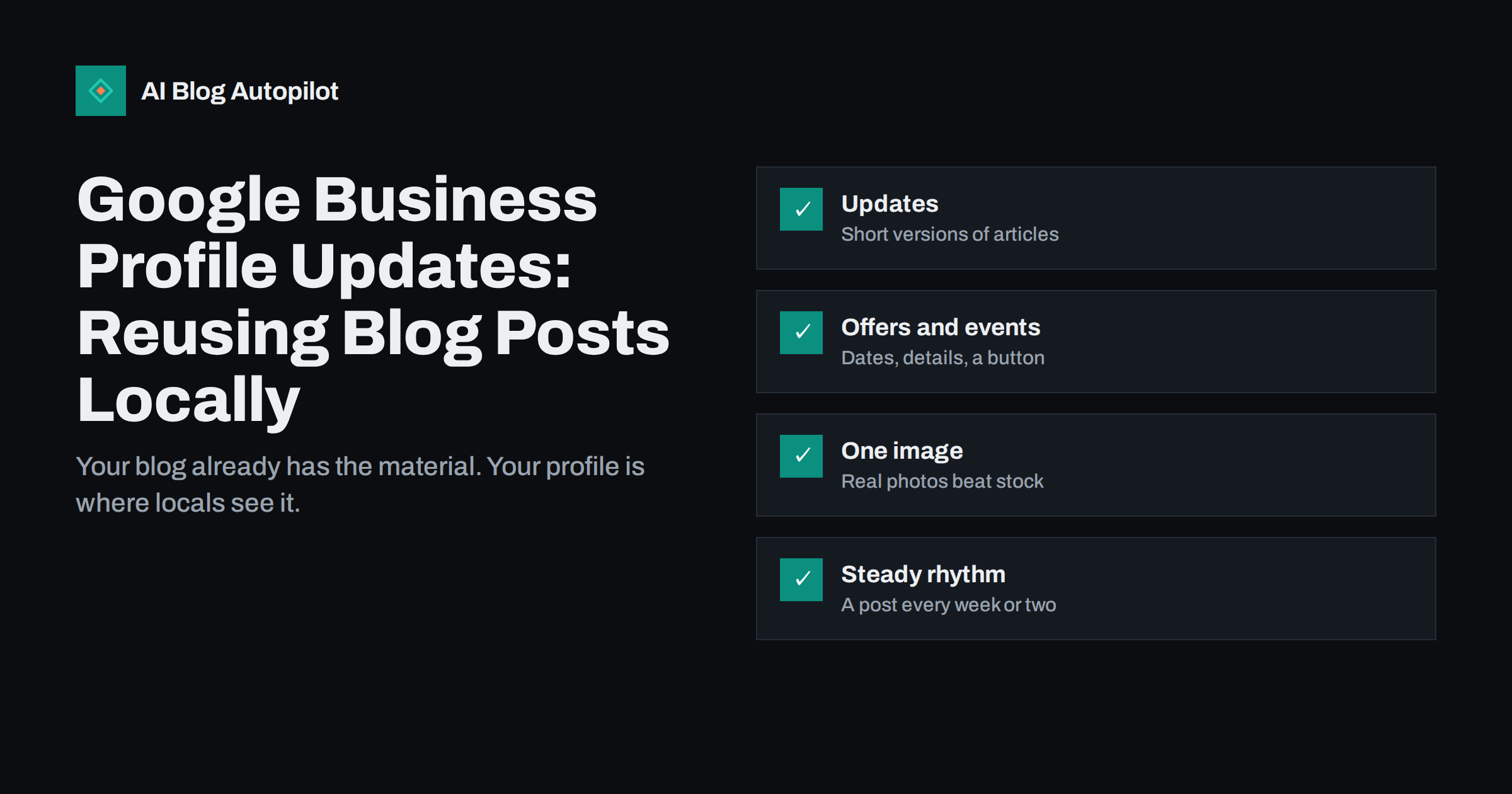
Short answer: Google Business Profile lets a business publish posts, shown as updates, offers and events, that appear on its profile in Search and Maps. A local business can reuse its blog articles there: write a short, standalone version of the article’s main tip or news, add a real photo and a button linking to the full article, and post every week or two. Use offers and events for time-limited promotions and dates. Posts help people who are already looking at your profile decide to visit, call or book, so write them for local customers, not for search engines.
For local businesses, the Business Profile is often seen by more people than the website itself. Someone searches for “bike repair near me” or your business name, and the profile appears with your address, hours, reviews and photos. Posts add something fresh to that profile: news, tips, offers and events. Many businesses never post, or post once and forget. If you already publish blog articles, you have a ready source of material. This guide explains how to turn articles into useful profile posts.
What Business Profile posts are
Business Profile posts are short pieces of content you publish directly on your profile. According to Google’s help page on creating and managing posts, they can include text, photos or videos, and customers can find them in the Updates or Overview sections of the profile on mobile and in the “From the owner” section on desktop, on both Search and Maps.
There are three main types:
- Updates share general information about the business, with a description, a photo or video and an optional button linking to a website, such as “Learn more”, “Book” or “Order online”.
- Offers promote sales or deals and need a title and dates. They can include a coupon code, a link and terms.
- Events promote something happening at your business, with a title and start and end dates.
Posts can be scheduled for a later date in the profile manager, which makes it easier to plan them alongside your blog.
Before posting, make sure the basics of the profile are right: business name, category, address or service area, hours, phone number, website and a good set of photos. Posts add freshness, but a profile with wrong hours or an old phone number loses customers no matter how good its posts are. Holiday hours deserve special attention, because they are exactly what people check before visiting.
Why posts are worth the effort
Posts are not a ranking trick. Their value lies in what they show people who are already looking at your profile:
- Signs of life. A profile with a recent post looks active and cared for, which reassures people choosing between businesses.
- Useful information at the right moment. A seasonal tip, a new service or a holiday offer reaches people when they are deciding.
- A path to your website. A button linking to the full article or booking page gives interested people a next step.
- More reasons to choose you. Posts let you show expertise and personality that a list of hours and a star rating cannot.
Because posts appear inside Search and Maps, they reach local customers in a place where they are actively looking, which most social networks cannot match.
Posts also complement reviews. Reviews show what customers think; posts show what you do and how you think about your work. A profile with both recent reviews and recent posts gives a much fuller picture than either alone, and replying to reviews in the same friendly tone as your posts makes the whole profile feel consistent.
Which blog articles make good posts
Not every article fits. The best candidates are directly useful to local customers:
- Seasonal advice: winter tyre checks, preparing a garden for spring, keeping pipes from freezing.
- Practical how-tos related to your services, such as how to choose the right bike size.
- Answers to common customer questions: how long a repair takes, what to bring to an appointment, how to prepare.
- News about the business: a new service, new opening hours, a new team member, an award.
- Local angles: an article about cycling routes in your city, or a guide to local regulations that affect your customers.
General industry articles with no local relevance, or opinion pieces aimed at other professionals, are usually better shared on social networks than on the profile.
How to turn an article into a post
A post is not a copy of the article. It is a short, standalone piece that gives value on its own and invites people to read more:
- Pick one point. Choose the most useful tip, the key news or the main answer from the article.
- Write it in a few sentences. Plain, friendly language, as you would explain it to a customer at the counter.
- Make it local and specific. Mention your area, the season or the situation your customers are in.
- Add a real photo. Your shop, your team, your work or the product in use. Photos of real places and people usually look more trustworthy than stock images.
- Add a button. “Learn more” linking to the full article, or “Book” linking to the booking page if the post leads naturally to an appointment.
- Check the details. Correct dates, prices if any, and no outdated information.
Google notes that posts with phone numbers in the description may be rejected if the number cannot be verified as belonging to the business, so keep contact details in the profile itself and use the call option there. Check the content policies before posting offers or anything sensitive.
Keep a short list of articles that work as posts, and note when each one was last used. Seasonal articles can be posted again each year with a fresh photo and updated details, so a good winter tip written once can serve the profile for several winters. Older evergreen articles are also worth a post when they become relevant again, for example when a customer question keeps coming up.
Offers and events from your content
Offers and events are time-limited, which makes them especially relevant to local customers:
- A blog post about preparing for winter can be paired with an offer for a seasonal service check.
- A workshop, open day or tasting announced on the blog can become an event post with dates and times.
- A guide to choosing a product can be followed by an offer on that product category.
Be honest about terms and dates, and make sure the offer is actually available when people arrive. An expired or misleading offer damages trust more than having no offer at all.
Photos and visuals that work
The image is often what people notice first. A few guidelines:
- Use clear, well-lit photos taken at your business or of your work.
- Avoid images that are mostly text; put the message in the post text instead.
- Crop so the main subject is centred, since previews may cut the edges.
- Use different photos for different posts, so the profile does not look repetitive.
- Do not reuse a blog featured image if it is a generic stock picture; a real photo works better here.
A simple posting rhythm
Consistency matters more than volume. For most small local businesses, a post every week or two is enough to keep the profile looking active. A simple plan:
- One update based on each new blog article that is relevant to local customers.
- An offer or event post when you have one, timed a few days before it starts.
- A news update when something changes: hours, services, team, location.
- Seasonal posts planned a month ahead, matching your seasonal blog content.
Use the scheduling option to prepare posts in advance, and check the profile now and then to see that they appear as expected.
If several people in the business can post, agree on who does it and when. A shared calendar with planned posts avoids two similar updates on the same day and weeks with nothing at all.
Measuring the results
The Business Profile shows performance information such as profile views, searches, calls, direction requests and website clicks. Individual posts are harder to measure precisely, but you can track what they send to your site:
- Add UTM parameters to button links, so visits from posts appear separately in your analytics.
- Compare website clicks, calls and direction requests in months with regular posts and months without.
- Ask new customers how they found you; many will mention Maps or Search.
Expect modest numbers. The main value of posts is in helping people who already see your profile choose you, and that shows up in calls and visits more than in clicks.
How AI Blog Autopilot fits in
AI Blog Autopilot writes and publishes SEO articles for your WordPress blog, planned around your topics, keywords and audience, and shares each one to your social networks with its own text and timing. Those articles give you a steady supply of local tips and news that you can turn into Business Profile posts. See the pricing page for plans.
Related reading
- Blog Strategy for a Local Business
- Repurposing an Article: One Piece, Several Formats
- Planning Seasonal Content Without Scrambling Every Year
- How a Local Business Gets Mentioned in AI Answers
The bottom line
Business Profile posts put fresh, useful content where local customers already look: on your profile in Search and Maps. Reuse your blog articles by turning one point from each into a short, local, standalone update with a real photo and a button to the full article. Use offers and events for time-limited promotions, post every week or two, keep details accurate, and measure what posts send to your site and phone.
FAQ
What are Google Business Profile posts?
They are short updates, offers and events that a business publishes on its profile. They can include text, photos or videos and a button, and they appear on the profile in Google Search and Maps.
Can I share my blog posts on Google Business Profile?
Yes, as a short update rather than a copy. Summarise one useful point from the article, add a real photo and use a Learn more button linking to the full article.
How often should a local business post on its Business Profile?
Every week or two is enough for most small businesses. Consistency matters more than volume, and each post should be useful to local customers.
Do Business Profile posts improve local rankings?
Treat them mainly as a way to inform and convince people who are already viewing your profile. Their clearest benefits are an active-looking profile and more calls, visits and website clicks.
Why was my Business Profile post rejected?
Posts can be rejected for breaking the content policies. For example, Google says posts with phone numbers in the description may be rejected if the number cannot be verified as connected to the business.