ENEnglish
 LTLietuviškai
 DEDeutsch
 FRFrançais
 RUРусский
 ESEspañol
 PLPolski
 ITItaliano
 UKУкраїнська
 CSČeština
 PTPortuguês
 JA日本語
JA日本語 LVLatviešu valoda
 ETEesti
 HUMagyar
 IDBahasa Indonesia
 TRTürkçe
 HIहिन्दी
 ELΕλληνικά
 ARالعربية
 THไทย
THไทย VITiếng Việt
 RORomână
 MSBahasa Melayu
 BNবাংলা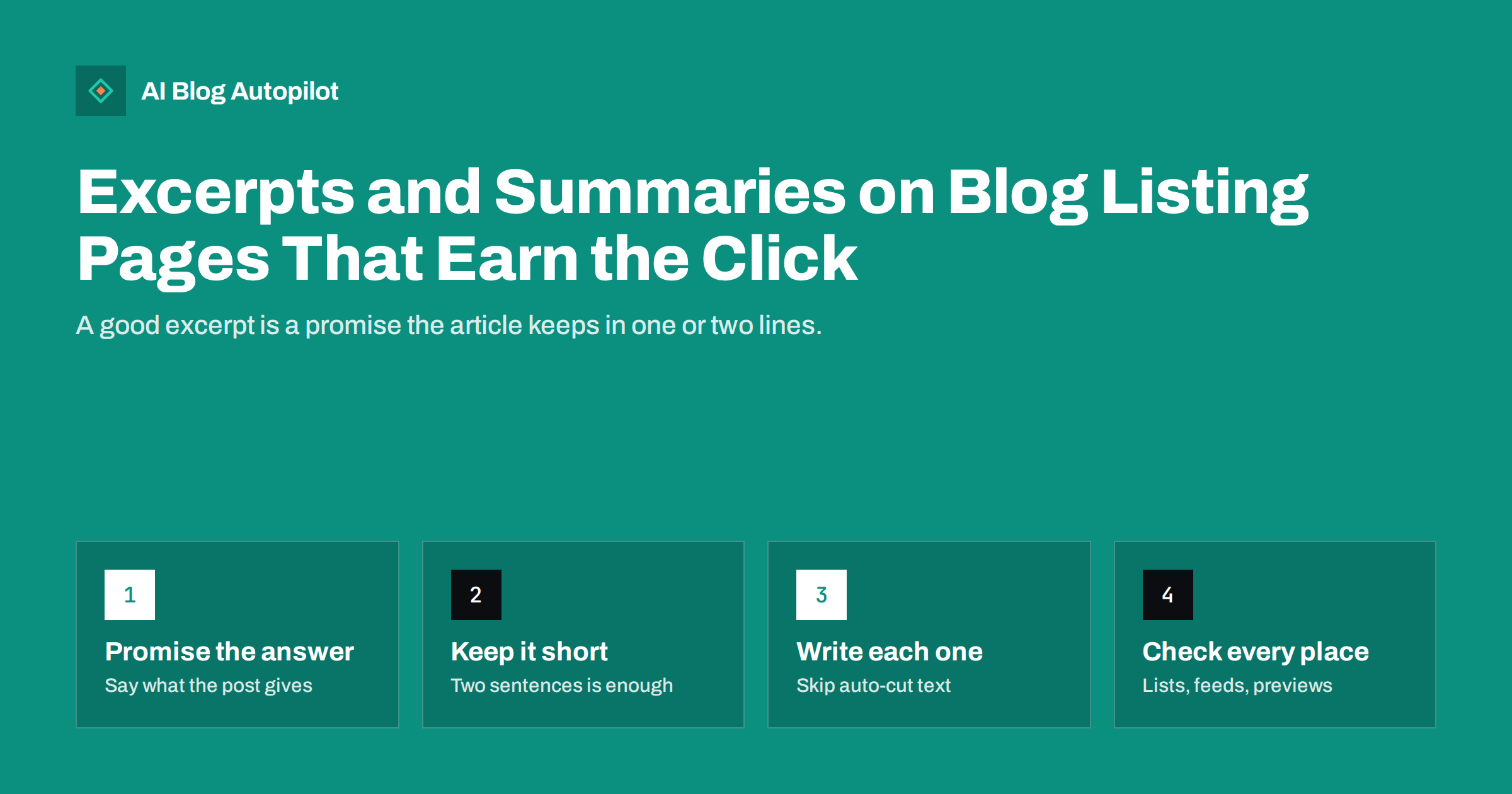
Short answer: an excerpt is the short summary shown for a post on blog listing pages, category archives, related posts, feeds and sometimes in social previews. A good one is written by hand, runs to one or two sentences, names the topic and the benefit in plain words, and does not simply repeat the first lines of the article. Check where your theme uses it, set a sensible length and review the excerpts of your most visited posts first.
Readers rarely land on a post directly from your home page. They scan a list, glance at a title and a few lines of text, and decide whether to click. That small block of text does a lot of work, yet it is often left to chance: the theme cuts the first fifty-five words of the article, mid-sentence, and ends with an ellipsis. This article explains what excerpts are for, how to write them, how they differ from meta descriptions and how to set them up in WordPress so that every listing page looks deliberate.
What an excerpt is, and where it appears
An excerpt is a short summary of a post that is stored separately from the main content or generated from it. Where it appears depends on the theme and the plugins you use, but the usual places are:
- the blog home page and any paged listing of posts;
- category, tag, author and date archives;
- search results inside your site;
- related posts and “latest posts” blocks;
- RSS feeds, when the feed is set to show summaries instead of full text;
- social previews and some SEO fields, when no other description is set.
The same text may therefore be read on a dozen different pages. That is a good reason to give it some care, and a reason to check that it reads well out of context.
Excerpt, meta description and short answer
These three are often confused, because they are all short summaries. They have different jobs.
- Excerpt. Shown on your own listing pages. Its reader is already on your site and choosing between posts.
- Meta description. Offered to search engines as a possible snippet. Its reader is someone choosing between results from many sites. It is not always used as written.
- Short answer. The first paragraph of the post itself, which gives the answer to the main question for readers who have arrived.
They can share ideas, but they should not be identical. The excerpt can be a little more conversational because the context is your own blog. The meta description has to stand alone and mention the topic clearly. The short answer is written to be useful even if nothing else is read. If you use the same sentence for all three, you waste two chances to describe the post in different ways.
What makes an excerpt work
Think of the excerpt as the answer to one question from the reader: “What will I get if I click?” A good excerpt answers it in a few seconds.
- Name the topic. Use the words a reader would use. If the title is clever, the excerpt should be plain.
- State the benefit. Say what the post helps with, such as choosing, fixing, deciding or understanding something.
- Add one specific detail. A concrete element, such as a checklist, a comparison or a step-by-step method, is more convincing than a general promise.
- Stay honest. If the article does not deliver what the excerpt says, readers leave and trust drops.
- End cleanly. A complete sentence looks better than a cut-off one.
Compare two versions for a post on image captions. The automatic version reads: “Captions are the text that sits under an image. Many bloggers skip them because…” The written version reads: “When image captions help a post, how they differ from alt text and what a good caption says.” The second tells the reader what the post covers and who it is for.
How long should it be?
There is no fixed rule, but there are sensible limits. For most blog listings, one or two sentences is right, roughly 20 to 35 words. That fits on a phone without taking over the screen and still has room for a topic and a benefit. A shorter excerpt may be fine for news or announcements. A longer one, of three or four lines, can work on a text-heavy home page with only a few featured posts.
It helps to think in terms of the layout. A grid of cards with fixed heights will cut long text, sometimes in awkward places. A single column list can show more. Look at your listing on a phone and a desktop, and trim until the text fits without being cut off.
Avoid the common mistakes
- Automatic cuts. The first words of a post often start with a greeting, a date or a story, not with the point. Cut-off text ending in “[…]” looks unfinished.
- Repetition. If every excerpt starts “In this article we look at…”, the page becomes monotonous and wastes space.
- Keyword stuffing. An excerpt packed with search terms reads badly and does not help people choose.
- Clickbait. “You will never guess…” may bring a click, but it also brings a quick exit and a lower opinion of the site.
- Spoilers that remove the reason to click. It is fine to give a taste of the answer, but leave the detail in the post.
- Different tone. An excerpt that is chatty when the post is formal, or the reverse, makes the blog feel inconsistent.
- Stale text. After you update a post, check that the excerpt still describes it.
Setting excerpts in WordPress
WordPress stores a manual excerpt for each post. In the editor, look for the excerpt field in the post settings; in some versions it is hidden by default and must be switched on in the options. If the field is empty, the theme creates an automatic excerpt from the start of the content, usually cut by words or characters.
Some points to check:
- Does your theme show excerpts or full posts? Some themes show the full text on the blog home. Check the reading or theme settings and choose summaries if you want a clean list.
- Where is the length set? Some themes or blocks let you choose the number of words. Test with a long and a short excerpt.
- Do plugins override it? SEO plugins may use their own description fields and fall back to the excerpt. Know which field is used where.
- What does the feed show? In the reading settings you can choose between full text and summary for feeds. Summaries encourage visits but frustrate people who read in feed readers.
- Is formatting stripped? Excerpts are usually plain text. Avoid relying on links or bold text inside them.
Write them for different kinds of post
Not every post needs the same style of excerpt. Matching it to the type of article makes the list more useful.
- How-to guides. Name the task and the outcome: “How to set up X so that Y, with a short checklist.”
- Explainers. Name the concept and the question it answers: “What X means, why it matters and when it does not.”
- Comparisons. Name the options and the deciding factor.
- News and updates. State what changed and when, in the first words.
- Case studies. Name the problem and the type of result, without exaggeration.
When you review your archive, group posts by type and fix a handful at a time. Start with those that have the most visits, the most links or the oldest text. The improvement may be small per post but it adds up across the whole listing.
Excerpts, accessibility and consistency
Excerpts are read by screen readers as part of each list item, so a clear first sentence helps people who move through a list by listening. Avoid repeating the title word for word, since that is announced twice. Avoid symbols and emojis in excerpts that carry meaning only visually. Keep the style consistent so that a reader scanning a long list sees a pattern: topic first, benefit second. Consistency makes the page feel edited, which is exactly the impression a business blog wants to give.
Finally, measure what you change. After rewriting excerpts for a group of posts, compare the click-through from your listing pages over a few weeks, using your analytics, with a similar group you left alone. The sample on a small blog will be modest, so treat the result as a hint, not proof. If the rewritten excerpts bring more clicks and the visitors stay and read, keep the approach and apply it to the rest of the archive.
How AI Blog Autopilot helps
AI Blog Autopilot writes each article with a FAQ, tags and SEO meta, and its automatic quality check looks at length, structure, keyword and meta before anything goes live. Weak articles wait for you instead of being published. You can still read the excerpts of your listing pages in WordPress and adjust any that do not suit your voice. See the pricing page for plans.
Related reading
- Meta Titles and Descriptions: What to Write and What to Automate
- Pagination and Archive Pages: SEO for Blog Listings
- The Blog Home Page: What It Should Do for Search
- How to Write a Headline People Actually Click
The bottom line
An excerpt is a promise made in a line or two on every listing page, and it is worth writing by hand. Name the topic, state the benefit, add one specific detail and end with a complete sentence. Keep it distinct from the meta description and the short answer, check how it looks on phones and in cards, and review the excerpts of your most visited posts first. A listing page whose summaries are clear and honest gets more of the right readers to click.
FAQ
What is the difference between an excerpt and a meta description?
An excerpt is shown on your own listing pages, while a meta description is offered to search engines as a snippet. They can share ideas but should be written for different readers.
How long should a blog excerpt be?
One or two sentences, roughly 20 to 35 words, is right for most layouts. Test it on a phone and trim until it is not cut off.
Should I write excerpts by hand or let the theme generate them?
Write them by hand at least for your most visited posts. Automatic excerpts often start with a greeting or a story and end mid-sentence.
Do excerpts affect SEO?
Not directly as a ranking factor, but they shape how readers choose posts on your site and may be used as a fallback description. Clear summaries also reduce duplicate-looking text across listings.
Should my RSS feed show full posts or excerpts?
Summaries encourage visits to your site, while full text suits people who read in a feed reader. Choose the one that fits your goal and test how the feed looks.