ENEnglish
 LTLietuviškai
 DEDeutsch
 FRFrançais
 RUРусский
 ESEspañol
 PLPolski
 ITItaliano
 UKУкраїнська
 CSČeština
 PTPortuguês
 JA日本語
 LVLatviešu valoda
 ETEesti
 HUMagyar
 IDBahasa Indonesia
 TRTürkçe
 HIहिन्दी
 ELΕλληνικά
 ARالعربية
 THไทย
 VITiếng Việt
 RORomână
 MSBahasa Melayu
 BNবাংলা
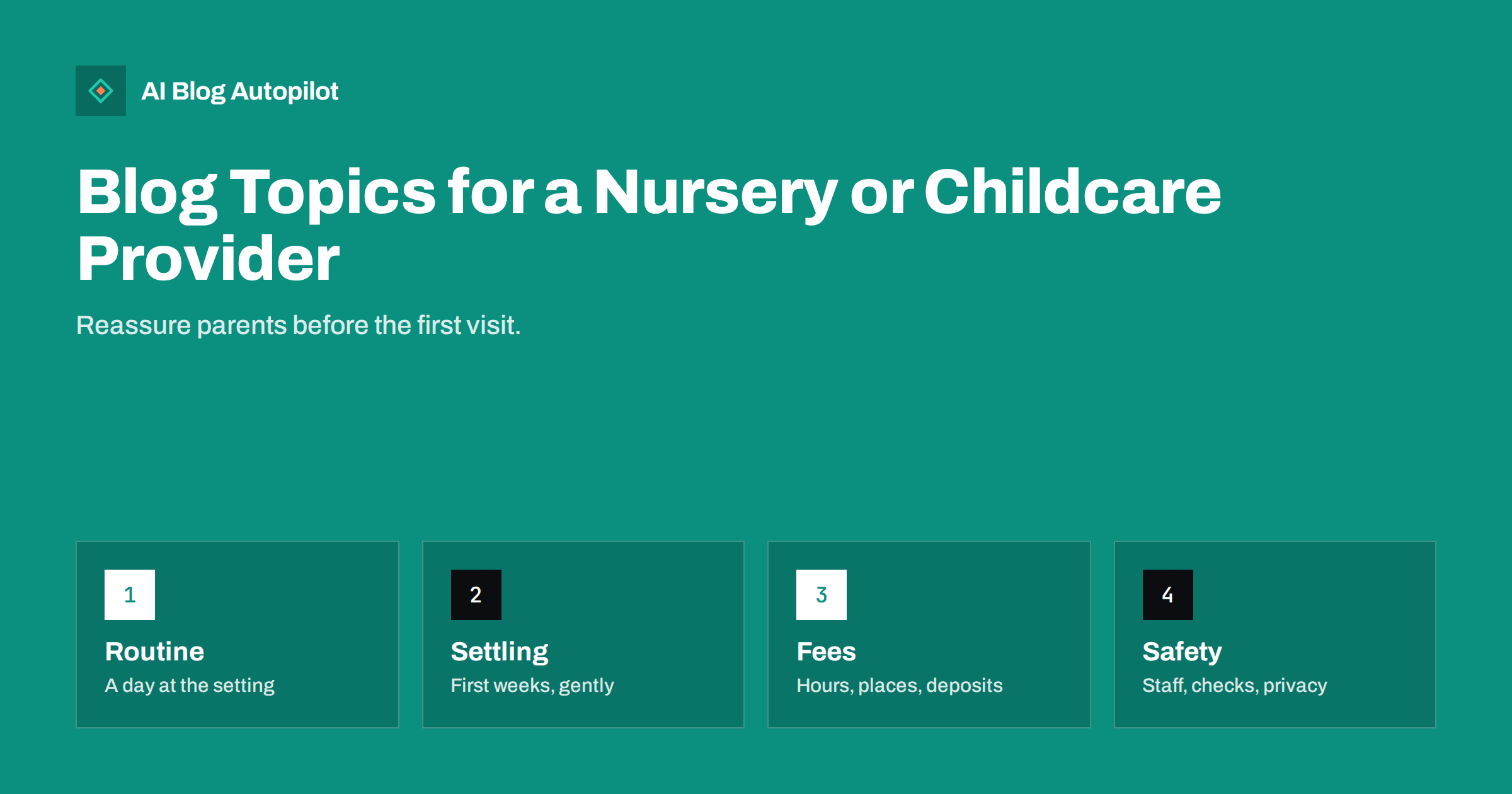
Short answer: a nursery or childcare provider should blog about what worries parents before they choose: what a normal day looks like, how children settle in, who looks after them, how safety and food are handled, what fees and hours apply and how parents are kept informed. Write warmly and plainly, show real routines, protect children’s privacy and keep every fact dated.
Choosing childcare is among the most emotional purchases a family makes. Parents are leaving the most important person in their life with others, often for the first time, and they search late at night for reassurance. A blog that answers their questions honestly, in a calm voice, lets them picture their child in your setting before they walk through the door.
This guide lists topic groups for a nursery, a childminder or an after-school club, explains how to turn the questions you hear on tours into pages and describes how to keep content respectful of children and compliant with the rules of your country. Check your regulator’s guidance on advertising and on images of children before you publish.
Show what a day looks like
The most useful page is often a typical day. Describe arrival, play, snack, meals, rest, outdoor time, activities and collection, with approximate times and what changes for babies, toddlers and older children. Parents want to imagine the rhythm, and a clear timetable shows that the setting is organised and caring.
Explain how you plan activities. Say what children learn through play, how you follow their interests and how you record progress. Use plain words, not only the terms of a curriculum, and link to the official framework for parents who want to read more. A page that explains learning through play is a good answer to the question of whether children are only being minded.
Write about food and drink: how menus are planned, how allergies and special diets are handled, what you do for babies who are weaned and how you encourage children to try new foods. Be specific about what you do and avoid promises you cannot keep, such as saying that an environment is completely free of an allergen unless it truly is.
Describe the rooms and outdoor space with real photographs where you have consent from parents, or photographs without children. Explain how the space is arranged for different ages and how you keep it safe and clean. Parents love details such as quiet corners and the garden.
Add a page for parents of babies. Explain feeding routines, sleep, how you follow the home routine, how you share information about nappies and naps and how you build a bond between the baby and a key person. Parents of very young children have the most questions and are the most careful readers.
Write about transitions later on as well: moving to the next room, starting school and changing sessions. Explain how you prepare children and families, and how you share information with the next setting or school. Parents like to know that the care continues beyond today.
Explain settling in and separation
Settling in is the biggest worry. Describe how it works: visits before the start, short first sessions, gradual increases and the role of a key person. Say how you handle tears and how you keep parents informed during the first days. Honest words, such as most children cry a little and then play, are more reassuring than a promise that nobody ever cries.
Write guides for parents on how to prepare their child: talking about the setting, visiting the area, practising short separations, bringing a comfort item and keeping goodbyes short and warm. Add tips for parents about managing their own feelings, since children notice them.
Describe how you communicate. Say whether you use an app, a daily book or a chat at pick-up, how often parents receive photos or updates and how you handle questions. A page on communication helps parents see that they will not be left guessing how their child is doing.
Explain how you support children with different needs: those who are shy, those who speak another language at home and those who need extra help. Say what you do, who is responsible and which outside services you work with. Parents of children with special needs read these pages carefully, and kindness is easy to recognise.
Be clear about fees, hours and places
Money and logistics decide many choices. Explain your hours, session lengths, term-time and holiday arrangements, fees for each age group and any extras such as meals, nappies or trips. Give a short example of a monthly bill with invented numbers, labelled as an example. The guide to writing honest articles about what things cost offers a structure for this kind of page.
Describe how places are offered: waiting lists, deposits, registration fees, notice periods and what happens if a child is ill or the family goes on holiday. Parents are sensitive to unexpected charges, and a page that states every condition in advance builds trust before they have signed anything.
Explain any funding or tax support available in your country in general terms, with links to official pages. Do not give personal financial advice, and show the date of the information, since rules change often. If you accept funded places, say how they work in your setting.
Update the page whenever a fee or a rule changes. An out-of-date fee table causes disputes and complaints, and search engines and assistants may repeat the old numbers long after you have changed them. Put the date of the last review at the top.
Introduce the people and explain safety
Parents want to know who will care for their child. Introduce the manager, the key staff and the cooks with short profiles: role, experience, qualifications and something personal, such as a favourite story. Use real photographs where staff agree, and keep the information consistent with your regulatory records.
Explain staffing in plain words: ratios, how cover works when someone is ill, how you recruit, which checks you carry out and what training staff receive, including first aid and safeguarding. Link to the official inspection reports and explain what they mean, whether they are good or mixed, since parents will read them anyway.
Describe safety routines: how you manage arrivals and departures, who may collect a child, how visitors are handled, how doors and outdoor areas are secured and what you do in an emergency. Avoid details that could weaken security, and give enough to show that you take the matter seriously.
Write about health: illness policies, medicines, hygiene, vaccinations in line with local guidance and what happens when a child is unwell at the setting. Keep it factual and refer to official health advice for medical questions. Parents appreciate clear rules on when a child should stay at home.
Protect children’s privacy in everything you publish
Children cannot give consent, so the rules must be strict. Do not publish names, faces or identifying details of children without written, specific and revocable consent from parents, and keep a record. Many settings choose to show activities, hands, backs of heads and spaces rather than faces. The guide on original photos on a blog explains good habits.
Be careful with stories as well. A funny anecdote about a toddler may seem harmless, but a small detail can identify a family. Use composite examples and say so, or ask for permission and let parents read the text first. Respect any parent who later asks you to remove something.
Check the settings of your social accounts and your site: who can comment, whether images can be downloaded and whether location data is attached. Add a short privacy statement that explains how you handle photographs and information, and keep it consistent with your policies in the setting.
Train staff on what they may share. An informal message with a photograph sent from a personal phone can break the rules you publish. Agree a simple procedure for approved images, and apply it every time.
Add seasonal and practical pages that bring parents back: preparing for the first day, what to pack, how to label clothes, how to handle illness in the winter and how to keep children happy during school holidays. These pages keep your site useful for current families as well as new ones.
Ask parents what they would like to read. A short survey or a conversation at pick-up often produces more ideas than a brainstorm in the office, and the parents’ own words make better titles than professional terms. Keep a list of the questions and answer one each month.
Help parents choose and book a visit
Write a short guide on how to choose childcare: what to ask on a visit, what to look for in the atmosphere, how to read an inspection report and how to compare settings fairly. It may seem odd to help parents compare, but it shows confidence and attracts families who value careful choices.
Make booking a visit simple. Say when tours happen, how long they last, who shows families round and what to bring or ask. Offer a phone number, a form and an email address that is checked every day. Parents often contact several settings in a week, and a quick, warm reply helps you stand out.
Create local pages for the streets and neighbourhoods you serve, with real details such as walking distances, bus stops and nearby schools. The guide to blog strategy for a local business shows how to keep these pages useful, not repetitive. Keep your name, address and hours identical across your site and listings.
Review the blog each term. Replace outdated information, add new questions from parents and remove pages that no longer match your practice. Treat the blog as an extension of the welcome you give, and the tone will stay consistent from the first search to the first day.
How AI Blog Autopilot helps
AI Blog Autopilot can write and publish articles on your chosen topics, with FAQ sections, tags and SEO meta, and share them to your social networks. Give it your age groups and your area, and have the manager check every fee, rule and routine before each article goes live. See the pricing page for plans and monthly credits.
Related reading
- Blog Topics for Schools and Tutoring Businesses
- Original Photos on a Business Blog: A Simple Setup
- Blog Strategy for a Local Business
The bottom line
Show a real day, explain settling in, fees and safety openly, protect every child’s privacy and make booking a visit easy.
FAQ
What should a nursery blog about first?
Start with a typical day, how children settle in, fees and hours and who looks after the children.
Can I publish photos of children?
Only with specific written consent from parents, which can be withdrawn. Many settings show activities and spaces without faces.
Should I publish fees online?
Yes if you can keep them current. State what is included, add the date and explain extras such as meals or trips.
How do I write about inspection reports?
Link to the official report and explain the findings in plain words, including any areas you are improving.
How often should the pages be reviewed?
Each term, and whenever fees, hours, staff or regulations change, with the date shown at the top.