ENEnglish
 LTLietuviškai
 DEDeutsch
 FRFrançais
 RUРусский
 ESEspañol
 PLPolski
 ITItaliano
 UKУкраїнська
 CSČeština
 PTPortuguês
 JA日本語
JA日本語 LVLatviešu valoda
 ETEesti
 HUMagyar
 IDBahasa Indonesia
 TRTürkçe
 HIहिन्दी
 ELΕλληνικά
 ARالعربية
 THไทย
THไทย VITiếng Việt
 RORomână
 MSBahasa Melayu
 BNবাংলা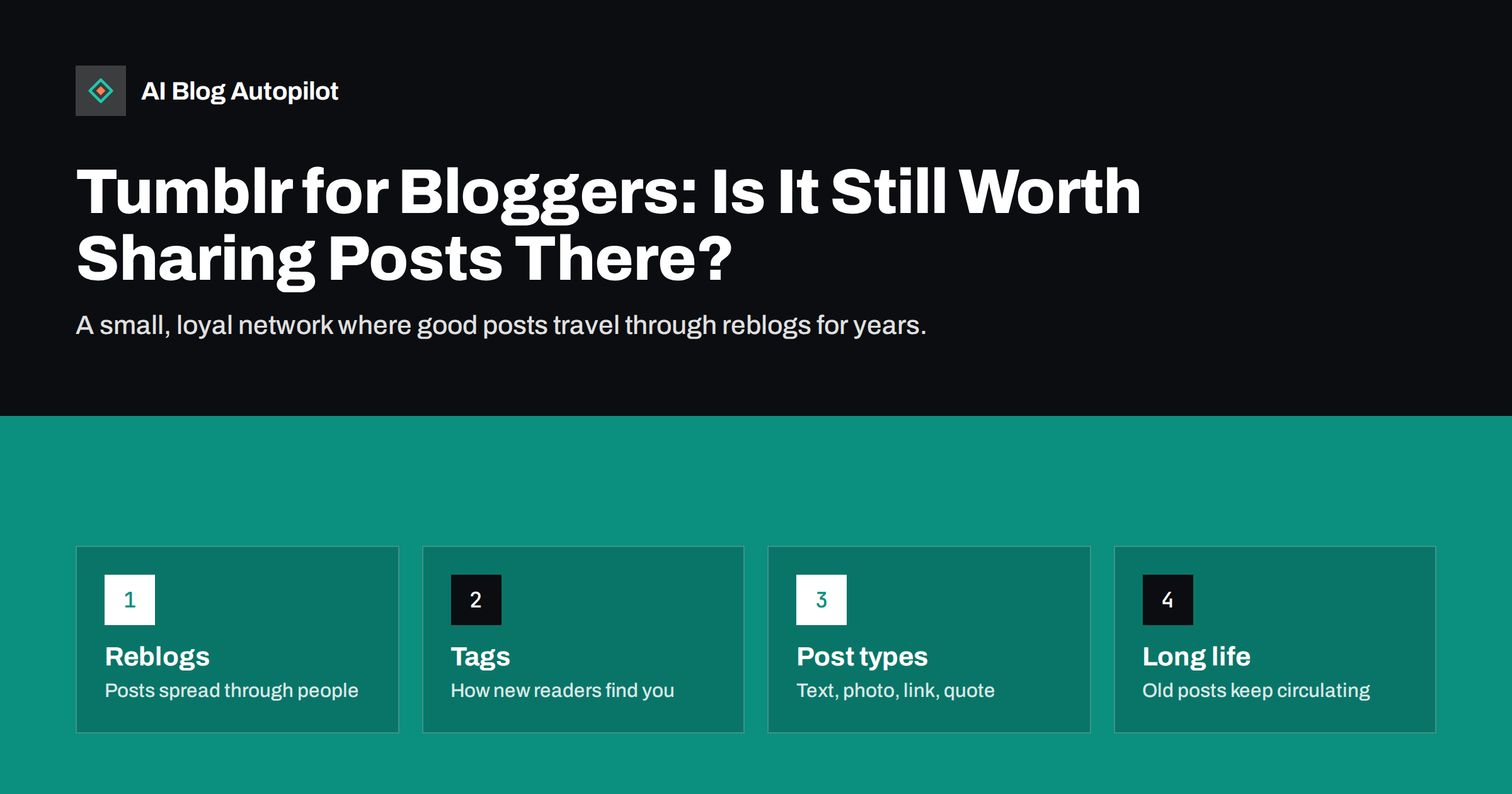
Short answer: Tumblr is worth sharing blog posts on if your topic fits its communities, such as creative work, design, writing, fandoms, hobbies, food, travel, crafts or niche interests. It is smaller than the biggest networks, but posts spread through reblogs and tags and can keep circulating long after they are published. Share articles as native posts with an image or a short excerpt, a clear link and a few specific tags, rather than bare links. For strictly B2B or local service topics, it is usually a low priority.
Tumblr has been around since 2007 and has gone through several owners and phases. It is no longer the trend it once was, yet it still has an active community of people who follow blogs around shared interests. For some bloggers, it remains a steady source of readers who share content with each other. For others, it brings almost nothing. This guide helps you decide which group you are in and how to use Tumblr well if you go ahead.
How Tumblr is different from other networks
Tumblr sits somewhere between a blog platform and a social network. Every account is a blog with its own address and theme, and the dashboard shows posts from blogs you follow. Three features make it behave differently from other networks:
- Reblogs. Users can repost your post to their own blog, often adding a comment. Reblogs keep the original credit and link, and a popular post can travel far beyond your followers.
- Tags. Posts carry tags, and people follow and search tags to find new content. Tags are the main way strangers discover you.
- Post types. Tumblr supports text, photo, quote, link, chat, audio and video posts, and its editor lets you combine blocks of text, images and links in one post.
Because posts are reblogged rather than buried in a fast timeline, content on Tumblr can resurface months or years later. That long tail suits evergreen blog content well.
The culture matters too. Tumblr users are often wary of anything that feels like advertising, and they value personality, humour and real enthusiasm for a subject. A brand account that sounds like a press release tends to be ignored, while one that clearly cares about the same things as its followers can become part of the community. Keep that tone in mind when you write the text for each post.
Who Tumblr works for
Tumblr’s audience leans towards people interested in creative and personal topics, and many users are younger adults. Subjects that tend to fit include:
- art, illustration, photography and design;
- writing, books, poetry and language;
- fandoms, films, television, games and music;
- food, recipes and home cooking;
- crafts, fashion, interiors and DIY;
- travel, nature and history;
- niche hobbies and communities of interest.
Business-to-business software, accounting, legal services or local trades usually find more value on LinkedIn, Facebook or their own blog. That does not mean Tumblr is useless for them, but it should not take time away from networks where their customers actually are.
The quickest test is to search Tumblr for a few tags in your field. If you find active blogs posting and reblogging content similar to yours, there is an audience. If the tags are empty or full of spam, look elsewhere.
Setting up a blog presence
If you decide to use Tumblr, a little setup makes the account look trustworthy:
- Choose a clear blog name. Use your brand or blog name, so the address is recognisable.
- Write a short description. Say what the blog is about and who it is for, and link to your website.
- Use a consistent avatar and header that match your other profiles.
- Pick a readable theme. Your Tumblr blog has its own public pages, and some visitors will land there instead of the dashboard.
- Check the community label settings. Tumblr lets you label mature content. Make sure your settings match what you actually post.
The Tumblr Help Center explains current settings for blogs, posts and tags, which change from time to time.
How to share blog posts on Tumblr
A bare link with no context gets little attention on Tumblr. Posts that are pleasant to see in the dashboard and easy to reblog work much better:
- Lead with a strong image. Your featured image, a photo from the article or a clear graphic makes the post stand out.
- Add a short, genuine introduction. Two or three sentences saying what the article covers and why it is interesting.
- Include a useful excerpt. A tip, a list or a key paragraph gives people value even if they do not click, and gives them a reason to reblog.
- Make the link obvious. Put the article link clearly in the post text with a readable anchor, not hidden at the end.
- Use the right post type. Photo posts for visual topics, text posts for written tips, link posts when the article itself is the point.
Link posts generate a preview from your page’s Open Graph tags, so a good title, description and featured image on the blog side improve how the link appears.
Think about the format of each article before posting. A recipe works well as a photo post with the ingredient list in the text. A list of tips can be shared as a text post with three of the tips written out and a link to the rest. A long guide might become a short series of posts over a week, each covering one section. Splitting content like this gives followers several chances to discover the article without repeating the same post.
Tags that help people find you
Tags do much of the work that hashtags do on other networks, but Tumblr users browse and follow them more deliberately. Good tagging habits:
- Use a handful of specific tags that describe the post, such as the topic, the format and the community it belongs to.
- Put the most important tags first. Search and browsing tend to give the first tags the most weight.
- Use tags people actually follow. Look at what active blogs in your area use rather than inventing new ones.
- Do not tag spam. Adding popular but unrelated tags annoys users and can lead to your posts being filtered or reported.
- Use a brand tag for your own content so visitors can find all your posts in one place.
Tumblr users also use tags for comments, so you will see long, conversational tags on reblogs. That is part of the culture, but your own posts should carry descriptive tags first.
Engaging, not just posting
Tumblr is a community, and accounts that only push their own links rarely grow. A little participation goes a long way:
- Follow blogs in your niche and reblog content you genuinely like, with a comment when you have something to add.
- Reply to comments and reblogs of your posts when people ask questions.
- Use the queue to spread your own posts and reblogs over the day, so your blog stays active without a flood of posts at once.
- Share older articles occasionally, especially evergreen guides, since new followers have not seen them.
- Answer messages and asks if you enable them, or keep them off if you cannot.
A good rule is that your Tumblr blog should be interesting to someone who never clicks a link. If it is, people will follow it, and the clicks follow.
Measuring whether Tumblr is worth it
Give Tumblr a fair test of two or three months before deciding. Then look at:
- Referral visits from Tumblr in your analytics, ideally tagged with UTM parameters on your links.
- Reblogs and notes on your posts, which show whether content spreads.
- Follower growth on the Tumblr blog.
- Time on site and pages per visit for Tumblr visitors compared with other social traffic.
Tumblr traffic is often modest in volume but engaged, because people who click have already chosen to follow your topic. If it brings readers who stay, keep going. If after a fair test it brings almost nothing, it is reasonable to stop posting there and focus on networks that work better for you.
Also check what happens after the click. Tumblr is used heavily on phones, so make sure the article loads quickly on mobile and does not greet visitors with large pop-ups.
Common mistakes
- Posting only bare links with no image or text.
- Using dozens of popular but unrelated tags.
- Posting many links at once and then nothing for weeks.
- Copying the same caption written for another network, complete with hashtags that mean nothing on Tumblr.
- Ignoring reblogs and replies.
- Expecting large traffic from a topic that has no community on the platform.
How AI Blog Autopilot helps
AI Blog Autopilot shares every article it publishes to the social networks you connect, and Tumblr is among the 58+ networks it posts to. Each network gets its own text, length and timing, so a Tumblr post does not have to look like a copy of your LinkedIn post. Plans and network limits are on the pricing page.
Related reading
- Bluesky, Threads and Mastodon: Sharing Blog Posts There
- Pinterest for Bloggers: Pins That Keep Sending Readers
- Hashtags for Blog Posts on Social Media
- UTM Tags for Social Shares
The bottom line
Tumblr is a smaller network than the giants, but for creative, personal and niche topics it can still bring loyal readers through reblogs and tags. Check whether your topic has an active community there, set up a recognisable blog, share articles as native posts with an image, an excerpt and a clear link, and use a few specific tags. Take part in the community, measure for a few months, and keep Tumblr only if it sends readers who stay.
FAQ
Is Tumblr good for promoting a blog?
It can be, if your topic matches its communities, such as art, writing, food, travel, crafts or fandoms. Posts spread through reblogs and tags and can keep circulating for a long time. For B2B or local services it is usually a lower priority.
How do I share a blog post on Tumblr?
Create a native post with an image or excerpt, a short introduction and a clear link to the article, then add a few specific tags. Bare links with no context usually get little attention.
How many tags should I use on Tumblr?
A handful of specific, relevant tags is enough for most posts. Put the most important ones first, use tags that active blogs in your niche follow, and avoid popular tags that do not fit the post.
Do links from Tumblr help SEO?
Treat Tumblr mainly as a source of readers rather than links. Social profile and post links generally carry little direct ranking value, but the visits, shares and visibility they bring can still help your blog.
How long should I test Tumblr before deciding?
Two to three months of regular, well-tagged posts is a fair test. Then compare referral visits, reblogs and the engagement of Tumblr visitors with your other networks.