ENEnglish
 LTLietuviškai
 DEDeutsch
 FRFrançais
 RUРусский
 ESEspañol
 PLPolski
 ITItaliano
 UKУкраїнська
 CSČeština
 PTPortuguês
 JA日本語
JA日本語 LVLatviešu valoda
 ETEesti
 HUMagyar
 IDBahasa Indonesia
 TRTürkçe
 HIहिन्दी
 ELΕλληνικά
 ARالعربية
 THไทย
THไทย VITiếng Việt
 RORomână
 MSBahasa Melayu
 BNবাংলা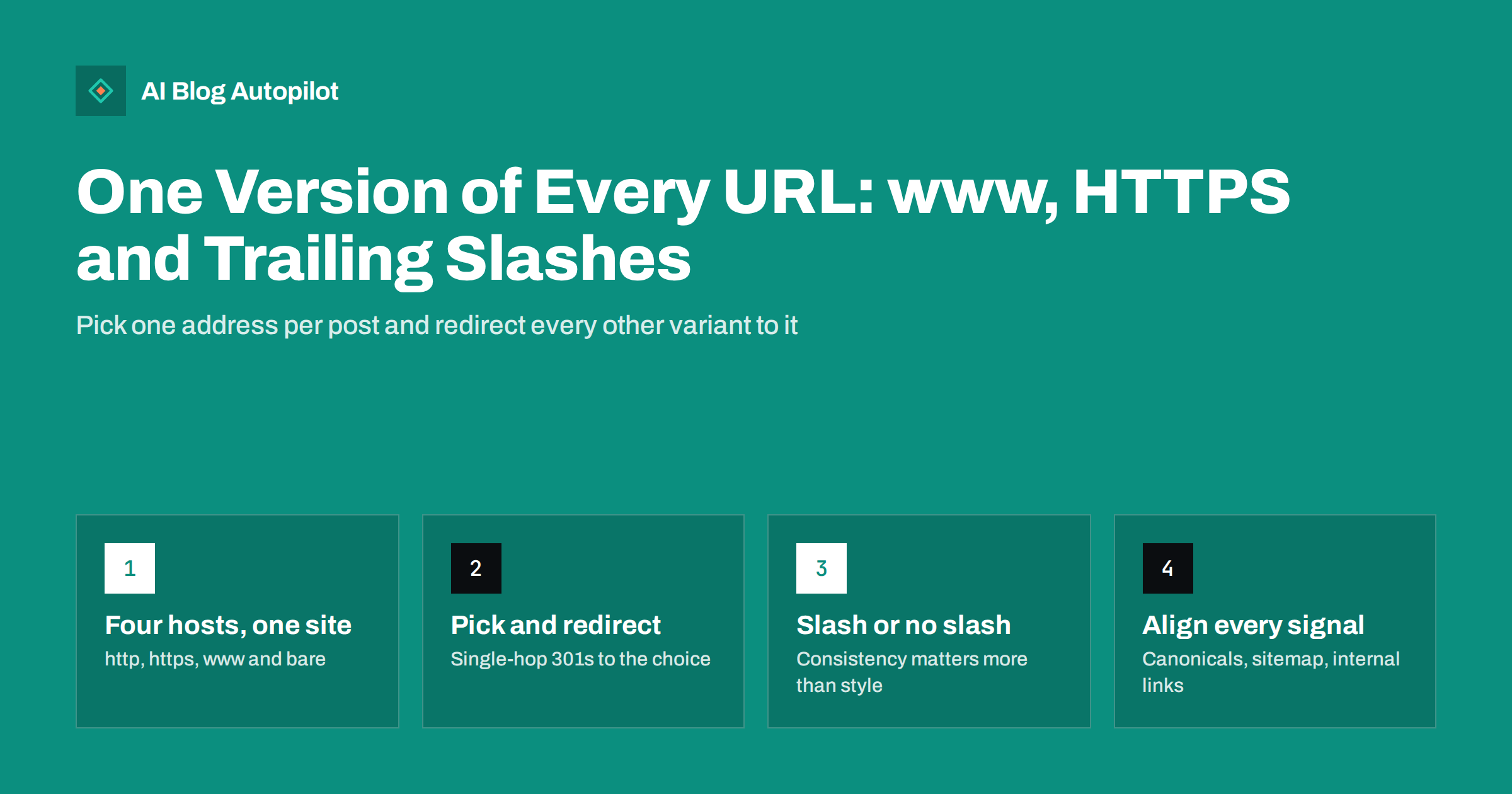
Short answer: every blog post should be reachable at exactly one address. Choose HTTPS, choose either the www or the bare domain, choose whether URLs end with a slash, and then permanently redirect every other variant to that choice in a single hop. After that, make your canonical tags, XML sitemap and internal links all use the same form, so search engines never have to guess which version is the real one.
Most blogs never decide this on purpose. The hosting company sets a default, the content management system adds its own habits, and a plugin or a theme change quietly adds another. The result is a site where the same article answers at two, four or even eight slightly different addresses.
Search engines are good at working out that these are duplicates, but “good at guessing” is not the same as “told clearly”. This guide explains which variants exist, why they matter, and how to consolidate them without breaking anything.
How one post ends up with several addresses
A domain name can be reached in more ways than most owners realise. Take a single article. Without any rules on the server, all of these might return the same page with a 200 status:
http://example.com/post-name/http://www.example.com/post-name/https://example.com/post-name/https://www.example.com/post-name/- and each of the above without the final slash,
/post-name
That is eight addresses for one page. Add upper-case letters, an index.php in the path, or a tracking parameter, and the number keeps growing.
Each of these is technically a different URL. A browser treats them as different, analytics tools often record them separately, and search engines have to decide whether they are the same document. Usually they are, and a search engine will group them and pick one to show. The trouble is that it picks based on signals you may not have lined up, and the pick is not always the one you would have chosen.
Why duplicate addresses still matter
There is no penalty for having both a www and a non-www version of a page. Search engines understand that this is a configuration issue, not an attempt to manipulate results. The costs are quieter than a penalty, but they are real.
- Split signals. When other sites link to your post, some will link to one variant and some to another. Search engines try to consolidate those links onto the chosen version, but consolidation works best when every signal points the same way.
- Wasted crawling. A crawler that finds four versions of every post fetches more pages to learn the same thing. On a small blog this rarely blocks anything, but it slows down how quickly new or updated posts are picked up.
- Confusing reports. Search Console and analytics can show the same article under several addresses, which makes it harder to see how a post is really doing.
- Security warnings. If the plain HTTP version still works without redirecting, visitors who arrive through an old link see a page their browser marks as not secure.
- Broken sharing counts and previews. Social networks often cache link previews per exact URL, so the same article can end up with different previews depending on which address someone pasted.
None of these will sink a good blog on its own. Together they create friction that is easy to remove, which is why consolidating URLs is one of the first jobs in any technical review.
Decision one: HTTPS, always
This is the only choice that is not really a choice. Every blog should serve every page over HTTPS. Browsers label plain HTTP pages as not secure, many modern browser features only work on secure pages, and search engines have treated HTTPS as a positive signal for years. The web.dev guide to why HTTPS matters is a good plain-language summary.
Most hosts now issue free certificates automatically. Once the certificate is in place, the plain HTTP version of every URL should return a permanent redirect to the HTTPS version of the same path. Not to the home page, and not through a chain of hops: straight to the matching secure address.
After the redirect works, you can consider HSTS, an HTTP header that tells browsers to use HTTPS for your domain without even trying HTTP first. It is useful, but add it only once you are sure every subdomain you care about serves HTTPS correctly, because browsers remember the instruction.
Decision two: www or the bare domain
Here there is no right answer for search. Search engines rank www.example.com and example.com equally well. What matters is that you pick one and stick to it.
A few practical points can help you choose:
- Keep what you already have. If your blog has been running on www for years and most links point there, stay with www. Switching creates redirects for no gain.
- Consider your hosting setup. Some content delivery and DNS setups are simpler with a www subdomain, because a subdomain can point anywhere with a CNAME record. Your host’s documentation usually says which it prefers.
- Match your brand usage. If your printed materials and email signatures all say one form, use that form so what people type matches what they see.
Once chosen, the other form should permanently redirect, path for path, to the chosen one.
Decision three: the trailing slash
For search engines, /post-name/ and /post-name are two different URLs. On the home page the slash makes no difference, because https://example.com and https://example.com/ are treated as the same, but on every other path it does.
Again, neither style ranks better. What matters is consistency. WordPress, for example, uses a trailing slash by default for posts and pages when you use a permalink structure that ends with a slash, and it redirects the version without the slash automatically. Other platforms and static site generators have their own defaults.
The practical rule is to follow whatever your platform does natively, then check that the other version redirects rather than returning a second copy of the page. Fighting your CMS to change the default usually creates more problems than it solves.
Two related details are worth checking at the same time:
- Letter case. Paths are case-sensitive on many servers. Keep slugs lower-case and make sure mixed-case versions either redirect or return a 404, not a duplicate.
- Index files. Addresses such as
/index.phpor/index.htmlshould redirect to the clean folder address, or never be linked at all.
How to consolidate: redirects first, then signals
With the three decisions made, the work splits into two parts. The first part is on the server, the second is inside the site.
Part one: server redirects
- Write down your preferred form. For example: HTTPS, no www, trailing slash.
- Redirect every other combination with a 301. Permanent redirects tell search engines to transfer signals to the destination. Temporary redirects are for genuinely temporary situations.
- Keep it to one hop. A request for
http://www.example.com/post-nameshould land onhttps://example.com/post-name/directly. Chains such as HTTP to HTTPS, then www to bare, then slash added, work eventually, but each hop adds delay and a small chance of something going wrong. - Preserve the path and query string. A redirect that sends every old address to the home page throws away the value of the specific link.
Many hosts offer a switch for “force HTTPS” and a preference for www or non-www in their control panel. Use those if they exist. If you need to write rules yourself, keep a copy of the working configuration before you change it.
Part two: signals inside the site
- Canonical tags. Every page should carry a canonical tag pointing to its own preferred address, in the exact preferred form. A canonical that says www while the redirect points to the bare domain sends mixed signals.
- XML sitemap. List only preferred addresses. A sitemap full of URLs that redirect is a common leftover after a switch.
- Internal links. Menus, related posts and links inside articles should use the preferred form, or relative links that inherit it. Hard-coded absolute links from an older setup are the usual culprit.
- Site settings. In WordPress, the site address and WordPress address settings decide the form used in generated links. They should match your preferred version exactly.
- Structured data and social tags. Open Graph URLs and any URLs inside structured data should also use the preferred form.
How to check your blog in ten minutes
You do not need special software for a first check. A browser and a free header checker are enough, and most command-line tools can do the same.
| Test | What you want to see |
|---|---|
| Open the HTTP version of a post | One 301 redirect to the HTTPS preferred URL |
| Open the other host form (www or bare) | One 301 redirect to the preferred host, same path |
| Remove or add the trailing slash | One 301 redirect to the preferred form |
| View the page source and find the canonical tag | The exact preferred URL |
| Open the XML sitemap | Only preferred URLs, no redirects |
| Inspect the URL in Search Console | The Google-selected canonical matches yours |
Test at least the home page, a recent post, an old post and a category page. Old posts matter because they often carry links from years ago that use a form nobody has thought about since.
In Search Console, it is also worth confirming that you have a Domain property, which covers every protocol and subdomain together. That way the reports include traffic to any variant that still slips through, instead of hiding it in a property you never open.
Mistakes to avoid when switching
- Redirecting everything to the home page. It looks tidy but throws away the specific value of each post’s links and frustrates visitors.
- Using temporary redirects for a permanent change. A 302 tells search engines the old address might come back.
- Changing forms repeatedly. Moving from www to bare and back again within a year forces search engines to re-learn your site each time.
- Forgetting images and files. Media URLs inside old posts can still point at the HTTP version, which triggers mixed content warnings in the browser.
- Leaving an old sitemap in place. If a sitemap listing the old form is still submitted, search engines keep fetching addresses that only redirect.
- Adding HSTS too early. If a subdomain still needs plain HTTP, a strict HSTS policy can make it unreachable for visitors who have seen the header.
How AI Blog Autopilot fits in
AI Blog Autopilot writes SEO articles and publishes them to your WordPress blog through a standard connection, then shares each one to your social networks. Because the posts are created inside WordPress, their addresses follow your WordPress site address and permalink settings, so once those match your preferred form, every new article is born at the right URL. Redirects, certificates and server rules stay with your host and under your control. You can see how the publishing side works on the AI Blog Autopilot home page.
Related reading
- Canonical Tags Explained Without the Jargon
- Duplicate Content: What Counts and What Doesn’t
- Changing a Blog’s Domain Name Safely
- XML Sitemaps Explained for People Who Publish
The bottom line
Give every post one address. Serve everything over HTTPS, pick www or bare and keep it, follow your platform’s trailing slash habit, and redirect every other variant with a single permanent redirect. Then make canonicals, sitemaps and internal links agree. It is an afternoon of work that removes a whole class of quiet problems for as long as the blog exists.
SSS
Is www or non-www better for SEO?
Neither. Search engines treat both equally. What matters is choosing one, redirecting the other to it with a permanent redirect, and using the chosen form consistently in canonical tags, sitemaps and internal links.
Should blog URLs end with a trailing slash?
Either style works. Follow your platform’s default, because fighting it tends to create redirect loops or duplicates. The important part is that the version you do not use redirects to the one you do.
Will switching from www to non-www hurt my rankings?
A clean switch with single-hop 301 redirects, updated canonicals and a new sitemap usually causes only short-lived fluctuation. Problems come from redirect chains, redirects to the home page, or signals that still point at the old form.
Is a canonical tag enough without redirects?
A canonical tag is a strong hint, but search engines can still ignore it. Redirects are clearer because visitors and crawlers never see the duplicate at all. Use both: redirects for host, protocol and slash variants, and canonical tags as a second confirmation.
How do I know which version Google has chosen?
Use the URL Inspection tool in Search Console. It shows the canonical you declared and the canonical Google selected. If they differ, look for internal links, sitemap entries or redirects that still favour the other version.