ENEnglish
 LTLietuviškai
 DEDeutsch
 FRFrançais
 RUРусский
 ESEspañol
 PLPolski
 ITItaliano
 UKУкраїнська
 CSČeština
 PTPortuguês
 JA日本語
JA日本語 LVLatviešu valoda
 ETEesti
 HUMagyar
 IDBahasa Indonesia
 TRTürkçe
 HIहिन्दी
 ELΕλληνικά
 ARالعربية
 THไทย
THไทย VITiếng Việt
 RORomână
 MSBahasa Melayu
 BNবাংলা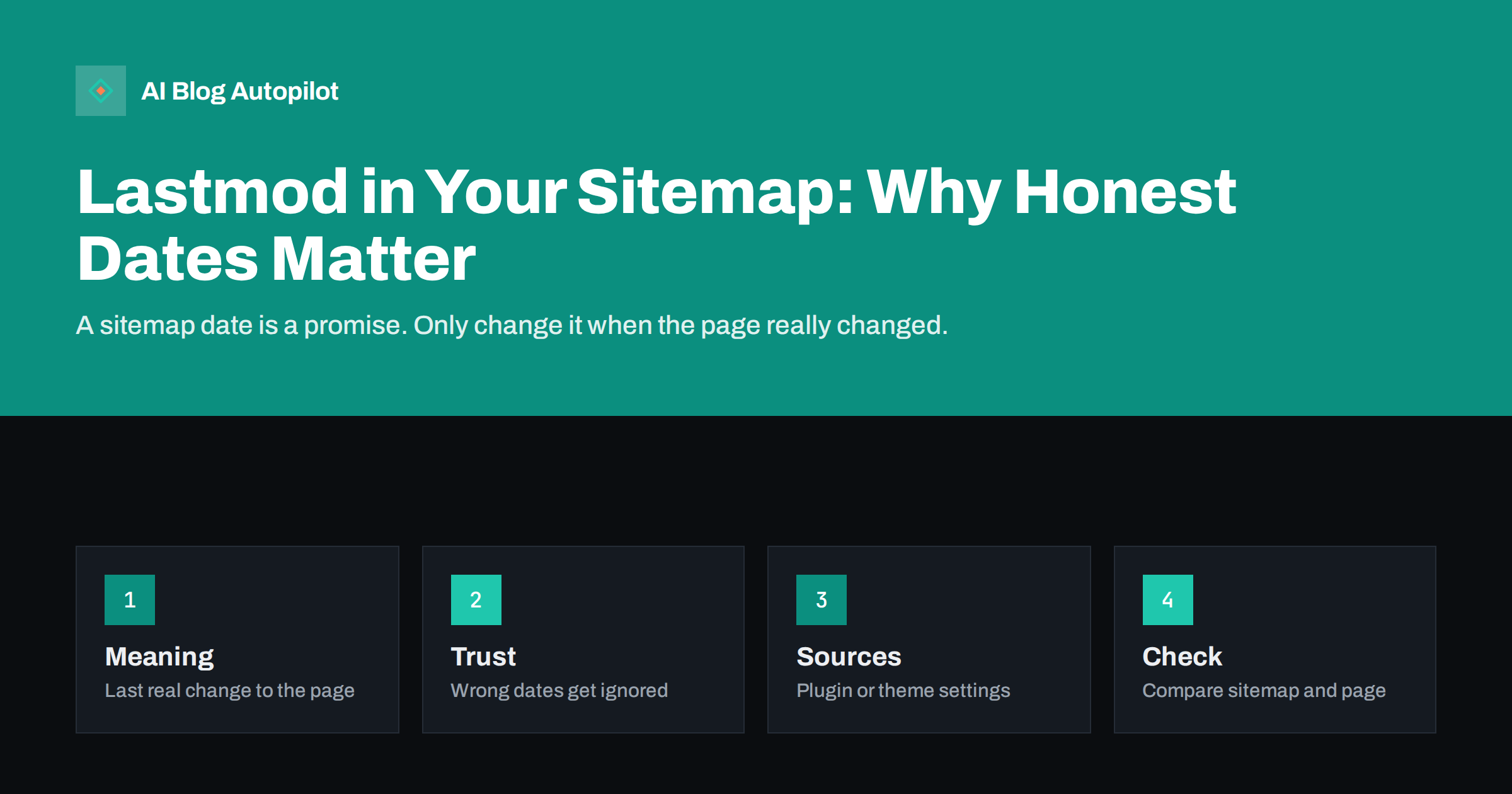
Short answer: the lastmod value in an XML sitemap tells search engines when a page last changed in a meaningful way. It is useful only if it is accurate. If every page shows today’s date after each small edit or each plugin update, search engines learn to ignore the field. Update it when the content truly changes, and leave it alone otherwise.
Most blog owners never open their sitemap file, yet it is one of the few places where you can talk directly to search engines. It lists your addresses and can include a date for each. That date can help crawlers decide what to revisit, but it can also teach them not to trust you. This article explains what lastmod should mean, how it goes wrong and how to check your own file in a few minutes.
What lastmod means
A sitemap is a file that lists the addresses you want search engines to know. Each entry can carry a lastmod value, which is a date, and sometimes a time, that says when the page was last modified. The protocol also defines two other optional fields, a change frequency and a priority, but major search engines have said that they do not rely on them. Lastmod is the one field that can matter.
The point of the date is to help a crawler spend its time well. If it knows that a page has not changed since the last visit, it can skip it and fetch pages that did change. For a blog with hundreds of posts, this helps new and updated articles get noticed sooner. Our guide to XML sitemaps covers the basics of the file itself.
Lastmod is about the content of the page, not about the file. The date of the sitemap file is not the date of the page, and the time that you saved a setting is not the time that the article changed. Keeping those apart is the whole discipline.
Why honest dates matter
Search engines compare the date in the sitemap with what they find. If the sitemap says a page changed yesterday but the crawler sees the same content as last month, the date was wrong. After enough such cases, the engine treats the field as noise. Google has said in its documentation that it uses lastmod when it is consistently and verifiably accurate. Once your dates lose that trust, even your real updates lose the benefit.
There is a human side too. Readers see dates in search results and on pages. A page that claims to be updated today but offers old advice damages trust. It is the same issue discussed in publish and updated dates, applied to the machine-readable copy of that date.
Finally, wrong dates hide your effort. If you rewrite an article properly but the sitemap shows the same date as thirty unchanged pages that were touched by a plugin, nothing marks your work as special. Honest dates let your real updates stand out.
A fourth failure is a mismatch between time zones or formats. A date written without a clear format, or a time that is wrong by several hours, can make an entry look like it is in the future or the past. Most plugins handle this well, but a custom sitemap built by hand or by a script needs a careful look.
How lastmod goes wrong
The most common failure is a global change. A theme update, a new plugin, a change of footer text or a bulk edit of categories can update the modified date of every post. If your sitemap reads the modified date from the database, all pages suddenly show the same new date. Search engines notice a site where everything changed on one day, and they may check a lot of pages for no reason.
A second failure is automatic touching. Some tools save each post again on a schedule, for example to refresh a cache or add a related posts block. This updates the modified time without changing the content that a reader sees. The date becomes a record of the tool and not of your editing.
A third failure is the opposite: dates that never change. If the sitemap always shows the original publish date, real updates go unmarked. This is less harmful than false freshness, but it wastes a chance to signal a real update after a rewrite.
Large rewrites deserve a clear record, but small meaningful changes count too. Correcting a number that readers rely on, adding a missing step to a process or replacing a broken example are real improvements, and a fresh date is fair after them. The test is always the reader, not the tool.
What counts as a meaningful change
Treat a change as meaningful when a reader would notice it and care. New or corrected facts, a rewritten section, a new example, an updated price or a changed recommendation all count. Fixing a typo, changing a button colour or updating a plugin does not. A simple rule is to ask whether you would be comfortable telling a reader “this page changed on this date because of this”.
When you refresh an old article, record what you did. A short note in your content inventory with the date and the reason keeps the sitemap date and the visible date aligned. The process is described in how to refresh old blog posts, and you can pair it with a look at content decay to choose which posts deserve the effort.
Do not invent updates. Adding a sentence only to change the date is easy to spot and gives readers nothing. If the page is still right, leave it alone and let its age show.
If your site is large, consider how the sitemap is split. Several sitemap files can be listed in an index, and each file can have its own date. A wrong date at the index level can hide changes in the files below it, so check both layers when you review the setup.
Where the date comes from
In WordPress, the sitemap is created by core or by an SEO plugin. Both usually take the date from the modified time of the post. Some plugins let you choose how this is calculated or let you turn lastmod off. Look in your plugin settings for the sitemap section, and read what each option says before you change it. If you cannot find an option, test the behaviour instead, as shown below.
Other tools can alter the modified time. Import tools, backup restores, bulk editors, translation plugins and staging syncs sometimes rewrite it. If you notice that dates jump after one of these actions, that tool is the cause. Use the guidance in WordPress SEO plugin settings to review the other sitemap options at the same time.
If you cannot get honest dates from your setup, it is better to omit lastmod than to publish a wrong one. A sitemap without dates still works as a list of addresses.
You can also compare the dates with the dates in your own analytics or editorial calendar. If a post was refreshed on a known day and the sitemap shows the same day, the system works. If you cannot find a link between your records and the sitemap, you have no way to trust it, and that is a reason to investigate.
How to check your sitemap
Open your sitemap in a browser. Pick five posts and compare the lastmod value with the date you last edited each one. Then pick five posts that you know have not changed in months and see whether their dates are old. If the old posts show recent dates, something is touching them.
Next, look for patterns. If many entries share the same date and time, a bulk action probably caused it. Open a few of those pages and ask whether anything visible changed. If not, the dates are false.
In Search Console, check the sitemap report to see that the file is read without errors and how many addresses were discovered. Errors are covered in sitemap errors in Search Console. A clean report does not prove that the dates are accurate, so keep your own manual check as well.
Keep changes small and test one at a time. If you switch a plugin option and also stop a scheduled task on the same day, you will not know which one helped. Make one change, wait for a few real edits and check the dates again.
Fixing a bad setup
If you find false dates, start with the cause. Stop the scheduled re-saving, move bulk edits to times when you can accept a new date, or change the plugin option that decides which date to use. Some plugins offer a separate field for the date that you consider the real update, which gives you control.
After the fix, the old false dates will not disappear instantly. Search engines will see the corrected file on their next visit and gradually rebuild their view. Do not try to repair this by editing pages again. Let the correct dates appear as you make real changes over the following weeks.
For new publishing, search engines that support notification of changed addresses, described in IndexNow and fast indexing, can complement the sitemap. These notifications work best when they refer to real changes as well.
How AI Blog Autopilot helps
AI Blog Autopilot writes full SEO articles for your WordPress blog from the topics, keywords, audience and tone you set, with FAQ sections, tags and SEO meta included, and it shares each one to your social networks. Each article is published with its own date, so your sitemap grows with real new pages, and approval mode lets you read each one first. See the pricing page for plans.
Related reading
- XML Sitemaps Explained for People Who Publish
- Publish and Updated Dates
- How to Refresh Old Blog Posts
The bottom line
Lastmod is a promise that a page changed. Keep it honest by updating it only for real changes, stop plugins and bulk actions from touching old posts and compare your sitemap with your edit history.
SSS
Do I need lastmod in my sitemap?
No. It is optional. Include it only if it is accurate, because wrong dates teach search engines to ignore the field.
Do change frequency and priority matter?
Major search engines have said they do not rely on them. Lastmod is the field that can be useful.
Why do all my pages show the same lastmod date?
A bulk action, theme update or plugin probably saved every post. Find the tool that touched them and stop it.
Should I update a page just to change its date?
No. Change the date when the content changes in a way readers would notice. Empty edits give no benefit.
How do I check whether my dates are right?
Compare the sitemap dates of a few posts with your own edit history, and look for many entries sharing the same date.