ENEnglish
 LTLietuviškai
 DEDeutsch
 FRFrançais
 RUРусский
 ESEspañol
 PLPolski
 ITItaliano
 UKУкраїнська
 CSČeština
 PTPortuguês
 JA日本語
JA日本語 LVLatviešu valoda
 ETEesti
 HUMagyar
 IDBahasa Indonesia
 TRTürkçe
 HIहिन्दी
 ELΕλληνικά
 ARالعربية
 THไทย
THไทย VITiếng Việt
 RORomână
 MSBahasa Melayu
 BNবাংলা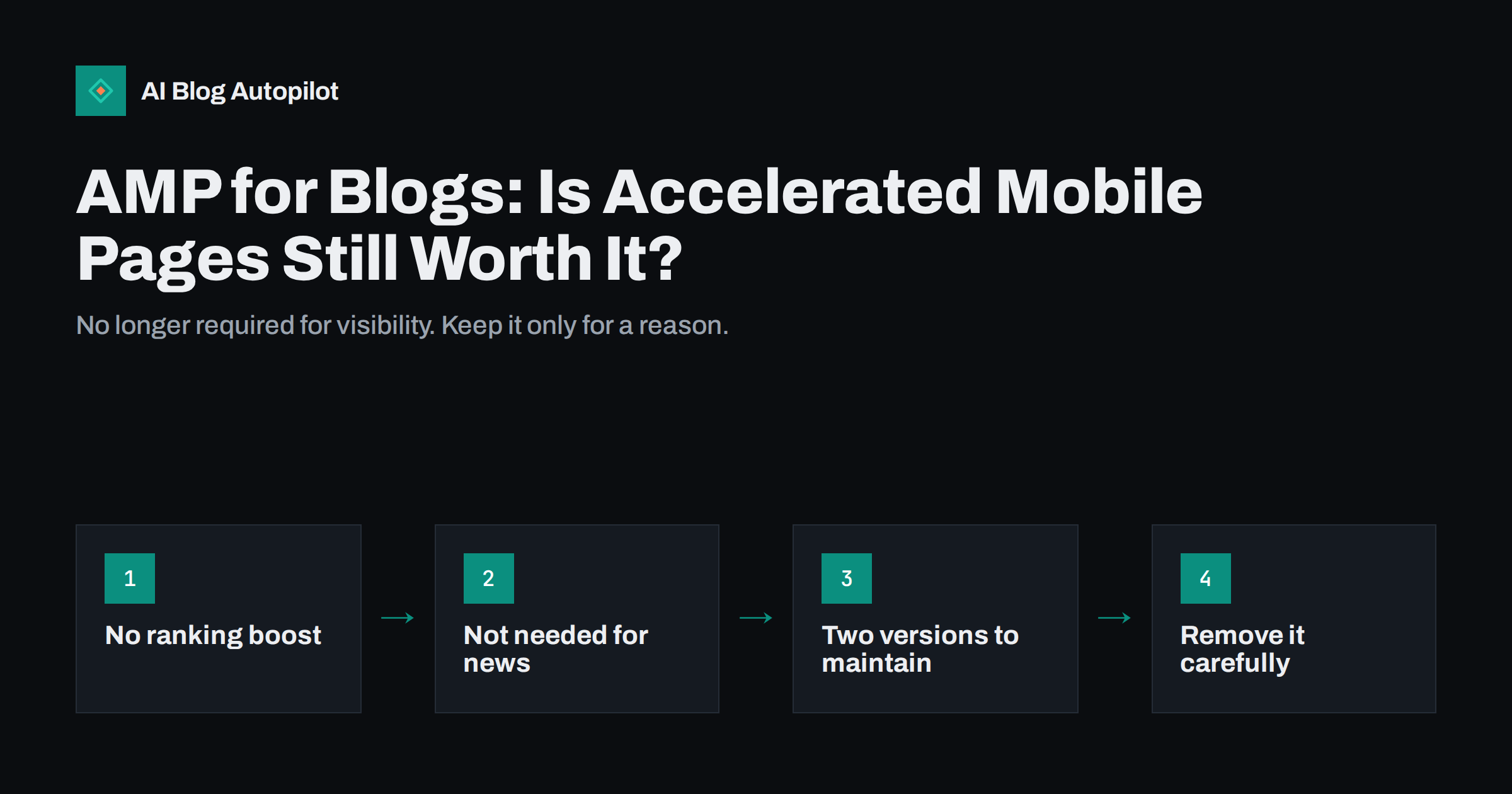
Short answer: for most blogs, AMP is no longer worth adding. Google Search applies the same standard to AMP and non-AMP pages, and since 2021 AMP has not been required to appear in the Top Stories carousel. A fast, mobile-friendly regular page gets the same opportunities without a second version to maintain. If you already have AMP, you can keep it while it works, or remove it by redirecting each AMP URL to its regular page.
AMP, short for Accelerated Mobile Pages, was once close to mandatory advice for publishers. Many WordPress blogs switched it on through a plugin years ago and have not thought about it since. Today the question is usually the opposite: is it still doing anything, and is it safe to turn off? This guide explains what AMP is, what changed, and how to make the decision for your own blog.
What AMP is
AMP is an open-source framework for building web pages that load quickly, especially on mobile. It restricts what a page can contain, such as limiting custom JavaScript and requiring specific components for images, video and ads. It was launched by Google with a group of publishers in 2015, and the project later moved to the OpenJS Foundation.
On a typical blog, AMP is used in one of two ways:
- Paired AMP: each article has a regular version and an AMP version, usually at a URL ending in
/amp/or with?amp. The regular page links to the AMP version with arel="amphtml"tag, and the AMP version points back with a canonical tag. - AMP-first: the whole site is built in AMP, and there is only one version of each page.
Most blogs that use AMP are in the paired setup, usually created by a WordPress plugin.
AMP on WordPress: the plugin modes
On WordPress, AMP usually comes from the official AMP plugin or from an SEO or theme plugin that bundles AMP support. The official plugin offers three template modes, and knowing which one you have explains most of what you see:
- Standard: the whole site is served as AMP, with one version of each page. This is the AMP-first setup, and it only works well with a theme and plugins that are compatible with AMP.
- Transitional: your normal theme is used for both versions, and an AMP copy of each page is generated alongside the regular one. The pages look similar, but anything the plugin cannot convert, such as incompatible scripts, is dropped from the AMP copy.
- Reader: AMP pages use a separate, simplified template, so AMP versions often look quite different from the rest of the site and may lack menus, sidebars and forms.
Reader and Transitional modes are paired setups, so they carry the maintenance costs described below. If you inherited a blog and are not sure how AMP was configured, check the plugin settings before changing anything, and note which URL format the AMP versions use, because you will need it for redirects if you remove them.
Also check whether more than one plugin is producing AMP output. Running an AMP plugin alongside an SEO plugin with its own AMP features can create conflicting tags or duplicate AMP URLs.
What changed, and why AMP lost its special status
Early on, AMP brought visible advantages in Google Search: a lightning bolt icon beside results, and eligibility for the Top Stories carousel on mobile, which at the time largely featured AMP pages. With the page experience update in 2021, Google removed the AMP requirement for Top Stories and dropped the AMP badge. Any page that meets Google News content policies can appear there.
Google’s own documentation on AMP in Search now says it indexes AMP pages like other web pages and applies the same standard to all pages, regardless of the technology used to build them. In other words, AMP is one way to build a fast page, not a ranking factor.
At the same time, the rest of the web caught up. Modern themes, image formats, caching and content delivery networks make regular pages fast enough for most blogs, and Core Web Vitals give a technology-neutral way to measure it.
The costs of keeping AMP
If AMP no longer brings special visibility, what remains is its cost. On a paired setup, the most common problems are:
- Two templates to maintain. Design changes, new blocks, forms and embeds must work in both versions. Often the AMP version quietly falls behind.
- Missing features. Comment forms, sign-up forms, tables of contents, related posts or calls to action may not appear on the AMP version, so readers arriving from search see a poorer page.
- Analytics gaps. AMP pages need their own analytics setup. Misconfigured tracking can undercount mobile visits or break sessions across versions.
- Validation errors. Invalid AMP pages are not served as AMP, and plugins or theme updates can introduce errors that nobody notices.
- Confusing URLs. When pages are served from the Google AMP cache, the address shown and shared can differ from your own domain, depending on the browser and setup.
None of these is disastrous, but together they create a second website that someone has to look after, usually with no clear benefit.
When keeping AMP can still make sense
There are situations where AMP remains reasonable:
- It already works well and is maintained. If the AMP version is valid, complete and tracked properly, there is no urgency to remove it.
- The regular site is slow and hard to fix. If a heavy theme or legacy platform cannot be improved soon, a lean AMP version can give mobile readers a faster experience in the meantime.
- AMP-first sites built deliberately on AMP, where there is only one version and no duplication, avoid most of the costs above.
Even in these cases, the long-term goal is usually a regular page that is fast in its own right. The guide on page speed on a content site lists the fixes that usually matter most.
How to decide for your blog
Work through these questions in order:
- Do you know AMP is on? View the source of an article and search for
rel="amphtml", or try adding/amp/to an article URL. Search Console also shows an AMP report if Google has found AMP pages. - Is the AMP version complete? Open a few AMP pages on a phone and compare them with the regular versions. Look for missing images, forms, links and calls to action.
- Is the regular version fast on mobile? Check Core Web Vitals in Search Console or with a lab tool. If the regular page is already fast and mobile-friendly, AMP adds little.
- Who maintains it? If nobody is responsible for the AMP version, it will drift. That alone is often a good reason to remove it.
For most small business blogs, the outcome is to remove paired AMP and invest the effort in a fast regular theme.
How to remove AMP safely
Removing AMP is straightforward if you keep the URLs working. Google’s guide to removing AMP content describes the options; for a paired blog setup the usual steps are:
- Make sure the regular pages are ready for mobile readers: fast, readable and with everything the AMP version had.
- Remove the
rel="amphtml"links from the regular pages, usually by disabling AMP in the plugin or theme settings. - Redirect every AMP URL to its regular page with a 301 redirect, for example from
/article-name/amp/to/article-name/. Do not simply delete AMP URLs so they return errors, because links, shares and cached copies still point to them. - Test a sample of old AMP URLs, including ones with query parameters, to confirm they redirect to the right article.
- Watch Search Console. The number of indexed AMP pages should fall over the following weeks as Google recrawls them, and mobile traffic to the regular pages should replace AMP traffic.
- Update analytics so reports no longer rely on AMP-specific tracking.
Keep the redirects in place long term. They are cheap and preserve any value from links to the old AMP addresses. The article on canonical tags explains how the regular page remains the preferred version throughout.
Common mistakes when dropping AMP
- Deactivating the plugin without redirects, so thousands of
/amp/URLs return 404 errors. - Redirecting all AMP URLs to the home page instead of to each matching article.
- Blocking AMP URLs in robots.txt, which stops Google from seeing the redirects and can keep old URLs in the index longer.
- Removing AMP while the regular mobile page is still slow or broken, which makes the reader experience worse, not better.
- Expecting a ranking jump. Removing AMP is a maintenance decision; any visibility change comes from the quality and speed of the regular pages.
How AI Blog Autopilot fits in
AI Blog Autopilot publishes standard WordPress posts with clean HTML, headings and an FAQ, and does not create separate AMP versions. How fast those posts load on phones depends on your theme, hosting and plugins, which remain under your control. See how Autopilot works.
Related reading
- Reading a Blog on a Phone: What to Fix First
- Page Speed on a Content Site: What Actually Helps
- Migrating a Blog Without Losing Its Traffic
The bottom line
AMP no longer brings special treatment in Google Search, and paired AMP means maintaining a second version of every article. If yours is complete and cared for, it can stay for now. Otherwise, make the regular pages fast on mobile, disable AMP, and 301-redirect every AMP URL to its matching article. That removes a maintenance burden without losing links or traffic.
SSS
Does AMP improve Google rankings?
No. Google says it applies the same standard to all pages regardless of the technology used to build them. AMP can make a page fast, but a fast regular page is treated the same way.
Do I need AMP to appear in Top Stories?
No. Since the page experience update in 2021, AMP is not required for the Top Stories carousel. Pages need to meet Google News content policies instead.
Will removing AMP lose my traffic?
Not if you redirect every AMP URL to its matching regular page and the regular page works well on mobile. Traffic that used to land on AMP versions then arrives at the regular articles.
How do I know if my blog has AMP pages?
View the page source of an article and search for rel=”amphtml”, or add /amp/ to an article URL to see whether an AMP version loads. Search Console also shows an AMP report when Google has found AMP pages.
Should I block AMP URLs in robots.txt after removing AMP?
No. Google needs to crawl the old AMP URLs to see the redirects to your regular pages. Blocking them can keep outdated AMP URLs in the index longer.
Is AMP still supported by Google Search?
Yes. Google still indexes and shows AMP pages, and they can appear as rich results like other pages. The difference is that AMP no longer brings special treatment, so it is simply one way of building a fast page among others.