 ENEnglish
 LTLietuviškai
 DEDeutsch
 FRFrançais
 RUРусский
 ESEspañol
 PLPolski
 ITItaliano
 UKУкраїнська
 CSČeština
 PTPortuguês
 JA日本語
JA日本語 LVLatviešu valoda
 ETEesti
 HUMagyar
 IDBahasa Indonesia
 TRTürkçe
 HIहिन्दी
 ELΕλληνικά
 ARالعربية
 THไทย
THไทย VITiếng Việt
 RORomână
 MSBahasa Melayu
 BNবাংলা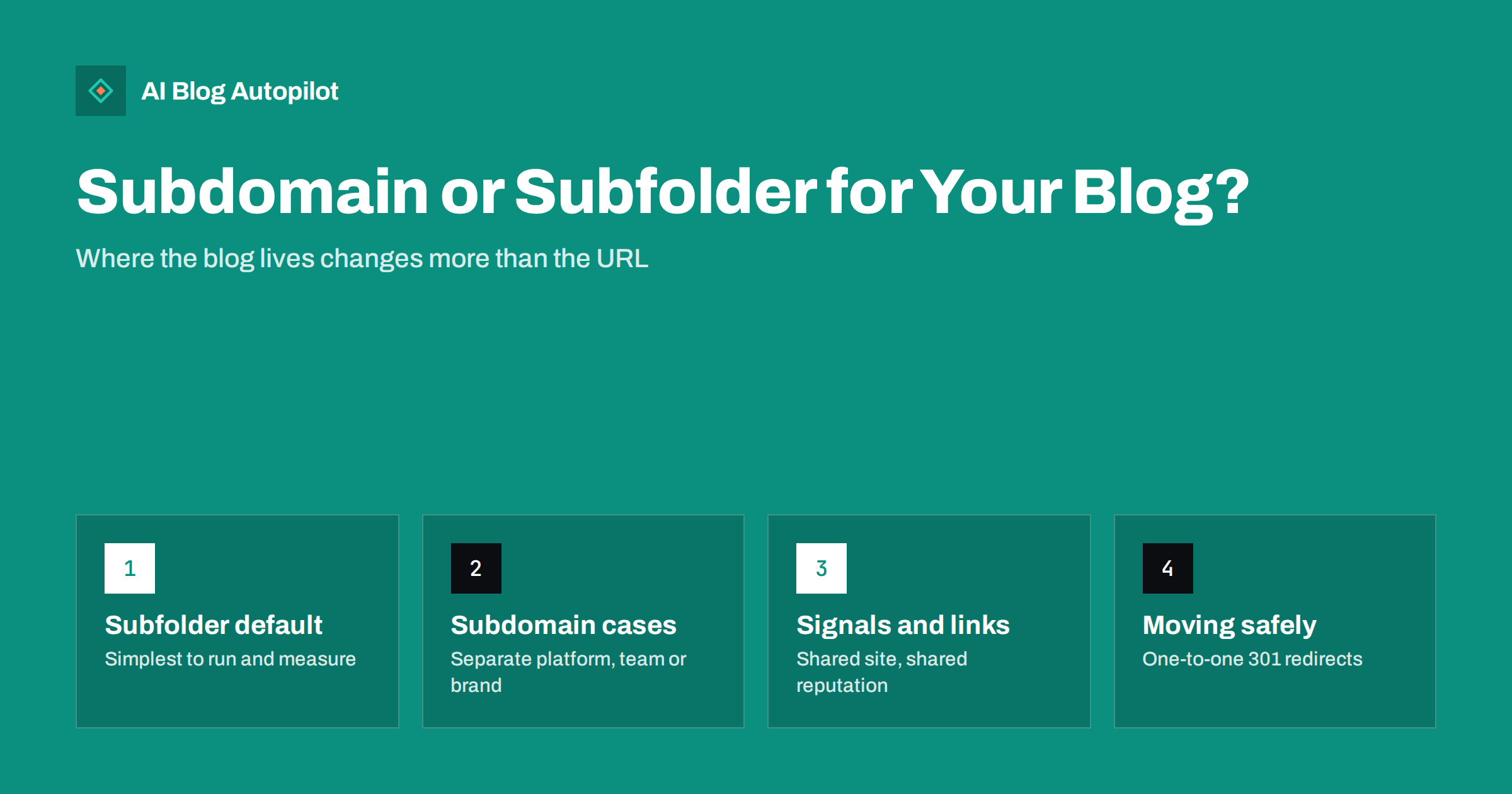
Short answer: for most business blogs a subfolder such as example.com/blog/ is the simpler and safer choice, because the blog and the main site are treated as one site, share internal links and are easier to measure together. Search engines say they can handle both structures, so a subdomain such as blog.example.com is not a penalty. It makes sense when the blog genuinely runs on a separate platform, team or brand. Whatever you choose, pick it early, because moving later means redirecting every URL.
The subdomain versus subfolder debate has been running for as long as businesses have had blogs. It comes up when a company launches its first blog, when a developer suggests hosting the blog on a different system from the main website, and again whenever someone reads a forum thread claiming that one option “killed” or “saved” their traffic.
The honest answer is less dramatic than the forum threads. Both structures can work. The difference is mostly about how much work it takes to make the blog and the main site behave like one coherent website, and how easy it is to keep them connected over the years. This guide explains what actually changes between the two options, when each one is the sensible choice and how to move between them safely.
What the two options actually are
A subfolder (also called a subdirectory) puts the blog inside the main domain’s path: example.com/blog/ or example.com/articles/. To a visitor and to a search engine, the blog is a section of the same website, just like example.com/services/ or example.com/contact/.
A subdomain puts the blog on its own hostname: blog.example.com or news.example.com. It still belongs to your domain, but technically it is a separate host. It can live on a different server, run different software and have its own settings, robots.txt file and sitemap.
There is also a third pattern that sometimes gets mixed into the discussion: running the blog on a completely separate domain, such as examplejournal.com. That is a different decision altogether, closer to launching a second brand, and it is rarely the right choice for a business that wants its blog to support its main site.
- Subfolder: example.com/blog/post-name/
- Subdomain: blog.example.com/post-name/
- Separate domain: exampleblog.com/post-name/
How search engines treat each structure
Google has said publicly for years that its systems can handle both subdomains and subfolders, and that you should use whichever structure is easiest for you to maintain. That statement is accurate as far as it goes: there is no automatic penalty for a subdomain and no automatic bonus for a subfolder.
What the statement does not say is that the two structures behave identically in practice. A subdomain is more likely to be understood as a partly separate site. It is verified separately in tools such as Search Console unless you use a domain-level property, it has its own crawl patterns, and it needs its own internal linking to feel connected. A subfolder inherits the context of the main site automatically, because it is simply more pages on the same host.
The practical consequences show up in a few places:
- Internal links. In a subfolder, links between the blog and the service pages are ordinary internal links in one navigation system. On a subdomain, the two sites often end up with separate menus and footers, and the links between them get thinner over time.
- Topical signals. When articles about your field sit on the same host as the pages that sell your service, the whole site tells one consistent story. Split across hosts, that story still exists but is easier to break.
- Links earned by articles. Blog posts tend to attract most of a small business’s natural links. In a subfolder, those links point at the same site as your commercial pages, and internal links pass that value along naturally.
None of this means a subdomain blog cannot rank. Plenty do. It means the subfolder route gives you these benefits by default, while the subdomain route asks you to build them deliberately.
Why most business blogs are better off in a subfolder
For a typical small or mid-sized business, the blog exists to support the main site: to answer questions customers search for, to demonstrate expertise and to lead readers towards a service, product or enquiry. Every part of that job is easier when the blog is part of the same site.
Measurement is simpler. One analytics property, one Search Console property, one set of conversion goals. You can see a reader land on an article, click through to a service page and fill in a form without stitching two data sets together or configuring cross-domain tracking.
Navigation stays consistent. The blog uses the same header, footer and menu as the rest of the site. Readers who arrive on an article can find the rest of the business in one click, and search engines see a single, connected structure.
Maintenance is lighter. One domain setup, one SSL certificate configuration, one robots.txt file, one sitemap index, one set of security updates if everything runs on the same system. Fewer moving parts means fewer things that quietly break.
Branding is unified. Readers do not have to wonder whether blog.example.com is really the same company, and your articles benefit from the trust people already have in your main domain.
If your main website already runs on WordPress, putting the blog in a subfolder is usually the default anyway: the blog is simply the posts section of the same installation.
When a subdomain is the sensible choice
There are real situations where a subdomain is the better or the only practical option. The common thread is that the blog is genuinely separate in some way that matters.
- Different platform that cannot be proxied. Your main site is a custom application, a store platform or a website builder that handles blogging badly, and you want the blog on WordPress. Serving WordPress under /blog/ would require a reverse proxy that your hosting or team cannot set up or maintain. A subdomain is the pragmatic solution.
- Separate team and release cycle. The main site is controlled by developers with a strict deployment process, while the marketing team needs to publish several times a week. Separating the hosts avoids every article waiting in a development queue.
- Genuinely different audience or purpose. A developer documentation hub, a support knowledge base or a community forum may deserve its own space, its own navigation and its own search. These are often better on subdomains such as docs.example.com or help.example.com.
- Regional or brand separation. Large organisations sometimes run separate sites per market or sub-brand. That is an architecture decision for the whole organisation, not a blog decision.
If you do use a subdomain, you can still make it behave like part of the main site. Link to the main site prominently from the blog’s menu and footer, link to relevant articles from service pages, use a Search Console domain property that covers all subdomains, and keep the design consistent so readers recognise it as the same business.
Common myths in the debate
A lot of confusion comes from strong claims based on single cases. A few are worth addressing directly.
“Moving to a subfolder doubled our traffic.” Some sites have seen gains after moving a blog into a subfolder. Usually several things changed at once: the redesign improved internal linking, old thin posts were removed, the navigation got better or the site was simply growing. A single before-and-after story cannot isolate the structure as the cause.
“Subdomains are treated as completely separate websites.” Not quite. Search engines understand that a subdomain belongs to the same registered domain, and Google has said it groups them sensibly. But a subdomain does need more deliberate linking and configuration to feel connected, which is where the practical difference lies.
“A subfolder will make my blog rank faster.” The structure does not create authority out of nothing. A subfolder helps an established site share its context with new articles, but a brand-new site with no links and no history will still take time either way.
“It does not matter at all.” It matters less than content quality and relevance, but it does matter for how easily you can build a coherent, measurable site. Structure is a foundation decision, not a ranking trick.
Comparing the options side by side
| Factor | Subfolder (example.com/blog/) | Subdomain (blog.example.com) |
|---|---|---|
| Setup when main site uses the same CMS | Usually built in | Separate install or configuration |
| Setup when main site uses a different system | Needs a reverse proxy | Simple DNS record |
| Internal linking with main site | Natural, one navigation | Must be built deliberately |
| Analytics and Search Console | One property | Domain property or cross-domain setup |
| robots.txt and sitemap | Shared with main site | Separate files for the subdomain |
| Independent releases and teams | Harder | Easier |
| Best fit | Most business and content blogs | Docs, help centres, separate platforms |
Moving a blog between subdomain and subfolder
If your blog already lives on a subdomain and you have decided to move it, or the other way round, treat it as a site migration. The process is well understood, and done carefully it rarely causes lasting harm. Done carelessly, it can cause a painful drop that takes months to recover. Google documents the general process for moves with URL changes in its guide to site moves.
- Export a full list of current blog URLs. Use your sitemap, your CMS and your analytics landing-page report so nothing is missed, including category pages and images that attract traffic.
- Map every old URL to exactly one new URL. Keep the post slugs identical if you can, so blog.example.com/post-name/ becomes example.com/blog/post-name/. Avoid sending everything to the blog home page.
- Set up permanent redirects. Use 301 or 308 redirects from each old URL to its new equivalent, one hop only, no chains.
- Update internal links. Change links inside articles, menus and templates to the new URLs directly, rather than relying on redirects forever.
- Update canonical tags, sitemaps and hreflang. Each page should point to its new URL as canonical, and the sitemap should list only new URLs.
- Verify and monitor. Make sure the new location is covered in Search Console, submit the new sitemap and watch indexing and traffic for several weeks.
- Keep the redirects. Leave them in place for at least a year, and ideally permanently, because old links from other websites will keep sending visitors.
Expect some fluctuation for a few weeks while search engines process the change. A well-executed move usually settles back to previous levels, and sometimes above them if the move also improved linking and structure.
A quick decision checklist
If you are still unsure, run through these questions in order:
- Is the blog meant to bring readers to the main business? If yes, lean towards a subfolder.
- Can your main site serve the blog under a path, either natively or through a proxy your team can maintain? If yes, use a subfolder.
- Does the blog need a different platform, team or release cycle that makes a shared host impractical? If yes, a subdomain is reasonable.
- Is the content a different product, such as documentation or a help centre, with its own navigation? A subdomain often fits.
- Does the blog already exist on one structure and perform acceptably? Then weigh the migration effort honestly before changing anything.
How AI Blog Autopilot fits either structure
AI Blog Autopilot publishes articles to a WordPress blog that you connect with one click, or to other systems through its webhook and API option. It publishes to wherever that blog lives, so the subdomain or subfolder decision stays yours. Each article arrives with its title, meta description, tags and FAQ already prepared, and can be shared to your social networks afterwards. If you are setting up a new blog, decide the structure first, connect it, and the articles will build up in one consistent place. See how AI Blog Autopilot works.
Related reading
- Setting Up a New Blog for SEO: The First Day
- Migrating a Blog Without Losing Its Traffic
- WordPress or Another Platform for a Business Blog?
- Changing a Blog’s Domain Name Safely
The bottom line
Search engines can rank blogs on subdomains and in subfolders, so neither choice is fatal. For most businesses a subfolder is simpler: one site, one navigation, one set of analytics and a blog that naturally supports the pages that bring in customers. Choose a subdomain when there is a genuine technical or organisational reason, and then link it firmly to the main site. If you move later, map and redirect every URL one to one.
FAQ
Is a subfolder better than a subdomain for SEO?
Neither is penalised, and search engines say they can handle both. A subfolder is usually easier because the blog shares navigation, internal links and context with the main site automatically. A subdomain can perform just as well if it is linked and configured carefully.
Does Google treat a subdomain as a separate website?
Google understands that a subdomain belongs to the same domain, but it is technically a separate host with its own settings and crawl patterns. In practice it needs deliberate internal linking and configuration to behave like part of the main site.
Should I move my existing subdomain blog to a subfolder?
Only if the benefits outweigh the migration effort. If the blog performs well and is well linked to the main site, moving it may not be worth the risk. If it is poorly connected and hard to measure, a careful move with one-to-one redirects can help.
How long does traffic take to recover after moving a blog?
With correct one-to-one 301 redirects, most sites see fluctuations for a few weeks before settling. Larger sites or moves combined with other changes can take longer. Monitoring indexing in Search Console shows how the move is progressing.
Can I run WordPress in a subfolder if my main site uses another system?
Yes, usually through a reverse proxy that serves the WordPress installation under a path such as /blog/. It requires server configuration and ongoing maintenance, which is why some teams choose a subdomain instead.


