ENEnglish
 LTLietuviškai
 DEDeutsch
 FRFrançais
 RUРусский
 ESEspañol
 PLPolski
 ITItaliano
 UKУкраїнська
 CSČeština
 PTPortuguês
 JA日本語
JA日本語 LVLatviešu valoda
 ETEesti
 HUMagyar
 IDBahasa Indonesia
 TRTürkçe
 HIहिन्दी
 ELΕλληνικά
 ARالعربية
 THไทย
THไทย VITiếng Việt
 RORomână
 MSBahasa Melayu
 BNবাংলা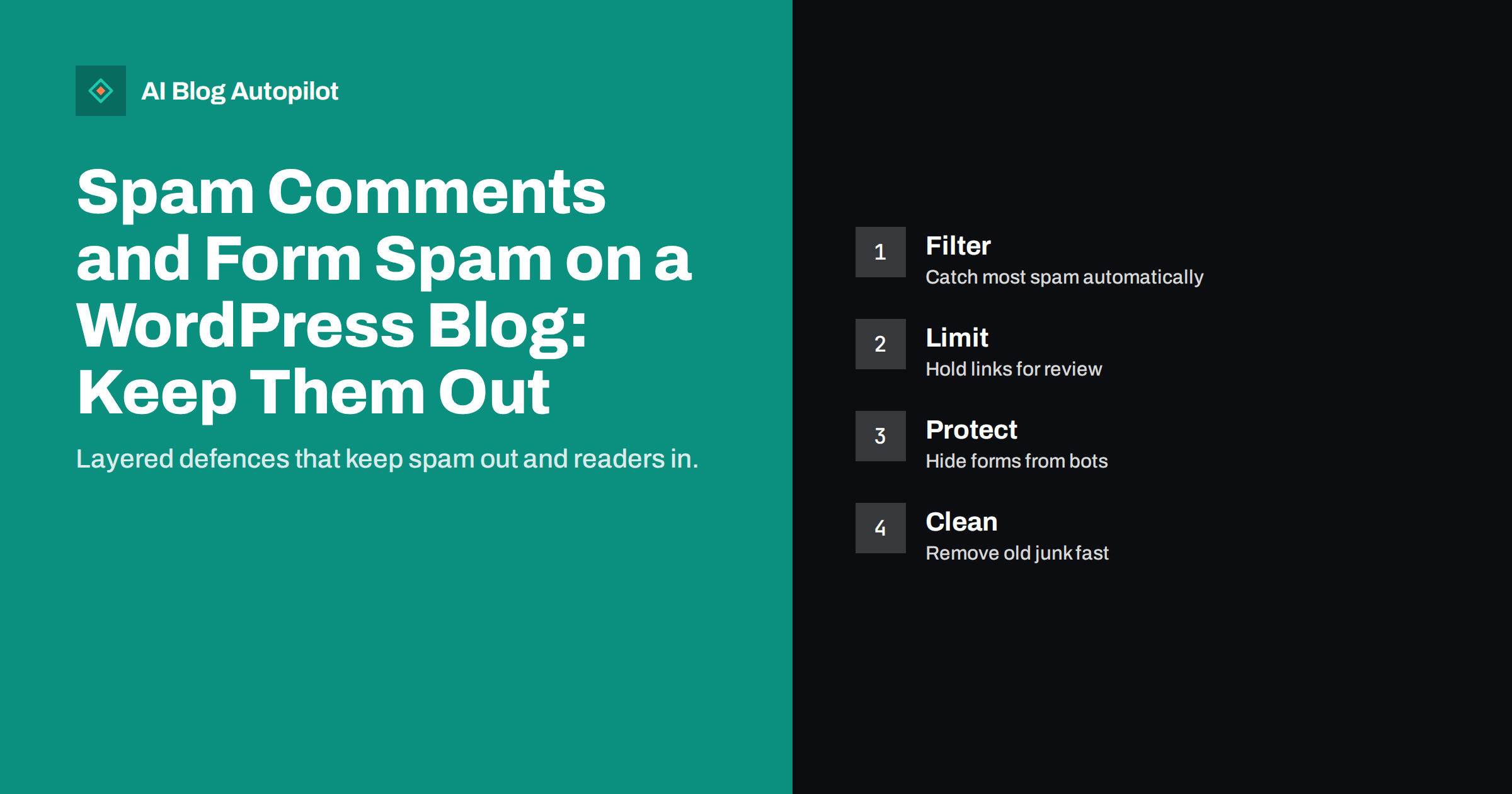
Short answer: spam in comments and contact forms is a nuisance for most WordPress blogs, and left alone it can fill your pages with junk links, slow your site and make visitors doubt that anyone is in charge. No single tool stops all of it. A sensible set-up combines a spam filter, moderation rules for first-time commenters and links, a lightweight bot check on forms, and a regular clean-up. Or you can turn comments off on posts that do not need them, which removes the problem at the source.
Spam is not a sign that you did something wrong. Automated programs scan the web for any open form or comment box, and they submit text without ever reading your page. This guide explains what the spam is trying to achieve, how to reduce it in layers, and how to keep the effort proportionate for a small business blog.
What spammers want from your blog
Most comment and form spam has one of three aims. The first is links: a spammer hopes that a link to a dubious site will appear on your page, believing it will help that site rank. Modern search engines are good at ignoring such links, but spammers send them in huge numbers because it costs almost nothing. The second is exposure: a message advertising a product or service, aimed at whoever reads the comment. The third is access: some submissions try to test whether the form can be abused to send email or to inject code.
Understanding the aim helps with the defence. If links are the goal, then making links in comments inactive and holding them for approval removes the incentive. If the aim is to reach inboxes through your contact form, then protecting the form and checking its email settings matters more. Many sites need both approaches.
Why it matters beyond annoyance
A few spam comments in the moderation queue are harmless. A large number published on your pages is not. Visitors who see a comment section full of promotions conclude that the site is neglected, which damages trust in the article above it. Search engines evaluate the whole page, and a page with large amounts of unrelated user-generated content can look low in quality. Google has also published guidance on spammy user-generated content, advising site owners to moderate it and to mark links from users with appropriate attributes.
- Trust: junk comments make your content look unattended.
- Performance: thousands of stored comments add load to the database and can slow admin screens and pages.
- Security: forms that accept anything can become a route for abuse.
- Time: sorting real messages from fake ones is wasted effort, and real enquiries can get lost.
- Reputation: an email address that sends or relays junk can end up on blocklists.
Start by asking whether you need comments
The most effective defence is to remove the opening. Many business blogs receive few genuine comments, and the conversation happens elsewhere, in email, social networks or the support inbox. If this describes your blog, consider turning comments off by default for new posts and enabling them only where you want discussion. WordPress has a setting for the default, and a bulk action to close comments on existing posts.
If you keep comments, think about how they are shown. Some sites close comments automatically after a number of days, since most spam targets older posts that nobody is watching. Others require a visitor to be signed in. Each option reduces volume, and each has a cost in convenience, so choose according to how much real discussion you hope to have. Our guide on whether a business blog should allow comments covers that decision in more detail. Whatever you decide, say so on the page. A short line such as “comments are closed on this article, please email us” tells genuine readers where to go and gives them an alternative to a comment box that no longer exists.
Layer one: an automatic spam filter
If comments stay on, use a dedicated spam filter plugin from a reputable source. These tools compare each submission with known patterns, scores it and moves likely spam into a separate folder before you see it. Good ones catch the great majority of junk and improve as they see more data. Check the licence terms, because some are free only for personal sites, and read the privacy notes, since the filter may send comment content and visitor details to an outside service. If you have visitors in regions with data-protection rules, mention this in your privacy policy.
- Install one filter and avoid stacking several that do the same job, as they can conflict.
- Review the spam folder for a few weeks to confirm that real comments are not being caught.
- Set the filter to delete spam after a number of days, so that the folder does not grow forever.
- Keep the plugin updated and remove it if it is no longer maintained.
Layer two: moderation rules in WordPress
WordPress has built-in rules that remove a lot of risk without adding any plugin. Open the discussion settings and review them one at a time.
- Hold for moderation: require approval for the first comment from each person, so that regulars can post freely but newcomers wait.
- Link limit: send any comment with more than one or two links to the queue. Spam is link-heavy, and real comments seldom need many.
- Keyword list: add words that are almost always spam in your field to the moderation or block list.
- Nested replies: limit the depth, which also keeps the page tidy.
- Author links: WordPress adds a nofollow attribute to links in comments by default; keep this behaviour so that links do not pass credit.
- Email requirement: require a name and email address, which removes the laziest bots.
Pingbacks and trackbacks deserve a separate mention. They allow other sites to notify yours of a link, and are rarely useful now, while they are a frequent spam channel. Turning them off is usually safe for a business blog.
Layer three: protecting contact and sign-up forms
Contact forms attract their own kind of spam. Instead of publishing text on your page, the submission lands in your inbox, so the damage is time and trust in your own messages. A few simple measures help.
- Honeypot field: a hidden field that people never see, but bots fill in. A submission with the field filled is discarded. It costs readers nothing.
- Time check: reject forms submitted within a second or two of loading, since a person cannot type that fast.
- Bot challenge: use a lightweight challenge that is accessible and respects privacy, and avoid puzzles that frustrate real visitors or fail for people using assistive tools.
- Server-side checks: validate fields on the server, because anything checked only in the browser can be skipped by a bot.
- Rate limits: restrict how many submissions one address can send in a short time.
Keep a record of the settings you choose and the date you chose them. When a plugin updates or a theme changes, forms can quietly stop working, and a note of what should be happening makes it easier to notice. Test your form after each change by sending a genuine message from a phone and a computer. A defence that blocks real enquiries costs more than the spam it prevents, and a quiet failure is easy to miss.
Cleaning up what is already there
If spam has already reached your pages, remove it promptly. Delete published spam comments in bulk from the comments screen, filter by those containing links, and check older posts, where neglected pages tend to collect the most. Look at your user list for accounts that were created by bots and delete those with no activity. Then search your site, using a site search operator in a search engine, for words common in spam, such as the names of pills or gambling services, to see whether anything has been indexed.
If you find spam pages, not just comments, treat it as a possible security problem and not just a moderation one. Change passwords, update plugins and themes and scan the site. Our guide on cleaning spam out of search results after a hack walks through that process step by step.
Keeping the effort small
Spam handling is a good candidate for a written routine, because it is boring and therefore easy to forget. A short checklist of three or four items, kept next to your other publishing tasks, is enough.
You can keep ongoing work to a few minutes a week. Put a monthly reminder in your calendar to glance at the spam folder, the moderation queue and the form inbox. Note any pattern, such as a particular word or country, and add it to your rules. Keep one person responsible, so that the queue does not become nobody’s job.
Finally, measure the result in practical terms: how many real comments or enquiries arrive, how many fake ones reach you and how long moderation takes. If the numbers are good, leave the setup alone. If real messages are being lost, loosen a rule. The goal is a quiet inbox and a comment section that looks looked-after, not a perfect score.
How AI Blog Autopilot helps
AI Blog Autopilot writes and publishes the articles on your WordPress blog, so your time goes on decisions and not on routine work. Comment and form settings stay in your own WordPress, where you control them. See the pricing page for plans.
Related reading
- Should a Business Blog Allow Comments?
- Security Basics for a Business Blog
- Hacked Blog? Cleaning Spam Pages Out of Search Results
The bottom line
Spam will keep arriving, but you can make it cheap to handle. Turn comments off where they add nothing, use one reliable filter, hold first-time commenters and link-heavy comments for review, protect forms with invisible checks, and clean up regularly. Check that real people can still reach you after each change, and spend a few minutes a week on upkeep, not a few hours in a crisis.
FAQ
Can spam comments hurt my search rankings?
A few unpublished ones will not. Large amounts of published junk can lower the quality of a page and trust in the site, so moderate and keep comment links nofollowed.
Is turning off comments bad for SEO?
No. Comments are not required for ranking. If you receive little real discussion, closing them removes a spam risk at no cost to search.
Do I need a plugin to stop spam?
Built-in WordPress moderation rules help a lot, but a dedicated filter catches much more. Use one reputable plugin, not several.
How do I protect a contact form without a puzzle?
Use a honeypot field, a minimum-time check, server-side validation and rate limits. Together they stop most bots without troubling visitors.
How often should I check the spam folder?
Weekly at first, to catch real comments that were filtered, then monthly once you trust the filter.