ENEnglish
 LTLietuviškai
 DEDeutsch
 FRFrançais
 RUРусский
 ESEspañol
 PLPolski
 ITItaliano
 UKУкраїнська
 CSČeština
 PTPortuguês
 JA日本語
 LVLatviešu valoda
 ETEesti
 HUMagyar
 IDBahasa Indonesia
 TRTürkçe
 HIहिन्दी
 ELΕλληνικά
 ARالعربية
 THไทย
 VITiếng Việt
 RORomână
 MSBahasa Melayu
 BNবাংলা
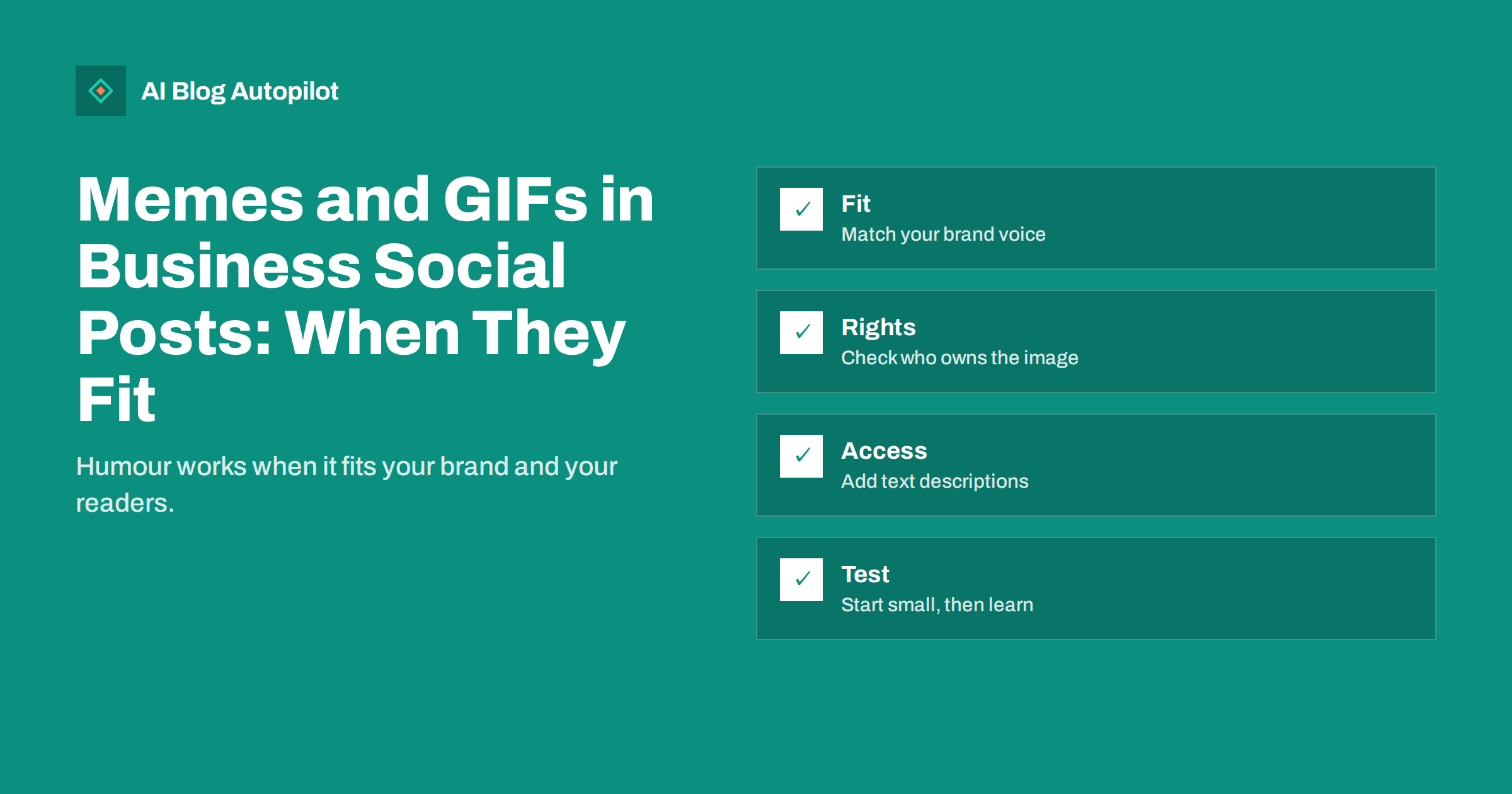
Short answer: memes and GIFs can help a business account feel human, but only when they match your brand voice, suit the audience on that network and do not break anyone’s rights. Use them sparingly, check where the image comes from, add a text description for people who cannot see it and track whether they earn real engagement. For many professional or sensitive businesses, a clear photo or a short plain post will work better.
Humour travels fast on social networks. A well-judged meme can earn shares and replies that a plain announcement never would. A badly judged one can look unprofessional, copy someone else’s work or joke about something that is no joke to your customers. The difference lies in the details.
This guide helps you decide whether to use memes and GIFs at all, how to choose them and how to build a simple routine so that a person always has the last word before anything goes out. The advice applies to a small business or a team that posts on several networks.
Decide if humour fits your brand
Start with your voice. If your brand is known for being warm and relaxed, such as a cafe, a pet shop or a creative studio, light humour fits naturally. If you work in law, healthcare, finance or another field where people come to you with worries, jokes can sound careless, and a calm tone builds more trust.
Think about the people who read your posts. A younger audience may share and expect memes, while a group of senior buyers on a professional network may prefer clear information. A good test is whether your best customers would smile or wince at the post. If you are not sure, ask a customer-facing colleague.
Write down the rules in your voice guidelines: what kinds of humour are fine, what is off limits and who must approve a joke. The guide on brand voice guidelines shows how to put a voice into words so that everyone on the team uses it in the same way.
Match the format to the network
Each network has its own habits. Short looping animations are common on some platforms and rare on others, and some networks display GIFs smoothly while others turn them into short videos or still images. Always check the post preview before publishing.
Professional networks tolerate light humour that relates to work, such as a joke about meetings or deadlines, but a meme that would suit a friends’ group chat often feels out of place. Visual networks welcome playful images, but they reward good design, so a blurry screenshot with text on it may do badly.
Keep text readable. Many memes place text at the top and bottom of an image in a large font, and on a small phone screen this can be cut off or hard to read. If the joke depends on the text, make sure it fits inside the safe area of the image. The article on social media character limits helps you plan text length for each network.
Check rights before you post
A meme that circulates widely is not free to use by default. Many memes start from photos, film frames or artwork that belong to someone. Businesses have been asked to remove posts, or to pay, for using an image in marketing without permission. Private jokes among friends and promotional posts by a company are treated differently.
The safest sources are your own photos and drawings, images from a library whose licence allows commercial use and GIFs from a service whose terms cover business accounts. Read the terms. Some GIF libraries allow sharing inside the same service but not reuse in advertising.
Avoid images with recognisable people unless you have their permission, and avoid film or television stills and characters from brands that are not yours. The guide on image rights for blog posts explains the main licence types, and the same thinking applies to social media.
Keep a note of where each image came from and under what licence. A short line in your content calendar is enough. If a complaint arrives, you can respond quickly and remove the post if needed.
Keep it kind and safe
Do not make jokes at the expense of customers, competitors or groups of people. A joke that picks on a person who complained, a group of buyers or a competitor’s failure can turn into a public problem that costs far more than the post earned.
Be careful with current events. A meme about a news story can look cheerful on the day and tasteless a few hours later. Do not use humour around disasters, tragedies, health scares or political conflicts. Pause scheduled posts if something serious happens, and review the queue before it goes out.
Watch for hidden meanings. Some memes and images carry references that you may not know, and the same picture can mean something different in another community or country. If you did not make it, find out what it means before you post it. When in doubt, leave it out.
Make GIFs and memes accessible
People who use screen readers, and people who cannot play animations, should still understand your post. Put the key message in the text of the post and not only in the image. Add a short description of the image where the network allows it. The article on alt text on social media posts explains where to add it and how to write it.
Avoid flashing animations. Fast flashing can cause problems for people with some conditions, and it is a reason to choose a calm GIF. Prefer animations that loop gently, and do not use them for important information, such as dates or prices, which must be written in plain text.
Keep file sizes small so that posts load quickly on mobile connections. A heavy animation can take long to load, and many readers will scroll away before it plays. Where possible, use a short video with controls instead of a large GIF.
Create your own instead of borrowing
The lowest-risk way to use humour is to make it yourself. A simple drawing, a photo of your team at work with a funny caption or a short screen recording of a common mistake belongs to you and fits your brand. It also stands out, because it does not look like the same image that thousands of accounts have posted that week.
You do not need a designer for this. A phone camera, a clear caption and a consistent colour or frame are enough. Keep a small folder of approved templates, such as a frame for “myth versus fact” posts or a simple speech-bubble layout, so that a team member can turn an idea into a post in a few minutes without starting from nothing.
Original humour also protects you from the rapid ageing of trends. A borrowed meme format may be tired within weeks, while a joke that comes from your own work, such as the customer questions you hear every day, stays fresh because only you can tell it.
Think about different countries and languages
Humour rarely travels well. A joke that works in one country can confuse or annoy readers in another, and wordplay almost never survives translation. If your audience is international, keep meme text short and plain, avoid slang and idioms and test the post with someone who speaks the language natively before it goes out.
Be careful with cultural references, such as holidays, sports, television and politics. A reference that every reader in one market knows may mean nothing elsewhere. When in doubt, choose an image that explains itself, such as a clear before-and-after comparison, and leave the cultural jokes to accounts that serve a single local audience.
If you publish in several languages, review each version on its own. A machine translation of a joke can turn it into nonsense or, worse, into something rude. Treat humorous posts as a category that always needs a human check, even when the rest of your posting is automated.
Use them with a purpose
A meme should serve a goal. It might introduce a topic, make a boring subject more approachable or lead into a link to a useful article. Do not post a joke just to fill the calendar. If a post has no point beyond a laugh, it is probably better to skip it.
Pair the humour with something of value. A meme about the pain of updating plugins, followed by a link to a guide on keeping a site safe, gives readers both a smile and a reason to click. A meme on its own may collect likes but no visits.
Within your content mix, keep humour to a small share, such as one post in ten. The article on the social media content mix suggests how to balance tips, stories, promotions and lighter posts so that no single type dominates.
Review and measure
Track how humorous posts perform against your usual posts. Look at saves, shares and replies as well as likes, and check clicks to your site. If memes get applause but no clicks, they may be fun but not useful to your goals. If they bring conversation with potential customers, they deserve a place.
Read the comments. Positive replies are good, but pay attention to confused or negative ones. If readers do not understand the joke, or if it offends, remove the post and learn from it. The guide on handling negative comments can help you respond calmly.
Review once a quarter. Keep the formats that worked, drop those that did not and update your rules. Trends fade quickly, so a style that worked last spring may look dated now.
How AI Blog Autopilot helps
AI Blog Autopilot shares each article to your connected social networks with text written for each one, at suitable times. That frees you to add the occasional lighter post by hand where it suits your brand. See the pricing page for plans and for the number of networks on each plan.
Related reading
- Social Media Content Mix: What to Post Between Articles
- Alt Text on Social Media Posts: Where to Add It and Why
- Automated Social Posting Mistakes That Make Accounts Look Robotic
The bottom line
Use memes and GIFs only when they fit your brand, respect rights, stay accessible and serve a goal. Keep them rare, review them and measure what they do.
FAQ
Are memes suitable for every business?
No. Brands that serve people with worries, such as in law, health or finance, often do better with a calm, clear tone.
Can I use any meme I find online?
Not safely. Many memes use images that belong to someone. Use your own images or ones with a licence that covers business use.
How do I make a GIF accessible?
Put the key message in the post text, add a short description where the network allows it and avoid flashing animations.
How often should a business post memes?
Rarely. One in ten posts is a reasonable upper limit for most brands, and some should post none.
How do I know if a meme worked?
Compare saves, shares, replies and clicks with your usual posts, not just likes.