ENEnglish
 LTLietuviškai
 DEDeutsch
 FRFrançais
 RUРусский
 ESEspañol
 PLPolski
 ITItaliano
 UKУкраїнська
 CSČeština
 PTPortuguês
 JA日本語
JA日本語 LVLatviešu valoda
 ETEesti
 HUMagyar
 IDBahasa Indonesia
 TRTürkçe
 HIहिन्दी
 ELΕλληνικά
 ARالعربية
 THไทย
THไทย VITiếng Việt
 RORomână
 MSBahasa Melayu
 BNবাংলা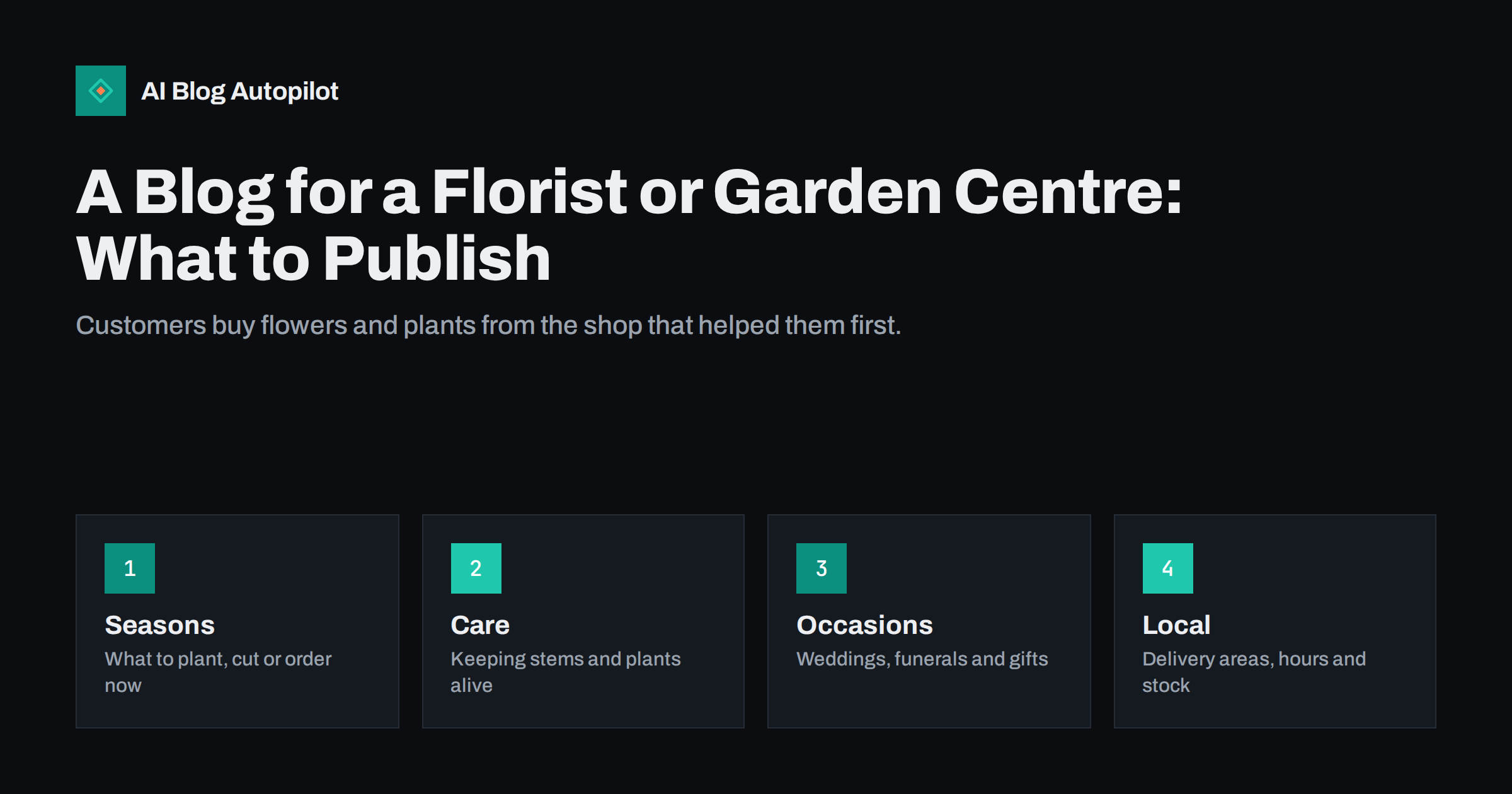
Short answer: a florist or garden centre blog works best when it helps people choose, care for and order the product: what to plant in each season, how to keep cut flowers fresh, which bouquet suits which occasion, and where and when you deliver. Use your own photographs, name real varieties and real timings, and link every guide to the page where the reader can buy or ask.
Flowers and plants are bought on emotion and used with anxiety. A customer choosing a funeral wreath or a first houseplant wants reassurance, and a customer standing in a garden in March wants to know whether it is too early to sow. A short library of clear pages on your own site answers those questions at the moment they are asked, and it keeps working long after a social media post has disappeared.
Follow the growing year
Gardening and floristry both run on the calendar, which gives you a ready-made plan. A page about what to plant in autumn for spring colour, what to prune before winter or which flowers are at their best in early summer meets a need that returns every year. Plan the months ahead using the method in our guide to seasonal content planning without the scramble, and decide which pages will be updated and which will be new.
Local conditions matter more here than in most trades, so write from what you see in your own beds and greenhouses. Mention the soil, the last frost you usually expect, the plants that struggled last winter and the ones that surprised you. Readers trust a seller who has grown the thing, and these details are difficult for a national retailer to imitate.
Keep one permanent address for each seasonal topic and refresh it every year instead of publishing a new page each time. The older page keeps its links and its history, and the update date tells readers it is current. State timings as ranges and say where the local climate changes the advice, because a gardener in a cold valley and one on the coast will not sow on the same day.
Write care guides people save
Care advice is the most useful and most searched content a plant seller can offer. Explain how to condition cut flowers when they arrive, how often to change the water, how to repot a houseplant or how to protect a pot from frost. These pages are exactly what people look up after buying, and they reduce the number of questions you answer at the counter and by phone.
Choose the format that suits the task. A short checklist works for unpacking a bouquet, a table for sun and watering needs, and a step-by-step guide for planting a hedge. Our article on writing a how-to article people can follow covers the structure. Be honest about limits: if a plant is difficult or short-lived, say so, because a customer who is warned is a customer who comes back.
Guide buyers through occasions
Many orders come from people who do not know what to choose. Write about weddings, birthdays, new babies, sympathy flowers and corporate arrangements in a calm, practical voice. Explain what each type of arrangement usually includes, how far ahead to order, what the meaning of common flowers is in your culture, and what a sensible budget buys. Avoid pressure and avoid vague promises about perfection.
Funeral and sympathy pages deserve particular care. Use plain language, give clear delivery and deadline information, and avoid anything that reads like a sales pitch. For weddings, a page that explains consultations, deposits and the timeline helps couples decide whether to contact you. Where you show prices, remember that costs change with season and supply, so use “from” figures and add the date, in line with our advice on writing honest articles about what things cost.
Show your own work
Photographs sell flowers and plants better than any paragraph, and stock images are easy to spot. Photograph your own displays, your workshop, your greenhouse and finished orders, with permission from customers where faces or homes appear. Name the flowers or plants in the caption and the season, and write alt text that describes the picture plainly. The practical side of captions is covered in our guide to image captions in blog posts.
Consider short captions that carry real information, such as the name of the variety, the pot size, the planting month or the flowers in a bouquet. Captions are among the most read parts of a page, and they let you mention useful terms naturally without forcing them into the text. If a customer asks about a flower in a photograph, you already have the content for a short answer.
Keep a simple routine: one good picture per order, saved with a descriptive file name and a note of the varieties used. Over a year this becomes a library you can draw on for guides, galleries and social posts, and it shows the range of your work more convincingly than any description.
Answer the local and practical questions
People searching for a florist or garden centre usually want something nearby and soon. Give a clear page for delivery areas, same-day cut-off times, collection hours, opening times at holidays and the main ways to order. If you have several shops, give each its own page with its own details, and keep the wording of each one different so that the pages do not read as copies.
Keep the information up to date, particularly around busy dates such as Mother’s Day, Valentine’s Day and Christmas, when ordering deadlines matter most. Use the same details on your Google Business Profile and on the site, and see our notes on reusing blog posts locally for ways to share new pages there. Conflicting hours or addresses cost sales and trust.
Plan around the peak dates
Florists and garden centres earn a large share of the year in a handful of weeks: Valentine’s Day, Mother’s Day, the spring planting rush, wedding season and the run-up to the winter holidays. A page that is ready before each peak will be found by people who start looking early, and those people are often the ones who order the most. Start preparing six to eight weeks ahead, because search engines need time to discover and rank new pages, and customers begin to plan before most shops think of it.
For each peak, write one page that sets out what you offer, the ordering deadlines, delivery and collection details, and a few suggestions for different budgets. Publish it early, update it as stock and timings become clear, and keep the same address from year to year. After the peak, note what customers asked that the page did not answer and add it for next time. This habit turns a stressful week into a checklist, and it helps the staff, who can point people to one clear page instead of repeating the same answers.
Do not forget the quiet months. January and August are good times to write the evergreen guides on care, houseplants and garden planning that you had no time for in the busy season. A shop that publishes steadily through the slow weeks arrives at the next peak with a library of pages already ranking and a list of readers who already know the name.
Be careful with plant and safety claims
Some plants are harmful to pets or children, some are invasive, and some need conditions you cannot promise. When you write about toxicity, allergies or hardiness, rely on reputable local sources, say who the advice is for, and avoid absolute statements. If a reader asks about a pet that has eaten a plant, the right answer is to contact a vet, not a blog post.
The same caution applies to health claims about herbs, scented oils and cut flowers in the home. Describe what you know from your trade, link to reliable guidance where it exists, and keep marketing language out of safety information. Clear, modest wording protects your customers and your name.
Keep the blog manageable
A florist in a busy week has no time for long articles, so set a rhythm you can keep. One or two useful pages a month, written ahead of the season, will do more than a burst of posts that stops after a month. Write down the questions customers ask at the counter and turn the most common ones into pages; ask staff to note new ones. Our guide to turning customer questions into topics shows how to do it.
Review your pages twice a year, before spring and before the winter holidays. Remove anything out of date, refresh the photographs and check that every price, date and link is correct. A smaller blog that is accurate beats a large one that is stale.
How AI Blog Autopilot helps
AI Blog Autopilot writes full SEO articles for your WordPress blog from the topics, keywords, audience and tone you set, with FAQ sections, tags and SEO meta included, and it shares each one to your social networks. For a shop with no time to write, seasonal guides and care advice keep appearing while you work. Approval mode lets you read each article first, which matters for plant safety notes, dates and prices. See the pricing page for plans.
Related reading
- Planning Seasonal Content Without Scrambling Every Year
- Blog Strategy for a Local Business
- Image Captions in Blog Posts: Do They Help Readers and SEO?
- Google Business Profile Updates: Reusing Blog Posts Locally
The bottom line
A florist or garden centre blog should help people choose, care and order. Follow the growing year, write practical care guides, explain occasions calmly, use your own photographs, keep local details current and be modest about safety. A few accurate pages beat many forgotten ones.
FAQ
What should a florist write about first?
Start with delivery information, care advice for the flowers you sell most and one guide for your busiest occasion, such as weddings or sympathy orders.
Should a garden centre publish prices on its blog?
Only if you can keep them current. Use “from” prices with a date, or link to the product page where the live price is shown.
How often should a small flower shop publish?
One or two useful pages a month is enough if they are accurate and written ahead of the season. Regular and modest beats frantic and brief.
Do stock photos hurt a plant seller’s blog?
They make pages look generic and do not show your real range. Your own pictures, with clear captions and alt text, are more convincing and more useful.
How do I cover plants that are toxic to pets?
Say so plainly, name the plants affected and point readers to a vet or a reputable local source for emergencies. Avoid absolute claims.