ENEnglish
 LTLietuviškai
 DEDeutsch
 FRFrançais
 RUРусский
 ESEspañol
 PLPolski
 ITItaliano
 UKУкраїнська
 CSČeština
 PTPortuguês
 JA日本語
JA日本語 LVLatviešu valoda
 ETEesti
 HUMagyar
 IDBahasa Indonesia
 TRTürkçe
 HIहिन्दी
 ELΕλληνικά
 ARالعربية
 THไทย
THไทย VITiếng Việt
 RORomână
 MSBahasa Melayu
 BNবাংলা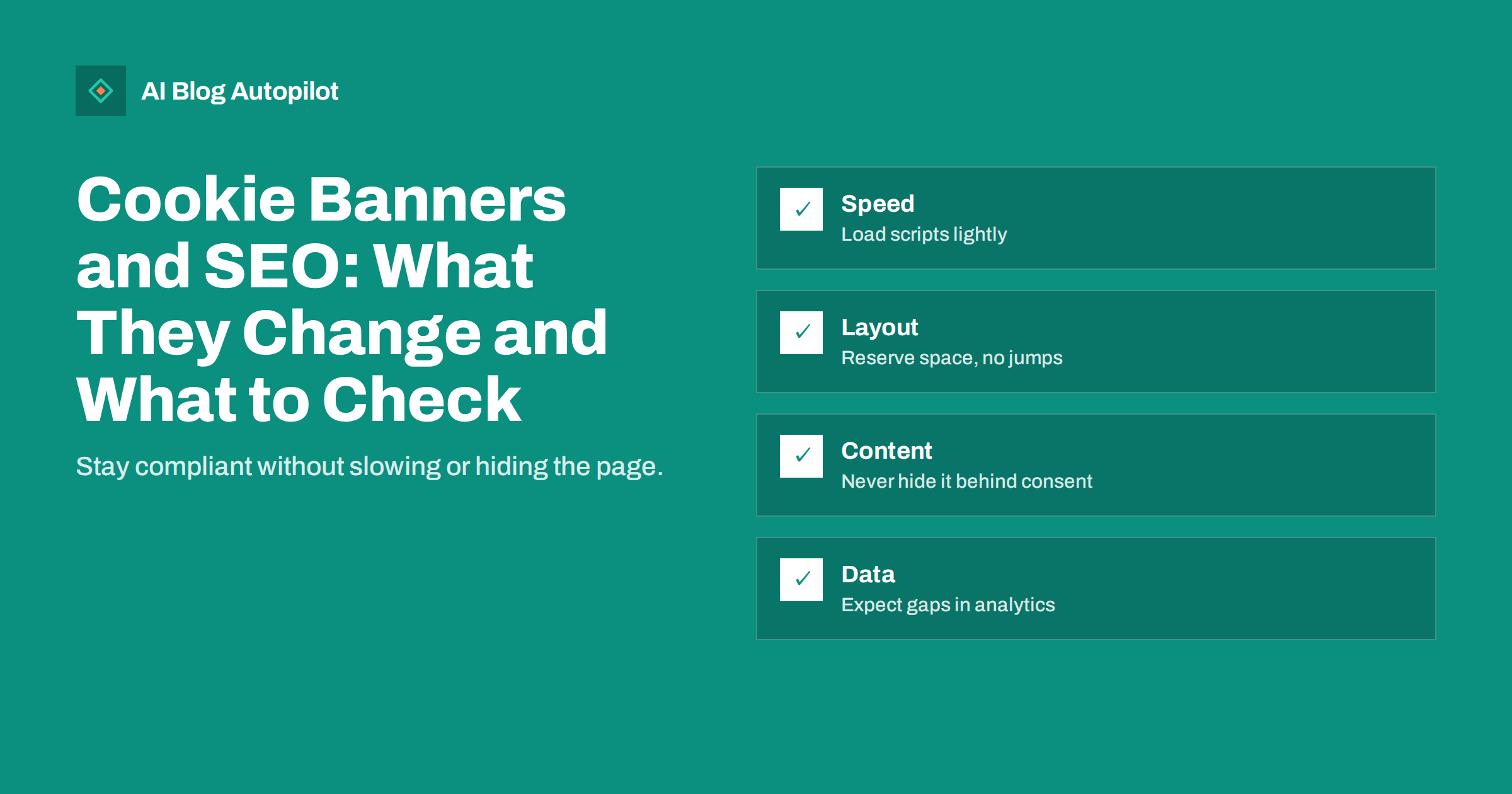
Short answer: a cookie banner does not hurt rankings simply by existing, and a banner required by law is not treated as an intrusive pop-up by search guidelines. The risks are practical: a heavy consent script can slow the page, a banner that appears late can push content around and worsen layout shift, an overlay that covers the text can frustrate visitors, and consent rules can leave gaps in your analytics. Choose a lightweight tool, reserve space for the banner, keep the content in the page itself and test on a phone.
Most blogs that use analytics, embedded media or advertising need some form of consent notice in many countries. The legal side depends on where your visitors are and what your site does, and you should take advice for your own situation. This article covers the search and performance side: what to check so that a necessary banner does not cause avoidable problems.
What search engines make of a banner
Google’s guidance on intrusive interstitials is aimed at pop-ups that cover the main content after someone arrives from search. The guidance specifically treats interstitials that exist because of a legal obligation, such as cookie notices, as acceptable when they are of reasonable size. A banner that takes a small strip at the bottom or top of the screen is a normal part of the modern web.
Search crawlers do not click “accept”. They fetch the page and read what is in the HTML and what loads without interaction. That has two consequences. First, content must not depend on consent to appear, or the crawler will see an empty page. Second, the banner text itself should not be the main thing the crawler sees, for example if a large overlay is loaded in the middle of the document before the article.
Speed: the cost of the consent script
Consent tools are often third-party scripts loaded from another domain. A heavy one can add many kilobytes of code, extra requests and processing time on the main thread, particularly on mid-range phones. This affects how quickly the page becomes usable and can raise the time at which the largest element is drawn.
- Measure before and after. Run a page-speed test on a typical article with the banner enabled, then with it temporarily disabled on a test copy, and compare the results.
- Prefer lightweight tools. A simple banner with a few options is usually faster than a feature-heavy platform that you do not need.
- Load it sensibly. Use asynchronous loading and avoid blocking the rendering of the article.
- Keep other scripts waiting. Analytics, advertising and embeds that need consent should load only after the choice is made, which also reduces the initial weight.
Layout shift and the largest element
A frequent problem is a banner that appears a second after the page loads and pushes the article down. That counts as layout shift, one of the measures of page experience, and readers notice it as a jump just as they start reading. A related problem is when the banner becomes the largest visible element on a phone, because it covers much of the screen. Then the speed metric for the largest element is tied to the banner, not your article.
- Reserve space for a banner placed in the flow, or position it as a fixed overlay that does not move other content.
- Keep it compact on small screens, with short text and clear buttons.
- Render it early, within the initial HTML or very soon after, so that it does not appear late.
- Test on real devices, not only in a desktop browser, and with a slow network setting.
Our guide on Core Web Vitals explains how to read the metrics. When a banner is involved, look at the field data for your template, since lab tests may or may not show the banner depending on how the tool handles consent.
Keep the content in the page
Some consent implementations hide the whole page until the visitor responds, or load the article text only after a choice. This is risky. Visitors on slow connections see a blank screen, assistive technologies may struggle, and crawlers may see nothing useful. A banner should sit on top of a complete page, not replace it.
- View the page with scripts disabled, or fetch it with a command-line tool, and check that the article text is present.
- Use a search-engine URL inspection tool to view the rendered page and confirm that the text and links appear.
- Avoid “cookie walls” that block access unless a visitor accepts, unless you have a legal reason and understand the effect on search visibility.
Also check that the banner does not trap keyboard focus, that its buttons can be reached and labelled for screen readers, and that it can be dismissed. These points matter for accessibility and for ordinary visitors who simply want to read.
Analytics gaps and how to read them
When visitors decline cookies, tools that rely on them may record less data, or none. The result is that analytics may show fewer visits than really happened, and the gap varies by country, device and the design of your banner. This is not a search problem, but it changes how you read reports.
Search Console data does not depend on your site’s cookies, so it gives a useful second view of how many people arrive from search. If analytics shows a sudden drop on the day you added or changed a banner, while search impressions and clicks are steady, the drop is likely to be a measurement change, not a traffic loss. Note the date of any banner change in your records so that you can explain the break in the trend later. Our guide on why the two tools never match helps with these comparisons.
Some tools offer ways to estimate missing data using models, and consent settings can affect them. Read the documentation of your analytics tool and consider whether privacy-friendly measurement that does not need cookies suits your needs better. Whatever you choose, apply it consistently so that month-to-month comparisons remain meaningful.
Embeds and third-party content
Videos, maps, social feeds and comment widgets often set cookies of their own, so they are a common reason for needing consent in the first place. A sensible approach is to load such items only when a visitor chooses to see them. A placeholder with a short note and a button keeps the page light and respects the choice, and it avoids loading several heavy third-party scripts for people who never watch the video.
Make sure the placeholder has a fixed size matching the final embed, so that nothing jumps when it loads. Add a text description or link near it, so that the information does not disappear for visitors who decline. If an embedded video carries key information, include a short written summary in the article, which helps readers, assistive technology and search engines alike. Review old posts too, because embeds added years ago may load scripts that your current consent setup does not control.
Design choices that keep visitors happy
A banner is part of the first impression, and a clumsy one can lose readers who would otherwise stay. Short, plain text works better than a legal paragraph. Make the choices equally easy to find, in line with the rules that apply to you, and offer a way to change the decision later, such as a link in the footer.
- Use readable text size and enough contrast.
- Do not cover the headline and first paragraph on a phone if a smaller design works.
- Do not show the banner again on every page once a choice has been stored.
- Test the experience in the languages you publish, since longer translations can make the banner taller.
Remember that you are balancing two duties: respecting the choices visitors make and keeping the site usable and visible. Neither should be traded away for the other. If a trade-off seems necessary, ask your developer or consent provider for a lighter setup before you accept slower pages or hidden content.
A quick audit you can run in an afternoon
Pick three typical article pages. Test them on a phone with a slow connection setting and record how long it takes before the text can be read, whether anything jumps, and how much of the screen the banner covers. Check the rendered page in the inspection tool. Look at the network requests to see which scripts load before consent and which wait. Review analytics against Search Console for the period around the last banner change.
Write down the three biggest issues and fix them in order of effort. Common wins are removing a duplicate consent script left over from an earlier tool, delaying non-essential scripts until consent, reserving space for the banner and shortening its text. Repeat the audit after any change to the consent tool, the theme or the analytics setup, because each can affect the others.
How AI Blog Autopilot helps
AI Blog Autopilot asks for your topics, keywords, audience and tone, and writes full SEO articles with FAQ, tags and meta for your WordPress blog. The articles are plain, fast-loading text and images, so the page work in this guide stays on your theme and consent tool. See the pricing page for plans.
Related reading
- Privacy and Analytics on a Business Blog
- Core Web Vitals for Bloggers: LCP, INP and CLS Explained
- Pop-Ups on a Blog: Intrusive Interstitials and Search
- Page Speed on a Content Site: What Actually Helps
The bottom line
A required cookie banner is not an SEO penalty, but a careless one can slow the page, shift the layout, hide the content and distort your analytics. Pick a light tool, reserve its space, load other scripts after consent, keep the article in the page for crawlers and visitors, and record the date of any change so you can read your reports correctly. Check your legal duties separately, and test the result on a real phone.
FAQ
Can a cookie banner lower my rankings?
Not by existing. Problems arise when it slows the page, causes layout shift or hides content. Search guidance treats legally required notices of reasonable size as acceptable.
Does Googlebot accept cookies?
No. Crawlers read what the page serves without interaction, so the content should not depend on consent to appear.
Why did my analytics visits drop after I added a banner?
Visitors who decline tracking may not be recorded. Compare with Search Console data, which does not rely on your site’s cookies, to see whether real traffic changed.
Do I need a banner on my blog?
It depends on your visitors, location and the tools you use. Check the rules that apply to you or take legal advice.
How can I test my banner quickly?
Load a typical article on a phone with a slow connection setting, watch for jumps, and view the rendered page in a URL inspection tool.