ENEnglish
 LTLietuviškai
 DEDeutsch
 FRFrançais
 RUРусский
 ESEspañol
 PLPolski
 ITItaliano
 UKУкраїнська
 CSČeština
 PTPortuguês
 JA日本語
JA日本語 LVLatviešu valoda
 ETEesti
 HUMagyar
 IDBahasa Indonesia
 TRTürkçe
 HIहिन्दी
 ELΕλληνικά
 ARالعربية
 THไทย
THไทย VITiếng Việt
 RORomână
 MSBahasa Melayu
 BNবাংলা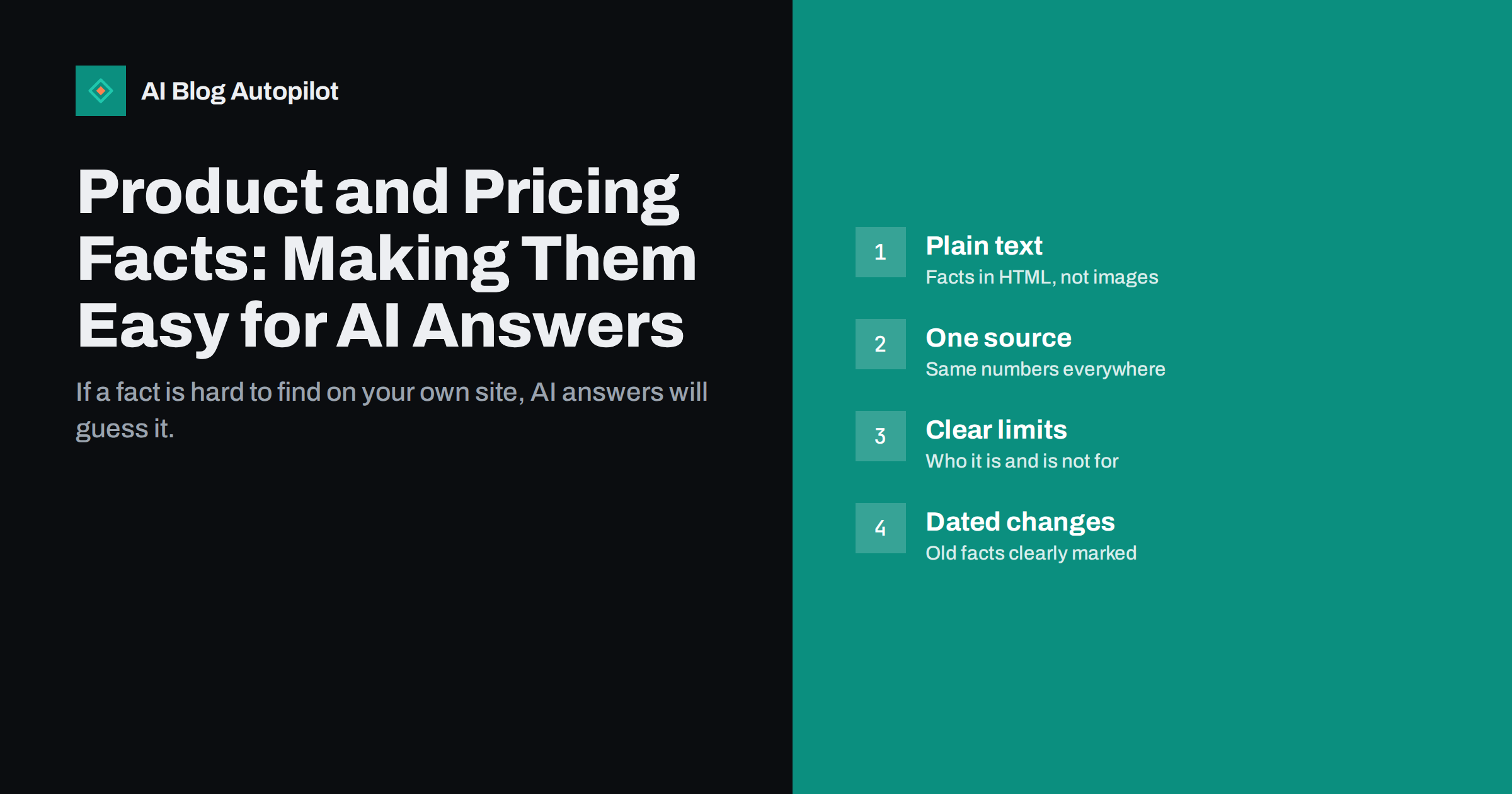
Short answer: AI answers describe products and services using whatever facts they can find, so make yours easy to find and hard to misread. Put prices, plans, features, limits, availability and requirements on your own pages as plain, readable text, keep one up-to-date source of truth and make every other page agree with it, say clearly who the product is and is not for, and remove or clearly date old information. Accurate structured data and FAQs on product and pricing pages help, but the visible text matters most.
When someone asks an assistant “how much does this service cost” or “does this tool work with WordPress”, the answer is assembled from sources the system can access: your website, review sites, directories, forums, old articles. If your own site states the facts clearly, it is more likely to be used, and the answer is more likely to be right. If your pricing is hidden in an image, your features are spread across five pages that disagree, and an old blog post still mentions last year’s plan, the answer may be wrong in ways that cost you customers. This guide covers how to present product facts so they come through correctly.
Why product facts go wrong in AI answers
Most incorrect descriptions of a business have ordinary causes:
- The facts are not in text. Prices inside images, feature lists in videos or plan details only visible after a click or login cannot be read reliably.
- The site contradicts itself. The pricing page says one thing, a help article another, and an old announcement a third.
- Old pages are still live. Discontinued products, previous prices and retired plans remain indexed and are treated as current.
- Third-party sources are outdated. Directories, comparison sites and reviews often describe how things were years ago.
- Important details are vague. Marketing language such as “flexible plans for every need” gives an answer engine nothing concrete, so it fills the gap from elsewhere.
Each of these can be fixed on your own site, and fixing them helps human visitors just as much.
Put the facts in plain text
Treat your pricing and product pages as documents that a machine and a hurried human should both be able to read in seconds.
- Prices and plan names as HTML text, not images or text drawn on a canvas.
- Units and periods spelled out: per month, per user, per year, including or excluding tax, which currency.
- Feature lists as real lists, with each feature named the way customers would search for it.
- Limits stated precisely: number of users, projects, articles, sites, storage or whatever your product counts.
- Requirements and compatibility: platforms, integrations, devices or regions supported.
- Trials, free tiers and cancellation terms described in a sentence each.
Interactive pricing calculators and toggles between monthly and yearly prices are fine for visitors, but the default view should still show readable prices in the page’s HTML. Content that appears only after interaction or loads from scripts that crawlers may not run is at risk of being missed.
One source of truth, everywhere
Pick one page as the official source for each kind of fact, usually the pricing page for prices and plans and a features page for capabilities. Then make sure every other page agrees with it:
- List where facts appear. Pricing often shows up on the home page, landing pages, FAQs, help articles, blog posts, emails and directory listings.
- Link instead of repeating where you can. A blog post can say “see the pricing page for current plans” rather than quoting prices that will change.
- Update everything at once when a fact changes, using your list as a checklist.
- Check your external profiles on directories, marketplaces and review platforms you control.
This discipline is also good for customers. Few things damage trust like a visitor finding two different prices on the same site.
Say who the product is for, and who it is not for
People increasingly ask assistants comparison and fit questions: “which tool is best for a small agency”, “is this suitable for a shop with 50 products”. Answers draw on pages that state fit clearly.
- Describe the typical customer in specific terms: size, industry, situation, goals.
- Name the main use cases with a sentence or two each.
- Be honest about what the product does not do, or does not do yet. A clear “not suitable for” statement prevents wrong recommendations and the disappointed customers that follow.
- Explain the differences between your plans in terms of who each plan suits, not only which features it includes.
Honesty about limits often feels risky, but an answer engine that recommends you to the wrong customer does not help you either. Clear fit statements attract the people you can actually serve.
FAQs on product and pricing pages
A short FAQ on the pricing page is one of the most effective ways to make facts quotable. Each question matches how people ask, and each answer is a self-contained statement that can be lifted directly.
Good pricing and product FAQ questions include:
- Is there a free plan or trial, and what does it include?
- Can I cancel at any time, and what happens to my data?
- Do unused credits or quotas carry over?
- Is tax included in the price?
- Which platforms or integrations are supported?
- What happens if I go over a limit?
Answer each one in two to four plain sentences. If FAQPage markup is used, the questions and answers in the markup must match the visible text exactly.
Keep the FAQ short, around five to eight questions, and review it whenever plans change. An outdated FAQ answer is just as misleading as an outdated price table.
Structured data that supports the text
Structured data helps search engines interpret product pages. For physical or digital products sold on your site, Product markup with offers can describe the price, currency and availability, as explained in Google’s product structured data documentation. Organization markup on the home page describes the business itself.
Keep a few rules in mind:
- Markup must describe what is visible on the page. Prices in markup that differ from prices on the page are a problem, not a benefit.
- Update markup at the same time as the text. If prices are generated from the same data, this happens automatically.
- Do not expect markup alone to change AI answers. It supports clear text; it does not replace it.
If your products are sold through marketplaces or partners as well, make sure the product data you send them is the same as on your site. Feeds and listings maintained by others are another place where an old price can live on for months, and answer engines may treat a large marketplace as more authoritative than your own page.
Handling old prices, plans and products
Old information is one of the biggest sources of wrong answers. Clean it up deliberately:
- Discontinued products: either redirect the page to the closest current product, or keep the page with a clear notice that the product is no longer available and what replaces it.
- Old pricing announcements: add a short note at the top saying the prices have changed, with a link to the current pricing page.
- Help articles about retired features: update, merge or remove them.
- Blog posts quoting prices: change them to link to the pricing page, or add the date the price applied.
- Change logs: a dated list of product and pricing changes gives both readers and machines context about what is current.
Dates help everywhere. “As of March, the Starter plan includes…” is far less likely to be misread years later than an undated statement.
Checking and correcting what AI answers say
Once your own pages are clean, check how assistants and AI search features describe you. Ask the questions customers ask: what you cost, what you do, whether you support a particular platform, how you compare with alternatives. Note which sources are cited when they are shown.
If an answer is wrong:
- Make sure your own site states the correct fact clearly, on the page most relevant to the question.
- Find the source of the wrong information, often an old page, a directory or a third-party review, and correct it if you can.
- Use feedback options in the assistant or search feature to report the error.
- Check again after a few weeks. Changes take time to be crawled and reflected.
Keep a simple log of questions, answers and dates. It shows whether things improve and helps you spot new errors after product changes.
How AI Blog Autopilot helps
AI Blog Autopilot writes and publishes long-form SEO articles with FAQ, tags and meta, planned around the topics and keywords you choose, and its writer is instructed never to make up statistics, quotes or sources. A steady flow of accurate articles about your field gives search engines and AI answers more clear, current pages to draw on. See the pricing page for plans.
Related reading
- When AI Answers Get Your Business Wrong: What to Do
- Checking Whether AI Assistants Mention Your Blog
- Entities and AI Search: Making Your Business Easy to Understand
- Writing Honest Articles About What Things Cost
The bottom line
AI answers can only be as accurate as the facts they find. Put prices, plans, features, limits and requirements in plain text, keep one source of truth and make every page agree with it, state clearly who the product suits and who it does not, and answer common pricing questions in a short FAQ. Clean up or date old information, use structured data that matches the page, and check what assistants say about you after every significant change.
FAQ
Why do AI answers show the wrong price for my product?
Usually because the correct price is hard to read on your site, other pages on your site disagree, or old pages and third-party listings still show previous prices. Clear text on one up-to-date pricing page, with other pages linking to it, reduces errors.
Should I show prices in images on my pricing page?
No. Prices in images are hard for search engines and AI systems to read and inaccessible to screen readers. Keep prices, units and plan details as plain HTML text.
Does Product structured data help with AI answers?
It helps search engines interpret product pages and can support rich results, but it does not guarantee how AI answers describe you. It must match the visible page, and the visible text matters most.
What should I do with pages for discontinued products?
Redirect them to the closest current product, or keep them with a clear notice that the product is discontinued and what replaces it. Do not leave them looking current.
How often should I check what AI assistants say about my product?
After every significant product or pricing change, and every few months otherwise. Ask the questions customers ask and keep a simple log of the answers and dates.