ENEnglish
 LTLietuviškai
 DEDeutsch
 FRFrançais
 RUРусский
 ESEspañol
 PLPolski
 ITItaliano
 UKУкраїнська
 CSČeština
 PTPortuguês
 JA日本語
JA日本語 LVLatviešu valoda
 ETEesti
 HUMagyar
 IDBahasa Indonesia
 TRTürkçe
 HIहिन्दी
 ELΕλληνικά
 ARالعربية
 THไทย
THไทย VITiếng Việt
 RORomână
 MSBahasa Melayu
 BNবাংলা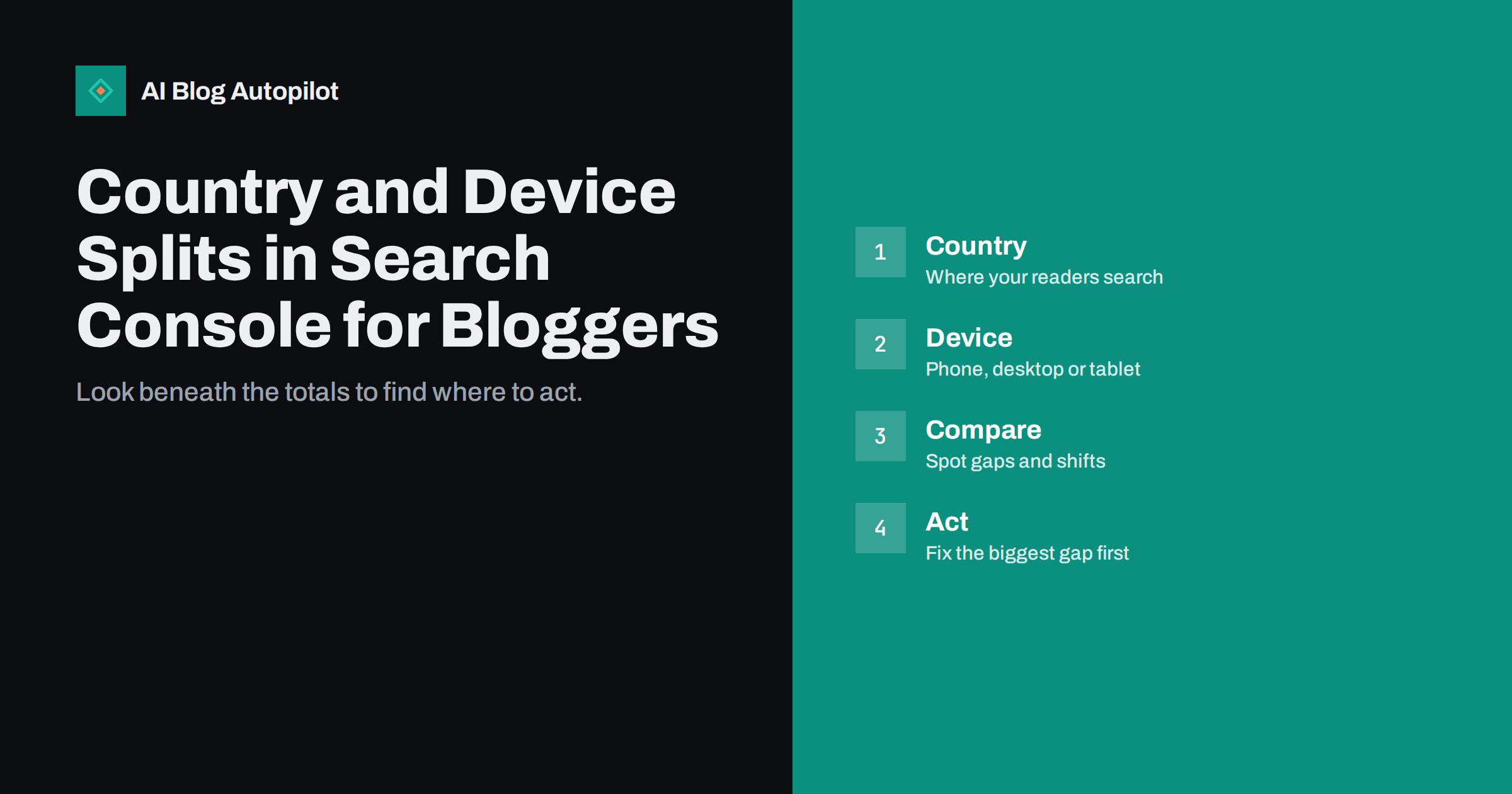
Short answer: the Performance report in Google Search Console lets you split clicks, impressions, click-through rate and average position by country and by device. Use the country view to see which markets already find you and whether your language and content match them, and use the device view to find pages that perform worse on phones than on desktop. Compare each segment with the whole, look for large gaps, and fix the biggest, most valuable one first. Totals tell you what happened; segments tell you where.
Most blog owners look at one chart: total clicks over time. It is a useful picture and an incomplete one, because the total can stay flat while one country grows and another shrinks, or while desktop visits rise and mobile visits fall. The country and device filters take a few minutes to use and often reveal the most useful action for the month. This guide explains how to read them and what to do with what you find.
Where to find the splits
Open the Performance report for the search results in Search Console. Choose a date range, then use the tabs under the chart to switch between queries, pages, countries, devices and search appearance. Each tab lists the same four measures: clicks, impressions, click-through rate and average position. You can also add filters to the whole report, so that, for example, the queries table shows only data from one country or only from mobile devices.
It helps to use the comparison option as well. Compare the last three months with the previous three, or with the same months a year earlier, to avoid being misled by seasonality. Export the tables to a spreadsheet if you want to sort or combine them. The splits are most reliable when you have enough data, so use longer ranges, such as three to six months, for smaller blogs.
What the country view tells you
The country tab shows where searchers were located when they saw or clicked your pages. Sort by clicks first, and then by impressions. A few patterns appear again and again.
- Your main market is clear. This confirms where your content and your business are strongest, and tells you where to invest effort.
- Unexpected countries with growing impressions. A neighbouring country or a country that shares your language may be finding your articles, which suggests an opportunity to serve it better.
- High impressions, low clicks in a country. The page shows up, but the result does not attract clicks. The title or snippet may not suit local readers, or the topic may be less relevant there.
- Different average positions by country. Rankings differ across markets. A page that ranks well at home may be much lower elsewhere.
- Traffic from countries you cannot serve. If you only sell locally, a large share of visits from far away may not help your goals.
Treat the country data as a clue, not a command. A large number of impressions in a country does not mean you should translate everything into its language; it means you should look closer at what the people there are searching for.
Language and country are not the same
People in one country often search in several languages, and people in several countries share one language. A British, an Irish and an Australian reader all search in English, and a reader in one country may use a different language on their phone from the one they speak at home. When you look at country data, check the queries for that country as well. If the queries are in a language you do not publish in, that is a sign of unmet demand, and it deserves a plan, not a guess.
For sites that publish in several languages, compare the countries with the language versions of each page. If your German pages receive impressions mainly from one country, you may want to consider spelling, examples, currencies and units that suit it. Our guide on choosing which languages to publish in explains how to weigh the effort and the benefit.
What the device view tells you
The device tab splits data into desktop, mobile and tablet. For most blogs, mobile now carries the largest share of impressions and often of clicks, although business and technical topics can lean towards desktop. The point of the comparison is not to prefer one device but to find gaps.
- Look at the share of clicks. If mobile accounts for most impressions but a small share of clicks, mobile results may be weaker or the pages may be slower to open.
- Compare click-through rate. A big gap suggests that the snippet looks worse on a small screen, for example because a long title is cut off.
- Compare average position. Mobile and desktop results can differ, and a page that is weak on mobile may rank lower there because of page experience.
- Check key pages. Filter by page and compare devices for your ten most valuable articles.
If you find a gap, test the page on a real phone. Look for slow loading, layout shifts, text that is too small, buttons that are too close together and pop-ups that cover the content. The mobile experience of your pages matters for readers first and for search second, and both point to the same fixes.
Combine the two views
Real insight often comes from combining filters. Apply a country filter and then look at devices, or choose a device and then look at queries. A few useful combinations follow.
- Main country and mobile: the experience of your largest audience on its most common device. Treat it as your priority test.
- Secondary country and all devices: shows whether a developing market behaves like your main one.
- Queries filtered by country: reveals local wording, spelling and topics that you can reflect in titles and headings.
- Pages filtered by device: reveals which articles struggle on phones and need layout work.
Keep a note of what you filtered, because it is easy to forget which filters are applied when you return to a report later. The active filters are shown above the chart, and clearing them restores the full view.
Turn the findings into actions
A report is useful only if it changes what you do. After each review, choose one to three actions, give each an owner and a date, and write down what you expect to see afterwards.
- Rewrite titles and descriptions for pages with many impressions and low click-through in a key country or device.
- Fix mobile problems on the pages where the mobile gap is largest, starting with speed and layout.
- Add local detail to articles that attract a second market, such as examples, prices, units or regulations that suit it.
- Create new content for queries that appear in a country but are not answered on your site.
- Review the internal links to pages that perform well in one market, so that readers can find related articles.
Be careful about making many changes at once. If you rewrite twenty titles and redesign the layout in the same week, you will not know which change helped. Work in small batches and review the same segment a few weeks later.
Cautions when reading the data
The numbers in Search Console are sampled and anonymised to some degree, and small segments can be noisy. Do not draw conclusions from a handful of clicks. The country is based on where the searcher was, which can be affected by travel, mobile networks and privacy tools, and the device is simply the device used. Average position is an average across many queries, so a rising average may reflect more impressions for low-ranking queries and not a real decline.
- Use longer periods for small segments.
- Compare the same periods and the same number of weekdays.
- Check that a drop is not caused by a data delay or by the most recent days being incomplete.
- Confirm important findings with a second source, such as analytics.
Our guide on why Search Console and analytics differ explains how to reconcile the sources. In short, expect different totals, but similar patterns. If the patterns disagree, check dates, filters and consent settings before assuming that either tool is wrong, because the cause is usually a setting and not the data.
A fifteen-minute monthly routine
Put this review in your calendar once a month. Open the Performance report for the last 28 days, compare with the previous period, and look at the countries tab and the devices tab. Note the top three countries and their changes. Check the mobile share of clicks and click-through rate. Open your five most important pages, filter by device and look for gaps. Compare the result with the previous month, not only with the one before it. Write two sentences in your records about what you saw and one action for the next month. Over a year, the notes will build a clear picture of your audience, and they make it much easier to explain your choices to a colleague or client.
How AI Blog Autopilot helps
AI Blog Autopilot writes articles in 25 languages, written natively and not machine-translated, which helps when your country data shows readers in other markets. Topics, keywords, audience and tone are set by you. See the pricing page for plans.
Related reading
- Google Search Console: The Five Reports That Matter
- Regex Filters in Search Console: Practical Recipes for Blogs
- Choosing Which Languages to Publish In
- Reading a Blog on a Phone: What to Fix First
The bottom line
Totals hide the story, and segments tell it. Use the country view to understand where your readers are and what they search for, use the device view to find pages that fail on phones, combine the two for deeper insight and turn each review into a small number of actions. Read small numbers with care, compare matching periods and repeat the routine monthly.
FAQ
Where do I find country and device data in Search Console?
In the Performance report, use the tabs beneath the chart to switch between Countries and Devices, and add filters to combine them with queries or pages.
Does a country with many impressions mean I should translate my site?
Not by itself. Check the queries from that country and the language they use before deciding. The data is a clue, not a command.
Why is my mobile click-through rate lower than desktop?
Titles may be cut off on small screens, or the result may look weaker. Check the snippets on a phone and test the page speed and layout.
How much data do I need?
Use three to six months for small blogs. Short periods and small segments are noisy, so avoid conclusions from a few clicks.
How often should I review these splits?
Monthly is enough for most blogs. A short routine of fifteen minutes with notes is better than an occasional deep dive.